“Best 15 laptop” sounds like a question about screen size, but at this point the size is the easy part. Nearly every machine in the segment uses a panel between 15 and 15.6 inches, so the real decision is what sits behind that glass. Is it a fast SSD or a slower flash module? Is it eight gigabytes of memory or sixteen? Is the brightness good enough for a sunny kitchen table? This guide is for buyers who already know they want the extra room of a 15-inch display and now need to sort out which compromises are worth making.
The shortlist below mixes one premium MacBook with four Windows laptops from ASUS, Acer and Dell. As we head through 2026, the interesting split is between laptops that pair a roomy screen with an SSD and those that save on cost with smaller UFS storage. Everything here is judged from the specs in each listing title; where a title is cut off, we say so and point you to the product page.
Our Top Picks


Top 3 picks at a glance
Quick Picks
As an Amazon Associate we earn from qualifying purchases at no extra cost to you.



| Product | Best for | Key spec from the title |
|---|---|---|
| MacBook Air 15-inch (M5) | Long-term daily driver | M5 chip, 15.3-inch Liquid Retina, 16GB, 512GB SSD |
| ASUS Vivobook Go 15 | Rugged student laptop | FHD 60Hz, 8GB RAM, 512GB SSD, WiFi 6E |
| Acer Aspire Go 15 (Core 3 N355) | Light, low-cost browsing | FHD IPS, 8GB DDR5, 128GB UFS |
| Acer Aspire Go 15 (Ryzen 3) | Entry Windows with a real SSD | FHD IPS, 8GB LPDDR5, 128GB PCIe SSD, Wi-Fi 6 |
| Dell 15.6 (Core 3 100U, DDR5) | Brighter screen for office work | 300 nits anti-glare WVA, 8GB DDR5, 512GB SSD |
How to Choose
SSD versus UFS storage
This is the spec most shoppers overlook. A PCIe SSD is the standard laptop drive and handles app launches and large file copies comfortably. UFS is a flash format borrowed from phones; it boots quickly but is usually found on cost-focused models with 128GB capacities and cannot be swapped like a full-size drive. If you plan to install software or keep a photo library, favor a 512GB SSD. If the laptop is a browser-and-documents machine, 128GB can work with cloud storage.
Memory type and amount
Eight gigabytes is the working minimum for Windows today, and it is also the amount most of the picks below carry. The type matters less than the amount, but DDR5 and LPDDR5 are newer than DDR4 and generally offer more bandwidth. LPDDR5 is soldered to the board, which is common on thin laptops, so you cannot add more later. Sixteen gigabytes of unified memory, as on the MacBook Air, gives headroom for a heavy browser session and creative apps together.
Brightness and panel coating
Many budget listings never state brightness, and the screens can look washed out in daylight. When a number appears, as with the 300 nits Dell, treat it as a plus. Anti-glare coatings cut reflections from windows and lamps but can slightly soften colors. For a 15-inch laptop, FHD resolution is the sensible minimum, and an IPS-type panel gives wider viewing angles than older TN screens. If two laptops look similar on paper, the brighter, sharper screen is the one you will appreciate every single day.
Processor naming traps
Budget processors carry confusing names. “Core 3” and “Ryzen 3” are entry-level parts meant for web, office and streaming, not gaming or video editing. Titles often cut off a model number, so check the full processor name before comparing two similar laptops. A newer generation with the same tier usually brings better efficiency and battery life. Do not pay extra for a model number that sounds impressive if the memory and storage next to it are small.
The 5 Best Options
MacBook Air 15-inch (M5)
The premium end of the 15-inch class. The listing shows a 15.3-inch Liquid Retina display, 16GB of unified memory, a 512GB SSD and a 12MP Center Stage camera. It is for professionals, writers and students who want a single laptop to last, and who value the space of a larger screen without moving to a heavy workstation. Two windows side by side, a long timeline or a wide spreadsheet all benefit from the extra room, and the M5 chip name points to a current-generation platform.
- Strength: 16GB of memory and a 512GB SSD give it the most headroom of the group.
- Strength: the Center Stage camera keeps you framed during video calls.
- Trade-off: it is the costliest option, and it does not run Windows-only software.
Skip it if your job depends on Windows programs, or if you simply need a screen for casual browsing and email, where a far cheaper laptop would do the same job.
ASUS Vivobook Go 15
A student-oriented machine with a 15.6-inch FHD 60Hz screen, an AMD Ryzen 5 processor with Radeon graphics, 8GB of RAM and a 512GB SSD. The title also lists military-grade durability, an ErgoSense keyboard and WiFi 6E, which suggests a build meant to survive a daily commute and long typing sessions. Pair that with a full 512GB drive and you get a laptop that suits a student who carries it everywhere, installs a few programs and does not want to babysit storage space.
- Strength: 512GB of SSD storage is generous at this level.
- Strength: WiFi 6E is a newer wireless standard than many competitors list.
- Trade-off: a 60Hz panel and unstated brightness keep the display ordinary.
Skip it if you want a faster-feeling screen or need more than 8GB of memory for heavier multitasking.
Acer Aspire Go 15 (Core 3 N355)
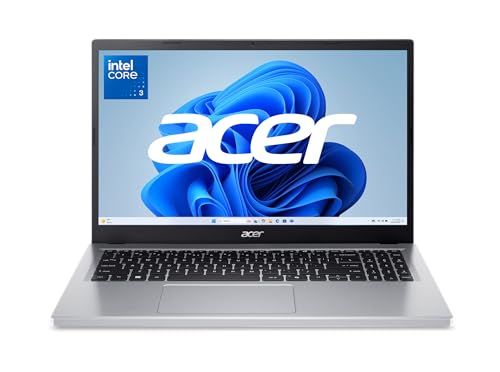
This Aspire pairs a 15.6-inch FHD IPS display with an Intel Core 3 N355, Intel graphics, 8GB of DDR5 and 128GB of UFS storage. The “AI Ready” tag in the title points to a recent design aimed at everyday productivity. It fits a shopper who mostly lives in a browser and cloud apps and wants to keep the entry cost low. It is a sensible machine for a household that shares one laptop for recipes, school portals, video calls and streaming, where speed matters less than a clear, big screen.
- Strength: DDR5 memory and an IPS panel are welcome at a modest tier.
- Strength: Full HD resolution keeps text sharp on a large screen.
- Trade-off: 128GB of UFS storage fills quickly and cannot be upgraded like a standard SSD.
Skip it if you store large files locally or install big programs, since UFS storage cannot be swapped out later.
Acer Aspire Go 15 (Ryzen 3)
The sibling to the model above swaps in an AMD Ryzen 3 processor with Radeon graphics, 8GB of LPDDR5 and a 128GB PCIe SSD, again with a 15.6-inch FHD IPS panel and Wi-Fi 6. For some buyers, the PCIe SSD is the deciding factor, since it uses the traditional laptop storage format rather than UFS. That makes it feel closer to a traditional laptop when it comes to installing programs, even though the capacity is the same as its sibling.
- Strength: PCIe SSD storage and Wi-Fi 6 in an entry-level build.
- Strength: LPDDR5 memory is efficient and fast for its class.
- Trade-off: the 128GB capacity is still small, so plan on cloud or external storage.
Skip it if you need space for a lot of local files, or want more than basic office performance.
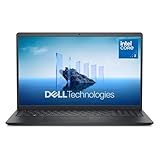
Dell 15.6 (Core 3 100U, DDR5)
Dell’s version with DDR5 memory and a 300 nits anti-glare WVA panel stands out for its brighter display. With an Intel Core 3 100U, Intel UHD-class graphics, 8GB of RAM, a 512GB SSD and Wi-Fi 6, it reads like a practical office laptop for people who work near windows or under bright lights. Add the 512GB drive and the DDR5 memory, and the configuration reads as one of the more balanced offerings in the group for office, school and home use alike.
- Strength: 300 nits of brightness is a clear step up from 250 nits.
- Strength: a 512GB SSD with Wi-Fi 6 rounds out a sensible office configuration.
- Trade-off: integrated graphics limit it to light creative work.
Skip it if you want a thin premium design or plan to edit video regularly.
Which One Fits Your Situation
You work from cafes and shared desks
The Dell with the 300 nits anti-glare panel is the sensible choice, since brightness and reflection control matter most in changing light.
You want a laptop that lasts through a degree
Four years is a long time for a laptop, so storage and memory headroom matter more than a lower entry cost. The MacBook Air 15-inch offers the memory and storage to avoid an upgrade in two years. If you need Windows, the ASUS Vivobook Go 15 with its 512GB drive is the closest budget alternative.
You are buying for a family kitchen computer
Either Acer Aspire Go 15 works. Pick the Ryzen 3 version if you prefer a PCIe SSD, or the Core 3 N355 if you like DDR5 memory. Both keep the cost of entry low, and both pair a 15.6-inch Full HD screen with 8GB of memory, which is enough for recipes, school portals and video calls.
You want the quickest storage at the lowest cost
The Acer Aspire Go 15 with the Ryzen 3 and a PCIe SSD is the pick here, because it keeps the traditional drive format that handles installs and file copies more comfortably than UFS. Pair it with a cloud account or an external drive for anything bulky.
Common Mistakes
- Treating UFS and SSD as the same thing, then running out of space in a few months.
- Choosing by processor name alone while ignoring RAM and storage.
- Trusting a bright-sounding screen description when the listing never states nits.
- Buying 8GB of soldered memory and expecting to upgrade it later.
- Assuming a bigger screen always means a better laptop, when weight and battery may suffer.
Related guides
- Gaming Chair Cushions And Lumbar Supports
- Travel Backpack With Laptop Compartment
- Business Laptops With Long Battery Life
Frequently Asked Questions
Is 128GB enough on a 15-inch laptop?
It can be if you use cloud storage and keep few programs installed. Anyone who stores photos, video or large applications locally should choose 512GB, because operating system updates alone take up a surprising amount of a small drive.
What does “AI Ready” mean in a laptop listing?
It usually signals a recent processor generation with features for newer software. Treat it as a marketing label and focus on RAM, storage and screen quality, which are the specs you will notice every day.
Are 15-inch laptops good for travel?
They are workable but heavier and bulkier than 13 or 14-inch models. If you travel often, check the listed weight and decide whether the larger screen is worth carrying. A good test is to picture the bag you already own and whether a 15.6-inch frame fits it comfortably.
Is the MacBook Air worth it over a Windows laptop?
It is worth considering if you value long-term memory and storage headroom and use software available on macOS. If your tools are Windows-only, a Dell or ASUS is the safer path.
Related guides
More from Amazon
Programs that pair well with the guide above. Offers and eligibility are set by Amazon and may change.
Free shipping on eligible items, Prime Video and more. Eligible new members can start with a free trial.
Start a Prime free trialAd-free music streaming. Eligible new subscribers can start with a free trial.
Try Music Unlimited freeA Prime membership for ages 18-24 with a trial period. Eligibility is set by Amazon.
See Prime for Young AdultsAudiobooks and podcasts to listen to on the go. Eligible new members can start with a free trial.
Try Audible freeAs an Amazon Associate we earn from qualifying purchases.