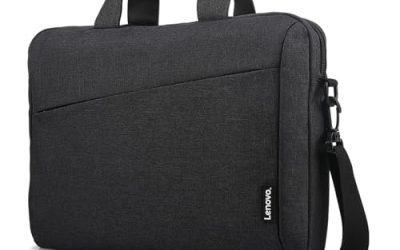
A large screen laptop is a different purchase from a standard one. You are accepting a heavier machine and a bigger footprint in exchange for room to breathe: two documents side by side, a full-width timeline, large text for tired eyes, or a spreadsheet that does not require constant scrolling. The first question is how large you really want to go, because the listings here range from 17.3 inches all the way up to 18.5 inches, and that difference shapes where the laptop can live.
This guide suits people who mostly keep their laptop on a desk or a kitchen table: home-office workers, seniors who want bigger on-screen text, photo and video hobbyists, and anyone replacing a small desktop. It is not for daily commuters. We sorted six options for 2026 by the specs stated in their listing titles, and we flag every place where the title leaves a detail open so you can confirm it before ordering.
Our Top Picks
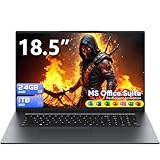
 EKY 18.5 Inch Large Screen Laptop Computer16GB RAM+1TB SSD16.8 x 10.97 x 0.83 inches1.9 KilogramsCheck on Amazon
 HP 17.3" Touchscreen Laptop Computer32GB RAM | 1.5TB Storage14.14 x 9.31 x 0.78 inches6 poundsCheck on Amazon


Top 3 picks at a glance
Quick Picks
As an Amazon Associate we earn from qualifying purchases at no extra cost to you.




| Product | Best for | Key spec from the title |
|---|---|---|
| EKY 18.5-inch Laptop | Desktop replacement with many ports | 16GB RAM, 1TB SSD, 6316mAh battery, RJ45, HDMI |
| BWPED 18.5″ Laptop | Memory-hungry multitasking | 24GB RAM + 1TB SSD, 48Wh battery, 3 USB ports |
| 18.5-inch Core i9 Laptop | Color-conscious creative work | Core i9 (up to 4.8 GHz), 100% sRGB FHD display |
| HP 17-inch Business Laptop (Ryzen 5) | Office work with data entry | 16GB RAM, 512GB SSD, 17.3″ FHD, numeric keypad |
| HP 17.3″ Touchscreen (Core Ultra 7) | Touch input and security features | Core Ultra 7, 16GB RAM, Win 11 Pro, fingerprint reader |
| HP OmniBook 3 17.3″ (Core Ultra 5) | Simple, current-generation family laptop | Core Ultra 5 225U, 8GB RAM, 512GB SSD, FHD display |
How to Choose
Match the diagonal to the desk, not just the wish list
A 17.3-inch laptop typically needs a surface roughly the size of a large cutting board and a backpack that fits it. An 18.5-inch model is wider still and is best treated as a movable desktop. If you plan to carry it between rooms rather than between buildings, either size works. If a bag is involved, measure the compartment before buying, and check the listing for weight, which titles often leave out.
Resolution matters more as the panel grows
Stretching 1920 x 1080 pixels across 17 or 18 inches makes text slightly less sharp than on a 14-inch panel. That is acceptable for office use at a normal viewing distance. A listing that says only “HD+” is lower still, so expect softer text. If you edit photos, look for a stated color coverage such as 100% sRGB, and be wary of any listing that does not name the panel type.
Memory, storage, and ports are the quiet differentiators
Large chassis have space for a full set of ports, so look for HDMI, an Ethernet jack, and several USB ports. For performance, 16GB of RAM is a sensible target, and 8GB is the bare minimum. A 512GB SSD is comfortable for general use, while 1TB suits photo and video libraries. Be careful with titles that combine internal and external storage in one number; an external dock is not the same as internal capacity.
What to ignore and where budget models cut corners
Ignore clock-speed claims without a processor family behind them, because “up to 3.4GHz” tells you little by itself. Ignore bundled software promises and cloud storage offers. Budget large-screen models often trim battery capacity, speakers, and build quality, and lesser-known brands may offer shorter support windows. Confirm warranty terms, return policies, and the seller before committing. Also check whether the keyboard is backlit and whether the hinge looks sturdy in the listing photos, since a large lid puts more strain on the hinges than a small one does.
The 6 Best Options
EKY 18.5-Inch Large Screen Laptop
The EKY is the pick for someone who wants a laptop that behaves like a compact desktop. The title lists 16GB of RAM, a 1TB SSD, a 6316mAh battery, a privacy shutter camera, a TF card slot, an RJ45 Ethernet port, and HDMI, a connectivity set rarely seen on thin machines. Picture a spare-room desk with a wired network drop, an external keyboard, and a card reader for camera files: this is the layout the spec list is built around. The privacy shutter on the camera is a small but welcome touch for video calls.
- Strength: 16GB RAM and a 1TB SSD give generous working room.
- Strength: Ethernet, HDMI, and a card reader cover wired setups and photo imports.
- Trade-off: The processor is described only as up to 3.4GHz, so research the exact chip first.
Skip it if you need a recognizable processor lineup or a lightweight carry.
BWPED 18.5″ Laptop
BWPED leans on memory and storage, listing 24GB of RAM alongside a 1TB SSD. It also names three USB ports, HDMI, RJ45, dual-band Wi-Fi, and Bluetooth 5.0, with a 48Wh battery. For a person running many browser tabs and documents on one huge screen, that memory total stands out. A bookkeeper with a dozen spreadsheets open, or a student juggling research tabs, notes, and a video lecture, is the kind of user who benefits from the extra headroom over a typical 16GB configuration.
- Strength: 24GB of RAM is the largest memory figure in this group.
- Strength: A full port set simplifies connecting a mouse, printer, and monitor.
- Trade-off: The title names a Core m3 class processor, so do not expect workstation-level power.
Skip it if you plan on heavy video rendering or gaming, where a stronger processor class matters more than memory alone.
18.5-Inch Laptop with Core i9
This listing stands out for its display and processor claims: a Core i9 (up to 4.8 GHz), 16GB of RAM, a 512GB SSD, Wi-Fi 6, and a 100% sRGB Full HD screen. A backlit keyboard, numeric pad, and fingerprint feature are also named, which suits photo hobbyists who value color accuracy. The Core i9 label and Wi-Fi 6 point to a more capable build than the other 18.5-inch listings, but because the title does not name a brand, read the seller details and return terms carefully.
- Strength: Stated 100% sRGB coverage is useful for photo editing.
- Strength: Backlit keyboard and numeric pad help in dim rooms.
- Trade-off: The brand is not named in the title, so verify the seller and warranty.
Skip it if brand reputation and long-term support matter most to you.
HP 17-Inch Business Laptop (Ryzen 5)
A familiar brand, a 17.3-inch Full HD display, a numeric keypad, 16GB of RAM, and a 512GB SSD. It is the most conventional choice in the group: a workhorse for email, documents, and spreadsheets with a recognizable name behind it and a long-battery claim in the title. Offices that already standardize on HP will find it easiest to support, and the Ryzen 5 class processor is a common choice for general productivity.
- Strength: A balanced 16GB and 512GB configuration for everyday work.
- Strength: A numeric keypad speeds up data entry.
- Trade-off: At 17.3 inches, it is smaller than the 18.5-inch rivals if you want maximum screen.
Skip it if you need a touchscreen or a very large display.
HP 17.3″ Touchscreen Laptop (Core Ultra 7)
This is the premium-leaning HP: a 17.3-inch touchscreen, Intel Core Ultra 7, 16GB of RAM, Windows 11 Pro, and a fingerprint reader. The title also lists 1TB of storage, but that is 512GB of SSD plus a 512GB external docking set, so count the internal drive as 512GB. The touchscreen is handy for annotating documents or signing forms with a finger, and the Pro edition suits anyone who handles confidential files.
- Strength: Touch input and a fingerprint reader add convenience and security.
- Strength: Windows 11 Pro supports encryption and business features.
- Trade-off: Half of the storage is external, so internal space is 512GB.
Skip it if you do not want to pay for touch capability, or if you would rather have all of the storage inside the laptop instead of on a separate drive.
HP OmniBook 3 17.3″ (Core Ultra 5 225U)
The OmniBook 3 is a straightforward family laptop: 17.3-inch Full HD display, Intel Core Ultra 5 225U, 512GB SSD, and Windows 11 Home. It is a simple, current-generation machine that fits streaming, school, and household paperwork. Parents who want one shared machine for homework, video calls, and online banking will find the plain setup less intimidating than a business-oriented configuration.
- Strength: A newer processor generation with a roomy 512GB SSD.
- Strength: Simple Windows 11 Home setup suits non-technical users.
- Trade-off: Only 8GB of RAM, which limits heavy multitasking.
Skip it if you keep dozens of tabs open or edit large files.
Which One Fits Your Situation
A home-office worker replacing a desktop
The EKY 18.5-inch laptop is the closest match. Ethernet, HDMI, 16GB of RAM, and a 1TB SSD make it behave like a desktop that happens to fold.
A hobbyist who edits photos
The 18.5-inch Core i9 model with its stated 100% sRGB screen is the one to shortlist. Confirm the brand support first, and compare it with the HP 17-inch model if a recognizable name matters more than the extra diagonal.
A senior or family that wants big, readable text
Choose the HP OmniBook 3 17.3″. The large Full HD screen, plain Windows Home setup, and current-generation processor keep things simple. Pair it with an inexpensive external mouse and it covers streaming, email, and video calls comfortably.
A professional who needs touch and security
The HP 17.3″ Touchscreen with Core Ultra 7 and Windows 11 Pro fits best, thanks to the fingerprint reader and Pro edition. If touch is not important, the HP 17-inch Business Laptop with the Ryzen 5 offers a similar office-oriented experience with a numeric keypad instead.
Common Mistakes
- Buying 18.5 inches without measuring the desk or the bag it must fit into.
- Treating “up to” clock speeds as a performance guarantee.
- Counting an external dock as internal storage.
- Accepting 8GB of RAM on a laptop meant to replace a desktop, then discovering that some models cannot be upgraded later.
- Skipping warranty and seller checks on lesser-known brands.
Related guides
- Gaming Chair Cushions And Lumbar Supports
- Travel Backpack With Laptop Compartment
- Business Laptops With Long Battery Life
Frequently Asked Questions
Is a bigger laptop screen better for eyesight?
A larger panel lets you enlarge text without losing workspace, which many people find easier on the eyes. Distance, brightness, and glare control still matter as much as size.
Do 18.5-inch laptops exist in mainstream brands?
Mainstream makers mostly stop at 17.3 inches. The 18.5-inch category is dominated by smaller brands, so compare support terms carefully.
How much RAM is enough for a large laptop?
16GB suits most users, and 24GB or more helps if you keep many windows open. Eight gigabytes works only for light tasks.
Can I use a large laptop on battery all day?
Large panels draw more power, so plan to stay near an outlet. Titles that list battery capacity, such as 48Wh or 6316mAh, help you compare, but real runtime depends on usage.
Related guides
More from Amazon
Programs that pair well with the guide above. Offers and eligibility are set by Amazon and may change.
Free shipping on eligible items, Prime Video and more. Eligible new members can start with a free trial.
Start a Prime free trialAd-free music streaming. Eligible new subscribers can start with a free trial.
Try Music Unlimited freeA Prime membership for ages 18-24 with a trial period. Eligibility is set by Amazon.
See Prime for Young AdultsAudiobooks and podcasts to listen to on the go. Eligible new members can start with a free trial.
Try Audible freeAs an Amazon Associate we earn from qualifying purchases.