Our Short List of 3

- Best for: Desk-based home-office work with a Thunderbolt dock and touch input.
- Display: 14-inch Full HD (1920 x 1080) touchscreen
- Processor: Intel Core i5-1145G7, 2.6 GHz base clock
- Memory: 16GB DDR4
- Storage: 256GB NVMe SSD

- Best for: A main home or study laptop where storage matters more than touch.
- Display: 14-inch Full HD (1920 x 1080)
- Processor: 11th Gen Intel Core i5-1135G7, quad-core
- Memory: 16GB DDR4 RAM
- Storage: 512GB SSD
- Best for: A second household laptop or travel machine where platform age matters less than capacity and touch.
- Display: 14-inch FHD anti-glare touchscreen
- Processor: Intel Core i5-10210U, 1.6 GHz base, up to 4.2 GHz, 4 cores
- Memory: 16GB DDR4
- Storage: 512GB SSD
All 3 Picks at a Glance
| Product | Specs | Action |
|---|---|---|
| Lenovo ThinkPad T14 Gen 2 Touchscreen (Renewed) |
| Check price on Amazon |
| Lenovo ThinkPad T14 Gen 2 (Renewed) |
| Check price on Amazon |
| Lenovo ThinkPad T14 Touchscreen (Renewed) |
| Check price on Amazon |
The real decision with a five- or six-year-old laptop is not raw speed. A 2020 or 2021 business machine with a Core i5 still handles browsing, office work, video calls and light photo editing without complaint, and its processor sits comfortably inside Microsoft’s Windows 11 support list. What actually separates a smart buy from a regret is condition: almost every machine in this age band now sells as Amazon Renewed rather than new, so battery health, seller terms and the return window matter more than the badge on the lid.
This roundup is for buyers who want a capable second computer, a study machine, or a low-cost home-office laptop without paying current-model money. Every pick below is a 2020–2021 Windows laptop with a 10th- or 11th-generation Core i5, 16GB of memory and an SSD, chosen from the specifications printed in its Amazon listing. Because all three are Renewed units, each entry states that condition openly and flags what to check when the box arrives.
Our Top Picks
Top 3 picks at a glance
Quick Picks
As an Amazon Associate we earn from qualifying purchases
| Product | Best for | Key spec from title |
|---|---|---|
| Lenovo ThinkPad T14 Gen 2 Touchscreen (Renewed) | A docked desk setup with touch input | 14″ FHD touch, Core i5-1145G7, 16GB, 256GB SSD |
| Lenovo ThinkPad T14 Gen 2 (Renewed) | Everyday home-office work | 14″ FHD, Core i5-1135G7, 16GB, 512GB SSD |
| Lenovo ThinkPad T14 Touchscreen (Renewed) | A spare or travel machine | 14″ FHD touch, Core i5-10210U, 16GB, 512GB SSD |
How to Choose
Start with the processor generation, not the brand
Five to six years old lands on Intel’s 10th and 11th Core generations, and that band is the sweet spot for a used Windows laptop in 2026. Both generations sit on Microsoft’s supported list for Windows 11, so the machine keeps receiving feature and security updates instead of being frozen out. The differences are in the details: 11th-generation chips bring Iris Xe graphics and Thunderbolt 4, while 10th-generation parts use older UHD graphics and Thunderbolt 3. Read the exact chip in the listing title — an i5-1145G7 and an i5-1135G7 look similar but differ in clock speeds and business features — and be wary of listings that hide the generation behind a bare “Core i5” label.
Treat the Renewed grade as part of the specification
Almost nothing from 2020 or 2021 still sells new, so the honest comparison is between renewed listings, and the grade is a real specification. Amazon Renewed units are inspected and tested by the seller and are covered by a limited refund or replacement window stated on the listing, which is your safety net if the machine arrives below par. The battery is the one wear item no grade can fully promise: a five-year-old pack will not hold its original charge, and sellers rarely state a measured health percentage. Plan to run a battery report in the first days, while the return window is still open, and treat a weak result as a reason to exchange rather than a flaw to live with.
Memory and storage decide how long it stays useful
A laptop of this age stays pleasant only if it clears two floors: 16GB of memory and a solid-state drive. Listings with 8GB still circulate at tempting positions in search results, and they feel cramped under a modern browser with a video call running. Storage is the second trap — 256GB fills quickly once Windows, office software and a photo library move in, so the 512GB configurations below age better. Also check what the listing actually states rather than assuming upgrade paths: business models of this era often combine soldered memory with one open slot, and a listing that says 16GB may reach that figure in different ways.
Ports and graphics changed between the two generations
If the laptop will live on a desk, the generation gap shows up in the cable that connects it. Eleventh-generation machines offer Thunderbolt 4, which drives a dock, external displays and charging over one cable, and their Iris Xe graphics handle light esports titles and older games at modest settings. Tenth-generation machines use Thunderbolt 3, which docks almost as well, but their UHD graphics are noticeably weaker and their HDMI ports are often the older 1.4b standard, which caps an external monitor’s refresh rate at high resolutions. Neither generation replaces a gaming laptop with a dedicated GPU, so judge them as work machines that can game lightly, not the other way round.
The 3 Best Options
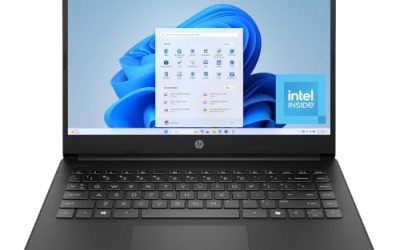
Lenovo ThinkPad T14 Gen 2 Touchscreen (Renewed)
- Best for: Desk-based home-office work with a Thunderbolt dock and touch input.
- Display: 14-inch Full HD (1920 x 1080) touchscreen
- Processor: Intel Core i5-1145G7, 2.6 GHz base clock
- Memory: 16GB DDR4
- Storage: 256GB NVMe SSD
Desk-based home-office work with a Thunderbolt dock and touch input.
The 256GB SSD fills quickly with large photo or video libraries, and battery wear varies on Renewed units, so run a battery report during the return window.
This is the newest platform in the roundup: a 2021 business laptop whose Core i5-1145G7, touchscreen and Thunderbolt 4 port make it the easiest of the three to live with at a desk. The 16GB of memory and fast NVMe storage keep everyday work responsive, and the touch panel suits anyone who marks up documents or presents from the machine itself. The compromise is capacity, since 256GB is the smallest drive here. It is sold as an Amazon Renewed unit, not a new laptop, so expect a tested, cleaned machine whose battery wear depends on the individual example.
Lenovo ThinkPad T14 Gen 2 (Renewed)
- Best for: A main home or study laptop where storage matters more than touch.
- Display: 14-inch Full HD (1920 x 1080)
- Processor: 11th Gen Intel Core i5-1135G7, quad-core
- Memory: 16GB DDR4 RAM
- Storage: 512GB SSD
A main home or study laptop where storage matters more than touch.
The listing title does not state panel brightness, and screens varied across this model’s configurations, so read the full listing details if you work in bright rooms.
The second pick keeps the same 2021 generation but swaps the touchscreen for double the storage, which makes it the better default for most households. Its Core i5-1135G7 is a quad-core chip from the same family as the pick above, the 14-inch Full HD panel is the standard business specification, and 512GB of SSD space leaves room for years of documents and photos. Like the others here, it is an Amazon Renewed unit rather than new stock, with Windows 11 Pro installed. Choose it if the laptop will be a main home or study machine rather than a docked desk fixture.
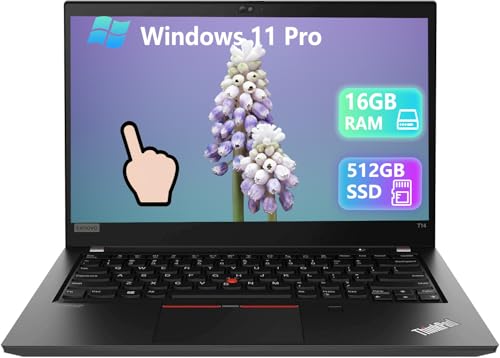
Lenovo ThinkPad T14 Touchscreen (Renewed)
- Best for: A second household laptop or travel machine where platform age matters less than capacity and touch.
- Display: 14-inch FHD anti-glare touchscreen
- Processor: Intel Core i5-10210U, 1.6 GHz base, up to 4.2 GHz, 4 cores
- Memory: 16GB DDR4
- Storage: 512GB SSD
A second household laptop or travel machine where platform age matters less than capacity and touch.
HDMI 1.4b limits an external monitor at high resolutions, the UHD graphics are the weakest here, and a 2020 battery carries the most wear of the three.
The 2020 entry in the roundup runs Intel’s 10th-generation Core i5-10210U, and it earns its place by pairing a touchscreen and a 512GB SSD with the older, cheaper platform. You give up Thunderbolt 4 and Iris Xe graphics, but Thunderbolt 3 still drives a desk dock, the quad-core chip still sits on the Windows 11 support list, and 16GB of memory keeps it smooth for browsing, documents and calls. As an Amazon Renewed unit it is the most affordable route into this age band, and it suits a spare household machine, a travel laptop or a child’s homework computer better than a primary workstation.
Which One Fits Your Situation
You work from home and dock at one desk
Pick the ThinkPad T14 Gen 2 Touchscreen. Thunderbolt 4 lets one cable run your monitor, peripherals and charging, the i5-1145G7 is the strongest chip here, and the touch panel helps in meetings and document reviews. Check its battery report on arrival, then leave it docked with confidence.
You need one machine for everything at home
Pick the ThinkPad T14 Gen 2 with the Core i5-1135G7. The 512GB SSD is the deciding factor for a main computer, because family photos, school files and applications accumulate for years. You lose the touchscreen, but for a keyboard-and-mouse household that trade is worth making.
You want a spare, travel or homework machine
Pick the 2020 ThinkPad T14 Touchscreen. Its older platform costs less to replace if it is dropped or lost, the 512GB drive is generous for a secondary role, and the touchscreen suits younger users. It is the one to hand over without worrying about the household’s main files.
You present, teach or annotate on screen
Start with the Gen 2 Touchscreen for its newer processor and brighter spec sheet, and fall back to the 2020 touchscreen model if the first is unavailable. Both pair touch input with Windows 11 Pro, so either can drive a presentation, mark up slides or run a whiteboard app in a classroom or meeting room.
Common Mistakes
- Buying an 8th-generation or older machine to save a little, then fighting weaker graphics and a shorter remaining support life.
- Reading “Renewed” as “new in a plainer box” — these are used, inspected units, and condition varies from seller to seller.
- Skipping the battery health check until after the return window has closed.
- Choosing an 8GB listing because the processor name matches a better configuration.
- Assuming every laptop of this model line has the same screen, when brightness and touch support vary by configuration.
Frequently Asked Questions
Is a five- or six-year-old laptop still worth buying in 2026?
Yes, for everyday work. A 2020–2021 business laptop with a Core i5, 16GB of memory and an SSD still runs browsing, documents, streaming and video calls smoothly, and its build quality usually beats a new budget model. It makes less sense for heavy video editing, modern games or anyone who needs a battery that lasts a full day away from a charger.
Do these laptops run Windows 11 properly?
Yes. Intel’s 10th- and 11th-generation Core processors are on Microsoft’s supported list for Windows 11, so these machines install and update it officially rather than through workarounds. The listings above ship with Windows 11 Pro already installed. That support is the main reason to stay inside this five- to six-year age band instead of buying something older.
What does Amazon Renewed actually mean for condition?
It means the laptop is a pre-owned unit that the seller has inspected, tested and cleaned before listing, backed by a limited refund or replacement window described on the product page. It is not a factory-sealed new machine, and cosmetic condition and battery health vary between individual units, which is why checking the laptop thoroughly as soon as it arrives matters.
Can a laptop this old handle games?
Only lightly. The 11th-generation pick’s Iris Xe graphics run esports titles and older games at low to modest settings, and the 10th-generation model’s UHD graphics are a step behind that. None of these machines has a dedicated graphics card, so treat gaming as a bonus on top of a work laptop rather than the reason to buy one.
Related guides
More from Amazon
Programs that pair well with the guide above. Offers and eligibility are set by Amazon and may change.
Free shipping on eligible items, Prime Video and more. Eligible new members can start with a free trial.
Start a Prime free trialAd-free music streaming. Eligible new subscribers can start with a free trial.
Try Music Unlimited freeA Prime membership for ages 18-24 with a trial period. Eligibility is set by Amazon.
See Prime for Young AdultsAudiobooks and podcasts to listen to on the go. Eligible new members can start with a free trial.
Try Audible freeAs an Amazon Associate we earn from qualifying purchases.