
An open box GPU can be the best deal in PC hardware or the most expensive mistake you make this year. The box was opened, maybe the card was installed, maybe it was just returned because it did not fit the case. Retailers cannot sell it as new, so you get a discount. The trap is assuming “open box” means “like new with a smaller price tag.” Condition varies wildly, from untouched to mined on for months and repackaged. Knowing what to inspect, what to test, and what to walk away from is what actually protects your money.
Most buyers make three predictable mistakes. First, they focus only on the model name and discount percentage and skip the physical inspection. Second, they do not test thermals and noise under load before the return window closes. Third, they assume the manufacturer warranty still applies in full, when open box coverage often comes only from the retailer for 14 to 30 days. As of early 2026, with current-gen cards still holding high retail prices, a careful inspection can save you $50 to $300 compared to buying new, but only if you verify condition properly.
As an Amazon Associate we earn from qualifying purchases at no extra cost to you. Product prices and availability are accurate as of the date shown and are subject to change.


Top 3 picks at a glance
Decide These 3 Things First
Before you look at any open box listing, lock in these decisions. They will filter 90 percent of bad options immediately.
1. Your case and power limits: Measure your case clearance and check your power supply. Most RTX 4060 and 4070 cards are 240mm to 300mm long and need 550W to 650W PSUs with one 8-pin or 16-pin connector. RTX 4080 Super and RTX 4090 cards are typically 320mm to 345mm long, 3.5 to 4 slots thick, weigh 1.6kg to 2.2kg, and require 750W to 850W minimum with a native ATX 3.0 16-pin cable or adapter. If your case only supports up to 310mm GPUs, a large open box 4090 is not a deal at any price.
2. Your acceptable condition tier: Decide if you will only accept “certified complete and uninstalled” or if you will consider “installed and returned” with light wear. The first tier should look and perform like new. The second should be discounted 15 to 25 percent off new and must pass thermal and fan tests.
3. Your seller standard: Buy only where you get at least a 14-day no-questions-asked return and a written warranty. Reputable retailers offer 30-day returns on open box and a 90-day retailer warranty. Marketplace sellers with “no returns” or “as-is” should be skipped no matter how low the price.
Size, Weight, and Whether It Will Actually Fit
Size is the number one reason GPUs get returned, which is good for you if you measure correctly. Do not trust the listing photo alone.
Check these three numbers against your case spec sheet:
- Length: Budget dual-fan cards are usually 225mm to 250mm. Mid-range triple-fan cards are 300mm to 320mm. Premium RTX 4080 Super and 4090 cards are 330mm to 345mm. You need at least 10mm to 15mm of clearance past the listed length for cables and front fans.
- Thickness: Listed as slots. 2.0 to 2.5 slots is standard for RTX 4060. 3.0 to 3.5 slots is common for RTX 4070 Ti and above. 3.5 to 4.0 slots on flagship models can block the PCIe slot below your motherboard. Verify you have 60mm to 75mm of vertical clearance.
- Weight and support: Cards over 1.3kg should include a support bracket or anti-sag stand in the box. If the open box is missing the bracket for a 1.8kg card, budget $15 to $25 for an aftermarket support. A heavy card shipped without proper padding is also more likely to have PCB flex or cooler damage.
Also confirm power connector type. Founders and most partner cards from the RTX 40 series use the 12VHPWR 16-pin connector. Boards may need three 8-pin to 16-pin adapters if your PSU does not have a native cable. An open box missing that $15 to $20 adapter is not complete.
Materials and Cooling Hardware to Inspect
The cooler tells you more about prior use than the box does. A well-cared-for card keeps its factory finish and all cooling components intact.
Look closely at:
- Shroud and backplate: Aluminum or reinforced plastic should be free of deep scratches, cracks, or bent fins. Light surface marks are cosmetic. Bent heat sink fins, stripped screws, or a bowed backplate suggest a drop or over-tightened mount.
- Fans: Stock fans are typically 85mm to 100mm, with 80mm units like the common PWM 4-pin dual-ball bearing fans used on smaller coolers. Spin each fan by hand with the card unpowered. It should spin freely for 2 to 4 seconds without scraping, wobble, or grinding. Any ticking or resistance indicates a failing bearing.
- Thermal interface: You cannot see paste and pads without disassembly, which you should not do before purchase if it voids the retailer warranty, but you can smell and see signs. A strong chemical odor, oily residue around the backplate, or excessive dust caked between fins points to heavy use or poor storage. Light dust is normal and cleanable. Thick, compacted dust blocking 30 percent or more of the fin stack is a red flag.
- PCB and connectors: The PCIe gold fingers should be mostly clean with faint insertion marks at most. Deep scratches, chipping, or discoloration across the contacts means repeated installs. The HDMI and DisplayPort ports should be free of bent pins. Check the 16-pin power socket for melted plastic, scorching, or loose pins, which is rare but critical on high-wattage cards.
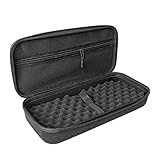
For storage and transport after purchase, the cooler is the most vulnerable part. If you move the card often, a dedicated graphics card hard case matters. Simple scratchproof carrying bags for RTX 4060 through 4090 cards run $16 to $27 and protect the shroud, fans, and PCIe bracket from impact when the original box is missing or crushed.
Build Quality and Signs of Prior Use
Construction details separate a returned-but-unused card from one that was run hard.
- Seals and screws: Factory warranty stickers over screws should be intact or clearly marked as retailer-inspected. If the “warranty void if removed” sticker is torn, peeled, or replaced, the card was likely repasted or repaired. Some manufacturers allow repasting without voiding warranty, but retailers may not.
- Bracket and I/O shield: The steel PCIe bracket should be straight, with no bent tabs and with all screws present. Rust spots, rounded screw heads, or missing port covers indicate rough handling or long exposure.
- Original contents: A complete open box should include the card, manual, driver card, power adapter if required, and support bracket. Missing adapters or brackets are common and negotiable. Ask for a $15 to $30 credit if parts are absent.
- Serial number match: The serial on the card, box, and receipt must match. Mismatched numbers mean the box and card were swapped, which voids traceability and often warranty support.
- Dust pattern: Even, fine dust across the fans is normal for a brief install. Dust packed only on one fan or one side of the heat sink suggests the card ran for weeks in a dusty case without cleaning.
Take photos of the card from all angles the moment you unbox it. Capture the serial, PCIe contacts, power connector, and fan labels. This documents condition within the return window if you need to file a claim.
Performance, Thermals, and Noise That Prove Health
A visual check is not enough. An open box GPU must be tested under load for at least 20 to 30 minutes before you decide to keep it.
- Baseline idle: At desktop idle in a 21C to 24C room, most modern cards sit at 30C to 45C with fans at 0 RPM or 800 to 1000 RPM. Idle temps above 55C or fans stuck at 1800 RPM+ at idle suggest background load, poor mount, or sensor issues.
- Load temps: Run a demanding game or stress test at 1440p or 4K. Expect 65C to 75C for well-cooled RTX 4060/4070 cards and 70C to 82C for RTX 4080 Super/4090 cards in a case with adequate airflow. Sustained temps above 86C to 88C, sharp spikes to 90C+, or thermal throttling are grounds for return. Memory junction temps, if visible in software, should generally stay under 95C.
- Fan behavior: Fans should ramp smoothly from 30 percent to 70 percent (roughly 1100 to 2200 RPM depending on model) without rattling, clicking, or sudden pulsing. A dual-ball bearing 80mm fan at 2500 RPM is audibly loud but should not grind. Replace a single noisy fan for $13 to $19, but do not accept two or three failing fans on an open box.
- Coil whine: High-pitched buzzing under load is common and not a defect unless it is loud at 50cm distance in a closed case. If whine is audible over game audio at normal volume, return it.
- Artifacts and crashes: Any flickering pixels, checkerboards, black screens, or driver crashes during a 30-minute load test indicate a faulty card. Do not attempt to undervolt to hide the issue. Return immediately.
- Power draw: Check wattage with hardware monitoring. An RTX 4070 should draw around 180W to 215W under load, an RTX 4080 Super around 285W to 320W, and an RTX 4090 around 350W to 450W. Far lower sustained draw with low performance points to power limit or connector problems.
Test with your own system, not just the seller’s bench. Use the cables and power supply you will actually run daily.
Price Tiers and What an Open Box Should Cost
Discounts should reflect condition and completeness, not just the “open box” label.
- Like-new open box, sealed inner bag, all accessories: Expect 8 to 12 percent off the current new price. For example, a $549 new card at $485 to $505, or a $999 card at $879 to $919. This tier should be visually flawless and perform like new.
- Installed and returned, light wear, complete: Expect 15 to 20 percent off new. Packaging may show wear, card has faint insertion marks but no damage. This is the sweet spot for value if thermals check out.
- Incomplete or cosmetic damage, tested working: Expect 20 to 30 percent off new, but only if the only issues are missing non-critical accessories or minor shroud scratches. Missing 16-pin adapters, brackets, or documentation should push the price down by at least the replacement cost plus $10.
- Below 30 percent off: Be skeptical. Heavy discounts on current high-end cards often hide mining history, repair history, or a short 14-day warranty with no manufacturer support.
Compare against new street prices, not launch MSRP. Track the new price for the same SKU for a week. If new has dropped $50, the open box should be $50 lower as well.
Warranty, Returns, and Delivery Checks
Paperwork matters as much as the cooler does.
- Return window: Insist on a written 14-day minimum, ideally 30 days. You need time to run extended tests. Same-day or 7-day windows do not give enough time to catch intermittent faults.
- Who warranties it: Ask if the original manufacturer warranty transfers. Many brands base warranty on serial date and do not require the original receipt, but some require proof of purchase from an authorized seller. If the retailer open box is not authorized, you may only get the retailer’s 90-day warranty. Get this in writing.
- Receipt and registration: Keep the receipt and photo of the serial. Try registering the card on the manufacturer’s site within 24 hours. If registration fails due to prior owner, clarify with support before the return window ends.
- Delivery and packaging: Open box should still be shipped with anti-static bag, foam or molded pulp, and outer box. Cards shipped loose in bubble wrap with no anti-static protection have higher risk of hidden damage. On delivery, inspect the outer box for crush damage. If the box is punctured or heavily dented, photograph it before opening and test immediately.
- Assembly notes: Install with the case lying flat if the card is over 1.5kg to avoid PCIe slot stress. Secure with at least two bracket screws and use the support bracket. Route the 16-pin cable with a gentle bend radius of at least 35mm from the connector. Sharp bends at the plug are a known failure point.
Spec Checklist
| Spec | Budget | Mid | Premium |
|---|---|---|---|
| Example GPUs | RTX 4060 8GB | RTX 4070 / 4070 Ti Super | RTX 4080 Super / 4090 24GB |
| Typical New Price Range | $285 – $350 | $545 – $799 | $999 – $1,599 |
| Open Box Target Price | 10 – 20% off new | 12 – 22% off new | 10 – 25% off new |
| Card Length | 225 – 260mm | 285 – 320mm | 320 – 345mm |
| Thickness / Weight | 2.0 – 2.5 slots / 0.7 – 1.0kg | 2.5 – 3.5 slots / 1.1 – 1.6kg | 3.5 – 4.0 slots / 1.6 – 2.2kg |
| PSU Required | 550W, 1x 8-pin | 650 – 750W, 2x 8-pin or 16-pin | 750 – 850W, 16-pin ATX 3.0 |
| Idle / Load Temps | 32 – 42C / 65 – 75C | 35 – 45C / 68 – 78C | 38 – 48C / 70 – 82C |
| Accessories Required | Manual, adapter if needed | Adapter, support bracket | 16-pin adapter/cable, support bracket, manual |
| Warranty to Accept | 30-day return + 90-day retailer | 30-day return + 90-day retailer | 30-day return + mfr serial warranty |
Red Flags
Walk away or return immediately if you see any of these:
- Price is more than 30 percent below new with no clear explanation and only a 14-day or as-is policy.
- Serial numbers on card and box do not match, or serial sticker is missing or tampered with.
- Melted, discolored, or loose pins in the 16-pin power connector, or burn marks near the power stage on the PCB.
- Fans that grind, wobble, or fail to spin evenly when nudged by hand, or one fan completely seized.
- Heavy, caked dust, oily film, or corrosion on the backplate and bracket, suggesting long, uncleaned use.
- PCIe contacts with deep gouges and wear across most of the gold fingers, indicating many installs.
- Screw heads stripped and warranty sticker torn, signs of unauthorized disassembly or repair.
- Artifacts, crashes, or temps that hit 88C+ and throttle within 10 minutes in a well-ventilated case.
- Seller refuses to provide photos of the actual card, power connector, and serial, or uses only stock images.
- Card shipped without anti-static bag or padding, especially heavy 3.5+ slot models over 1.6kg.
FAQ
Is an open box GPU the same as used or refurbished?
No. Open box means the retail box was opened and the product was returned to the retailer. It may be unused or installed briefly. Used typically means sold by a prior owner with unknown history and no retailer inspection. Manufacturer refurbished means the maker inspected, repaired if needed, repackaged, and usually includes a direct 90-day to 1-year manufacturer warranty. Open box condition varies most, so inspection matters more than with refurbished.
How do I know if an open box card was used for mining?
You cannot know for certain without seller disclosure, but clues help. Look for uniform dust across all cards in a bulk listing, BIOS flashed to a different version, missing retail accessories in multiple listings from the same seller, and very high power-on hours if the seller provides software screenshots. Functionally, test thermals and stability. A well-maintained mining card can still pass tests, but factor that history into price and insist on a longer return window. If the seller cannot confirm gaming-only returns, treat it as heavily used and expect a 20 to 30 percent discount.
What should I test in the first 24 hours?
Do four checks quickly. First, visual inspection and serial match, with photos. Second, idle temperature and fan check for 10 minutes. Third, a 30-minute load test in a demanding game at your target resolution while logging temperatures, fan RPM, and wattage. Fourth, port test: verify each DisplayPort and HDMI output with a 60Hz and, if available, 120Hz+ display, and run audio over HDMI. If all pass, run an extended 1 to 2 hour session within the week to catch intermittent crashes.
Do I need extra protection if the original box is damaged?
For a card you keep installed, the case itself is protection. For transport, resale, or storage, yes. Heavy triple-fan cards are easily damaged by pressure on the cooler and flex on the PCB. If the open box arrives with a crushed inner tray, keep the anti-static bag and consider a rigid graphics card hard case or padded carrying bag. Hard cases sized for RTX 4060 through 4090 cards cost $16 to $27, weigh 300g to 500g, and prevent shroud scratches and fan damage far better than wrapping the card in towels or bubble wrap.


