
Choosing the right asus gaming pc configuration is less about finding a single “best” machine and more about matching a GPU tier, memory ceiling, and budget to how you actually play. A buyer running a 1440p monitor at 144Hz needs different silicon than someone chasing 4K frame rates with ray tracing cranked to maximum. The lineup below spans from a sub-$1,300 TUF build to a $3,200 GM700 with an RTX 5080, and the practical question at every price point stays the same: are you paying for performance you will actually use, or over-specifying on components that will not move your in-game experience?
What separates a strong deal from a mediocre one comes down to three factors: whether the GPU class is paired with enough RAM to avoid bottlenecks in modern titles, whether the storage configuration leaves headroom for a growing library, and whether the operating system matches your real workflow. We compared published specifications, current prices, and recurring owner feedback across all eight machines to surface which configurations offer the clearest value per dollar. The roundup is ordered by price from entry-level TUF to the top-tier GM700 with NVIDIA’s 5080.
As an Amazon Associate we earn from qualifying purchases at no extra cost to you. Product prices and availability are accurate as of the date shown and are subject to change.


Top 3 picks at a glance
Quick Picks
| Product | Best for | Price |
|---|---|---|
| ASUS ROG G700 (16GB DDR5, Win Home) | 1440p gaming on a budget | $1,799.99 |
| ASUS ROG G700 (Ultra 7K, 5070 Ti, 32GB) | Upgraded CPU/GPU without AMD platform | $2,199.99 |
| ASUS ROG G700 (32GB DDR5, Win Pro) | Streamers needing Pro features at lower cost | $1,706.05 |
| ASUS ROG GM700 (Ryzen 7, RX 9070 XT) | AMD loyalists wanting 2TB storage | $2,999.99 |
| ASUS ROG GM700 (Ryzen 7, RTX 5080) | 4K ray-traced gaming, best-in-class GPU | $3,199.99 |
| ROG NUC 16 Gaming Mini PC | Desk-space-constrained buyers wanting 5070 Ti power | $2,999.00 |
| Skytech Gaming Azure 3 | Non-ASUS alternative with X3D CPU | $2,899.99 |
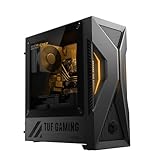
| ASUS TUF T500 (RTX 5060 Ti) | 1080p gaming at the lowest entry price | $1,241.99 |
How We Picked
For this category the criteria that matter most are GPU tier relative to your target resolution, RAM capacity (16GB is already a constraint in several current titles), storage volume for a typical library of 50-plus games, and price-to-performance ratio against competing SKUs in the same chassis family. We weighted owner-reported reliability and thermal behavior as tiebreakers when spec sheets were near-identical.
The 8 Best Asus Gaming PC in 2026
ASUS ROG G700 – Ultra 7 / RTX 5070 / 16GB DDR5
This is the most accessible way into a full-tower ROG build. The RTX 5070 handles 1440p comfortably in most titles, and the Core Ultra 7 265F is a solid gaming CPU. Owners highlight the quiet idle acoustics and clean cable management as standout positives.
- Pro: Lowest full-ROG price point with a current-gen NVIDIA GPU
- Pro: PCIe 4 NVMe storage keeps load times competitive
- Con: 16GB RAM will feel tight in upcoming AAA releases and heavy multitasking
Skip this one if you stream or plan to keep the machine beyond two years without a memory upgrade.
ASUS ROG G700 – Ultra 7K / RTX 5070 Ti / 32GB DDR5
The unlocked “K” processor and 5070 Ti GPU together push this build into upper-1440p and entry-4K territory. Doubling RAM to 32GB eliminates the most common owner complaint on the base model. The trade-off is roughly $400 over the 16GB variant.
- Pro: 5070 Ti delivers a meaningful frame-rate step over the non-Ti 5070
- Pro: 32GB DDR5 provides headroom for years of title updates
- Con: Price premium over the 265F/5070 config may be hard to justify for 1440p-only players
Skip if you are budget-capped below $2,000; the G700 at $1,706 covers 1440p without the Ti markup.
ASUS ROG G700 – Ultra 7 / RTX 5070 / 32GB DDR5 / Windows 11 Pro
Ironically the cheapest G700 here despite carrying 32GB of RAM and the Pro license. For streamers or buyers who need Hyper-V, BitLocker, or domain-join capabilities without paying retail for a Pro upgrade separately, this is the best asus gaming pc value in the G700 family. GPU and CPU match the pricier sibling, making it a strange but welcome outlier.
- Pro: 32GB RAM plus Windows 11 Pro at the lowest G700 price in the lineup
- Pro: Identical RTX 5070 tier as the $1,800 model
- Con: Locked processor (non-K) limits manual overclocking headroom
Skip if you do not need Pro features and want the 5070 Ti’s extra raster throughput.
ASUS ROG GM700 – Ryzen 7 9800X3D / RX 9070 XT / 2TB SSD
The 9800X3D remains the gaming CPU to beat, and pairing it with a factory-overclocked RX 9070 XT creates a strong AMD-platform option for players who prefer Radeon drivers or want the X3D cache advantage in CPU-bound esports titles. The 2TB NVMe drive is generous out of the box.
- Pro: 9800X3D cache benefit is most visible at 1080p and 1440p in high-fps titles
- Pro: Double the storage of every G700 variant without an upgrade
- Con: Price crosses $3,000 while the GPU is a generation behind the 5080 config
Skip if your primary monitor is 4K and you care about ray-traced frame rates over raw CPU cache advantage.
ASUS ROG GM700 – Ryzen 7 9800X3D / RTX 5080 / 2TB SSD
This is the performance king of the roundup. The 5080 handles 4K with ray tracing at playable framerates, and the 9800X3D ensures you are never CPU-limited at lower resolutions. For buyers who want a 2026-class flagship that will remain relevant well into the next console generation, this configuration delivers without compromise.
- Pro: Top GPU and top gaming CPU paired with 32GB DDR5 and 2TB storage
- Pro: Owner reports confirm the chassis handles the 5080 thermals without excessive noise
- Con: $3,200 puts it in custom-build territory where DIY can match specs for less
Skip if you play at 1080p or 1440p and do not intend to buy a 4K panel; the 5070 Ti builds save meaningful money.
ROG NUC 16 Gaming Mini PC
A full RTX 5070 Ti and Core Ultra 9 processor in a form factor smaller than a hardcover book makes this the asus gaming pc choice for buyers with no desk real estate. The NUC line has historically been well-built and quiet, though the tiny chassis does limit future expandability.
- Pro: Extreme space savings without dropping below 1440p/4K-class GPU performance
- Pro: Core Ultra 9 290HX+ is a mobile-derived flagship chip with strong single-thread throughput
- Con: Only 1TB SSD and no room for additional drives without external enclosures
Skip if you need more than 1TB internal storage or want upgrade path longevity beyond three years.
Skytech Gaming Azure 3 – Ryzen 7 9850X3D / RX 9070 XT
Not an ASUS product, but it sits squarely in the same price bracket and GPU tier as the GM700 with the 9070 XT, making it a relevant cross-shop. The 9850X3D edges the 9800X3D slightly in multi-thread workloads. Skytech ships clean builds with decent cable management and a no-frills aesthetic.
- Pro: 9850X3D is the fastest gaming CPU Skytech offers, beating the 9800X3D in select titles
- Pro: Competitive price against the GM700 AMD config for identical GPU class
- Con: No ASUS warranty service network; support depends on Skytech’s smaller operation
Skip if brand-specific support or ROG software ecosystem features are non-negotiable for you.
ASUS TUF T500 – i5-13420H / RTX 5060 Ti
The entry point. An i5 from a previous generation paired with the 5060 Ti keeps the price below $1,300 while still delivering current-gen GPU architecture. For 1080p gaming with high settings in most titles, it is genuinely sufficient. Owners appreciate the compact footprint and the fact that ASUS still builds the TUF chassis to MIL-STD durability specs.
- Pro: Lowest absolute price in the roundup with a modern RTX 5060 Ti GPU
- Pro: Compact TUF chassis fits on tight desks and survives transport better than full towers
- Con: The 13420H is a mobile chip with limited core count, creating a visible CPU ceiling at 1080p high-refresh
Skip if you play CPU-heavy titles at high framerates or want any upgrade headroom beyond the GPU.
Buying Guide
GPU Tier Determines Your Resolution Target
The single most important spec in any asus gaming pc purchase is the GPU, because it dictates the resolution and settings at which you will play. An RTX 5060 Ti is a 1080p card in 2026. A 5070 handles 1440p comfortably. A 5070 Ti extends into entry-4K with DLSS enabled. A 5080 is the only option here that will push 4K native without upscaling tricks in the heaviest titles. Match your monitor before you match a brand preference.
RAM and Storage Are the Silent Bottlenecks
Sixteen gigabytes of DDR5 is no longer safe for multi-year ownership. Several current AAA titles already exceed 14GB of committed memory during normal play, and that trend is accelerating. If your budget allows, 32GB is the practical minimum for a gaming machine you intend to keep beyond two years. On storage, a 1TB drive fills quickly once you account for a Windows install, a launcher, and five or six modern titles at 100GB-plus each. The 2TB configs in the GM700 family remove that pressure entirely.
Windows Edition and Processor Suffix Matter More Than They Seem
Windows 11 Home versus Pro is a $100 retail upgrade, but the G700 at $1,706 bundles it for free—making it a smarter buy than the $1,800 Home edition despite identical GPU and CPU. On the processor side, the “K” suffix indicates an unlocked multiplier for overclocking, while the “F” suffix means no integrated graphics. If you never overclock and your discrete GPU is always present, paying extra for the K variant is pure cost with no gaming benefit.
Our Verdict
The top pick is the ASUS ROG GM700 with the RTX 5080 and Ryzen 7 9800X3D at $3,199.99. It pairs the current-generation fastest gaming CPU with the strongest GPU in this lineup, 32GB of DDR5, and 2TB of storage—no single component will bottleneck the others for years. The budget pick is the G700 at $1,706.05, which offers 32GB RAM and Windows 11 Pro alongside an RTX 5070 for the lowest price of any ROG-branded full tower here. One condition shifts the calculus: if desk space is genuinely scarce and you cannot accommodate a mid-tower, the ROG NUC 16 at $2,999 delivers the same GPU tier in a footprint that fits in a bookshelf.
FAQ
Is 16GB of RAM enough for an asus gaming pc in 2026?
It is marginal. Several current titles already push committed memory past 14GB, and background applications like Discord, browser tabs, and overlays consume the remainder. 32GB is the safer recommendation for any purchase you plan to keep more than two years.
Can I upgrade the RAM and storage in the G700 and GM700 towers?
Yes. Both full-tower families expose standard DIMM slots and additional M.2 sockets. The ROG NUC 16, by contrast, is a soldered-configuration mini PC with no user-upgradeable storage beyond its single drive bay.
Why is the 265F/RTX 5070/32GB/Win Pro G700 cheaper than the same GPU/16GB/Home config?
Pricing across SKUs is set per-configuration by ASUS and retailers independently, so identical GPU and CPU pairings can land at different price points depending on the RAM tier, OS license, and current inventory discounts. The $1,706 model is simply a lower-priced bundle in the same product family.
Does the Skytech Azure 3 receive ASUS warranty support?
No. Despite being in this comparison for its identical GPU tier and similar price bracket, the Azure 3 is manufactured and supported entirely by Skytech. ASUS warranty, RMA channels, and ROG software tools do not apply to it.


