
Our Top Picks
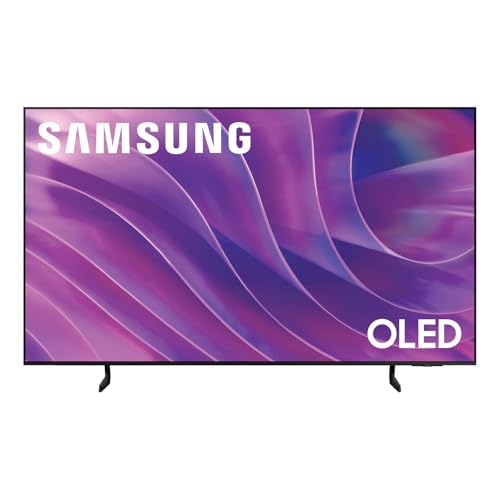 Samsung 77-Inch Class OLED S84F Series Samsung Vision77-Inch13 x 67.8 x 41.7 Inches63.5 poundsCheck on Amazon


Top 3 picks at a glance

Best 75-Inch OLED TVs for Gaming and Movies
The best 75-inch OLED TV is usually a 77-inch model: major manufacturers commonly sell OLED panels in a 77-inch class rather than exactly 75 inches, so compare the listed diagonal and the TV’s actual width before buying. For a bright room, prioritize screen reflections and peak HDR brightness; for a gaming setup, check how many HDMI 2.1 inputs you need and whether the wall mount can support the TV’s weight.
Why a “75-inch” OLED is often 77 inches
TV sizes are measured diagonally, but screen sizes come in standard manufacturing classes. In the large OLED category, 77 inches is a common size, while 75 inches is more often associated with LCD and mini-LED TVs. That makes “best 75 inch tv oled” a useful search, but the practical comparison is usually among 77-inch OLED models.
As an Amazon Associate we earn from qualifying purchases at no extra cost to you.


A 77-inch 16:9 screen is about 67.1 inches wide and 37.8 inches high, excluding the frame. A true 75-inch screen in the same aspect ratio is about 65.4 inches wide and 36.8 inches high. The difference is roughly 1.7 inches in width, which can matter if the TV must fit between cabinets or on a narrow stand. Always check the manufacturer’s exterior dimensions, not just the diagonal.
77-inch OLED models compared
The table focuses on features that affect day-to-day use. HDR brightness varies with picture mode, test pattern, and how much of the screen is bright, so treat peak figures as approximate ranges—not sustained full-screen brightness. HDMI 2.1 counts refer to inputs suitable for high-bandwidth gaming features; verify the exact regional specification before purchase.
| Model | HDR brightness, approximate peak | HDMI 2.1 inputs | Screen reflection treatment | Approx. TV weight without stand | Best fit |
|---|---|---|---|---|---|
| LG OLED evo C5, 77-inch | About 1,000–1,300 nits in small highlights | 4 | Glossy; no aggressive matte layer | About 23 kg / 51 lb | Several consoles or a PC, with flexible gaming connections |
| LG OLED evo G5, 77-inch | About 1,800–2,200 nits in small highlights | 4 | Glare-reducing coating; reflections are softened, not eliminated | About 30 kg / 66 lb | Bright rooms and wall mounting |
| Samsung S95F OLED, 77-inch | About 1,700–2,000 nits in small highlights | 4 | Matte-style Glare Free screen | About 32 kg / 71 lb | Rooms with lamps or windows reflected in the screen |
| Sony BRAVIA 8 II, 77-inch | About 1,000–1,300 nits in small highlights | 2 | Glossy; conventional reflection handling | About 29 kg / 64 lb | Movie-first setups that need strong processing and picture control |
Specifications can differ by market and model variant. Confirm the exact manual for HDMI capabilities, screen treatment, and mounting dimensions before ordering. VESA compatibility is separate from weight: the mount must match both the TV’s mounting pattern and its load rating.
Which one should you choose?
- For a gaming PC plus multiple consoles: The LG C5 or G5 offers four HDMI 2.1 inputs, making it easier to connect several high-refresh sources without an HDMI switch. The C5 is the value-oriented choice; the G5 is the brighter, wall-focused option.
- For a bright room with direct reflections: Consider the Samsung S95F’s matte-style coating or the LG G5’s glare-reducing treatment. These can make reflected shapes less distracting, but they do not make OLED equivalent to a very bright LCD in direct sunlight. If possible, position the screen so windows and lamps are not facing it.
- For a dim room and movie watching: The Sony BRAVIA 8 II is worth considering if you value Sony’s image processing and movie presentation. Its two HDMI 2.1 inputs require more planning if you have several high-bandwidth gaming devices.
- For the easiest wall-mount decision: Compare the TV’s weight without its stand against the mount’s rated load, then check the VESA pattern and screw requirements. A 77-inch OLED can weigh roughly 23–32 kg (51–71 lb) before adding the mount or cables.
HDMI 2.1: count the devices, not just the ports
HDMI 2.1 matters for features such as 4K at 120 Hz, variable refresh rate (VRR), and automatic low-latency mode. A port advertised as HDMI 2.1 does not guarantee that every feature works with every device, so check support for the console or graphics card you own.
Make a simple connection plan before buying. Count your gaming PC, consoles, and any receiver that needs a direct connection to the TV. If you have three gaming sources but only two suitable TV inputs, you may need to route one through a compatible receiver or use a switch that supports the resolutions, refresh rates, and VRR features you need. An older receiver can limit the signal even when the TV itself supports it.
Mounting: a practical weight check
Do not choose a mount based on “75-inch compatible” alone. TV-size labels are broad, and the mount must fit the set’s VESA pattern and safely carry its actual weight. A useful planning rule is to choose a mount rated comfortably above the TV’s listed weight, while following the mount maker’s instructions and using suitable wall fixings.
For example, if a TV weighs 30 kg without its stand, a mount rated for 30 kg has no spare capacity for handling forces during adjustment. A model rated at least 45 kg gives a 1.5× load margin: 30 × 1.5 = 45 kg. This is a planning buffer, not a replacement for checking the wall type, anchor requirements, or the mount manufacturer’s rating. For drywall, masonry, or uncertain stud placement, get appropriate installation advice rather than relying on the TV’s size label.
Frequently asked questions
How much wider is a 77-inch OLED than a true 75-inch screen?
A 77-inch 16:9 screen is about 1.7 inches wider than a true 75-inch screen. The 77-inch screen is about 67.1 inches wide and 37.8 inches high, excluding the frame, while a true 75-inch screen is about 65.4 inches wide and 36.8 inches high. Check the TV’s exterior dimensions before buying.
Will a 77-inch OLED work in a bright room?
A 77-inch OLED can work in a bright room, but reflection handling and HDR brightness should guide your choice. The Samsung S95F has a matte-style Glare Free screen, while the LG G5 has a glare-reducing coating. Neither eliminates reflections or makes OLED equivalent to a very bright LCD in direct sunlight, so screen placement still matters.
How many HDMI 2.1 inputs do these OLED TVs have?
The LG OLED evo C5, LG OLED evo G5, and Samsung S95F each have 4 HDMI 2.1 inputs. The Sony BRAVIA 8 II has 2. Count your gaming PC, consoles, and receiver before choosing. If you have more suitable high-bandwidth sources than inputs, a compatible receiver or switch may be necessary.
How much do these 77-inch OLED TVs weigh without their stands?
The listed TVs weigh about 23–32 kg without their stands. The LG C5 is about 23 kg, the LG G5 about 30 kg, the Samsung S95F about 32 kg, and the Sony BRAVIA 8 II about 29 kg. Confirm the exact model’s weight before selecting a wall mount or planning installation.
What should I check before mounting a 77-inch OLED?
Before mounting a 77-inch OLED, check the TV’s weight, VESA pattern, screw requirements, and the mount’s load rating. A mount rated at least 45 kg gives a 1.5× planning margin for a TV weighing 30 kg without its stand. Also verify the wall type, anchor requirements, and stud placement rather than relying only on the size label.
Bottom line
For most people searching for a 75-inch OLED, a 77-inch TV is the size to compare. Pick the LG C5 when gaming connections and value matter most, the LG G5 or Samsung S95F when reflection handling and brighter HDR are priorities, and the Sony BRAVIA 8 II for a movie-focused setup where two HDMI 2.1 inputs are enough. Before committing, measure the cabinet or wall, count your high-bandwidth devices, and confirm both the VESA pattern and mount load rating.


