Searching for the best and cheapest gaming laptop means holding two goals that pull against each other. The word “gaming” implies a dedicated graphics card, a fast display, and cooling that can sustain load, and every one of those costs money. The word “cheapest” pushes toward listings that borrow the gaming label while shipping with integrated graphics and a standard office screen. Sorting the real value from the label is the entire job, and it starts with reading what is actually written in the product title.
This guide is for students, first-time PC gamers, and anyone upgrading from an aging laptop who wants playable 1080p performance without stepping into premium pricing in 2026. Seven distinct laptops are compared, spanning budget Ryzen and Core models with integrated graphics through the HP Victus, the Acer Nitro V, and the ASUS ROG Strix G16, which list dedicated NVIDIA RTX graphics. Two student and thin-and-light listings in the same search results were left out because they are not gaming machines. Everything below is judged only from the stated specifications.
Our Top Picks
 HP Victus 15.6" Full HD 144Hz Gaming Laptop16GB | 512GB SSD20 x 4 x 10.8 inches7 poundsCheck on Amazon




Top 3 picks at a glance
Quick Picks
As an Amazon Associate we earn from qualifying purchases at no extra cost to you.


| Product | Best for | Key spec from the title |
|---|---|---|
| Tunhail 15.6-inch | Light games and everyday work on a tight budget | Core processor up to 3.40GHz, 16GB RAM, 512GB, Win 11 Pro |
| Ryzen 7 5700U Light Gaming Laptop | Multitasking and esports-style titles | Ryzen 7 5700U, 8C/16T, 16GB RAM, 512GB SSD |
| HP Victus 15.6-inch | Entry-level discrete graphics | Core i5-12450H, RTX 3050, 144Hz FHD, 16GB RAM |
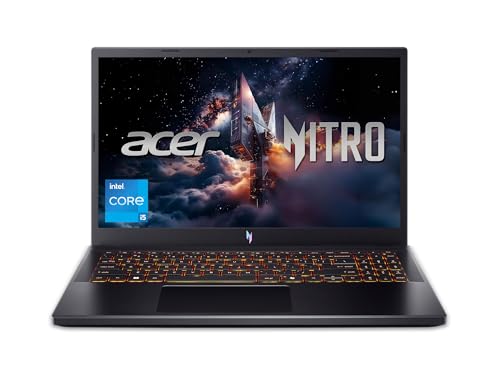
| Acer Nitro V | Best graphics step-up in the middle | Core i5-13420H, RTX 4050, 165Hz IPS, DDR5 |
| MALLRACE Gaming Laptop | Budget buyers who want a numeric keypad | Ryzen 5 7430U, 16GB RAM, 512GB SSD |
| ASUS ROG Strix G16 | Highest performance headroom | Core i7-14650HX, RTX 5060, 16″ 165Hz, 1TB |
| KAIGERR Gaming Laptop | Ryzen value with modern connectivity | Ryzen 7430U, 16GB DDR4, 512GB SSD, WiFi 6 |
How to Choose
Look for a dedicated GPU before anything else
Graphics performance is the biggest factor in game frame rates. In this group, only the HP Victus (RTX 3050), the Acer Nitro V (RTX 4050), and the ASUS ROG Strix G16 (RTX 5060) list a dedicated NVIDIA GPU. The other four rely on integrated Radeon or Intel graphics inside the processor, which is fine for older titles, indie games, and esports games at low settings, but it will struggle with modern 3D releases. If a title does not name a graphics card, assume it is integrated.
Match the display to your goals
A 1080p panel at 15.6 inches is the sweet spot for budget gaming, because the graphics hardware in cheaper laptops cannot push higher resolutions. Refresh rate then determines how smooth motion feels: 60Hz is the baseline, while 144Hz and 165Hz panels, as listed on the HP, Acer, and ASUS models, make fast shooters and racing games noticeably smoother. IPS panels, named on the Acer, offer better viewing angles and color than the cheapest alternatives.
Aim for 16GB of RAM and a 512GB SSD
Eight gigabytes of memory is enough to boot a game but leaves little room for a browser and chat app running alongside. Sixteen gigabytes is the practical floor for gaming today, and dual-channel configurations help integrated graphics. For storage, 512GB fills up quickly when single games can exceed 100GB, so look for a free M.2 slot or plan on an external drive. DDR5 memory, listed on the Acer and ASUS, is newer and faster than DDR4.
Know where low-cost models cut corners
Cheaper laptops commonly trim cooling, battery capacity, display brightness, and build quality. Unfamiliar brand names often lack long-term driver support and clear warranty terms, so read the seller and return details. Treat phrases such as “beat Intel i7” or processor speeds quoted as “up to” with caution, since sustained clock speeds on thin chassis are usually lower than the peak figure. Prioritize the GPU, display, and RAM over claims about processor comparisons.
The 7 Best Options
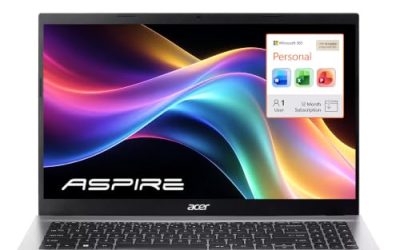
Tunhail 15.6-inch Gaming Laptop
The Tunhail is a budget-minded 15.6 inch laptop that pairs a Core processor (up to 3.40GHz) with 16GB of RAM and 512GB of storage on an FHD 1920 x 1080 display. It ships with Windows 11 Pro. It is aimed at buyers whose first priority is a low entry cost, such as a family that needs one machine for homework, streaming, and the occasional casual game, and who accept that the title names no graphics card.
- Strength: 16GB of RAM and a 512GB drive match the capacities of far more expensive machines.
- Strength: Full HD resolution and Windows 11 Pro cover schoolwork and daily tasks well.
- Trade-off: No dedicated graphics card is listed, so demanding 3D games are not realistic.
Skip it if you want to play recent AAA releases.
Ryzen 7 5700U Light Gaming Laptop
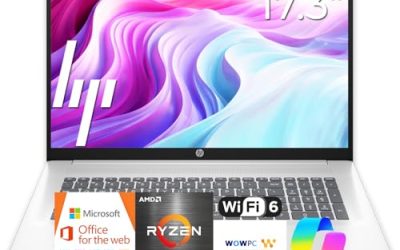
This listing leans on its processor: an AMD Ryzen 7 5700U with 8 cores and 16 threads, quoted at up to 4.3GHz. It adds 16GB of RAM, a 512GB SSD, a 15.6 inch screen, WiFi 6, Bluetooth 5.2, and an HDMI plus Type-C connectivity mix. It suits someone who splits time between coursework, video calls, and older or competitive titles that run on modest hardware.
- Strength: Eight cores and sixteen threads help with multitasking, streaming, and light creative work.
- Strength: WiFi 6 and Bluetooth 5.2 are modern wireless standards for online play.
- Trade-off: The title lists no discrete GPU, so “light gaming” means older and esports-style titles.
Skip it if frame rates in new releases matter to you.
HP Victus 15.6-inch 144Hz
The Victus is the first model in this guide that lists real gaming hardware: an Intel Core i5-12450H, NVIDIA GeForce RTX 3050, 16GB of RAM, and a 512GB PCIe SSD behind a 15.6 inch Full HD 144Hz screen. Wi-Fi 6 and a backlit keyboard round out the listing. For many first-time gaming laptop buyers, this is the point where the “gaming” label starts to mean something concrete, since the graphics card and the display both back it up.
- Strength: A dedicated RTX 3050 gives it genuine 1080p gaming capability.
- Strength: The 144Hz display makes motion smoother than a standard 60Hz screen.
- Trade-off: The RTX 3050 is an entry-level GPU, so high settings in new titles will be a stretch.
Skip it if you want the newest graphics generation or DDR5 memory.
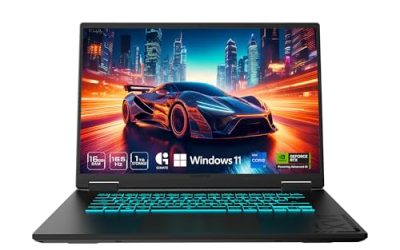
Acer Nitro V (RTX 4050)
The Nitro V steps up to a Core i5-13420H processor and an NVIDIA GeForce RTX 4050 Laptop GPU, driving a 15.6 inch FHD IPS display at 165Hz. It uses DDR5 memory and a 512GB Gen SSD. Shoppers comparing it with the Victus will notice the newer GPU generation and faster panel, which makes it a natural middle-ground pick for anyone who wants a long-lasting machine without jumping to the premium tier.
- Strength: The RTX 4050 generation is newer than the Victus’s RTX 3050.
- Strength: A 165Hz IPS panel combines high refresh with better viewing angles.
- Trade-off: The title lists 8GB of DDR5 memory, which is the minimum and may need an upgrade for heavy multitasking.
Skip it if you want 16GB of memory out of the box.
MALLRACE Gaming Laptop (Ryzen 5 7430U)
The MALLRACE listing highlights 16GB of RAM, a 512GB SSD, and a numeric keypad on a 15.6 inch body, powered by an AMD Ryzen 5 7430U (up to 4.3GHz) with Radeon Graphics. It is built for buyers who want a full-size keyboard for spreadsheets as well as games, such as accounting students or remote workers who like to unwind with lighter titles after the workday.
- Strength: A numeric keypad suits students and home-office users.
- Strength: 16GB of RAM and 512GB of storage offer comfortable headroom for the price tier.
- Trade-off: Integrated Radeon graphics limit gaming to lighter titles, and the “beat Intel i7” claim is a marketing comparison.
Skip it if you need discrete graphics.
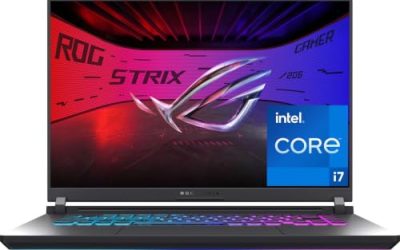
ASUS ROG Strix G16
The ROG Strix G16 is the performance leader in this guide. The title lists a 16 inch FHD+ 16:10 display at 165Hz with a 3ms response time, an NVIDIA GeForce RTX 5060, a Core i7-14650HX, 16GB of DDR5 memory, and a 1TB Gen 4 SSD.
- Strength: RTX 5060 graphics and an i7 HX-series processor deliver the most gaming headroom here.
- Strength: The 16:10 FHD+ panel adds vertical space, and 1TB of fast storage holds a bigger library.
- Trade-off: It sits in the premium tier, which is the opposite of cheap.
Skip it if budget is your first filter.
KAIGERR Gaming Laptop (Ryzen 7430U)
The KAIGERR lists an AMD Ryzen 7430U quoted at up to 4.3GHz, 16GB of DDR4, a 512GB SSD, and a Full HD display. Connectivity includes WiFi 6, USB 3.2, Type-C, and a webcam.
- Strength: 16GB of RAM and a 512GB SSD match the specs of most budget rivals.
- Strength: WiFi 6 and USB 3.2 cover modern wireless and wired needs.
- Trade-off: Integrated graphics only, so treat it as a light-gaming and productivity machine.
Skip it if you want a dedicated GPU or a high-refresh display.
Which One Fits Your Situation
You need the cheapest usable laptop that can play older games
The Tunhail or the Ryzen 7 5700U model fits best. Both offer 16GB of RAM and 512GB of storage, and the Ryzen’s eight cores give it an edge for multitasking.
You want real gaming performance without overspending
The HP Victus is the entry point for dedicated graphics. If you can stretch the budget, the Acer Nitro V’s RTX 4050 and 165Hz IPS display deliver a clear step up.
You also type a lot of documents and spreadsheets
The MALLRACE with its numeric keypad suits students and home-office users who will game on the side.
You want the strongest machine and will pay for it
The ASUS ROG Strix G16 is the choice when frame rates and display quality come first and cost comes second.
Common Mistakes
- Trusting the word “gaming” in a title without confirming a dedicated graphics card is listed.
- Comparing processor claims such as “beat Intel i7” instead of checking the actual GPU and cooling.
- Buying only 8GB of RAM and discovering it is tight when a browser and game run together.
- Forgetting storage: modern games are large, and a 512GB drive fills fast.
- Skipping seller details, warranty terms, and return policy on lesser-known brands.
Specs and Terms Explained
Low-cost laptop listings pile on abbreviations. Here is what the important ones say about gaming ability.
Integrated versus dedicated graphics
Integrated graphics share the processor’s die and memory, which is fine for browsing and older games. A dedicated chip, like the RTX 4050 in the Acer Nitro V, has its own video memory and far more headroom for modern titles. The Ryzen U-series machines here, including the Ryzen 7 5700U model and the Ryzen 5 7430U laptops, rely on integrated graphics, so set expectations around lighter games.
Processor suffixes
The letter after the number is a clue. A “U” suffix means a low-power chip built for battery life and thin bodies, while “H” parts are built for higher sustained power and suit anyone aiming at long gaming sessions.
Graphics power limit
Two laptops can carry the same graphics chip name and perform differently, because the manufacturer sets how many watts the chip may draw. A thin body usually means a lower limit. Brands that publish the figure make comparison easier.
Single-channel versus dual-channel memory
When a laptop has a single memory stick, integrated graphics lose a noticeable share of speed. A dual-channel configuration helps games on integrated chips more than extra capacity does.
Setup and Care Tips
- Open the Windows graphics settings and assign each game to the high-performance GPU, since some laptops default to the integrated chip.
- Use the manufacturer’s performance mode while gaming, and switch back to balanced on battery to avoid a fast drain.
- Raise the back of the laptop slightly or use a stand so the intake vents can breathe. Soft surfaces such as bedding block the vents and trap heat.
- Lower shadow and effects quality first when frame rates dip. Those settings cost the most speed for the least visible change.
- Use the charger that came with the laptop. Gaming machines draw more power than ordinary ones, and an underpowered adapter can leave the system throttled or slowly draining under load.
- Keep the graphics driver current from the chip maker’s site, and clean the vents with compressed air about twice a year.
Who Should Skip These
If your main titles are recent large releases with ray tracing, a budget machine on this list will frustrate you, and saving for a model with a modern RTX chip is the smarter path. The same goes for anyone who needs a quiet laptop for a library or office, since gaming-class cooling can be loud under load. Finally, if you only need email, video calls, and the occasional casual game, a standard thin laptop does the job with better battery life.
Related guides
- Gaming Chair Cushions And Lumbar Supports
- Business Laptops With Long Battery Life
- Warranty Considerations When Buying On Sale
Frequently Asked Questions
Can integrated graphics play modern games?
It can handle older titles, esports games, and indie releases at lower settings. Recent big-budget games usually need a dedicated GPU such as the RTX cards listed here.
Is 144Hz or 165Hz worth it on a budget laptop?
It helps most in fast shooters and racing games, provided the graphics hardware can actually produce those frame rates. On an integrated-graphics machine, a high-refresh screen offers less benefit.
How much RAM do I need?
Sixteen gigabytes is the practical target for gaming. Eight gigabytes can work for light use but leaves little room for background apps.
Are unknown brands safe to buy?
They can offer good value, but check warranty coverage, return windows, and driver support before purchase. A recognizable brand usually makes service easier.
Related guides
More from Amazon
Programs that pair well with the guide above. Offers and eligibility are set by Amazon and may change.
Free shipping on eligible items, Prime Video and more. Eligible new members can start with a free trial.
Start a Prime free trialAd-free music streaming. Eligible new subscribers can start with a free trial.
Try Music Unlimited freeA Prime membership for ages 18-24 with a trial period. Eligibility is set by Amazon.
See Prime for Young AdultsAudiobooks and podcasts to listen to on the go. Eligible new members can start with a free trial.
Try Audible freeAs an Amazon Associate we earn from qualifying purchases.