Asking for the least expensive gaming laptop is really asking where you can safely give something up. Every cheap gaming machine trades something: a dimmer or lower-resolution screen, half the memory, a smaller drive, or a graphics card one tier below what the box art implies. The smart move is to decide which compromise hurts you least, then buy the laptop that cuts exactly there and nowhere else. A student who plays esports titles at 1080p can live with a modest panel. Someone eyeing demanding single-player games cannot.
This roundup is for buyers shopping the entry and mid-range end of the 2026 gaming laptop market, where an RTX 4050 or RTX 5060 is the realistic floor and an RTX 5070 starts to push toward premium territory. Prices move constantly, so the picks below are sorted by what their titles list: graphics card, processor, memory, storage, and display. Where a laptop looks like a stretch for a tight budget, the entry says so plainly.
Our Top Picks
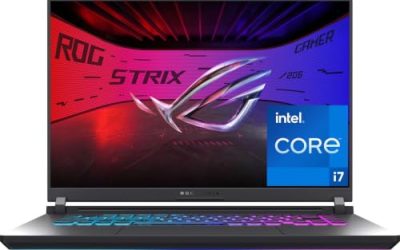
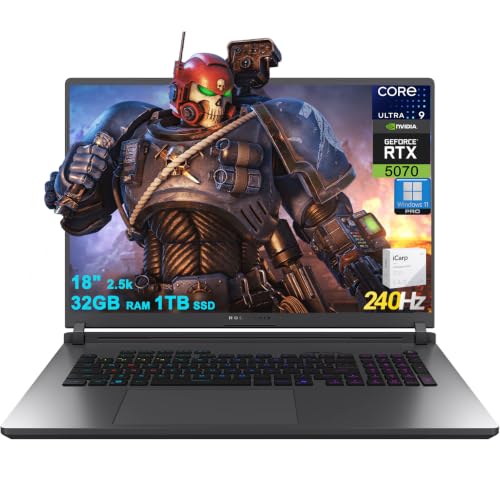 ASUS ROG Strix G18 G815 Gaming AI Laptop32GB RAM | 1TB SSD11.73 x 15.71 x 1.26 inches7.05 poundsCheck on Amazon
 ASUS TUF Gaming A16 Laptop: AMD Ryzen 716 GB RAM / 512 GB SSD14 x 1 x 10 inches7 poundsCheck on Amazon
 HP Omen Transcend 14 Gaming AI Laptop 14"32GB RAM | 1TB SSD9.19 x 12.32 x 0.71 inches3.6 poundsCheck on Amazon
 HP Omen 16 Gaming AI Laptop 16" WQXGA32GB RAM | 1TB SSD10.59 x 14.07 x 1 inches5.4 poundsCheck on Amazon
 ASUS TUF Gaming A18 AI Laptop 18" WUXGA16GB RAM | 1TB SSD11.14 x 15.71 x 1.05 inches5.73 poundsCheck on Amazon

Top 3 picks at a glance
Quick Picks
As an Amazon Associate we earn from qualifying purchases at no extra cost to you.



| Product | Best for | Key spec from the title |
|---|---|---|
| GIGABYTE Gaming A16 | Most memory for the money tier | RTX 5070, 32GB DDR5, 16″ 165Hz, 1TB SSD |
| ASUS TUF Gaming A16 | Lowest entry point on this list | RTX 4050, Ryzen 7 7445HS, 16GB DDR5, 512GB SSD |
| HP Omen 16 (Ryzen AI 9) | Fast screen with a strong GPU | RTX 5070, 16″ WQXGA 240Hz, 32GB RAM |
| ASUS TUF Gaming A18 | Big-screen budget play | RTX 5060, 18″ 144Hz G-SYNC, 1TB SSD |
| HP Omen 16 Slim | Intel-based mid-range build | RTX 5070, Ultra 9 285H, 32GB RAM, 1TB SSD |
| MSI Cyborg 15 | Compact 15.6-inch entry | RTX 5060, 15.6″ 144Hz, 16GB DDR5, 512GB SSD |
How to Choose
Start with the graphics card tier
The GPU decides how long a laptop stays useful. An RTX 4050 handles esports and older titles at 1080p with settings turned down. An RTX 5060 steps up for current releases at 1080p high settings, and an RTX 5070 gives you room for higher resolutions and longer longevity. When money is tight, buy the best GPU you can afford and accept compromises elsewhere, because the card cannot be upgraded later.
Memory and storage are the corners most often cut
Sixteen gigabytes of RAM is the practical minimum for modern games, and 32GB gives headroom for multitasking, streaming, and background apps. Storage is where budget builds hurt: a 512GB SSD fills quickly once a few large games are installed, while 1TB is a safer starting point. Memory is easy to expand on many laptops, but confirm that before counting on it. If you must choose, 1TB of storage with 16GB of RAM is a more livable combination than the reverse, since you can add memory later more easily than you can clone a drive.
Look at the screen specs, not just the size
A 144Hz refresh rate is the baseline for smooth play, and 165Hz or 240Hz adds extra fluidity if your frame rates can keep up. Resolution matters as much: 1920×1080 is fine for entry cards, while a 1920×1200 or 2560×1600 panel demands more from the GPU. Color coverage claims such as 100% sRGB help with creative work but do nothing for frame rates. A G-SYNC label means variable refresh is supported on the display, which smooths out dips when frame rates wander below the maximum refresh rate. A brighter panel, such as one listed at 500 nits, also helps in a sunlit room.
Ignore marketing numbers that do not affect play
Many titles quote AI Tops figures, which describe neural processing capacity, not gaming speed. They matter for certain creative and AI tasks but should not drive a purchase aimed at frame rates. Likewise, a long list of processor cores does little for most games compared with the GPU. Treat those numbers as extras and weigh the graphics card, RAM, storage, and display first. Finally, remember that a laptop spec sheet shows ceilings, not guarantees: cooling design and power limits decide how close a given GPU gets to its potential, so a slimmer chassis can trail a thicker one carrying the same card.
The 6 Best Options
GIGABYTE Gaming A16
The title lists an Intel i7-13620H, an RTX 5070, a 16-inch 1920×1200 display at 165Hz, 1TB of storage, and 32GB of DDR5 memory. That is a lot of hardware, especially memory and graphics, in one listing. It suits a buyer who wants a strong GPU and plenty of RAM without jumping to a premium-brand chassis. Buyers comparing it against similarly priced rivals should note how rarely a 32GB, 1TB configuration appears alongside a newer-generation GPU.
- Strength: the RTX 5070 and 32GB DDR5 give the most headroom among the lower-listed specs here.
- Strength: 165Hz on a 1920×1200 panel offers a smoother, taller screen than a standard 1080p display.
- Trade-off: the processor is an older 13th-generation Intel part, so the CPU will age before the GPU does.
Skip it if you want the newest processor generation or the lowest possible entry cost.
ASUS TUF Gaming A16
This is the most modest configuration in the group. The title shows a Ryzen 7 7445HS, a 16-inch Full HD+ display at 145Hz, an RTX 4050, 16GB of DDR5 RAM, 512GB of storage, and a backlit keyboard. It targets buyers who want a real gaming GPU while spending as little as the category allows. The backlit keyboard is a small but welcome inclusion for late-night sessions in a dorm or shared room.
- Strength: the RTX 4050 pairs with a Ryzen 7 for solid 1080p play in popular titles.
- Strength: a 16-inch 145Hz Full HD+ screen is a comfortable size for both gaming and schoolwork.
- Trade-off: 512GB of storage will fill quickly with a handful of modern games.
Skip it if you plan to play the newest demanding releases at high settings for several years.
HP Omen 16 Gaming AI Laptop (Ryzen AI 9 365)
The title highlights a 16-inch WQXGA display at 240Hz with 500 nits and 100% sRGB, a 10-core Ryzen AI 9 365, 32GB of RAM, 1TB of storage, and an RTX 5070 with GDDR7. The screen is the headline, since a 240Hz sharp panel is uncommon in this tier. Pairing it with an RTX 5070 means the extra refresh rate has a GPU capable of feeding it in lighter competitive titles.
- Strength: the 240Hz WQXGA display is far more refined than typical entry-level screens.
- Strength: 32GB of RAM and 1TB of storage mean no immediate upgrades.
- Trade-off: it sits near the top of a budget conversation, so it is a stretch for the tightest spending limits.
Skip it if the goal is strictly the lowest cost rather than the best balance of screen and GPU.
ASUS TUF Gaming A18 AI Laptop
The title shows an 18-inch WUXGA IPS display at 144Hz with 100% sRGB and G-SYNC, a Ryzen 7 260, 16GB of RAM, 1TB of storage, and an RTX 5060 with GDDR7. It is a larger-screen choice for people who want the display real estate of a desktop replacement. The extra width also helps with split-screen multitasking when you are not gaming, such as editing documents next to a browser.
- Strength: an 18-inch screen with G-SYNC makes it comfortable at a desk.
- Strength: the RTX 5060 and 1TB SSD give a balanced mid-range foundation.
- Trade-off: an 18-inch laptop is bulky, which hurts portability for students or travelers.
Skip it if you commute with your laptop or need a thin, light machine.
HP Omen 16 Slim Gaming AI Laptop
The title lists a 16-inch WUXGA IPS display at 144Hz, a 16-core Intel Ultra 9 285H, 32GB of RAM, 1TB of storage, an RTX 5070 with GDDR7, and a four-zone RGB keyboard. It is a well-rounded build for buyers who prefer Intel and want a strong GPU with generous memory. The thin-and-light styling implied by the name also makes it easier to carry between a desk and a couch than the bulkier 18-inch option.
- Strength: the RTX 5070 and 32GB of RAM combine for long-term headroom.
- Strength: a four-zone RGB keyboard adds a gamer feel without a design overhaul.
- Trade-off: a 144Hz WUXGA panel is less impressive than the sharper, faster screen on the other Omen.
Skip it if display quality matters more than processor choice.
MSI Cyborg 15 Gaming AI Laptop
The title shows a 15.6-inch FHD IPS display at 144Hz, a Ryzen 9 270 with 8 cores, 16GB of DDR5, 512GB of storage, and an RTX 5060 with GDDR7. It is the most compact option here, suited to buyers who value a smaller footprint and a current-generation GPU. That makes it a natural fit for a student who games on the weekend and carries the laptop to class on weekdays.
- Strength: an RTX 5060 in a 15.6-inch body is a sensible balance of size and power.
- Strength: DDR5 memory and a 144Hz screen cover the basics of smooth play.
- Trade-off: 512GB of storage and 16GB of RAM leave limited room to grow.
Skip it if you install many large games or run heavy background apps.
Which One Fits Your Situation
You want the cheapest way into PC gaming
The ASUS TUF Gaming A16 has the lowest-tier GPU and the smallest storage, which signals the lowest entry point of the group. It is built for 1080p play in popular games rather than for ambitious settings.
You want a strong GPU without paying for extras
The GIGABYTE Gaming A16 pairs an RTX 5070 with 32GB of DDR5. It makes the most sense when graphics power and memory matter more than a thin design or the newest processor.
You care most about the screen
The HP Omen 16 with Ryzen AI 9 offers a 240Hz WQXGA panel, which stands out in this price conversation. It works for competitive players who want clarity and speed together.
You want a compact mid-range machine
The MSI Cyborg 15 keeps size down while offering an RTX 5060, and the ASUS TUF Gaming A18 is the pick if you would rather have a big display at a desk and never carry it around.
Common Mistakes
- Choosing the cheapest model with an older GPU tier and then expecting current games to run well.
- Ignoring storage size and discovering that 512GB fills up after a few titles.
- Paying for AI Tops numbers that do nothing for frame rates.
- Overvaluing processor core counts and undervaluing the graphics card.
- Skipping the screen specs and ending up with a panel that lags behind the GPU.
Specs and Terms Explained
TGP
Total graphics power is the wattage the laptop lets its graphics chip draw. Two laptops with the same named GPU can perform differently when one allows a higher TGP, because the chip runs faster with more power and cooling headroom. Look for the figure in the specification sheet; if a maker does not publish it, treat the listing with caution.
MUX switch
This is a hardware switch that lets the screen connect directly to the graphics chip instead of routing frames through the processor’s built-in graphics. It can lift frame rates a little and lower latency. It is a nice extra, not a requirement, so do not give up memory or storage to get one.
NPU and the “AI” label
Several of these laptops carry “AI” in the name. That usually refers to a neural processing unit inside the processor, which speeds up certain on-device AI features such as background blur on calls. It does not raise game frame rates, so do not pay extra for it as if it were a graphics upgrade.
Thermal throttling
When a laptop gets too hot, it lowers clock speeds to protect itself, and frame rates drop. Thinner machines are more prone to it in long sessions. A raised stand or a hard flat surface helps airflow no matter which model you pick.
Port and Upgrade Checklist
- Check whether the memory is soldered or socketed. Many thin laptops solder part or all of the RAM, which means the amount you buy is the amount you keep.
- Look for a free storage slot. A second M.2 slot makes adding a drive easy; a single slot means replacing the existing one.
- Count the video outputs if you plan to connect a monitor, and note whether they are HDMI or USB-C with display support.
- Check the charger. Gaming laptops usually ship with a large power brick, so factor in the bulk if you travel.
- See which wireless standard is listed. A newer Wi-Fi standard matters for online play on a modern router.
First-Day Setup and Care
Run system updates and install the graphics driver from the maker’s site before the first game, since shipped drivers are often months old. Set the power mode to the performance profile while plugged in, and switch back to a balanced profile on battery, because gaming drains the pack quickly. Keep the vents clear, avoid playing on a bed or blanket, and blow dust from the intake every few months. If the battery stays plugged in most of the time, many laptops offer a charge-limit setting that reduces wear.
Who Should Skip a Budget Gaming Laptop
If you mainly play at a desk and rarely move, a desktop gives more performance and easier upgrades for the same spend. Skip these laptops if you need all-day battery life, since gaming hardware is power-hungry even when idle. Heavy video editing or 3D work may also call for more memory or a stronger display than a budget machine offers. And if you only play light, older titles, an ordinary laptop with a modest graphics chip can do the job quietly.
Related guides
- Gaming Chair Cushions And Lumbar Supports
- Business Laptops With Long Battery Life
- How To Use Camelcamelcamel For Amazon Deals
Frequently Asked Questions
Is an RTX 4050 enough for gaming?
Yes for 1080p play in esports titles and many popular games, usually with adjusted settings. It is the entry tier, so expect to lower settings in newer demanding releases. Buyers planning to keep the laptop for several years often step up to the RTX 5060.
Does 16GB of RAM limit gaming?
Sixteen gigabytes covers most games, but it leaves less room for streaming, browsers, and chat apps running alongside. If you multitask while playing, 32GB gives more breathing space. Check whether the memory can be upgraded later.
Why does storage matter so much?
Modern games are large, and a 512GB drive shares space with the operating system and apps. A 1TB SSD lets you keep several titles installed without constant deleting. External drives help, but they are slower than internal storage.
Are AI Tops figures important for gaming?
No. They describe neural processing capacity for AI tasks, not graphics performance. Focus on the GPU model, memory, storage, and display refresh rate when judging a gaming laptop.
Related guides
More from Amazon
Programs that pair well with the guide above. Offers and eligibility are set by Amazon and may change.
Free shipping on eligible items, Prime Video and more. Eligible new members can start with a free trial.
Start a Prime free trialAd-free music streaming. Eligible new subscribers can start with a free trial.
Try Music Unlimited freeA Prime membership for ages 18-24 with a trial period. Eligibility is set by Amazon.
See Prime for Young AdultsAudiobooks and podcasts to listen to on the go. Eligible new members can start with a free trial.
Try Audible freeAs an Amazon Associate we earn from qualifying purchases.