
Building or buying a gaming PC for a dorm is a balancing act between performance, budget, space, and the reality that it also has to handle coursework. A student rig should stretch every dollar, fit a cramped desk, and survive moving in and out each year. Here is how to get the most value for the specific constraints of college life.
Top 3 picks at a glance
Prioritize the dual-purpose machine
A dorm PC has to be a study tool first and a gaming machine second, so lean toward parts that serve both. Enough RAM for many browser tabs and documents, fast storage for quick boot and app launches, and a capable but sensible GPU deliver a machine that writes papers by day and games by night without overspending on either role.
As an Amazon Associate we earn from qualifying purchases at no extra cost to you. Product prices and availability are accurate as of the date shown and are subject to change.


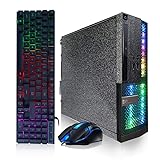
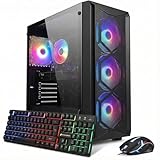

Size and noise matter in a shared room
Dorms are small and often shared, so a compact case and a quiet cooler are worth prioritizing. A smaller build takes less desk space, is easier to transport during moves, and a quiet system keeps the peace with roommates during late-night sessions.
A sensible budget breakdown
| Budget tier | Total | Target experience |
|---|---|---|
| Entry | $600-750 | 1080p esports, smooth coursework |
| Sweet spot | $800-1000 | 1080p high / 1440p medium AAA |
| Comfortable | $1100-1300 | Strong 1440p, long lifespan |
Where to spend and where to save
Spend on the GPU and enough RAM, since those drive the experience across gaming and multitasking. Save by reusing a monitor and peripherals you already own, choosing a modest but reliable power supply, and skipping flashy extras. A 1080p high-refresh monitor is the value sweet spot for a dorm desk and a mid-range GPU.
Practical dorm considerations
Check the power situation: dorm circuits can be shared and limited, so a sensible efficient build is safer than a power-hungry monster. A laptop or small-form-factor PC is easier to move during breaks and summer storage, though a compact tower gives more performance per dollar. Weigh portability against value based on how often you relocate.
Prebuilt vs building yourself
Building yourself stretches the budget furthest and teaches useful skills, but a well-priced prebuilt or a good laptop can be worth the premium if you lack time, tools, or space to assemble and troubleshoot in a dorm. Factor in your own schedule and comfort level, not just the sticker price.
Stretch the budget with used and refurbished
Student budgets go furthest when you are willing to buy some parts used or refurbished. A previous-generation GPU bought secondhand often delivers most of the performance of a current mid-range card for meaningfully less, and graphics cards from reputable sellers are usually safe if tested in person or covered by buyer protection. Manufacturer-refurbished monitors and peripherals carry warranties while costing well below new, making them ideal for a first setup. The parts to buy new are the ones where reliability is critical and used savings are thin: the power supply, storage, and RAM. A sensible strategy is a new power supply, storage, and case with a lightly used GPU and a refurbished monitor, which can shave a good chunk off the total without much risk. For a machine that also has to handle four years of coursework, spending carefully on the reliable parts and saving on the performance parts is the smartest way to stretch a limited budget.
FAQ
Should a student get a gaming laptop or a desktop?
A desktop gives more performance per dollar and is easier to upgrade, while a laptop is far easier to move for breaks and takes zero desk space when closed. If you relocate often or travel light, a laptop’s convenience can be worth the value trade-off.
How much should a student spend on a dorm gaming PC?
The $800-1000 range is the value sweet spot for smooth 1080p gaming and painless coursework. Below that still games well at esports settings; above it mainly buys higher resolutions and a longer lifespan.
Bottom line
The best dorm gaming PC value comes from a compact, quiet, dual-purpose build around $800-1000, with the money concentrated on the GPU and RAM and saved on parts you can reuse. Weigh portability against performance based on how often you move, and consider a laptop if space and travel dominate your needs. Build for coursework and gaming together, and every dollar works twice.


