Streaming problems rarely come from the internet plan itself. They show up as a buffering wheel on the bedroom TV at nine in the evening, a 4K stream that drops to a soft picture when someone else starts a video call, or a living room that sits just far enough from the modem to lose its signal. Choosing among the best home routers for streaming means matching the hardware to the layout of the house and the number of screens pulling video at once, rather than chasing the biggest number on the box.
This guide is written for households with several streaming devices, whether that is a pair of smart TVs, a couple of tablets, a game console and a handful of phones. We compare seven routers and mesh kits for 2026 using only what the listings state: Wi-Fi generation, band count, coverage claims, port speeds and mesh support. Single routers suit apartments and compact homes, while mesh kits make more sense once walls, floors and distance start eating the signal.
Our Top Picks
 ASUS RT-AX1800S Dual Band WiFi 6 Extendable RouterRouter9.06 x 5.28 x 2.2 inches0.82 poundsCheck on Amazon
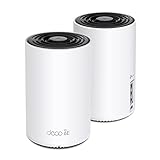
 TP-Link Deco XE75 AXE5400 Tri-Band WiFi 6E Mesh2 Pack4.13 x 4.13 x 6.67 inches2.69 poundsCheck on Amazon



Top 3 picks at a glance
Quick Picks
As an Amazon Associate we earn from qualifying purchases at no extra cost to you.

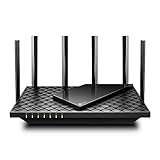
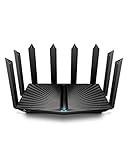


| Product | Best for | Key spec from the title |
|---|---|---|
| ASUS RT-AX1800S | Small homes that want built-in security | Dual-band WiFi 6, AiMesh compatible, built-in VPN |
| TP-Link Deco XE75 (2-pack) | Large homes with many streamers | AXE5400 tri-band WiFi 6E, up to 5500 sq ft |
| TP-Link Archer AX73 | Mid-sized homes on a mid-range budget | AX5400 WiFi 6, gigabit ports |
| TP-Link Archer AX80 | Fast fiber plans and wired boxes | AX6000, 2.5 Gbps WAN/LAN port |
| LNN-AX3000 | Buyers who dislike apps | WiFi 6, no app required, 20+ devices |
| TP-Link Deco 7 BE23 | Wired-backhaul mesh with WiFi 7 | BE3600, 160 MHz, 2x 2.5G ports |
| NETGEAR Orbi RBK13 | Multi-floor houses on a budget | Router plus 2 satellites, up to 4,500 sq ft |
One listing in the pool, a NETGEAR range extender, was left out because an extender repeats an existing signal and does not replace a router. The seven above all handle routing duties on their own.
How to Choose
Match the Wi-Fi generation to your streaming devices
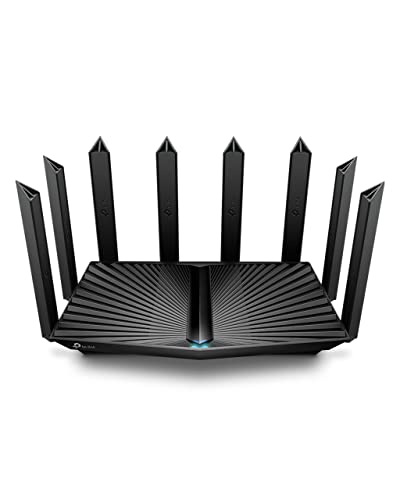
Most televisions, streaming sticks and phones sold in the last few years speak Wi-Fi 6, so a WiFi 6 router already covers the majority of screens. WiFi 6E adds the 6 GHz band, which is less crowded but only helps devices that support it. WiFi 7 listings such as the BE3600 class add wider channels and multi-link features, yet the benefit appears only when your TV or phone has a WiFi 7 radio. For a house full of older devices, paying for a newer standard buys little today.
Decide between a single router and a mesh kit
A single router works when the signal path from the router to the farthest TV crosses no more than one or two walls. When a listing states a coverage figure, such as 2,500 or 4,500 square feet, treat it as a best-case open-layout number and plan on less. Plaster, brick, ductwork and stairwells cut that figure quickly. If the TV farthest from the modem is on another floor, a mesh system with satellites is the safer choice.
Check ports and backhaul
Streaming boxes, consoles and smart TVs deliver steadier video over Ethernet than over wireless, so count the LAN ports. A 2.5 Gbps port matters if your internet plan exceeds one gigabit or if you move large files to a network drive. For mesh kits, wired backhaul, where satellites connect to the main unit by cable, keeps the wireless bands free for your devices. Listings that mention 2.5G ports on a mesh node usually support this setup.
Ignore the stacked speed totals, watch where budgets cut corners
Names like AX5400 or AX6000 add up the theoretical speeds of every band, and no single device ever receives that total. Look instead at the number of streams, channel width and band count. Budget routers tend to cut CPU power, memory and port speed, which shows up when twenty devices connect together, and cheaper units often trim the number of antennas or leave out advanced traffic management. Also note whether the router needs a phone app for setup, since some buyers prefer a browser interface.
The 7 Best Options
ASUS RT-AX1800S
The RT-AX1800S is a dual-band WiFi 6 router aimed at apartments and smaller homes where one device can cover the space. The listing highlights subscription-free network security, parental controls and a built-in VPN, which suits families who want protection without monthly fees. It is also AiMesh compatible, so you can add another ASUS router later if coverage falls short.
- Strength: security features and parental controls are included without a subscription.
- Strength: AiMesh compatibility leaves a path to expand coverage.
- Trade-off: the AX1800 class is the entry tier, so busy households with many 4K streams may want more headroom.
Skip it if your internet plan is multi-gigabit or if you need a tri-band design to separate streaming traffic from everything else.
TP-Link Deco XE75 2-Pack
The Deco XE75 is a tri-band WiFi 6E mesh system sold as a two-node pack, with a listed coverage of up to 5500 square feet. The extra 6 GHz band gives newer phones, laptops and TVs a less congested lane, which helps when several people stream at once in a large house. The pack is built to replace a standard router.
- Strength: tri-band WiFi 6E design with a dedicated extra band for modern devices.
- Strength: two nodes in the box and a large stated coverage area for multi-room homes.
- Trade-off: it sits at the premium end of this list, and 6E benefits only reach devices with 6 GHz radios.
Skip it for a small apartment, where a single router will do the same job for much less.
TP-Link Archer AX73
The Archer AX73 is an AX5400 WiFi 6 dual-band router with gigabit ports and a long-range pitch. It sits in the mid-range sweet spot for homes with a main living area, a few bedrooms and a mix of phones, tablets and televisions. Because it is a single unit, setup is simple and there is no satellite to place.
- Strength: AX5400 throughput class gives room for multiple simultaneous streams.
- Strength: gigabit wired ports suit smart TVs and consoles placed near the router.
- Trade-off: ports are gigabit only, so it will not take full advantage of plans above that speed.
Skip it if the home has thick walls on several floors, since one router has limits that a mesh kit does not.
TP-Link Archer AX80
The Archer AX80 steps up to AX6000 and adds a 2.5 Gbps WAN/LAN port, which is the standout for anyone on a fast fiber connection. The listing also mentions 8K streaming support, OneMesh and an access point mode, so it can sit alone or become part of a wider TP-Link setup later.
- Strength: the 2.5 Gbps port removes a common bottleneck on fast internet plans.
- Strength: OneMesh and AP mode give flexible expansion options.
- Trade-off: it costs more than the AX73 class, and the faster port only matters if the plan and wired devices can use it.
Skip it if your plan tops out at a gigabit and you have no multi-gig wired gear.
LNN-AX3000
The LNN-AX3000 is a WiFi 6 dual-band router with five antennas, claiming up to 1800Mbps and support for 20 or more devices. Its calling card is that no app is required, which appeals to buyers who would rather configure a router from a web page. It also lists FCC certification, a basic point worth confirming on any lesser-known brand.
- Strength: no phone app is needed, so setup avoids accounts and cloud sign-ins.
- Strength: five antennas and a 20+ device rating suit an average household.
- Trade-off: it comes from a less established brand, so firmware update history and support are harder to judge from the listing.
Skip it if long-term firmware updates and mesh expansion matter more than a low entry cost.
TP-Link Deco 7 BE23
The Deco 7 BE23 is a dual-band BE3600 WiFi 7 mesh router with 4-stream design, 160 MHz channels and two 2.5G ports that support wired backhaul. It lists coverage up to 2,500 square feet per the title, which fits medium homes. It is the choice for buyers who want a newer standard and a wired-friendly mesh.
- Strength: WiFi 7 with 160 MHz channels prepares the network for newer devices.
- Strength: 2.5G ports allow wired backhaul between nodes.
- Trade-off: dual-band rather than tri-band, so wireless backhaul would share airtime with client devices.
Skip it if your devices are all older and the added WiFi 7 capability would sit unused.
NETGEAR Orbi RBK13
The Orbi RBK13 is a whole-home mesh kit with one router and two satellites, listed for coverage up to 4,500 square feet. It targets multi-floor houses on a budget, where dead zones in far bedrooms or a basement den are the main complaint. The three-piece design places satellites close to where TVs actually are.
- Strength: router plus two satellites gives broad coverage in one box.
- Strength: a budget-friendly route to mesh for larger homes.
- Trade-off: the title does not list a newer Wi-Fi generation or multi-gig ports, so future-proofing is limited.
Skip it if you have a gigabit-plus plan or a compact home that a single router can cover.
Which One Fits Your Situation
A one-bedroom apartment with two TVs
The ASUS RT-AX1800S is enough. Distances are short, and the built-in security and parental controls add value without a subscription. If you later move, AiMesh compatibility lets you grow.
A two-story house with a TV in every room
The TP-Link Deco XE75 two-pack or the NETGEAR Orbi RBK13 fits here. Choose the Deco if your newer devices support WiFi 6E and the budget allows; choose the Orbi when the aim is simply to erase dead zones for less.
A fiber connection and a wired media setup
The TP-Link Archer AX80 is the pick, thanks to its 2.5 Gbps port. Plug the main streaming box or network drive straight in and let the wireless bands serve phones and tablets.
A household that dislikes apps and accounts
The LNN-AX3000 handles setup without an app. Pair it with a quick check of firmware options before you commit, and consider the Archer AX73 as a sturdier alternative if you can accept an app.
Common Mistakes
- Buying on the combined speed total, such as AX6000, instead of checking band count, ports and stream count.
- Believing the coverage figure applies to a home with brick, concrete or several floors.
- Choosing WiFi 7 or 6E when none of the devices at home can use it yet.
- Placing the router inside a cabinet or behind the TV rather than in a central, elevated spot.
- Skipping Ethernet for a TV or console that sits next to the router and could use a cable.
Related guides
- Gaming Chair Cushions And Lumbar Supports
- Business Laptops With Long Battery Life
- Travel Backpack With Laptop Compartment
Frequently Asked Questions
Is mesh better than a single router for streaming?
Mesh is better when distance or walls weaken the signal in the rooms where you watch. In a small space, a single good router is simpler and often cheaper.
Do I need WiFi 6E or WiFi 7 for 4K streaming?
No. A 4K stream needs far less bandwidth than modern routers provide, so WiFi 6 is plenty for most homes. Newer standards help with crowded networks and fast local transfers.
Why does a 2.5 Gbps port matter?
It lets one wired device use more than a gigabit of throughput, which is useful for fast internet plans and network storage. If your plan and devices top out at gigabit, you will not see a difference.
Can I add more nodes later?
Some listings mention AiMesh or OneMesh compatibility, which allows expansion with compatible hardware from the same maker. Check that the exact models pair before buying.
Related guides
More from Amazon
Programs that pair well with the guide above. Offers and eligibility are set by Amazon and may change.
Free shipping on eligible items, Prime Video and more. Eligible new members can start with a free trial.
Start a Prime free trialAd-free music streaming. Eligible new subscribers can start with a free trial.
Try Music Unlimited freeA Prime membership for ages 18-24 with a trial period. Eligibility is set by Amazon.
See Prime for Young AdultsAudiobooks and podcasts to listen to on the go. Eligible new members can start with a free trial.
Try Audible freeAs an Amazon Associate we earn from qualifying purchases.