When someone searches for the newest wireless routers, the real question is which Wi-Fi generation is worth paying for and how much of it your home can actually use. A router built on an older AC standard still serves a small apartment well. A WiFi 6 or 6E model earns its keep when a dozen phones, laptops, streaming sticks, and cameras compete for the same airtime. And a mesh kit makes sense only when one box cannot reach every room.
This guide is for households replacing an aging provider router, renters upgrading before a work-from-home year, and gamers or streamers who feel lag when the family is online. Five routers are covered, judged only from their listed standards, bands, and coverage claims, so you can match the hardware to your plan and floor plan in 2026.
Our Top Picks
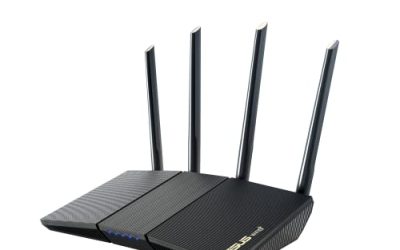
 TP-Link AC1900 Smart WiFi Router Dual Band RouterWi-Fi 5 AC19009.57 x 6.32 x 1.28 inches0.91 poundsCheck on Amazon
 TP-Link AC1200 Gigabit Dual Band WiFi RouterWi-Fi 5 AC12008.46 x 4.92 x 1.81 inches0.71 poundsCheck on Amazon
 NETGEAR Nighthawk DOCSIS 3.0 Modem Router Combo C7000AC1900 Wifi - 960 Mbps (24x8)9.66 x 8.31 x 1.7 inches3.44 poundsCheck on Amazon
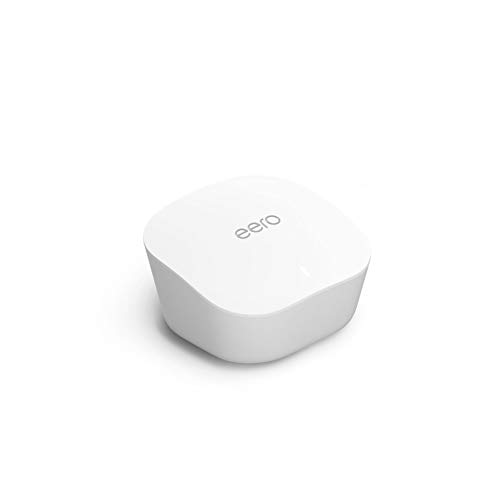

Top 3 picks at a glance
Quick Picks
As an Amazon Associate we earn from qualifying purchases at no extra cost to you.



| Product | Best for | Key spec from the title |
|---|---|---|
| TP-Link AC1900 Smart WiFi Router | Mid-size homes on a budget | AC1900, dual band, MU-MIMO |
| TP-Link Archer A6 AC1200 | Small apartments | AC1200, gigabit, 4 antennas, OneMesh |
| TP-Link Deco X55 3-Pack | Large multi-room homes | AX3000 WiFi 6 mesh, up to 6,500 sq ft |
| NETGEAR Nighthawk RAXE300 | Heavy device loads, 6GHz | AXE7800 WiFi 6E, tri-band, 6GHz |
| NETGEAR Nighthawk RAX30 | Balanced WiFi 6 single router | AX2400, 5-stream, dual-band |
How to Choose
Wi-Fi generation and what the label means
AC routers use the older Wi-Fi 5 standard. AX models are Wi-Fi 6, which handles many devices at once more efficiently. The “E” in 6E adds the 6GHz band, a clean lane with less interference, but only devices that support 6E can use it. Match the router to your newest devices rather than buying generation for its own sake. A household whose most recent phone is four years old gains little from 6E, while a home office with a new laptop and a work-from-home schedule can use every band available.
Bands, streams, and the headline speed number
Labels such as AC1200 or AXE7800 add up the theoretical speed of every band, which no single device will see. What matters more is how many bands and streams the router has and whether your internet plan can saturate it. A gigabit plan benefits from gigabit ports and an AX-class router, while a modest plan gains little from the top tier. Check your plan speed first: if your provider delivers a few hundred megabits, a router rated for several gigabits is mostly an investment in the future, not in today’s experience.
Coverage, mesh, and home layout
A single router suits apartments and compact homes. Thick walls, multiple floors, or a long layout call for a mesh kit, where several units share one network name. If you already own a router with OneMesh support, you may be able to extend it later instead of replacing it. Walk your floor plan and mark dead spots first. Placing the router high and central, away from microwaves and metal shelving, often fixes problems that people blame on the hardware. Only add mesh units once placement has been tried.
Ports, security, and what to ignore
Look for gigabit Ethernet ports on every unit, since a slow port caps a wired connection no matter how fast the wireless is. Security features and parental tools vary by brand, and some require a subscription. Ignore antenna count as a quality signal. Budget models cut corners on processing power, which shows when many devices connect at once.
The 5 Best Options
TP-Link AC1900 Smart WiFi Router
A dual-band AC1900 router with MU-MIMO, positioned as a high-speed option for wireless internet at a modest tier. It suits mid-size homes where a handful of devices stream and browse, and where the owner wants a step up from a basic provider box without paying for WiFi 6. Setup is typically app-driven, which helps first-time buyers. Think of it as a dependable workhorse for households whose devices are mostly a few years old. The Smart label in the title points to app-based management, which usually means guest networks and basic parental controls without digging through a web page. Buyers with a plan in the mid-range of speeds will find the AC1900 class has headroom to spare, and it costs far less than newer generations.
- Strength: MU-MIMO helps several devices share the connection.
- Strength: dual-band AC1900 handles streaming and video calls.
- Trade-off: it uses the older Wi-Fi 5 standard.
Skip it if you plan to connect many WiFi 6 devices.
TP-Link Archer A6 AC1200
A gigabit dual-band router with MU-MIMO, four antennas, OneMesh support, and AP mode. It is the pick for small apartments and starter setups, and the OneMesh support leaves room to grow later with a compatible extender. AP mode also lets you reuse it as an access point behind a modem router, which helps in awkward floor plans. For a studio or one-bedroom, it covers the essentials. Long Range Coverage is part of the title, but treat that as a hint about the antenna layout rather than a promise: walls matter more than any label. Students and first-time renters will appreciate that the box is simple to set up and cheap to replace.
- Strength: gigabit ports and OneMesh expandability.
- Strength: AP mode adds flexible placement.
- Trade-off: AC1200 offers the lowest capacity in this group.
Skip it if you have a large home or a fast fiber plan.
TP-Link Deco X55 AX3000 Mesh, 3-Pack
A WiFi 6 mesh system with three units covering up to 6,500 square feet and three gigabit ports per unit. It replaces both a router and an extender, which makes it the easiest answer for a big or awkward home. Each unit has wired ports, so you can plug in a console or desktop at several points around the house. Roaming between units is handled by the system rather than by the user. Because it replaces an extender, there is no second network name to juggle, and a streaming box in the far bedroom stays attached to the nearest node. Families with kids on tablets in different rooms will see the benefit most, and the three-pack leaves one spare unit to place wherever the signal sags.
- Strength: three units cover a very large area.
- Strength: three gigabit ports per unit for wired devices.
- Trade-off: a three-pack is more hardware than a small home needs.
Skip it if you live in an apartment.
NETGEAR Nighthawk RAXE300
A tri-band WiFi 6E router rated AXE7800, with a 6GHz band, security features, and eight streams. It is built for households with many devices and for anyone who owns 6E phones or laptops that can use the extra lane. Gamers and remote workers on a fast plan are the obvious audience, since the extra band can keep traffic apart. The headline speed is theoretical, but the extra capacity is real. The listed security features suit buyers who care about built-in protection for smart-home devices, and the new 6GHz band means less competition from the neighbors. Before buying, confirm that your laptop or phone actually supports 6E, because otherwise you are paying for a lane no one uses.
- Strength: 6GHz band reduces congestion for compatible devices.
- Strength: tri-band design spreads heavy loads.
- Trade-off: older devices cannot use the 6GHz lane.
Skip it if your devices are mostly older and you have a modest plan.
NETGEAR Nighthawk RAX30
A WiFi 6 dual-band router rated AX2400, with five streams, gigabit ports, and security features. It is the sensible middle path between the older AC models and the premium 6E option. For households that stream, game, and video call at once, it handles the load without paying for a third band. It fits a mid-size home with a single router in a central spot. Many buyers pick this class when their old AC router starts to struggle with a growing pile of phones, cameras, and speakers, since WiFi 6 manages simultaneous devices more efficiently. It is also easier to justify for a household that has no 6E hardware yet but expects to upgrade a phone or two in the coming years.
- Strength: WiFi 6 efficiency with five streams.
- Strength: gigabit speeds and built-in security tools.
- Trade-off: no 6GHz band.
Skip it if you want future-proofing for 6E devices.
Which One Fits Your Situation
Small apartment, light use
The Archer A6 AC1200 covers streaming and browsing at the lowest tier, with room for OneMesh later. If the unit sits in the living room and the bedroom is only one wall away, a single box is all you need, and the money saved can go toward a better modem or a wired connection for the TV.
Mid-size home, many devices
The NETGEAR RAX30 offers WiFi 6 efficiency, while the TP-Link AC1900 is a more economical Wi-Fi 5 step up. Households with one or two streamers and a handful of phones are the target here, and either choice should feel like a clear improvement over a provider-supplied box.
Large house or multiple floors
The Deco X55 three-pack spreads coverage evenly and offers wired ports at each unit. A basement office or an upstairs bedroom can get its own node with an Ethernet port, which suits a desktop PC or a game console far from the main living area.
Gamer or remote worker with 6E devices
The Nighthawk RAXE300 keeps a clean 6GHz lane open for the devices that matter, such as a work laptop on video calls or a console on a wired backhaul. Everything else can stay on the older bands. If your current router merely drops connections, before blaming age, try a restart schedule and a firmware update. If drops continue, step up to the NETGEAR RAX30 or Deco X55, whose newer processors cope better with a crowded network.
Common Mistakes
- Buying on the headline speed label instead of band and stream counts.
- Paying for 6E when none of your devices support it.
- Putting the router in a cabinet or a corner and blaming the hardware.
- Ignoring wired ports when a console or desktop needs a steady link.
- Choosing a mesh kit for a small apartment that one router could cover.
Related guides
- Gaming Chair Cushions And Lumbar Supports
- Business Laptops With Long Battery Life
- Travel Backpack With Laptop Compartment
Frequently Asked Questions
Is WiFi 6 worth it over AC?
It helps most when many devices share the network. For a few devices on a modest plan, a good AC router is enough.
Do I need a mesh system?
Only if one router cannot reach every room. Large homes, multiple floors, and thick walls are the usual reasons.
What does 6E add?
A 6GHz band with less interference, usable only by 6E devices. Older phones and laptops stay on the other bands, which means the benefit appears gradually as you replace devices over the next few years.
Can I use these with a cable modem?
Yes, as a separate router behind a modem. Check your provider’s compatibility list before buying, and keep the modem in bridge mode if it also has a built-in router, so two devices do not fight over the same network. A quick call to the provider usually settles it.
Related guides
More from Amazon
Programs that pair well with the guide above. Offers and eligibility are set by Amazon and may change.
Free shipping on eligible items, Prime Video and more. Eligible new members can start with a free trial.
Start a Prime free trialAd-free music streaming. Eligible new subscribers can start with a free trial.
Try Music Unlimited freeA Prime membership for ages 18-24 with a trial period. Eligibility is set by Amazon.
See Prime for Young AdultsAudiobooks and podcasts to listen to on the go. Eligible new members can start with a free trial.
Try Audible freeAs an Amazon Associate we earn from qualifying purchases.