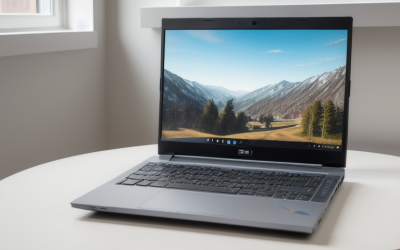
A 14-inch business laptop with a Core i5, 16GB of RAM and a 512GB SSD is the best fit for most people who work on a laptop, and nearly every machine below follows that formula. Seven of the ten are Dell Latitudes, and six of the ten are sold as renewed, which cuts the cost but shifts more of the risk to you. We sort them by working style rather than by price. If the laptop also has to cope with an occasional game, our note on external GPUs for laptops explains why office hardware only stretches so far.
Our Top Picks
 Dell Latitude 5420 14" Laptop Core i5-1145G7 512GBi5 11th Gen | 16GB | 512GB12.65 x 0.82 x 8.35 inches3.88 poundsCheck on Amazon
 Dell Latitude 5410 14 Inch Full HD5410 | 16GB 512GB | win1114 x 6 x 1 inches1.4 KilogramsCheck on Amazon
 Dell Latitude 5420 14" FHD Business Laptop Computeri5-1145G7-16-256-SV-Win1112.76 x 8.35 x 0.76 inches3 poundsCheck on Amazon
 ASUS Vivobook 14" FHD Laptop for Student Businessi5|16GB RAM|512GB SSD20 x 10.8 x 0.96 inches7 poundsCheck on Amazon
Top 3 picks at a glance
Shortlist by work style
As an Amazon Associate we earn from qualifying purchases at no extra cost to you.


- Latitude 5400 (Renewed) – best for a plain 14-inch workhorse with 512GB
- Latitude 5420, 512GB (Renewed) – best for office plus video calls
- Latitude 5410 (Renewed) – best for HDMI-to-monitor desk setups
- HP 15.6-inch touchscreen – best for spreadsheets with a number pad
- Latitude 5420, 256GB (Renewed) – best for the lowest-storage variant
- ASUS Vivobook 14 – best for a new machine with a newer 10-core i5 chip
- Latitude 7410 (Renewed) – best for people who need 1TB of storage
- Latitude 3440 – best for a non-renewed business laptop with Wi-Fi 6E
- Latitude 7420 (Renewed) – best for travel and remote work
- Inspiron 14 7440 2-in-1 – best for note-taking on a touchscreen
Comparison table
| Model | Type | Key specs as stated in the title | Best for |
|---|---|---|---|
| Dell Latitude 5400 | 14-inch, renewed | Core i5, 16GB RAM, 512GB SSD, Win11 Pro | Everyday office work |
| Dell Latitude 5420 (512GB) | 14-inch, renewed | i5-1145G7, 16GB, 512GB PCIe SSD, FHD, Win 11 Pro | Meetings and documents |
| Dell Latitude 5410 | 14-inch, renewed | i5-10310U, 16GB, 512GB SSD, FHD, HDMI, Win 11 Pro | Docked desk work |
| HP 15.6-inch touchscreen | 15.6-inch, bundle | Core i5, 16GB, 512GB SSD, numeric keypad, Win 11 Home | Data entry |
| Dell Latitude 5420 (256GB) | 14-inch, renewed | i5-1145G7, 16GB DDR4, 256GB SSD, FHD, Win 11 Pro | Light storage needs |
| ASUS Vivobook 14 | 14-inch, new listing | i5-1334U (10-core), 16GB, 512GB, FHD, Windows 11 | Home office |
| Dell Latitude 7410 | 14-inch, renewed | Core i5-10310 (as titled), 16GB DDR4, 1TB NVMe, FHD, Win 11 Pro | Large local files |
| Dell Latitude 3440 | 14-inch, listed as new | i5-1235U, 16GB, 512GB NVMe, FHD, Wi-Fi 6E, USB-C DisplayPort, Win 11 Pro | Business use |
| Dell Latitude 7420 | 14-inch, renewed | 11th Gen Core i5, 16GB, 256GB NVMe, Win 11 Pro | Travel |
| Dell Inspiron 14 7440 2-in-1 | 14-inch convertible | i5-1334U, 16GB DDR5, 512GB, FHD+ touch, fingerprint, Win 11 Home | Note-taking |
The ten laptops in detail
Dell Latitude 5400 14-inch (Renewed)
This listing is the most generic of the group: a 14-inch Latitude with a Core i5, 16GB of RAM, a 512GB SSD and Windows 11 Pro. The title does not give the processor generation, and that matters, because Windows 11 support depends on it. Ask the seller, or look at the model number in the product details, before you order.
Business-class Latitudes are built for office duty, and a 512GB drive is comfortable for documents, email and cloud sync. Because it is renewed, battery condition, cosmetic grade and warranty length are the details that separate a good purchase from a poor one, and the title is silent on them.
Pros
- 16GB RAM and a 512GB SSD in a renewed-unit price tier
- Windows 11 Pro for BitLocker and domain-join features
Cons
- Processor generation not stated in the title
- Renewed: battery and warranty terms vary
Who it’s for: Office staff and remote workers who want sensible specs without paying for new.
Who should skip it: Anyone who needs a confirmed processor generation or a new, sealed machine.
Dell Latitude 5420 14-inch, 512GB (Renewed)
Here the title names the chip: a Core i5-1145G7, which the seller also calls a quad-core, with 16GB of RAM, a 512GB PCIe SSD and a non-touch 1920×1080 display. That specificity helps. An 11th-generation Core i5 is on Microsoft’s supported list for Windows 11, and the listing says Win 11 Pro is installed.
Compared with the Latitude 5400 listing it is better documented, which for a renewed unit counts for a lot. The non-touch panel suits buyers who dislike fingerprints, though the title does not state brightness or panel type.
Pros
- Named processor and a full-HD resolution in the title
- 512GB storage matches the first listing
Cons
- Brightness, ports and battery condition not stated
- Renewed unit with seller-dependent warranty
Who it’s for: Employees who attend many video meetings and want a documented configuration.
Who should skip it: People who want a touch screen or a brand-new warranty.
Dell Latitude 5410 14-inch (Renewed)
The title lists an i5-10310U, 16GB of RAM, a 512GB SSD, a full-HD screen and an HDMI port, with Windows 11 Pro. The 4.4GHz in the name reads like the chip’s peak boost speed, not a speed it holds under load, so do not read it as a sustained figure. A 10th-generation chip is within Windows 11’s supported range.
The explicit HDMI mention is useful if you plan to connect a monitor or projector, though you should still check the listing for the remaining ports, because titles rarely list all of them. The usual renewed-laptop checks apply: battery health, return window and who stands behind the warranty.
Pros
- HDMI output listed for external displays
- Specific i5-10310U processor named
Cons
- Older 10th-generation chip than several others
- 4.4GHz is a peak figure, not an everyday speed
Who it’s for: Hybrid workers who dock at a desk with an external monitor.
Who should skip it: Buyers who want the newest silicon or the longest likely battery runtime.
HP 15.6-inch Touchscreen Laptop with Accessories Bundle
The only HP in the working-laptop group is a 15.6-inch touchscreen with a Core i5, 16GB of RAM, a 512GB SSD and a numeric keypad, running Windows 11 Home. The numeric keypad is the main reason to consider it; people who key in figures all day find it saves time. The title promises long battery life without a number, so treat that as a seller claim.
The mention of an accessories bundle from a third party suggests the seller adds extras, so confirm what arrives and what the warranty covers. The processor generation is unstated, and Windows 11 Home lacks some business features such as BitLocker management and domain join.
Pros
- Number pad and 15.6-inch screen for spreadsheet work
- Touch support and Bluetooth/Wi-Fi in the title
Cons
- Windows 11 Home, not Pro
- Processor generation and battery capacity unstated
Who it’s for: Bookkeepers and data-entry staff who value a larger screen and a number pad.
Who should skip it: Travellers who want a light 14-inch machine or an IT-managed laptop.
Dell Latitude 5420 14-inch, 256GB (Renewed)
Same Latitude 5420 family as the earlier listing, with a Core i5-1145G7, 16GB of DDR4 and Windows 11 Pro, but the SSD drops to 256GB. The title also mentions a camera and an HDMI port. Think of it as a different configuration of the same laptop rather than a distinct model.
Everything hinges on the storage. A 256GB drive handles Windows, Office apps and a modest set of files, but it fills quickly once you add a large mailbox, offline cloud folders or video recordings. If you can pay more for the 512GB listing, the headroom is likely worth it. Check the listing for the drive type and whether it can be swapped. The cheaper configuration is best seen as a spare or secondary-work laptop.
Pros
- Same documented chip and 16GB of RAM as the 512GB variant
- Camera and HDMI mentioned in the title
Cons
- Smaller SSD fills quickly
- Renewed, so warranty and battery wear vary
Who it’s for: People who keep files in the cloud and need an inexpensive Latitude.
Who should skip it: Anyone storing large local files or running several apps with big caches.
ASUS Vivobook 14 FHD (i5-1334U)
Not renewed, as far as the title says, and the only ASUS here. The title describes a 10-core Core i5-1334U with 16GB of RAM, a 512GB SSD, a number pad, a private webcam and Windows 11. It is pitched at students and home offices rather than IT-managed fleets.
Two cautions. The title does not say which Windows 11 edition is installed, so check the listing, since Home and Pro behave differently for encryption and remote access. It also lacks details on battery, ports and screen brightness. A newer chip and a fresh seller warranty are the draw for people who prefer not to buy renewed.
Pros
- Newer chip than the 10th-generation Latitudes
- Privacy camera shutter and number pad listed
Cons
- Windows edition not stated in the title
- Less business-focused than the Latitudes
Who it’s for: Freelancers and home-office users who want a new, mainstream laptop.
Who should skip it: Offices that need Pro features, docking support or fleet management tools.
Dell Latitude 7410 14-inch, 1TB (Renewed)
The standout spec is a 1TB NVMe SSD alongside 16GB of DDR4 and a full-HD display. That much storage suits anyone keeping project files, photos or a local mail archive on the machine. The processor in the title is written as i5-10310 without the U suffix, so it looks like a typo for the i5-10310U. Confirm the exact chip before you order.
The 7410 sits above the 5000-series in Dell’s lineup, but the title does not tell us anything specific about weight or ports, so skip assumptions and read the listing. As with every renewed item, review the seller’s return window.
Pros
- 1TB NVMe storage is the largest in this group
- Wi-Fi, Bluetooth and webcam in the title
Cons
- Processor name in the title looks mistyped
- Renewed, with battery wear to check
Who it’s for: Professionals who carry large working files and want everything local.
Who should skip it: Buyers who prefer a confirmed model number, or who want a new machine.
Dell Latitude 3440 14-inch Business Laptop
The title names an Intel Core i5-1235U, 16GB of RAM, a 512GB NVMe SSD, Wi-Fi 6E, Bluetooth, HDMI and USB-C with DisplayPort output, running Windows 11 Pro. It is not marked as renewed, so it is the most modern Dell in this roundup, and it carries the highest price tier among the Latitudes.
USB-C DisplayPort output means a single cable can drive a monitor on many docks, though you should check the listing for whether the port also charges the laptop. A 3000-series Latitude is the value line of the family, so expect a plainer build than the 7000-series. The title says grey and calls it a notebook, but gives no weight.
Pros
- Wi-Fi 6E and USB-C DisplayPort listed
- Not marked as renewed, with Windows 11 Pro
Cons
- Highest price tier of the Latitudes
- Build quality and weight not stated
Who it’s for: Small-business staff who want a current, documented configuration with docking options.
Who should skip it: Shoppers on a tight budget, for whom the renewed models cost far less.
Dell Latitude 7420 14-inch (Renewed)
Billed as ultra-portable and premium, this Latitude 7420 pairs an 11th-generation Core i5 with 16GB of RAM and a 256GB NVMe drive. The title names travel, remote work and student use. The seller’s phrase is marketing, so the title alone does not tell us the weight or battery.
That makes it a listing to check carefully: the exact processor model, the charger included and the battery state are all unspecified. Storage of 256GB is modest, so lean on cloud folders. Ask the seller for the battery condition and confirm that the original-style charger is in the box. Windows 11 Pro is included, which keeps the machine suitable for a managed office.
Pros
- 11th-generation Core i5 with 16GB of RAM
- Aimed at travel and remote work
Cons
- 256GB storage is small
- Exact processor model, ports and battery condition not given
Who it’s for: Frequent travellers who store files in the cloud.
Who should skip it: People who need lots of local storage or a confirmed weight figure.
Dell Inspiron 14 7440 2-in-1
This convertible has a 14-inch FHD+ touchscreen, 16GB of DDR5, a 512GB SSD, a 1080p webcam, a backlit keyboard and a fingerprint reader, running Windows 11 Home. The processor line in the title is confusing: it lists a Core i5-1334U followed by a note about Ultra 5 115U, so it is unclear which chip you receive. Check the listing before buying.
Inspiron is Dell’s consumer line, so the Home edition and the lack of business features reflect that. The flip-over hinge makes it handy for note-taking or presenting, and the fingerprint reader speeds sign-in. It sits in the highest price tier of the group, which is hard to justify when business Latitudes with 16GB cost less.
Pros
- Touchscreen convertible with fingerprint reader and backlit keyboard
- DDR5 memory and a 1080p webcam in the title
Cons
- Processor description is contradictory
- Windows 11 Home and a consumer-grade line
Who it’s for: Note-takers and presenters who like a tablet-style mode.
Who should skip it: IT-managed teams or buyers sensitive to cost.
How we picked these
We shortlisted laptops whose listing titles name a work-ready configuration: 16GB of RAM, an SSD of at least 256GB, a full-HD display and Windows 11. The editorial team relied on listing titles, published specifications, manufacturer documentation and buyer reviews, and we mark anything the title leaves open, and we group repeat configurations honestly. Nobody on the team used or measured these units. Renewed status, seller warranty and battery condition cannot be judged from a title, so we flag them each time instead of assigning a ranking.
What to look for in a laptop for working
Processor class and Windows 11 support
For documents, email, web apps, video calls and spreadsheets, a recent Core i5 is plenty. Microsoft lists supported Intel processors for Windows 11, and the 8th generation and newer generally qualify; check the list if the title gives only “Core i5”. Newer chips tend to be better at battery life under light loads, and the U- and P-class suffixes indicate low-power parts. Core count matters less than people think for office tasks; a quad-core chip is enough, and a cooler-running low-power model usually makes a quieter, longer-lasting work laptop. A typo in a title, as with the “i5-10310”, is a prompt to ask the seller.
RAM and storage
16GB is the sensible floor for a work machine that keeps a browser with dozens of tabs, a chat app and an office suite open together. Whether RAM can be upgraded depends on the model; many thin laptops solder it. Storage of 512GB gives breathing room, while 256GB suits cloud-first workers. Check for NVMe rather than older SATA storage if the listing says so.
Display, keyboard and webcam
Look for 1920×1080 at minimum and a non-glare finish if you work near windows. A number pad matters for finance work, while a backlit keyboard helps in dim rooms. Webcam quality is rarely detailed in titles, so read the buyer feedback for complaints about video calls. Keyboard feel is personal; Latitudes are generally built for typing, but a renewed unit may show wear on the keys, so look at the photos.
Ports, docking and Wi-Fi
Count the ports you really need: HDMI for a monitor, USB-C with DisplayPort for a one-cable dock, and enough USB-A for a mouse and drive. Wi-Fi 6E helps in crowded offices if your router supports it. Charger type and power wattage are worth confirming on the listing, and a USB-C charging port is handy if you want one charger for the laptop and a phone.
Renewed laptop checklist
| Check | Why it matters |
|---|---|
| Seller and warranty length | Renewed grades differ; a short warranty raises risk |
| Battery health statement | Wear is the most common weakness in older laptops |
| Charger in the box | Some listings omit it |
| Exact processor model | Titles sometimes contain typos or mixed specs |
| Return window | Gives time to check keyboard, ports and screen |
Battery, weight and charging
Titles here make almost no battery or weight claims, and the one that mentions long battery life gives no hours. Treat those as unknowns: read the listing, then the buyer feedback for runtime complaints. If you commute, a lighter 14-inch machine beats a 15.6-inch one, and a charger that fits a travel bag matters more than a few extra minutes of runtime.
Matching the spec to the job
| If your day is mostly… | Prioritise | Look at |
|---|---|---|
| Calls, email, documents | 16GB RAM, FHD screen, good webcam | Latitude 5420 listings |
| Spreadsheets and data entry | Number pad, larger screen | HP 15.6-inch touchscreen |
| Docked desk work | HDMI or USB-C DisplayPort | Latitude 5410, Latitude 3440 |
| Big local files | 1TB SSD | Latitude 7410 |
| Travel and note-taking | Light weight, touch | Latitude 7420, Inspiron 2-in-1 |
Pro or Home
Windows 11 Pro adds BitLocker management, domain join and Remote Desktop hosting. If your employer’s IT team manages your machine, Pro is usually required, so ask them before buying. Home works fine for personal use, and you can usually upgrade an edition later through Windows if your needs change.
Mistakes buyers make
One mistake is choosing on screen size alone: 15.6 inches is comfortable at a desk but tiring in a bag. Another is ignoring battery wear on renewed units, then discovering that the laptop only works on the mains. Buyers also assume that every “Windows 11” label means Pro, overlook that a bundle of accessories does not lengthen the warranty, and trust a high clock figure in a title as an everyday speed. Some skip the return window and keep faulty keyboards or dead pixels, and others compare headline gigahertz instead of the processor generation. Finally, many underbuy storage, then rely on an external drive they forget to carry. Do not forget the security basics either: update Windows and the BIOS on arrival, and set up a recovery key.
Verdict
For most working people, the documented Latitude 5420 configurations are the safest renewed choice, with the 512GB version first. The Latitude 3440 is the pick if you want a non-renewed Dell with current connectivity, and the Latitude 7410 suits anyone needing 1TB. The ASUS Vivobook 14 is the new-laptop alternative, provided you confirm the Windows edition. The HP touchscreen is the one to pick if a number pad and a bigger display are the priority.
Related guides
- How To Use Camelcamelcamel For Amazon Deals
- Warranty Considerations When Buying On Sale
- Browser Extensions For Finding Deals
Frequently asked questions
How much RAM does a work laptop need?
16GB is a comfortable floor for office suites, many browser tabs and video calls together, and every laptop in this list is described with that much. 8GB can work for light use but leaves little room as software grows. Check whether RAM is soldered, because that decides whether you can upgrade later.
Is a renewed laptop a good idea for work?
It can be, if the seller is reputable and the warranty is clear. Renewed units cost less, but battery wear and cosmetic condition vary. Check the return window, confirm a charger is included, and check everything on arrival. If downtime would hurt, a new machine may be better value.
Do I need Windows 11 Pro?
Pro is worth having if your employer manages your device, if you want full BitLocker control, or if you connect to a company domain. For home use and freelancing, Home is generally enough. The Latitudes here say Pro; the HP and Inspiron titles say Home, and the Vivobook title does not say.
Is a 14-inch or 15.6-inch laptop better for working?
A 14-inch screen is lighter and easier to carry, which suits hybrid workers. A 15.6-inch screen offers more space and often a number pad, which suits desk-bound data entry. If you mostly use an external monitor, the smaller laptop is usually the better choice.
Can I use these laptops for gaming?
Not well. They rely on integrated graphics, so casual and older games are the realistic limit. If gaming matters, you need a laptop with a dedicated graphics chip, which none of these list. These are tuned for office tasks, calls and browsing, where they are comfortable.
Related guides
More from Amazon
Programs that pair well with the guide above. Offers and eligibility are set by Amazon and may change.
Free shipping on eligible items, Prime Video and more. Eligible new members can start with a free trial.
Start a Prime free trialAd-free music streaming. Eligible new subscribers can start with a free trial.
Try Music Unlimited freeA Prime membership for ages 18-24 with a trial period. Eligibility is set by Amazon.
See Prime for Young AdultsAudiobooks and podcasts to listen to on the go. Eligible new members can start with a free trial.
Try Audible freeAs an Amazon Associate we earn from qualifying purchases.