
The best powered bookshelf speakers for PC are the Kanto YU4 and Edifier R1280DBs for most desktop setups, the Audioengine A2+ for compact desks under 40 inches wide, and the Klipsch R-41PM or PreSonus Eris 3.5 BT if you want more dynamics or studio-flat tuning for gaming and editing.
For PC use, the priorities are different from a living room: cabinet depth under 9 inches so they don’t crowd your monitor, front or convenient volume control, inputs that cover USB, optical, and Bluetooth without needing a separate amp, and voicing that works at 2-3 feet. The models below all hit those points, but they trade off size, bass extension, and connectivity.
As an Amazon Associate we earn from qualifying purchases at no extra cost to you.

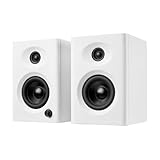

Our Top Picks


Top 3 picks at a glance
Top Picks by Desktop Situation
| Model | Dimensions (H x W x D) | Power (per channel) | Key Inputs | Frequency Response | Typical Street Price |
|---|---|---|---|---|---|
| Audioengine A2+ | 6″ x 4″ x 5.25″ | 30W peak (15W RMS) | USB Audio, 3.5mm, RCA, Bluetooth 5.0 aptX | 65Hz – 22kHz | usually $250–$300 |
| PreSonus Eris 3.5 BT (2nd Gen) | 8.3″ x 5.6″ x 6.4″ | 25W + 25W Class AB | Bluetooth 5.0, TRS balanced, RCA, 1/8″ stereo | 80Hz – 20kHz | usually $110–$160 |
| Edifier R1280DBs | 9.5″ x 5.75″ x 7.5″ | 21W + 21W RMS | Bluetooth 5.0, Optical, Coaxial, RCA dual | 51Hz – 20kHz | usually $130–$170 |
| Kanto YU4 | 8.7″ x 5.5″ x 8.1″ | 70W peak (35W RMS) | Bluetooth 4.0 aptX, Optical x2, RCA, 3.5mm, USB charge | 60Hz – 20kHz | usually $280–$350 |
| Klipsch R-41PM | 11.25″ x 5.75″ x 7.9″ | 35W + 35W RMS | Bluetooth, Optical, USB Audio, RCA/Phono, 3.5mm | 76Hz – 21kHz | usually $280–$380 |
| Edifier R1700BTs | 10″ x 6″ x 8.5″ | 33W + 33W RMS | Bluetooth 5.0 aptX HD, Optical, RCA dual | 48Hz – 20kHz | usually $170–$210 |
What Makes a Powered Speaker Good for Near-Field PC Use
1. Desktop-Friendly Dimensions and Port Placement
On a 48 to 60-inch desk, every inch of depth matters. Speakers deeper than 9 inches will push you too close to the wall or block monitor arms. For small desks or if your PC is on the desk, the Audioengine A2+ and PreSonus Eris 3.5 BT are the only ones here that leave usable space for a 27-inch monitor plus keyboard.
Rear bass ports, like on the Edifier R1280DBs and R1700BTs, need 4-6 inches of clearance from the wall to avoid boomy bass. If your desk is against a wall, prefer front-ported designs like the Kanto YU4 and PreSonus Eris 3.5 BT, or sealed/small-port designs like the Audioengine A2+. Otherwise you will need to use the acoustic tuning controls to cut low frequencies.
2. Inputs: Wired vs Wireless for PC
For gaming PCs, wired is still the baseline for latency and reliability:
- USB Audio: Found on Audioengine A2+ and Klipsch R-41PM. This bypasses your motherboard’s DAC and is the cleanest option if you hear hiss or ground loop noise from the 3.5mm jack. No drivers needed on Windows 10/11.
- Optical (TOSLINK): Found on Kanto YU4, Edifier R1280DBs/R1700BTs, and Klipsch R-41PM. Ideal if your motherboard has optical out. It isolates electrical noise completely and keeps the analog stage inside the speaker.
- 3.5mm / RCA: Universal fallback. Use this if you want to share the speakers with a console or DAC. Keep cable runs under 6 feet to avoid noise pickup.
Bluetooth is useful for phones or tablets but adds 80-200ms latency, so it is not suitable for competitive gaming. Bluetooth 5.0 with aptX or aptX HD (Audioengine A2+, Edifier R1700BTs) improves music quality but does not fix latency. Treat Bluetooth as a secondary input, not your primary PC connection.
3. Volume and Control Placement
Desktop ergonomics live or die on controls. Three patterns exist:
- Front knob + remote: Edifier R1280DBs and R1700BTs put bass, treble, and volume on the front and include a wireless remote. Best if speakers are at arm’s length and you switch between games and music often.
- Front knob only: Kanto YU4 and PreSonus Eris 3.5 BT have a front volume knob that also powers the unit and selects inputs when pushed. Simple, no remote to lose.
- Rear knob: Audioengine A2+ places volume on the rear of the left speaker. It saves front-panel clutter but is awkward if the speakers are against a wall. Most users pair it with system volume or a cheap inline volume knob.
If you use headphones often, the Kanto YU4 and Klipsch R-41PM have a front headphone jack that mutes the speakers automatically. The Edifier R1280DBs does not have a headphone output.
4. Near-Field Sound Characteristics
At 2.5 feet, you hear the speaker, not the room. That changes what matters:
- Hiss and tweeter noise: Highly sensitive horn designs like the Klipsch R-41PM can reveal amplifier hiss at close range on quiet desktops. Soft-dome designs like the Kanto YU4 and Edifiers are quieter at idle. If you are sensitive to hiss, avoid high-sensitivity designs and use optical/USB input to lower the noise floor.
- Treble directivity: 3.5-inch and 4-inch two-way speakers have wider dispersion than larger 5-inch models. You get a more forgiving sweet spot when you move your head while gaming. The PreSonus Eris 3.5 BT includes a wide-dispersion waveguide specifically for this.
- Bass without a sub: No 4-inch bookshelf will deliver true sub-bass below 50Hz at desktop levels without distortion. The Edifier R1700BTs reaches lowest (around 48Hz) among compact options, but for cinematic games you will still want the subwoofer output found on the Kanto YU4, PreSonus Eris 3.5 BT, and Klipsch R-41PM.
Worked Calculation: How Much Power Do You Actually Need at Your Desk?
Spec sheets list wattage, but near-field listening needs far less power than a living room. You can estimate peak loudness with sensitivity, power, and distance:
SPL at listening position = Sensitivity (dB @ 1W/1m) + 10*log10(Power in watts) – 20*log10(Distance in meters / 1m)
Example for a typical compact PC speaker with 85 dB sensitivity, driven with 15W RMS per channel, at 0.8 meters (about 31 inches, a normal desktop distance):
- Power gain = 10*log10(15) = 11.8 dB
- Distance gain (closer than 1m) = -20*log10(0.8) = +1.9 dB
- Peak SPL = 85 + 11.8 + 1.9 = 98.7 dB per speaker at the desk
Two speakers playing correlated content add about 3 dB, so you are near 101 dB peaks. That is far above a comfortable 75-80 dB average for gaming.
Practical takeaway: Even 15-25W RMS is enough for near-field peaks over 95 dB. You are not buying these for wattage. Buy for lower noise floor, better input options, and bass extension. If you listen at 75 dB average with 15 dB peaks (90 dB peak required), you only need 3-5 clean watts at 0.8m with 85 dB speakers. Extra headroom helps with bass-heavy moments without clipping, which is why the Kanto YU4’s 35W RMS and Klipsch R-41PM’s 35W RMS sound more effortless in explosions than 15W models, even at the same average volume.
Decision Matrix: Match Your Setup to the Right Speaker
| Your Situation | Best Match | Why |
|---|---|---|
| Desk is less than 42″ wide or you have dual monitors | Audioengine A2+ or PreSonus Eris 3.5 BT | Smallest footprint, front-ported or sealed, will not dominate desk |
| Desk is against a wall, no room behind speakers | Kanto YU4 or PreSonus Eris 3.5 BT | Front ports and High-Pass/Bass tuning to reduce wall boom |
| You need USB audio to fix motherboard hiss | Audioengine A2+ or Klipsch R-41PM | Built-in USB DAC bypasses noisy onboard audio |
| You want to add a subwoofer later for games/movies | Kanto YU4, PreSonus Eris 3.5 BT, Klipsch R-41PM | Dedicated sub out with crossover, no splitter needed |
| You want warm, non-fatiguing sound for long sessions | Edifier R1280DBs / R1700BTs | Softer treble tuning, bass/treble knobs to tame harshness |
| You want maximum detail for editing and positional audio | PreSonus Eris 3.5 BT or Kanto YU4 | Flatter studio voicing and acoustic tuning switches |
Recommended Settings for PC Placement
Out of the box, most powered bookshelf speakers assume free space in a room. On a desk, apply these baseline settings and adjust by ear:
- Set speaker acoustic tuning: On the PreSonus Eris 3.5 BT, set Acoustic Tuning to -2 dB or -4 dB for low frequencies if within 6 inches of a wall. On Kanto YU4, leave bass at 12 o’clock if away from wall, 10 o’clock if against wall. On Edifiers, start with bass and treble at neutral (12 o’clock).
- Positioning: Form an equilateral triangle: if speakers are 3 feet apart, sit 3 feet away. Angle them 30 degrees toward your head so tweeters point at ear level. Use small foam pads or angled stands to bring tweeters to ear height and decouple from the desk; this reduces desk reflections that make the midrange sound hollow.
- Gain structure: Set Windows volume to 80-90%, set speaker volume to your loudest comfortable level, then use Windows or keyboard volume for daily control. This keeps the signal well above the noise floor without risking digital clipping at 100%.
- Subwoofer crossover if added: With 3.5 to 4-inch mains, set crossover at 80-90Hz. With larger 5-inch models like the Edifier R1700BTs, 70-80Hz is enough. This unloads the small woofers and cleans up mid-bass.
- Disable enhancements: In Windows Sound > Device Properties, turn off Loudness Equalization and Bass Boost. For games, leave them off and let the speaker tuning handle tonal balance to avoid double processing.
Which One Should You Buy?
If you want the best all-rounder for a gaming PC, get the Kanto YU4. It has the most complete input set with two optical inputs plus Bluetooth, front volume and headphone jack, subwoofer out, and a size that still fits a standard desk. It is usually $280–$350, which is higher than budget Edifiers but saves you from buying a separate DAC or switcher.
If you want the best value, get the Edifier R1280DBs or PreSonus Eris 3.5 BT. The Edifier is warmer and better for casual listening and YouTube, while the PreSonus is flatter and better for spatial audio in competitive games and light content creation. Both are usually $110–$170 and fit depths under 7 inches.
Choose Audioengine A2+ only if space is extremely tight; you trade bass extension for the smallest cabinet. Choose Klipsch R-41PM if you want the most forward, dynamic presentation and have a medium to large desk, since its larger horn and cabinet reward a bit more distance.
FAQ
Do I need a separate DAC or amplifier for powered bookshelf speakers?
No. Powered (active) bookshelf speakers have the amplifier built in. You connect them directly to your PC via USB, optical, 3.5mm, or RCA. A separate DAC only helps if your current output has audible noise or you need higher sample rates.
Can I use powered bookshelf speakers with a gaming console on the same desk?
Yes if the speaker has optical input. Connect the PC via USB or 3.5mm and the console via optical, then switch inputs with the remote or front knob. The Kanto YU4 and Edifier R1280DBs make this easiest because they have multiple digital inputs.
Will a 3.5-inch speaker have enough bass for games without a subwoofer?
For music and most games, yes down to about 65-80Hz, which covers punch and upper bass. For explosions and soundtracks you will feel the lack of 30-50Hz rumble. If that matters, pick a model with a subwoofer output and plan for an 8-inch sealed sub later.


