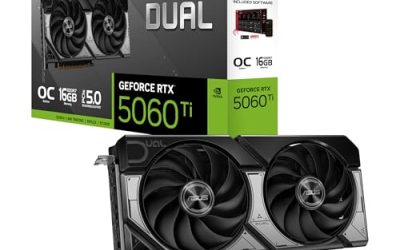
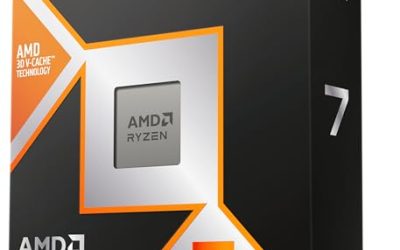
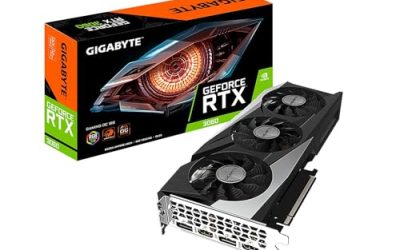
For a prebuilt gaming PC at the upper-middle to high-end tier, the sweet spot is a system built around a GeForce RTX 5070 Ti or RTX 5080 class graphics card, a Ryzen 7 9800X3D or comparable Intel Core Ultra 7 processor, 32GB of DDR5 and a 2TB NVMe drive. Systems with an RTX 5090 are generally a tier above what a 3000-dollar ceiling covers, so treat them as a stretch goal rather than a baseline. The rest of this guide explains how to compare listings at that ceiling, which parts matter most, and which shortcuts to watch for.
As an Amazon Associate we earn from qualifying purchases at no extra cost to you.



Our Top Picks

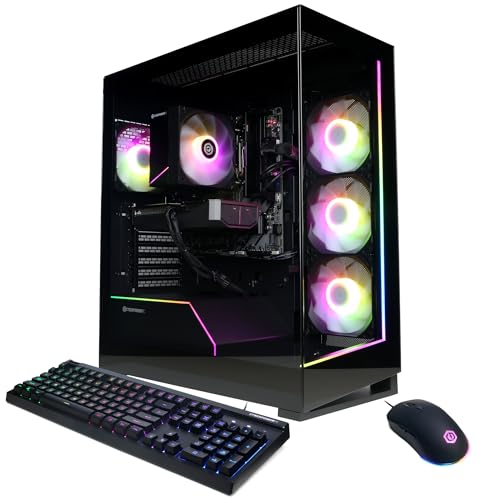

Top 3 picks at a glance
Short answer by buyer type
- 1440p high refresh player: an RTX 5070 Ti class system with a fast 8-core gaming CPU is the balanced pick.
- 4K player or heavy ray tracing fan: aim for RTX 5080 class graphics and accept a plainer case, smaller SSD or less flashy RAM to get there.
- Esports and competitive shooters: processor choice and a high refresh monitor matter more than the very top GPU, so an X3D chip with a mid-range RTX 50-series card is a sensible allocation.
- Creator who also games: prioritise 64GB of RAM, a second drive and a CPU with more cores, even if the graphics card drops a tier.
At a glance: what to look for in this tier
| Component | Target at this budget | Why it matters | Common weak point |
|---|---|---|---|
| Graphics card | RTX 5070 Ti or RTX 5080 (NVIDIA lists 16GB of GDDR7 on both); Radeon RX 9070 XT as an alternative | Largest single driver of frame rates at 1440p and 4K | Listings that name only the GPU family, not the exact model |
| Processor | Ryzen 7 9800X3D (8 cores, stacked cache per AMD) or Core Ultra 7 265K class | Keeps the GPU fed at high refresh rates | Older-generation chips sold in a new-looking chassis |
| Memory | 32GB DDR5, two sticks | Enough for current games plus background apps | Single stick, which halves bandwidth |
| Storage | 2TB NVMe SSD | Modern game installs are large | QLC drives with weak sustained writes |
| Power supply | Quality unit from a named maker, 850W to 1000W class for the higher GPUs | Stable power and headroom for upgrades | Unbranded or minimal-rated units |
| Cooling | 240mm to 360mm liquid cooler or a large air cooler | Sustained boost clocks and lower noise | Small coolers on high-wattage CPUs |
| Motherboard | B850, X870 or Z890 class with PCIe 5.0 and USB4 or fast USB | Upgrade path and I/O | Proprietary boards that block part swaps |
Which graphics card tier fits
The RTX 50-series launched with the RTX 5090 and RTX 5080, followed by the RTX 5070 Ti and RTX 5070. NVIDIA lists 16GB of GDDR7 for the RTX 5080 and RTX 5070 Ti, 12GB for the RTX 5070 and 32GB for the RTX 5090. AMD's Radeon RX 9070 and RX 9070 XT, both with 16GB per the maker, are the main alternative and are common in prebuilts from makers that offer AMD graphics. Independent outlets such as Tom's Hardware and TechSpot have consistently ranked the RTX 5080 above the RTX 5070 Ti in raw speed, while describing the step as modest compared with the jump from the 5070 to the 5070 Ti.
Practical reading: if a listing pairs an RTX 5080 with a weak processor, bargain memory and a thin power supply, the money has been shifted to the wrong place. A balanced RTX 5070 Ti build often plays at the same settings for most 1440p titles and leaves budget for a better SSD and cooling.
Processor choices
AMD lists the Ryzen 7 9800X3D as an 8-core, 16-thread processor with second-generation 3D V-Cache, and it has been widely reviewed as the leading gaming chip of its generation. Intel's Core Ultra 200S series (for example the Core Ultra 7 265K and Core Ultra 9 285K) uses the LGA 1851 socket. Reviewers generally place Intel's chips behind the X3D parts in pure gaming but ahead in some multi-threaded work. If your priority is frames per second, an X3D chip is the usual recommendation from reviewers. If it is video rendering or compiling alongside gaming, a higher core count part may fit better.
Decision table: pick this if
| Pick this configuration | If you want | Accept this trade-off |
|---|---|---|
| RTX 5080 + Ryzen 7 9800X3D, 32GB, 1TB to 2TB SSD | Maximum gaming performance at the ceiling | Less storage, simpler case and RAM |
| RTX 5070 Ti + Ryzen 7 9800X3D, 32GB, 2TB SSD | Balanced 1440p and entry 4K, better build quality overall | A step below the top GPU |
| Radeon RX 9070 XT + Ryzen 7 9700X or similar | Strong raster performance and 16GB of VRAM | Fewer NVIDIA-only features such as DLSS 4 multi frame generation |
| RTX 5070 + Core Ultra 7, 32GB, 2TB SSD | 1440p at sensible settings with room to upgrade the GPU later | 12GB of VRAM can limit the highest texture settings |
Brands and lines worth shortlisting
Several established makers sell configurations in this class. Names below are listed for shortlisting only; the exact parts in each line change often, so read the specification sheet of the exact model number you are considering.
- Alienware Aurora: Dell's desktop line, known for a compact, airflow-focused chassis. Some configurations use proprietary elements, so upgrade freedom can be narrower.
- Corsair Vengeance: built from Corsair components and usually described by reviewers as using standard parts that are easy to upgrade.
- MSI MPG and MAG Trident or Infinite lines: mix MSI boards and graphics cards and often cover both Intel and AMD options.
- ASUS ROG and TUF desktops: pair ASUS boards with ROG or TUF cases and graphics cards.
- NZXT Player lines: NZXT builds around its own cases and coolers, with configurable parts.
- Specialist builders such as Origin PC, Maingear and Falcon Northwest: typically offer more customisation and support, usually at higher cost, so they land near or above the ceiling.
Prebuilt versus building it yourself
Many reviewers note that a self-built PC can offer more performance for the same spend, particularly when graphics card pricing is stable. A prebuilt adds assembly, a warranty from one company, and a pre-installed system. If you value a single point of support and a tested configuration, the premium can be reasonable. If you are comfortable installing parts, buying components lets you choose the power supply, SSD and RAM instead of accepting whatever the builder selected.
Common mistakes to avoid
- Judging by the GPU alone. A strong card in a system with one memory stick, a weak power supply or a poor cooler will not reach its potential.
- Ignoring the power supply label. Look for a named maker and an efficiency rating such as 80 Plus Gold. If a listing says only the wattage, ask the seller for the model.
- Accepting proprietary parts without reading the manual. Non-standard motherboards, power connectors or cases can make later upgrades harder.
- Overlooking the monitor. A 4K 60Hz display wastes a fast GPU, and a 1080p panel hides it. Budget for a display matching the PC.
- Skipping the return and warranty terms. Compare the length of warranty, whether it covers parts and labour, and whether you can return an unsatisfactory machine.
- Assuming RAM speed matters most. For AMD X3D chips and Intel Core Ultra processors, reviewers report that gains from very fast memory are modest compared with having enough capacity in a dual-channel arrangement.
Cooling, noise and case airflow
A high-end GPU and CPU together can push several hundred watts of heat. Look for front intake fans, a rear exhaust fan and radiator size that matches the CPU. The Ryzen 7 9800X3D is listed by AMD with a lower power rating than Intel's top Core Ultra parts, so it is generally easier to cool quietly. Glass-panel cases look attractive but may restrict airflow if the front panel is solid, so check how air reaches the front fans.
Alternatives to consider
- Mini gaming PCs: compact systems from makers such as Corsair or MSI can pair a high-end GPU in a small footprint, but cooling and upgrades are more limited.
- Gaming laptops with RTX 50-series mobile GPUs: portable, but the mobile GPU is a tier below its desktop namesake according to the maker specifications and reviewers.
- Parts kit with a builder service: some retailers and specialist builders assemble parts you choose, giving you control over every component with a shared warranty on the build.
Frequently Asked Questions
Can a prebuilt in this range run 4K games?
Yes, an RTX 5080 class machine is generally positioned by NVIDIA and reviewers as a 4K gaming card, especially with DLSS upscaling enabled. Very demanding titles with ray tracing may need lower settings. An RTX 5070 Ti can also manage 4K in many games with upscaling.
Is 32GB of RAM enough?
For gaming, 32GB of DDR5 is the common standard in this class. Choose 64GB if you edit video, run virtual machines or keep many applications open during play.
Intel or AMD processor for gaming?
Reviewers commonly rate AMD's X3D processors, including the Ryzen 7 9800X3D, as the leaders for gaming performance. Intel Core Ultra 200S parts are competitive in productivity workloads and can be a good fit if you need that balance.
Should I worry about the warranty on a prebuilt?
Yes. Read whether the warranty covers the whole system or only individual parts, how long it lasts, and what the process is for returns. Some makers sell extended coverage for an additional charge.
Can I upgrade a prebuilt later?
Usually yes, but it depends on the motherboard, power supply and case. Standard ATX parts allow easy upgrades, while proprietary designs may limit what fits. Check the maker's specification sheet for the motherboard form factor and power supply connectors before buying.
Is an RTX 5090 prebuilt possible in this range?
Systems with the RTX 5090 usually sit above this ceiling, according to how builders configure them. If you want one, expect to compromise elsewhere or look at a higher budget tier.
Related guides
More from Amazon
Programs that pair well with the guide above. Offers and eligibility are set by Amazon and may change.
Free shipping on eligible items, Prime Video and more. Eligible new members can start with a free trial.
Start a Prime free trialAd-free music streaming. Eligible new subscribers can start with a free trial.
Try Music Unlimited freeA Prime membership for ages 18-24 with a trial period. Eligibility is set by Amazon.
See Prime for Young AdultsAudiobooks and podcasts to listen to on the go. Eligible new members can start with a free trial.
Try Audible freeAs an Amazon Associate we earn from qualifying purchases.