For a gaming PC in 2026, look for an M.2 NVMe boot drive running on PCIe 4.0 x4 or PCIe 5.0 x4, plus a spare M.2 slot or SATA port for later expansion; a SATA-only SSD is the weakest choice, and a mechanical hard drive should be a secondary bulk drive at most. The interface decides the ceiling on speed, but game load times depend on more than the interface, so the checklist below covers slots, lanes, drive details and common traps.
As an Amazon Associate we earn from qualifying purchases at no extra cost to you.



Our Top Picks

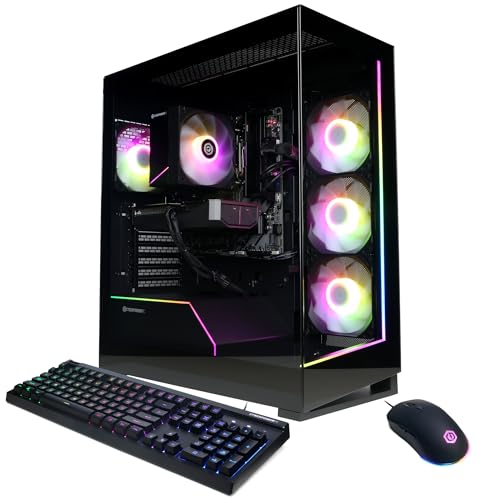

Top 3 picks at a glance
At a glance: storage interfaces
| Interface | Best for | Key points | Limits |
|---|---|---|---|
| M.2 NVMe, PCIe 5.0 x4 | Enthusiast builds, heavy file work | Highest bandwidth class; runs hotter, usually needs a heatsink | Needs a supporting CPU and board; extra speed seldom changes game load times much |
| M.2 NVMe, PCIe 4.0 x4 | Most gaming PCs | Fast, widely available, runs cooler than 5.0 | Board slot generation can cap speed |
| M.2 NVMe, PCIe 3.0 x4 | Older or budget systems | Still much faster than SATA | Lower ceiling than newer generations |
| SATA SSD (2.5 inch or M.2 SATA) | Secondary storage, older systems | Simple, broad compatibility | Limited by the SATA interface |
| Hard drive (SATA) | Archives, media | Large capacity for the cost | Slow loads; not for main games |
What the interface actually means
NVMe is a protocol built for flash. Reference material describes how it replaces the older AHCI model, which has a single command queue of 32 commands, with up to 65,535 queues each holding up to 65,536 commands. In a consumer PC, NVMe drives usually connect through the M.2 slot using up to four PCI Express lanes, and bandwidth scales with the PCIe generation of both the drive and the slot. M.2 is the physical form: the same slot shape can carry a SATA or a PCIe module, and keying notches (B-key, M-key or B+M) distinguish them. That is why a spec sheet saying “M.2” does not tell you the interface or speed.
Checklist for the PC you are buying
- Drive interface and generation. Look for “NVMe” and “PCIe 4.0 x4” or “PCIe 5.0 x4” on the listing. If it says only “M.2 SSD”, find the exact model.
- Slot count and type. Check how many M.2 slots the motherboard has, which support NVMe, and whether any share lanes with SATA ports or a PCIe expansion slot. The motherboard manual states these conflicts.
- Slot generation and lane count. The slot, not just the drive, sets the speed. A PCIe 5.0 drive in a PCIe 4.0 slot runs at 4.0 speed.
- Free upgrade path. A spare M.2 slot and an extra SATA port let you add capacity later without replacing the boot drive.
- Heatsink or thermal pad. Fast NVMe drives can throttle when hot. Check the motherboard for M.2 heatsinks and the case for airflow.
- Drive details. Ask for the exact model: cell type (TLC or QLC), DRAM presence, endurance rating in terabytes written, and warranty length.
- Capacity. Modern game installs are large and patches add more. Treat a roomy primary drive as more valuable than a small drive on a faster interface.
- Operating system install. Confirm Windows is installed in UEFI mode on the NVMe drive, and note whether the system uses RAID or VMD, which affects driver needs when reinstalling.
- Prebuilt specifics. Some prebuilt systems and laptops use specific form factors or single-slot designs; ask whether the SSD is user-replaceable.
- DirectStorage support. Microsoft’s DirectStorage benefits from NVMe, and the feature is only used by games that support it, so do not choose a drive on that basis alone.
Tiers by performance class
| Tier | What to look for | Trade-offs |
|---|---|---|
| Budget | PCIe 3.0 or 4.0 NVMe, possibly QLC or DRAM-less, large capacity | Weaker sustained writes; fine for installed games |
| Mid-range | PCIe 4.0 x4 NVMe, TLC, DRAM or strong controller, good warranty | Best balance for most gamers |
| Premium | PCIe 5.0 x4 NVMe with heatsink, TLC, high endurance | More heat and cost; benefits show in large file transfers more than in loading games |
Fit, size and compatibility notes
- 2280 length. The common M.2 size is 22 mm wide by 80 mm long, written 2280. Other lengths exist, and a board that supports only some lengths will list them.
- Two sides. Some drives have chips on both sides; check clearance under heatsinks and in laptops.
- Heatsink conflicts. A drive with its own tall heatsink may not fit under a motherboard shield or near a graphics card.
- Lane sharing. Populating one M.2 slot can disable certain SATA ports or reduce lanes to another slot on some boards. Read the manual before adding drives.
- CPU lanes versus chipset lanes. The primary M.2 slot is often connected directly to the processor, other slots go through the chipset and may be slower.
Pick X if
| Pick | If you |
|---|---|
| PCIe 4.0 NVMe TLC | want a dependable main drive for games and the operating system |
| PCIe 5.0 NVMe with heatsink | move large files often, edit video or want maximum headroom and have the cooling |
| QLC NVMe at large capacity | need a big library drive on a limited budget |
| SATA SSD | are adding storage to an older PC with no M.2 slot |
| Hard drive | store backups and media, not main games |
Why interface speed is not everything
Sequential bandwidth is the headline number, but several other factors shape how a gaming PC feels. Random read performance and latency affect how quickly small files load. Sustained write behaviour matters when installing very large games or recording footage. Thermal throttling can reduce the speed of a fast drive in a poorly cooled case. Reviewers frequently point out that moving from a SATA SSD to an NVMe drive produces smaller gains in game loading than the benchmark numbers suggest, because decompression, shader compilation and the game engine take time too. DirectStorage, Microsoft’s API for loading game assets, is designed to take advantage of NVMe, though only titles that implement it will benefit. The sensible conclusion is to buy a solid NVMe drive with adequate capacity and cooling rather than chase the top interface generation.
Alternatives and add-ons
- Adapter cards. A PCIe adapter can add an M.2 NVMe drive to a board with free lanes, if your manual confirms support.
- External NVMe enclosure. Handy for extra game storage; speed depends on the USB port and enclosure rating.
- Dual-drive layout. A moderate-capacity fast boot drive plus a large QLC drive is a common and cost-aware approach.
Common mistakes
- Reading “M.2” as “NVMe”. Confirm the interface.
- Paying more for PCIe 5.0 on a platform whose slot runs at 4.0.
- Ignoring heat on fast drives in cramped cases.
- Choosing by sequential speed and overlooking endurance, DRAM and controller.
- Buying a prebuilt with no free slot, then discovering upgrades require replacing the boot drive.
- Forgetting that some prebuilts do not clearly list the drive model.
Questions to put to a seller before buying a prebuilt
Listings for prebuilt systems often compress the storage line into a few words, such as “1TB SSD”. Use the following questions to turn that into something you can compare. Which exact SSD model is fitted, and is it the same model in every unit sold under that listing? Is it NVMe or SATA, and which PCIe generation does the slot run at? How many M.2 slots does the motherboard have, and how many are free? Are there spare SATA ports and a free 2.5 inch bay for expansion? Is the drive user-replaceable without voiding the warranty? Does the system use a proprietary form factor for the motherboard or drive, as some compact designs do? A seller that can answer these precisely is generally easier to deal with if you later need support.
Reading the motherboard manual for storage
The manual or specification page of the motherboard is the authority on slots. Find the storage section and note, for each M.2 slot, the supported lengths, whether it takes PCIe, SATA or both, and the PCIe generation and lane count. Look for footnotes about shared bandwidth: boards commonly state that using a particular M.2 slot disables specific SATA ports, or that a second slot shares lanes with a graphics slot. Also note whether the first slot is wired to the processor or to the chipset. These details are usually printed in a small table or notes beneath it, and are easy to miss.
Frequently Asked Questions
Is NVMe necessary for gaming?
It is the sensible standard for a new gaming PC, since it offers far more bandwidth than SATA. For many installed games, though, load times differ only modestly between SATA and NVMe, and the game engine often matters as much.
Do I need PCIe 5.0 storage?
Most gamers do not. PCIe 4.0 NVMe covers current games, and PCIe 5.0 mainly helps large transfers and professional workloads. It also runs hotter and needs a supporting board.
How do I find the drive in a prebuilt PC?
Ask the seller for the exact SSD model, or look up the listed model in the maker’s specification. In Windows, Device Manager and the maker’s SSD utility show the model name.
Can I add a second SSD later?
Often yes, if the motherboard has a spare M.2 slot or SATA port. Check the manual for lane sharing that could disable other ports.
Will a PCIe 5.0 SSD work in a PCIe 4.0 slot?
Generally yes, running at 4.0 speed. The drive’s maker and the motherboard manual confirm compatibility for your specific parts.
How much storage should a gaming PC have?
Large modern games take a lot of space, so a roomy primary drive is more useful than the fastest interface on a small drive. Plan for patches and a second drive for expansion.
Related guides
More from Amazon
Programs that pair well with the guide above. Offers and eligibility are set by Amazon and may change.
Free shipping on eligible items, Prime Video and more. Eligible new members can start with a free trial.
Start a Prime free trialAd-free music streaming. Eligible new subscribers can start with a free trial.
Try Music Unlimited freeA Prime membership for ages 18-24 with a trial period. Eligibility is set by Amazon.
See Prime for Young AdultsAudiobooks and podcasts to listen to on the go. Eligible new members can start with a free trial.
Try Audible freeAs an Amazon Associate we earn from qualifying purchases.