
When you are building or upgrading a home PC in a tight space, the choice between an open box motherboard and a refurbished board is not just about saving money. It is about reliability in the place where you live, work, and sometimes entertain. An open box board is typically a new retail unit that was returned unused or barely used, with the original box opened. A refurbished board has been returned, inspected, repaired if needed, tested, and repackaged for resale. Both can look identical on a store shelf, but their history, testing process, and long-term risk profile are very different. Understanding that difference is the real decision you face before you install a board inside your desk, media console, or small office closet.
Top 3 picks at a glance
Quick Verdict
For most home users who want near-new reliability with a discount, an open box motherboard is the safer bet. You get a board that was never installed or was returned within days, often with all original accessories, and with failure rates very close to brand-new retail units. Refurbished motherboard reliability has improved significantly and can be excellent when the refurbishment is done by the manufacturer, but the reliability depends entirely on who did the work and how thorough the testing was. Choose open box if you want the lowest risk and plan to keep the PC for years without tinkering. Choose manufacturer-refurbished if you want the lowest upfront price and are comfortable with a shorter warranty and a board that has had a prior life.
As an Amazon Associate we earn from qualifying purchases at no extra cost to you. Product prices and availability are accurate as of the date shown and are subject to change.



Side by Side
| Feature | Open Box Motherboard | Refurbished Motherboard |
|---|---|---|
| Comfort / Ease of Setup | Very close to new; usually includes manual, I/O shield, cables, M.2 screws. BIOS is typically untouched. | Variable; may include generic packaging, missing accessories. BIOS may be updated or reset during refurbishment. |
| Durability / Reliability | High; little to no prior power-on time. No prior repairs. Expected lifespan similar to new (7-10 years typical use). | Good to high if manufacturer-renewed; depends on repair quality. Prior failure or use history may affect long-term stability. |
| Price Range | 10-25% below new retail. Example: ATX B550 boards around $130-$170 open box vs $170-$190 new. | 20-40% below new retail. Renewed AM4 boards often $75-$180, enterprise boards like server models $400-$500. |
| Maintenance | Standard maintenance; no extra steps. Dust filtering and BIOS updates as with any new board. | May require closer inspection on arrival; check for bent pins, capacitor work, or replaced ports. Update BIOS promptly. |
| Space Needed | Same as new; Micro-ATX 9.6 x 9.6 inches fits compact home cases, ATX 12 x 9.6 inches needs mid-tower or larger. | Same form factor dimensions; ensure your home desk or entertainment unit can accommodate ATX vs Micro-ATX footprint and cooler height. |
| Look / Condition | Typically pristine; original finish, no discoloration or repair marks. May have fingerprints on heatsink. | Can show light wear, small scratches on PCB or heatsink, or new solder marks if component was replaced. Cleaned and tested. |
| Warranty & Support | Often full manufacturer warranty or retailer 30-90 day return with manufacturer support. Easiest RMA process. | Usually 90-day renewed warranty through refurbisher/seller. Manufacturer support may be limited. Check seller policy carefully. |
| Resale Value | Retains slightly more resale value due to perceived like-new status and original packaging. | Lower resale value; listed as renewed/refurbished even if fully functional. |
| Best For | Home users who want reliability first and a modest discount for a primary family PC or home office build. | Budget-conscious builders, secondary PCs, or server/home lab users who prioritize cost savings over maximum warranty length. |
Where Open Box Motherboard Wins
Open box wins on predictability. Because most open box units were never installed, you are essentially buying a new board at a discount. The power delivery, capacitors, and socket have no wear. That matters for reliability in a home environment where the PC may run 6-10 hours a day for work, school, and streaming, and where you do not want to troubleshoot random boot failures in the living room.
You also keep the full out-of-box experience. Boards like the GIGABYTE B550M K AMD AM4 Micro-ATX Motherboard at $74.99 when found as open box often still include the Q-Flash feature, both M.2 slots, and the original accessories, which makes installation cleaner in a small home case where you do not want to hunt for a missing M.2 standoff. The same advantage applies to a full-size option like the Asus ROG Strix B550-F Gaming WiFi II at $169.99, where open box units typically still include the WiFi antenna, SATA cables, and RGB accessories that renewed units sometimes omit.
Warranty is another clear win. Many retailers treat open box as new for warranty purposes or offer a standard 30-day return plus the full manufacturer warranty. If a memory channel or USB 3.2 Gen 1 header fails in the first year, the RMA path is straightforward. For a home where the PC is essential for remote work, that simplicity has real value. Finally, open box boards tend to be newer stock. You are more likely to get the latest BIOS revision that supports Ryzen 5000 series out of the box, without needing a BIOS Flashback procedure on your kitchen table.
Where Refurbished Motherboard Reliability Wins
Refurbished wins on price and on the depth of testing that a good refurbisher performs. A manufacturer-renewed board has not just been wiped down; it has been electrically tested, repaired if necessary, and verified to POST and pass I/O checks. When done by the manufacturer or an authorized partner, that process can catch defects that even new boards might slip through with. This is why refurbished motherboard reliability can be strong when you buy from a reputable source.
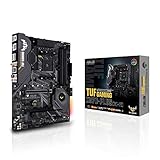
The price gap is meaningful for home budgets. A renewed board such as the ASUS TUF GAMING X570-PLUS Motherboard, WI-FI at $179.99 often sells for well below the cost of a new X570 board with comparable features like USB-C Gen2 and WiFi, letting you put the savings toward a better power supply or quieter case fans. For enterprise-grade hardware, the difference is even larger. A renewed HP Enterprise System Board for ProLiant DL360 Gen10 Systems at $450 is roughly half the cost of new old stock, which makes sense for a home lab or small business server tucked into a utility room.
Refurbished also gives you access to boards that are no longer sold new. If you are maintaining an AM4 system for a family PC and want to avoid replacing CPU and DDR4 memory, a renewed board with the exact socket and chipset you need may be the only practical option. In 2026, as AM4 remains common in many homes, that availability matters more than it did at launch. Just be selective: manufacturer-renewed with a stated testing checklist and a 90-day warranty is far more reliable than an unbranded refurbish with no details on what was repaired.
Cost Over 5 Years
The upfront price is only part of the home cost. Consider a typical home office build using a Micro-ATX or ATX B550/X570 platform with a 65W to 105W processor, 16-32GB DDR4, and one or two M.2 drives. The motherboard itself draws little power, but its efficiency and stability affect the whole system.
An open box B550 board purchased for $75 to $170 will usually run without extra cost for five years beyond normal maintenance like replacing a $10 CMOS battery around year three or four and cleaning dust filters. If the board stays stable, your five-year cost is essentially the purchase price plus that minor upkeep. No extra service fees, and resale after three years can still return $40-$80 if you keep the box and accessories.
A renewed board purchased for $75 to $180 may have the same low running cost, but you should budget for slightly higher risk. If a refurbished board fails outside its 90-day window in year two, you could face a replacement cost of $90-$180 plus downtime. That does not make refurbished a bad deal; it just means you should factor in whether you have a backup PC at home and whether you are comfortable reinstalling the system. For a primary home computer used for work and school, many families prefer to pay $20-$40 more upfront for open box to avoid that potential replacement cost. For a secondary PC, kid’s gaming rig, or media server where downtime is tolerable, the lower initial price of refurbished often wins even if you need to replace it once in five years.
Weight and size also affect hidden costs in a home. A Micro-ATX board at about 0.8-1.2 pounds paired with a compact case saves space and shipping if you do need to return it. An ATX board with larger heatsinks and WiFi modules weighs roughly 1.8-2.5 pounds and may require a larger case that costs $20-$50 more and takes up 2-4 extra inches of desk depth. Choose the form factor your furniture can handle, not just the cheapest board available.
Which One for Your Home
The right choice depends on where the PC will live and how you use your home.
Small Apartment or Compact Home Office
Go with open box Micro-ATX if you need reliability in a tight, hard-to-service space. In a small apartment, pulling a tower out from a desk cubby to reseat RAM or troubleshoot a finicky refurbished port is a hassle. An open box GIGABYTE B550M K style Micro-ATX board gives you PCIe 4.0, two M.2 slots, and a small 9.6 x 9.6 inch footprint that fits compact cases under 15 inches tall. You get modern connectivity like GbE LAN and USB 3.2 Gen 1 without taking up floor space, and the lower risk means you are less likely to need that awkward service call in a studio layout.
Family With Kids or Pets
Open box is usually better for the main family PC that kids and pets interact with. That PC endures more dust, more accidental bumps to the case, and more frequent power cycles. Starting with a board that has no prior stress history gives you the best chance of surviving those conditions. If you still want to save, reserve refurbished for a secondary build. A renewed ASUS TUF GAMING X570-PLUS can be a great value for a basement gaming or homework station where you can keep the case elevated, filtered, and away from pet hair, and where a short warranty is less critical.
Rental or Temporary Living Situation
Choose refurbished if you need a low-cost, functional system for a year or two and may move soon. The upfront savings matter more than a five-year warranty when you are not sure if you will take the desktop with you. A renewed board lets you build a capable AM4 system with DDR4 you already own, without investing in a premium new platform. Just keep the packaging and document the seller’s return window, since moving and shipping a larger ATX case like one housing an Asus ROG Strix B550-F Gaming WiFi II board is easier if you have the original box and foam.
Long-Term Home or Dedicated Home Lab
For a PC you plan to keep for five years or more in a permanent home, weigh open box for your primary desktop and manufacturer-renewed for supporting systems. Your main work-from-home desktop deserves the longest reliable life, so open box is worth the small premium. For a home lab, NAS, or server in a utility closet, a renewed enterprise board such as the HP Enterprise System Board for ProLiant DL360 Gen10 Systems can be the practical choice. It is designed for 24/7 operation, and buying renewed keeps the cost of redundant hardware reasonable, even if the board shows minor cosmetic wear that does not affect a rack or tower hidden from view.
FAQ
Is an open box motherboard as reliable as a new one?
In most cases, yes. Open box boards have minimal or no prior use and have not been repaired, so their reliability is very close to new. The main difference is packaging and sometimes a shorter retailer return window. If the board is sold as open box by a major retailer with a full manufacturer warranty, you can expect the same lifespan as new under normal home use, provided you install it correctly and keep the case cooled and dust-free.
How reliable is a refurbished motherboard compared to open box?
It depends on who refurbished it. Manufacturer-renewed boards that are cleaned, repaired with original-grade components, and fully tested can be highly reliable and are often backed by a 90-day warranty. Third-party refurbished boards with vague testing descriptions carry more uncertainty. Open box is more consistent overall because the board has not needed a repair. If you buy refurbished, look for a detailed checklist that mentions POST testing, port checks, and BIOS verification.
What should I inspect when the motherboard arrives at home?
Whether open box or refurbished, inspect the CPU socket pins under bright light, check for bent or missing pins, look for scratches or solder work around capacitors and ports, and verify all accessories are present. Power it up outside the case first if possible, confirm both M.2 slots detect a drive, test USB ports, Ethernet or WiFi, and audio. Update the BIOS to the latest stable version for your CPU generation and keep the invoice for warranty.
Warranty wise, which is safer for a home PC?
Open box is generally safer. You often retain the full manufacturer warranty and a simple return process, which matters when the PC is essential for daily home life. Renewed boards usually carry a limited 90-day warranty through the seller or refurbisher, which is adequate for catching early defects but does not cover a failure in year two. If you choose refurbished for a primary PC, consider buying from a seller with an extended return option or a clear refurbisher warranty in writing.


