Resolution is the single biggest driver of how much a gaming PC costs. The same games at 1080p, 1440p and 4K can demand hardware that sits hundreds of dollars apart. Deciding your target resolution first — before picking any part — is the cleanest way to avoid both overspending and disappointment.
As an Amazon Associate we earn from qualifying purchases at no extra cost to you.


Our Top Picks
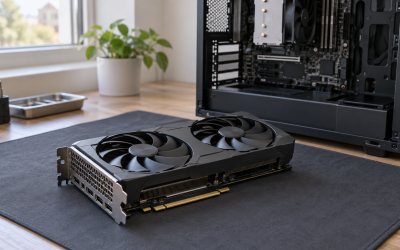
 ASUS Dual GeForce RTX 4060 Ti EVO OCRTX4060Ti|OC|8GB|EVO8.9 x 4.9 x 2 inches1.4 poundsCheck on Amazon
- ASUS Prime GeForce RTX 5060 Ti 8GB GDDR7RTX5060Ti|OC|8GB12 x 4.7 x 2 inches2.6 poundsCheck on Amazon


Top 3 picks at a glance
Why resolution scales cost so hard
Every step up in resolution multiplies the number of pixels the GPU must render. Moving from 1080p to 1440p is roughly 1.8x the pixels; 1440p to 4K is about 2.25x again. That workload lands almost entirely on the graphics card, so higher resolutions push you into pricier GPU tiers with more VRAM and raw power. The rest of the build scales more gently.
1080p: the value sweet spot
1080p remains where your dollar stretches furthest. A complete, capable build lands in the $700–900 range and will run most games at high settings well above 60fps. For esports at high refresh, you can go even leaner. This is the resolution to target if value is your top priority.
1440p: the popular middle
1440p is the current mainstream for a reason — a noticeable sharpness jump without 4K’s price penalty. Expect a full build around $1,000–1,400 depending on how high you push settings and refresh rate.
4K: premium territory
4K gaming still commands a premium. To hold 60fps+ at high settings you are looking at $1,600 and up, driven mostly by a high-VRAM, high-power GPU. Upscaling tech softens the blow but does not erase the cost gap.
Rough full-build budgets by resolution
| Target | Full build budget | GPU share | VRAM to aim for |
|---|---|---|---|
| 1080p 60fps | $650–800 | $200–280 | 8GB |
| 1080p high refresh | $800–1,000 | $280–380 | 8–12GB |
| 1440p high | $1,000–1,400 | $400–550 | 12–16GB |
| 4K 60fps+ | $1,600+ | $700+ | 16GB+ |
How to pick your number
Choose the resolution of the monitor you will actually use, then build to it — don’t buy a 4K GPU for a 1080p screen or vice versa. If your budget sits between two tiers, drop the resolution rather than buying an underpowered card for a demanding screen; a smooth 1440p experience beats a stuttering 4K one every time. And remember that upscaling can let a slightly cheaper GPU punch above its native tier.
Match the monitor to the GPU
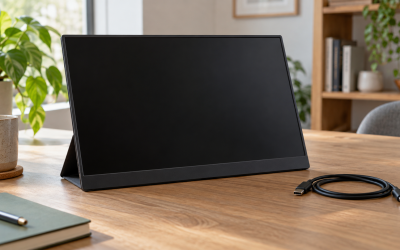
The monitor and GPU are a pair. A 1440p 144Hz panel wants a card in that tier’s budget; pairing it with a 1080p-class GPU wastes the screen and pairing a 4K card with a 1080p screen wastes the card. Buying them in balance is where the real value lives.
FAQ
Is 1440p worth the extra cost over 1080p?
For most players, yes — the clarity jump is significant and the budget increase is moderate, usually $200–400 on a full build. If money is very tight, 1080p high refresh still delivers a superb experience for less.
Can upscaling make 4K affordable on a mid-range GPU?
It helps a lot. Quality upscaling can let a strong 1440p-class card produce a very playable 4K image, narrowing the price gap. Native 4K at high refresh still demands top-tier hardware, but for 60fps it makes 4K far more attainable.
Bottom line
Budget scales with resolution: roughly $700–900 for 1080p, $1,000–1,400 for 1440p, and $1,600+ for 4K. Pick your resolution first, build in balance with the monitor, and drop the target rather than underpower the GPU. That order of operations is how you get the smoothest experience for the least money.
Related guides
More from Amazon
Programs that pair well with the guide above. Offers and eligibility are set by Amazon and may change.
Free shipping on eligible items, Prime Video and more. Eligible new members can start with a free trial.
Start a Prime free trialAd-free music streaming. Eligible new subscribers can start with a free trial.
Try Music Unlimited freeA Prime membership for ages 18-24 with a trial period. Eligibility is set by Amazon.
See Prime for Young AdultsAudiobooks and podcasts to listen to on the go. Eligible new members can start with a free trial.
Try Audible freeAs an Amazon Associate we earn from qualifying purchases.