A gaming TV has to do two jobs that pull in different directions. HDR wants a bright, contrast-rich panel that can make a sunrise in an open-world game glow. Gaming wants low delay, a fast panel, and features that keep the picture smooth when the frame rate jumps around. Most buyers only discover the clash after they hook up a console and find that the HDR mode feels sluggish or the motion looks off.
This guide is for players who split time between a console or a PC and regular streaming, and who want one screen that handles both without constant menu fiddling. Eight listings are covered, mostly from TCL, with one Samsung and one Hisense in the large-screen class. Judgments come from the listed specs only, so treat the notes as a checklist and verify current details before you buy.
Our Top Picks




Top 3 picks at a glance
Quick Picks
As an Amazon Associate we earn from qualifying purchases at no extra cost to you.




| Product | Best for | Key spec from the title |
|---|---|---|
| TCL 55 Inch T7 | Entry gaming QLED | 120Hz, Game Accelerator 240, VRR |
| Samsung 85 Inch QN70H | Huge screen with a bundle | Neo QLED Mini LED, HDMI cable included |
| TCL 65 Inch QM6K | Mini LED gaming in the living room | 144Hz, Mini LED, IMAX Enhanced |
| TCL 65 Inch T7 | Larger high-refresh QLED | 144Hz, Game Accelerator 288, VRR |
| TCL 55 Inch QM6K | Mid-size Mini LED gaming | 144Hz, QLED Mini LED |
| TCL 85 Inch QM6K | Big-screen immersion | 144Hz, Mini LED, Dolby Vision |
| TCL 50 Inch QM6K | Smaller room or desk setup | 144Hz, QLED Mini LED |
| Hisense 85 Inch U6 Pro | Native high refresh at large size | Native 144Hz, Motion Rate 480 |
How to Choose
Refresh rate and variable refresh
A 120Hz panel matches the output of current consoles, and a 144Hz panel gives PC players some extra headroom. Variable refresh rate, listed as VRR, lets the TV follow the game’s changing frame rate and reduces tearing. If a listing quotes a high refresh number without naming VRR, it is worth confirming before you buy.
HDR brightness and local dimming
HDR needs brightness, and brightness without dimming control makes dark scenes look gray. Mini LED backlights divide the screen into many dimming zones, which is why Mini LED listings tend to look stronger in HDR. Ignore any listing that mentions HDR without naming the formats, since a badge alone does not guarantee good highlights. Budget panels often cut corners here, advertising HDR support on a screen too dim to show it properly.
Input lag and gaming modes
Look for named gaming features such as a Game Accelerator mode, which TCL lists with numbers like 240 and 288 on the T7 models. These refer to high-frame-rate gaming support, and the exact effect depends on the source. A game mode that cuts processing helps responsiveness, but you will have to check each console or PC to be sure it activates automatically.
Size, ports, and platform
A 55-inch or 65-inch panel suits a living-room setup, while 85 inches needs a big wall and distance. HDMI ports matter as well: more than one console plus a soundbar means you want enough high-speed inputs. Budget models can cut corners on the number of full-bandwidth ports, so check the specs. The software platform (Google TV or Fire TV) is a daily convenience question. In 2026 most premium sets also bundle voice assistants.
The 8 Best Options
TCL 55 Inch T7
A 55-inch 4K 120Hz QLED Google TV that lists Dolby Vision HDR and Atmos, HDR10+, Game Accelerator 240, and VRR for sports and games. It suits a console player who wants a modest-size, high-refresh QLED without stepping into the Mini LED tier, and who also streams a lot of shows. Families sharing one TV between a game console and everyday viewing will find that the Google TV interface keeps streaming apps easy to reach.
- Strength: 120Hz with VRR matches the output of current consoles.
- Strength: Dolby Vision and HDR10+ both appear in the title.
- Trade-off: the title does not mention Mini LED, so HDR contrast is more standard.
Skip it if you want the strongest highlights or a large screen. Players who mostly play story-driven HDR games in a dark room will notice the missing Mini LED zones, and those with a big couch distance will want to move up a size class.
Samsung 85 Inch QN70H
An 85-inch 4K UHD Neo QLED Mini LED smart TV, sold with an HDMI cable, a 12-month warranty, and a streaming bundle, and labeled as an HDR gaming TV. It suits buyers who want a very large Samsung screen and the convenience of a bundle, rather than hunting for accessories separately.
- Strength: Neo QLED Mini LED at a very large size.
- Strength: an HDMI cable and a warranty are part of the listing.
- Trade-off: the bundle details come from the seller, not Samsung alone.
Skip it if you want a smaller screen or specific refresh-rate numbers in the title. The listing never states the refresh rate or VRR support, so a console owner should confirm those details on the product page before choosing it over a TCL set with them spelled out.
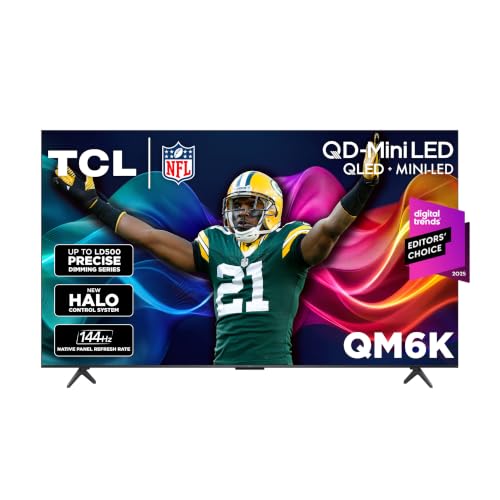
TCL 65 Inch QM6K
A 65-inch QLED Mini LED 4K HDR Google TV with a 144Hz refresh rate, high brightness, IMAX Enhanced, HDR10, and Dolby Vision. It fits living rooms where gaming happens in daylight and the screen needs enough brightness to push through glare. It is a good match for open-plan rooms with large windows, where a dim panel would wash out in the afternoon.
- Strength: Mini LED backlight and 144Hz refresh in one set.
- Strength: Dolby Vision and IMAX Enhanced are listed.
- Trade-off: the 65-inch size will not fit every media console.
Skip it if your seating distance is short or the wall is narrow. A 65-inch screen is large for a small room, and players who sit close may find it tiring over long sessions.
TCL 65 Inch T7
A 65-inch 4K 144Hz QLED Google TV listing Dolby Vision HDR, Atmos, HDR10+, Game Accelerator 288, and VRR for sports. It is the larger sibling of the 55-inch T7, aimed at players who want size and high refresh together but not the Mini LED backlight.
- Strength: 144Hz and Game Accelerator 288 target fast gameplay.
- Strength: both Dolby Vision and HDR10+ are named.
- Trade-off: standard QLED lacks Mini LED’s dimming zones.
Skip it if HDR punch matters more than refresh rate. Players who care about cinematic highlights in single-player games should compare the QM6K, which trades the Game Accelerator wording for a Mini LED backlight.
TCL 55 Inch QM6K
A 55-inch QLED Mini LED 4K HDR Google TV with 144Hz, high brightness, IMAX Enhanced, HDR10, and Dolby Vision. It is a sensible middle size for a bedroom, a game room, or a small apartment where Mini LED improvements are wanted without a huge screen. It also fits shared spaces, since a 55-inch panel is easy to place on most media stands.
- Strength: Mini LED at a manageable 55-inch size.
- Strength: 144Hz for smooth motion.
- Trade-off: the title does not list VRR or Game Accelerator details.
Skip it if you need a spelled-out gaming feature list in the title. The listing emphasizes brightness, Mini LED, and 144Hz, but console owners should verify VRR support on the product page.
TCL 85 Inch QM6K
The same QM6K family at 85 inches, still listing Mini LED, 144Hz, IMAX Enhanced, HDR10, and Dolby Vision. It is for buyers who want an immersive display for sports, big-screen games, and movie nights in a large room.
- Strength: a giant screen with Mini LED backlighting.
- Strength: 144Hz refresh and Dolby Vision are listed.
- Trade-off: placement needs a strong wall mount or stand and enough room.
Skip it if your room or seating distance is modest. Beyond the wall space, a screen this size makes every flaw in a low-quality stream easier to see, so it rewards good sources and good seating.
TCL 50 Inch QM6K
The smallest QM6K on the list, a 50-inch QLED Mini LED 4K HDR Google TV with 144Hz, IMAX Enhanced, HDR10, and Dolby Vision. It suits a desk setup or a bedroom where Mini LED contrast is wanted on a smaller screen. PC players who sit close to the display will appreciate that the size stays comfortable at short distances.
- Strength: Mini LED and 144Hz in a compact size.
- Strength: Dolby Vision and HDR10 are listed.
- Trade-off: a 50-inch screen is less immersive for couch gaming.
Skip it if you sit far from the screen. A 50-inch panel works best within a short viewing distance, so couch players in larger rooms should step up to 55 or 65 inches instead.
Hisense 85 Inch U6 Pro
An 85-inch Mini-LED ULED 4K UHD HDR gaming Fire TV with Hi-QLED, native 144Hz, Motion Rate 480, and Dolby Vision. The title stresses native 144Hz, which suits a PC or console player who wants a large panel and Fire TV software.
- Strength: native 144Hz refresh is listed.
- Strength: Mini-LED with Dolby Vision at a large size.
- Trade-off: Fire TV software may not suit those who prefer Google TV.
Skip it if you want a smaller panel. At 85 inches this is a wall-filling commitment, and anyone who prefers Google TV or a different interface should look at the TCL listings instead.
Which One Fits Your Situation
You game on a console in a bright living room
The TCL 65 Inch QM6K pairs Mini LED brightness with 144Hz. The 55 Inch QM6K is the smaller option for tighter rooms.
You want gaming features spelled out
The TCL T7 listings, 55 Inch and 65 Inch, name Game Accelerator and VRR directly, so you can see what is included.
You want the biggest screen
Compare the TCL 85 Inch QM6K, the Samsung 85 Inch QN70H, and the Hisense 85 Inch U6 Pro, depending on whether you prefer Google TV, a bundle, or Fire TV.
You game at a desk
The TCL 50 Inch QM6K gives Mini LED and 144Hz in the smallest size here.
Common Mistakes
- Buying a high-refresh TV and forgetting to enable the setting on the console.
- Assuming every HDMI port supports the full gaming feature set.
- Choosing a size too large for the seating distance and room.
- Treating an HDR badge as proof of strong brightness.
- Overlooking what a bundle includes and who provides the warranty.
Related guides
- How To Use Camelcamelcamel For Amazon Deals
- Warranty Considerations When Buying On Sale
- Browser Extensions For Finding Deals
Frequently Asked Questions
Do I need 144Hz for a console?
Current consoles output up to 120Hz, so 144Hz mostly benefits PC players. Both are fine for most games.
What does VRR do?
It matches the screen’s refresh to the game’s frame rate to reduce tearing and stutter during uneven performance.
Is Mini LED worth it for gaming?
For HDR games, a Mini LED backlight helps with contrast and highlights. It matters less for competitive games where speed counts more.
Is a bundle a good idea?
It can add convenience, but confirm what is included and who supports the warranty before choosing a bundle listing. A plain listing from the manufacturer may be simpler to claim support on, while a bundle trades that simplicity for included extras.
Related guides
More from Amazon
Programs that pair well with the guide above. Offers and eligibility are set by Amazon and may change.
Free shipping on eligible items, Prime Video and more. Eligible new members can start with a free trial.
Start a Prime free trialAd-free music streaming. Eligible new subscribers can start with a free trial.
Try Music Unlimited freeA Prime membership for ages 18-24 with a trial period. Eligibility is set by Amazon.
See Prime for Young AdultsAudiobooks and podcasts to listen to on the go. Eligible new members can start with a free trial.
Try Audible freeAs an Amazon Associate we earn from qualifying purchases.