Shopping for an HDR 4K TV means sorting out two labels that often get lumped together. The 4K part is about resolution, and nearly every set today meets it. The HDR part is about how well a TV handles bright highlights and dark scenes, and that depends on the panel type, the backlight, and which HDR formats it supports. A set can carry an HDR badge and still deliver a flat picture, so the details in the listing matter more than the badge.
This guide is for buyers choosing a living-room or bedroom TV who want a clear step up from a basic 4K panel without sorting through every spec sheet. The shortlist spans small sets for secondary rooms and large Mini LED screens for the main wall. Judgments rely on listed specs only, so use them to narrow the field, then check current model details before buying.
Our Top Picks




Top 3 picks at a glance
Quick Picks
As an Amazon Associate we earn from qualifying purchases at no extra cost to you.




| Product | Best for | Key spec from the title |
|---|---|---|
| Roku 43-Inch Select Series | Small room, simple streaming | 4K HDR, Bluetooth headphone mode |
| TCL 55 Inch T7 | Mid-size HDR with gaming features | 120Hz QLED, Dolby Vision, HDR10+ |
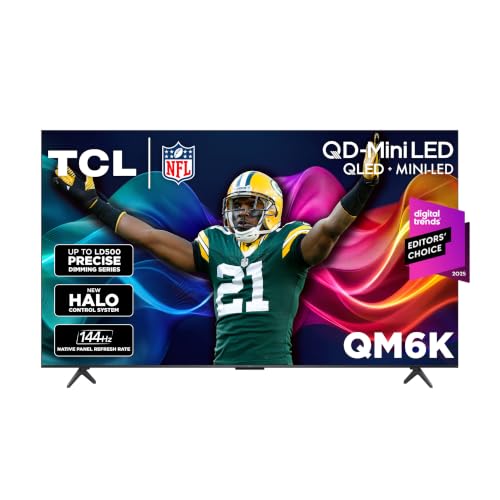
| TCL 65 Inch QM6K | Bright living rooms | QLED Mini LED, 144Hz, IMAX Enhanced |
| TCL 85 Inch QM6K | Large-wall home theater | QLED Mini LED, 144Hz, Dolby Vision |
| Hisense 43 Inch E6 | Alexa and Fire TV users | Hi-QLED, Dolby Vision, Atmos |
| Roku 55-Inch Select Series QLED | Mid-size streaming QLED | 4K QLED, voice remote |
| TCL 65 Inch T7 | Larger HDR with high refresh | 144Hz QLED, HDR10+, VRR |
| Samsung 43-Inch M70H | Compact Mini LED | Mini LED, 4K, Vision AI Companion |
How to Choose
HDR formats that matter
HDR10 is the baseline format and nearly every HDR TV supports it. Dolby Vision and HDR10+ add scene-by-scene metadata that can look better on supported content, and the listings for the TCL T7 and QM6K lines name both Dolby Vision and HDR10+ or Dolby Vision alongside HDR10. A TV that lists only the base format can still look good, but it leaves out the extras some streaming services use.
Panel and backlight type
A QLED panel uses a quantum-dot layer for richer color. Mini LED backlights use many tiny LEDs for finer control of bright and dark areas, which tends to make HDR highlights look stronger. A plain LED set at the budget tier cuts corners on contrast, so watch whether the listing names Mini LED or only a general LED panel.
Size and viewing distance
At a typical couch distance of eight to ten feet, a 55-inch or 65-inch set fills the view without strain. A 43-inch screen suits a bedroom or desk setup, while an 85-inch panel only makes sense with a large wall and a long viewing distance. Sizing up is often the cheapest way to improve how a movie feels.
Refresh rate, smart platform, and gaming extras
A 120Hz or 144Hz panel makes motion smoother and helps with consoles and PC gaming. Variable refresh rate listings matter if you game. The software platform is also part of the buying decision: Google TV, Roku, and Fire TV each organize apps differently, and voice remotes work with different assistants. In 2026, most sets include built-in streaming, so a separate box is rarely needed.
The 8 Best Options
Roku 43-Inch Select Series
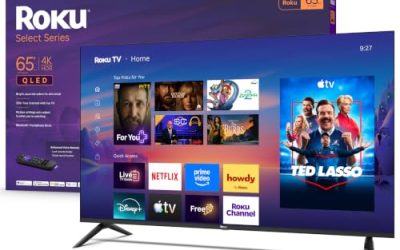
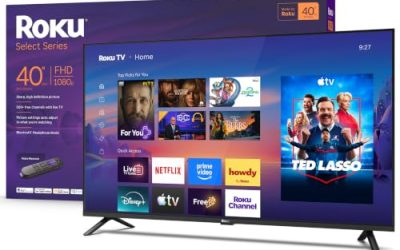
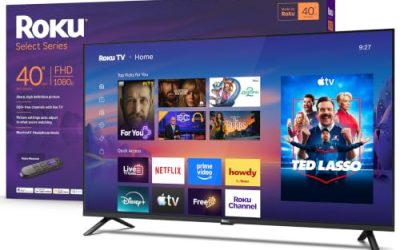
The smaller Roku is a straightforward choice for a bedroom, kitchen, or office. The title lists a 4K 2160p HDR LED TV with a voice remote, Wi-Fi, and Bluetooth headphone mode. It suits buyers who care more about easy streaming than about advanced picture technology, and who plan to sit close to a small screen. Parents setting up a kid’s room or a guest room often land here because the interface is easy to learn.
- Strength: a voice remote and built-in streaming simplify setup.
- Strength: Bluetooth headphone mode helps with late-night viewing.
- Trade-off: a 43-inch LED panel is not the pick for dramatic HDR highlights.
Skip it if you want a big screen for movies or Mini LED contrast. Anyone sitting more than a few feet back will find 43 inches small, and the plain LED panel will not give the punchy highlights that HDR content is mastered for.
TCL 55 Inch T7
This TCL is a 55-inch 4K 120Hz QLED Google TV with Dolby Vision, HDR10+, and Dolby Atmos, plus Game Accelerator 240 and VRR. It fits mid-size living rooms and buyers who want both streaming and some gaming features without paying for a Mini LED set. The 55-inch size is a common fit for apartment living rooms where a larger panel would dominate the space.
- Strength: Dolby Vision and HDR10+ are both listed.
- Strength: 120Hz with VRR and Game Accelerator suits consoles.
- Trade-off: the listing names QLED but not Mini LED, so contrast control is more basic.
Skip it if you want the brightest possible HDR highlights. Buyers who watch mostly in bright rooms should look at the QM6K listings, whose Mini LED backlight and brightness claims are aimed at exactly that situation.
TCL 65 Inch QM6K
A 65-inch QLED Mini LED 4K HDR Google TV with 144Hz, high brightness, IMAX Enhanced, HDR10, and Dolby Vision. It is aimed at brightly lit living rooms and at buyers who want a larger screen with stronger HDR handling than a standard QLED model.
- Strength: Mini LED backlight and high brightness suit HDR content.
- Strength: IMAX Enhanced and Dolby Vision are listed.
- Trade-off: the 65-inch size needs more space than a smaller set.
Skip it if your room is small or you want to keep spending low. A 65-inch screen overwhelms a short wall, and shoppers who only stream casual shows may not need Mini LED backlighting at all.
TCL 85 Inch QM6K
The same QM6K platform in an 85-inch size. The listing names Mini LED, 144Hz, IMAX Enhanced, HDR10, and Dolby Vision, so it fits a large wall and a dedicated viewing area where a huge screen makes sense. It is the statement piece in this roundup, and it is the one most likely to need two people to set up.
- Strength: an 85-inch screen delivers a theater-like scale.
- Strength: Mini LED backlighting and Dolby Vision are listed.
- Trade-off: the size demands a sturdy stand or wall mount and a long viewing distance.
Skip it if your room cannot hold a screen that large. Measure the wall, the doorway, and the seating distance first, because an 85-inch panel is a furniture decision as much as a TV decision.
Hisense 43 Inch E6
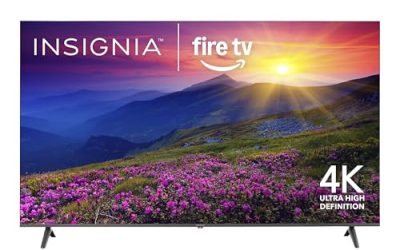
A 43-inch Hi-QLED 4K UHD Fire TV with an AI light sensor, Dolby Vision, Dolby Atmos, a voice remote with Alexa, and Motion Rate 120. It targets small-room buyers who already use Alexa and want a smarter picture on a compact screen.
- Strength: Dolby Vision and Atmos are included on a small set.
- Strength: Alexa voice remote and Fire TV software are listed.
- Trade-off: the compact size limits its appeal for large rooms.
Skip it if you want a bigger display or a platform other than Fire TV. People who prefer Google TV or Roku menus should compare those sets, since the software is what you will see every single day.
Roku 55-Inch Select Series QLED
A 55-inch 4K QLED TV with a voice remote, Wi-Fi, and Bluetooth headphone mode. It suits families who want a mid-size screen with Roku’s simple interface and a QLED panel without a complicated setup. It is a sensible pick for a family room where several people share one remote and nobody wants a long menu.
- Strength: a QLED panel at a mid-size screen.
- Strength: Roku software and a voice remote keep navigation simple.
- Trade-off: the title lists no Mini LED or high refresh detail.
Skip it if gaming features or Mini LED contrast matter to you. Console owners will want the VRR and refresh details that the TCL T7 listings spell out, which this title leaves out.
TCL 65 Inch T7
A 65-inch 4K 144Hz QLED Google TV with Dolby Vision HDR, Atmos, HDR10+, Game Accelerator 288, and VRR. It fits buyers who want a big screen and high refresh without moving up to the Mini LED tier.
- Strength: 144Hz and VRR support smoother motion.
- Strength: Dolby Vision and HDR10+ are both listed.
- Trade-off: it lacks the Mini LED backlight named on the QM6K.
Skip it if you want the strongest HDR performance in the TCL range. Buyers focused on highlights and deep contrast should step up to the QM6K, and those who want a smaller 55-inch size can look at the 55 Inch T7.
Samsung 43-Inch M70H
A compact Mini LED 4K smart TV with Samsung Vision AI Companion, a Mini LED Processor 4K, and Pure Spectrum Color. It suits buyers who want Mini LED technology in a small screen for a desk, den, or bedroom. Shoppers who value Samsung’s software and processing features may prefer it to similar-size sets from other brands.
- Strength: Mini LED in a 43-inch size.
- Strength: Samsung’s AI features and color processing are listed.
- Trade-off: a small screen limits how much the HDR improvement is noticed.
Skip it if you want a large display or a Google TV platform. Shoppers who plan to watch from a couch across a big room will get more value from a 55-inch or larger set than from a compact screen.
Which One Fits Your Situation
You want strong HDR in the main living room
Go with the TCL 65 Inch QM6K. Mini LED backlighting and high brightness help in rooms with windows.
You want a big-screen movie night
The TCL 85 Inch QM6K gives the largest canvas here, as long as the wall and seating distance allow it.
You game and stream on the same TV
The TCL 65 Inch T7 and 55 Inch T7 list VRR and Game Accelerator, with the 65-inch version adding 144Hz.
You need a small set for a bedroom
Pick the Roku 43-Inch, Hisense 43 Inch E6, or Samsung 43-Inch M70H depending on whether you prefer Roku, Fire TV with Alexa, or Mini LED.
Common Mistakes
- Trusting an HDR badge without checking the formats and panel type.
- Buying a screen too big or too small for the viewing distance.
- Ignoring the smart platform, which affects daily use more than panel technology.
- Assuming every 120Hz panel supports every gaming feature.
- Forgetting to check wall-mount and stand dimensions for large sets.
Related guides
- How To Use Camelcamelcamel For Amazon Deals
- Warranty Considerations When Buying On Sale
- Browser Extensions For Finding Deals
Frequently Asked Questions
Is Dolby Vision necessary?
No, but it helps when streaming services support it. HDR10 covers the basics, and Dolby Vision adds scene-level adjustment.
What is Mini LED?
It is a backlight made of many small LEDs that can dim or brighten in zones. This can improve contrast compared with standard LED backlights.
Do I need 144Hz for movies?
No. Higher refresh rates matter most for gaming and fast motion. Movies run fine at standard refresh rates.
Which smart platform is best?
It depends on your habits. Roku is simple, Google TV offers recommendations, and Fire TV pairs well with Alexa. Whichever you pick, make sure your favorite streaming apps are available on it before buying, since the home screen is where you will spend most of your time.
Related guides
More from Amazon
Programs that pair well with the guide above. Offers and eligibility are set by Amazon and may change.
Free shipping on eligible items, Prime Video and more. Eligible new members can start with a free trial.
Start a Prime free trialAd-free music streaming. Eligible new subscribers can start with a free trial.
Try Music Unlimited freeA Prime membership for ages 18-24 with a trial period. Eligibility is set by Amazon.
See Prime for Young AdultsAudiobooks and podcasts to listen to on the go. Eligible new members can start with a free trial.
Try Audible freeAs an Amazon Associate we earn from qualifying purchases.