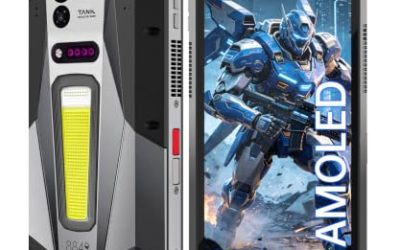
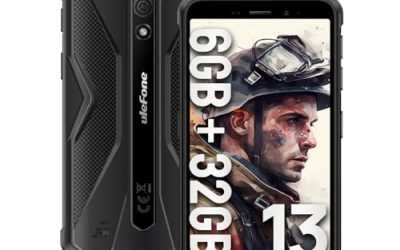
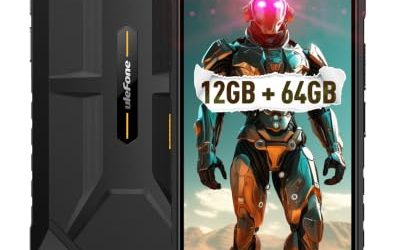
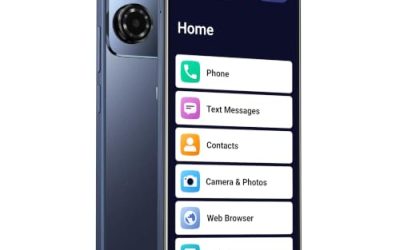
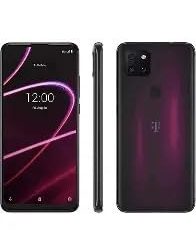
Android Go is not a brand, it is a slimmed-down version of Android built for phones with very little memory. Apps are lighter, the system keeps fewer things running in the background, and storage lasts longer on a small drive. If you are shopping for an Android Go phone, you are almost certainly buying for someone who values simplicity over speed: a child’s first handset, a grandparent who only calls and texts, a spare phone for the glove box, or a travel phone you will not mind losing.
The challenge, and it is a common trap, is that Go listings are crowded with big numbers that sound better than they are. Virtual memory, terabyte-level card support, and “20GB RAM” claims all appear on devices that physically ship with 2GB or 3GB. Sellers lean on those numbers because they look impressive in a search result. This guide cuts through that language for the five distinct phones below, separates what the listed specs really tell you, and points each one toward the person it fits best in 2026.
Our Top Picks
 Rogue R67S Unlocked 4G LTE Smartphone for T-Mobile6.78 x 3.13 x 0.39 inches0.5 poundsCheck on Amazon


Top 3 picks at a glance
Quick Picks
As an Amazon Associate we earn from qualifying purchases at no extra cost to you.


| Product | Best for | Key spec from the title |
|---|---|---|
| MIRO 4G | Simple first phone with a standard-size screen | Android 14 Go, 6″ display, 2GB + 32GB, 3000mAh |
| Rogue R67S | Big-screen reading and video on a US carrier | 6.8″ HD+, Android 15 Go, T-Mobile and AT&T 4G LTE |
| Unnecto Bolt One | Pocket-size backup phone | 5.0″ display, 2000mAh, dual SIM, US warranty |
| Ulefone Note 22 | Compact phone with a removable battery | 5″ screen, Android 16 Go, removable 3000mAh |
| Ulefone Note 23 | Longest battery life and smoothest screen | 5000mAh, 6.56″ 90Hz, Android 16 Go |
How to Choose
Count physical RAM, not virtual RAM
Go phones usually carry 1GB to 3GB of real memory, which is why the operating system is trimmed down. Titles that advertise 17GB or 20GB are adding virtual memory borrowed from storage, which helps with app switching but never matches physical RAM in speed. Compare the physical figure, which is 2GB or 3GB for every phone here, and treat virtual memory as a small bonus. For light use, 3GB is noticeably smoother than 2GB, especially when a messaging app, a map, and a music player are open together.
Check the network bands for your carrier
A phone that is labeled unlocked is not automatically compatible with every network. US buyers should confirm support for the bands used by their carrier, and prepaid users should check that the SIM format and VoLTE support fit the plan. A listing that names specific carriers, like the Rogue does, removes much of the guesswork, and it is worth asking the seller about Wi-Fi calling if cell coverage at home is weak. Dual SIM slots are handy for travelers, but they only help if the bands match.
Battery and screen size pull in opposite directions
Small phones with 2000mAh batteries are easy to carry but need charging every day. A 3000mAh cell is the usual midpoint, while a 5000mAh battery gets close to two days of light use. The display matters too: a 5-inch screen is pocket-friendly, while 6.5 inches and larger suits video and reading. A 90Hz refresh rate makes scrolling feel smoother, although it is rare at this tier, and it costs some battery life when enabled.
Mind software support and storage
Android 14, 15, and 16 Go editions all appear below, and a newer version generally means a longer window of security fixes. Thirty-two gigabytes of storage is the norm, and after the system and a few apps are installed far less is actually free, so a memory card slot is useful. Do not expect gaming performance or many camera upgrades: budget Go phones cut corners on processors, cameras, and build quality to hold the cost down, and basic calling, messaging, maps, and video are what they do well. Judge them by those jobs rather than by spec-sheet bragging.
The 5 Best Options
MIRO 4G
The MIRO is the plain, easy-to-understand option. The title lists an Android 14 Go Edition system, a 6-inch display, 2GB of RAM, 32GB of storage with expansion up to 256GB, a 3000mAh battery, a 5MP plus 2MP camera pair, dual SIM, and a 3.5mm audio connection. It reads like a phone aimed at a child or an older relative who needs the basics.
- Strength: Dual SIM and card expansion are included in a basic package.
- Strength: A 6-inch screen and 3000mAh battery balance size and endurance.
- Trade-off: Only 2GB of RAM and a modest camera mean slow multitasking and basic photos.
Skip it if you want a recent Android version or a smoother experience with several apps open. The camera pairing is better treated as a tool for scanning documents and sending quick snapshots than as a serious photo option, and the title does not mention any water or drop protection.
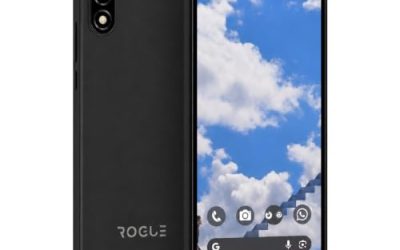
Rogue R67S
The Rogue R67S targets US prepaid and budget shoppers directly, with the title naming T-Mobile and AT&T compatibility. It lists a 6.8-inch HD+ display, Android 15 Go, 3GB of RAM plus 3GB of extended memory, and 32GB of storage. That large screen makes it the most video-friendly pick of the five.
- Strength: Carrier compatibility is named, which reduces buying risk.
- Strength: The 6.8-inch HD+ screen is easy to read for older eyes and comfortable for video calls.
- Trade-off: A big display can feel bulky in a small pocket, and the battery capacity is not shown in the title.
Skip it if you want a compact phone or need a verified battery size before buying. People who rarely watch video and prefer to tuck a phone into a shirt pocket will find the body larger than they need.
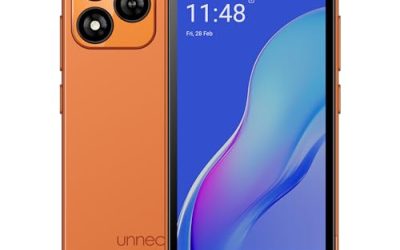
Unnecto Bolt One
The Bolt One is the smallest and simplest phone in the group. It lists 32GB of storage, a US warranty, dual SIM support, Android 14 Go, a 2000mAh battery, a 5.0-inch display, and a 1.3GHz quad-core processor with 4G. It suits someone who wants a small calling-and-texting device.
- Strength: The 5.0-inch size is easy to carry and use one-handed.
- Strength: A US warranty adds some reassurance on a budget handset.
- Trade-off: A 2000mAh battery will not comfortably last a heavy day of use.
Skip it if you plan to stream video or use navigation for long trips. The quad-core chip at 1.3GHz is clearly aimed at basic tasks, so expect patience when opening heavier apps or loading web pages.
Ulefone Note 22
The Note 22 keeps the compact format but moves to Android 16 Go. The title shows a 5-inch screen, a 4G radio, 3GB of RAM plus 17GB of virtual memory, 32GB of storage, support for up to 2TB expansion, and a removable 3000mAh battery. The removable cell is rare and appeals to people who like to carry a spare.
- Strength: A removable battery means you can swap in a fresh one instead of waiting to charge.
- Strength: Android 16 Go suggests a longer software runway than the Android 14 phones.
- Trade-off: The 5-inch screen is small for video, and the virtual memory is not true RAM.
Skip it if you prefer a large display or do not want to deal with a spare battery. The title also stops short of listing a camera setup, so check that before using it as a main phone for photos.
Ulefone Note 23
The Note 23 is the most capable phone here on paper. It lists Android 16 Go, 3GB of RAM plus 32GB of storage, a 5000mAh battery, a 6.56-inch 90Hz screen, a Unisoc T7100 processor, and virtual RAM extended to 17GB, with 2TB expansion support. It is the one to choose if you want the phone to last.
- Strength: A 5000mAh battery is the largest in this group.
- Strength: A 90Hz screen makes scrolling feel smoother than typical Go phones.
- Trade-off: Physical RAM remains 3GB, so heavy multitasking will still slow it down.
Skip it if you need a small body or a phone that names exact US carrier support in the title. Shoppers on a particular network should confirm band coverage in the full listing before ordering, since the title alone does not settle it.
Which One Fits Your Situation
You are buying a first phone for a child
The MIRO 4G keeps things basic with a 6-inch screen, dual SIM, and card expansion, so storage can grow without replacing the device. Parents can also keep the app list short, which suits the lightweight system.
You want a phone an older relative can read easily
Start with large text and brightness settings, then choose hardware to match. The Rogue R67S has the largest 6.8-inch display in the group and names its carrier compatibility, which makes setup less confusing for someone who is not comfortable with settings menus.
You need a spare phone or a travel backup
Weight, size, and battery swaps matter more than speed here. The Unnecto Bolt One is small and cheap to lose, and the Ulefone Note 22 is the better option if a removable battery sounds appealing for long days away from outlets, because a charged spare drops in within seconds.
You want the phone to last the longest between charges
The Ulefone Note 23 combines the 5000mAh battery and the 90Hz screen, making it the best all-round Go phone in the list for anyone who watches video or scrolls social feeds often.
Common Mistakes
- Believing virtual RAM equals real RAM and expecting flagship-level multitasking.
- Assuming an unlocked phone works on every US carrier without checking bands, then discovering weak coverage at home.
- Buying a 2000mAh phone for someone who streams or navigates all day.
- Ignoring the Android version and ending up with a phone that stops getting updates soon.
- Expecting good camera quality from low-megapixel sensors on entry-level hardware, especially in dim rooms.
Related guides
- Gaming Chair Cushions And Lumbar Supports
- How To Use Camelcamelcamel For Amazon Deals
- Business Laptops For Graphic Designers
Frequently Asked Questions
What makes Android Go different from regular Android?
Go is a lighter edition built for phones with limited memory and storage. Apps use less data and the interface runs more smoothly on weak hardware.
Can an Android Go phone run popular apps?
Yes, social, messaging, maps, and video apps generally work, and many offer lighter Go versions. Demanding games and heavy photo editing will struggle, and large apps may take several seconds to open. If a family member plans to play games, look at a mid-range phone instead.
Is 32GB of storage enough?
For calling, messaging, and a few apps, it is workable. Add a memory card for photos and downloaded videos, and use cloud backup to keep the device from filling. Clear the cache and uninstall unused apps every few months to preserve the free space.
Does virtual RAM actually help?
A little. It lets the phone keep more apps ready in the background without reloading them, but it uses slower storage, so it cannot replace real memory. Treat it as a convenience, not a reason to choose one phone over another.
Related guides
More from Amazon
Programs that pair well with the guide above. Offers and eligibility are set by Amazon and may change.
Free shipping on eligible items, Prime Video and more. Eligible new members can start with a free trial.
Start a Prime free trialAd-free music streaming. Eligible new subscribers can start with a free trial.
Try Music Unlimited freeA Prime membership for ages 18-24 with a trial period. Eligibility is set by Amazon.
See Prime for Young AdultsAudiobooks and podcasts to listen to on the go. Eligible new members can start with a free trial.
Try Audible freeAs an Amazon Associate we earn from qualifying purchases.