“For the money” is the most honest phrase in TV shopping, because at 75 inches the spread between a barebones LED and a Mini LED model is wide while the screen size looks identical in a showroom. The real question is where extra spending buys something you will see every evening, and where it only buys a longer badge list. A 75-inch set also needs wall space or a stand that spans most of its width, so the value case includes the room, not just the panel.
This guide is for families upgrading from a 55 or 65-inch screen, sports hosts who want a big picture for game day, and gamers who want a console on a large display without moving to the premium tier. The listings are sorted into budget, mid-range, and premium value using only the specs stated in each title, a useful lens in 2026. Two TV stands from the original list were dropped because they are accessories, not televisions.
Our Top Picks
 Samsung 75-Inch Class QLED Q7F Series Samsung Vision75-Inch12.8 x 66 x 40.6 inches56.9 poundsCheck on Amazon


Top 3 picks at a glance
Quick Picks
As an Amazon Associate we earn from qualifying purchases at no extra cost to you.


| Product | Best for | Key spec from the title |
|---|---|---|
| Insignia 75″ F50 | Budget Fire TV streaming | LED 4K UHD, Alexa voice remote |
| Samsung U8000H | Budget Samsung entry | Crystal UHD 4K, Crystal Processor |
| Samsung M70H | Mid-range Mini LED | Mini LED, Pure Spectrum Color |
| Samsung Q7F | Mid-range QLED | Quantum HDR, Q4 AI Gen1 |
| Samsung M80H | Upper mid-range, gaming | Mini LED with AI Mode, 144Hz |
| Hisense 75E6SR | Console gaming value | Hi-QLED, VRR, ALLM, Dolby Vision |
| LG UR9000 | Simple LG streaming | 4K, 60Hz, Alexa built-in |
| Roku Select 75 | Easy Roku setup | 4K HDR, automatic brightness |
How to Choose
Decide which tier your viewing justifies
Budget sets with a standard LED panel and 60Hz are fine for news, streaming, and weekend sports. Mid-range sets add QLED color or Mini LED backlights, which pay off in bright rooms and with HDR movies. Premium features, such as 144Hz and AI picture modes, matter mainly for gamers and picky film fans. Match the tier to how many hours you watch: a set that stays on for six hours a day deserves a better panel than one used on weekends.
Look at refresh rate and gaming features
A 60Hz panel is enough for most video. For a current console, look for 120Hz or more, VRR, and ALLM. The Samsung M80H lists 144Hz, and the Hisense 75E6SR lists Game Mode Plus, VRR, and ALLM. Also verify that the HDMI ports you will use support the bandwidth required for 4K at higher frame rates.
Understand what the panel names mean
Crystal UHD is Samsung’s standard LED line. QLED adds quantum dots for richer color. Mini LED uses a denser backlight for better contrast and brightness. At 75 inches, backlight quality affects uniformity across a big surface, so Mini LED can be worth the step up if the room is bright or if you watch HDR content.
Think about the smart platform and the room
Fire TV, Roku, and Samsung’s platform each have a different layout and voice assistant, so choose the one you will tolerate daily. Measure the wall or stand: a 75-inch set is wide, and the supplied feet may need a long console. Budget sets also tend to cut corners on speakers, so plan for a soundbar. Wall mounting needs a bracket rated for the size, and a stand that is too narrow can leave the corners of a 75-inch screen hanging over the edge.
The 8 Best Options
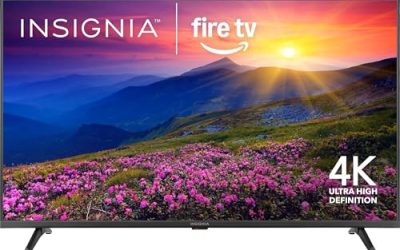
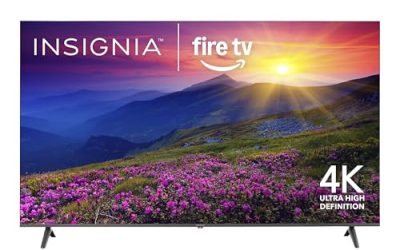
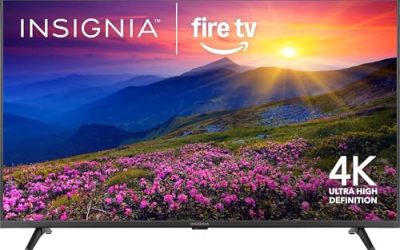
Insignia 75″ F50 Series Fire TV
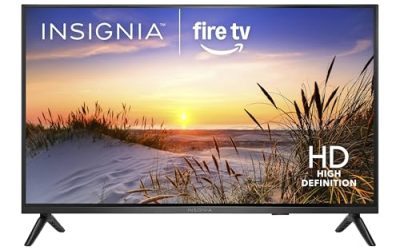
This is the budget-first option for buyers who want the largest screen at the lowest outlay and already live in the Fire TV ecosystem. The title lists an LED 4K UHD panel, a voice remote with Alexa, and live TV streaming without cable.
- Strength: a 75-inch 4K panel with an Alexa voice remote.
- Strength: Fire TV makes streaming and live TV apps simple.
- Trade-off: the title lists no HDR formats, high refresh rate, or gaming features.
Skip it if you game on a current console or watch HDR films often. It fits guest rooms, family dens, and anyone who mainly wants a big, simple screen for streaming and sports at the lowest cost tier.
Samsung 75-Inch U8000H Crystal UHD
This set suits shoppers who want a Samsung 75-incher at the budget end. The title lists Crystal UHD, 4K, a Crystal Processor 4K, Vision AI Companion, and free content built in.
- Strength: 4K resolution with a Samsung processor and platform.
- Strength: free content is built in alongside the usual streaming apps.
- Trade-off: Crystal UHD is the basic LED tier, so it lacks QLED or Mini LED benefits.
Skip it if you plan to watch in a bright room or want strong HDR. It suits households that already use Samsung phones and want a large, easy screen for everyday viewing.
Samsung 75-Inch M70H Mini LED
The M70H is the entry to Mini LED value, aimed at buyers who want better contrast than Crystal UHD offers. The title lists a Mini LED processor 4K, Pure Spectrum Color, Vision AI Companion, and free content.
- Strength: Mini LED backlighting at the mid-range tier.
- Strength: Pure Spectrum Color is aimed at accurate color across a large panel.
- Trade-off: the title does not state a high refresh rate.
Skip it if gaming is your priority. It suits movie and sports fans who watch in mixed lighting and want a clear improvement over a basic LED set without paying for the upper tier.
Samsung 75-Inch Q7F QLED
This one is for buyers who prefer quantum dot color at a sensible tier. The title lists QLED, Quantum HDR, Object Tracking Sound Lite, the Q4 AI Gen1 processor, and Vision AI.
- Strength: QLED color with Quantum HDR at the mid-range level.
- Strength: Object Tracking Sound Lite adds audio direction to the built-in speakers.
- Trade-off: it uses the first-generation Q4 processor, and the title lists no Mini LED backlight.
Skip it if you want the brightest HDR possible. It suits families who want strong color for streaming and sports without moving up to Mini LED, and shoppers who like the idea of directional audio from the built-in speakers before they add a soundbar.
Samsung 75-Inch M80H Mini LED
The M80H steps up from the M70H for buyers who also game. The title lists Mini LED with AI Mode, Motion Xcelerator at 144Hz, Pure Spectrum Color, and Vision AI.
- Strength: 144Hz makes it the fastest Samsung here for gaming.
- Strength: Mini LED with AI Mode targets contrast and brightness.
- Trade-off: it sits above the M70H, so the extra features must justify the step.
Skip it if you only stream casually. It suits gamers and sports fans who want a large screen with smooth motion and a stronger backlight than the M70H.
Hisense 75E6SR Hi-QLED Roku TV
Console owners looking for value should check this one. The title lists a Hi-QLED 4K UHD smart Roku TV with Dolby Vision, Game Mode Plus, VRR, ALLM, DTS Virtual:X, and Apple AirPlay.
- Strength: VRR and ALLM in a mid-range QLED.
- Strength: Dolby Vision and Apple AirPlay add flexibility.
- Trade-off: the title does not list a Mini LED backlight or a 120Hz-plus refresh rate.
Skip it if you want a native high-refresh gaming panel. It suits console players, Apple households, and anyone who likes the Roku interface, and it is a strong candidate when the goal is to get gaming features at a 75-inch size without climbing to the top of the range.
LG 75-Inch UR9000
This is a simple LG streaming set for buyers who want a known brand at a large size. The title lists 3840 x 2160 resolution, Alexa built in, Bluetooth, Wi-Fi, USB, Ethernet, HDMI, a 60Hz refresh rate, and AI-powered 4K.
- Strength: a clear list of connections, including Ethernet and Bluetooth.
- Strength: Alexa built in helps with voice control.
- Trade-off: a 60Hz refresh rate and no stated HDR or gaming features.
Skip it if you game or want strong HDR. It suits living rooms where the TV mostly shows cable, streaming, and family movies, and buyers who value a wired Ethernet connection for steadier streaming on a crowded home network.
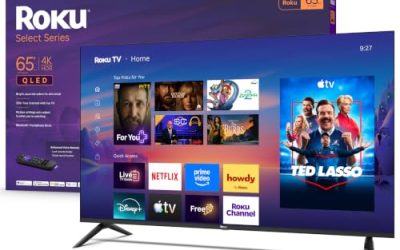
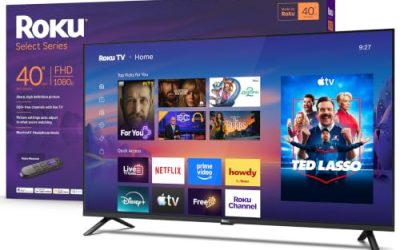
Roku Select Series 75-Inch
The Roku Select fits buyers who want an easy interface and a big screen. The title lists a 4K HDR RokuTV, an Enhanced Voice Remote, automatic brightness, and streaming support.
- Strength: 4K HDR on an easy-to-use platform.
- Strength: automatic brightness adjusts to room light.
- Trade-off: the title lists no gaming features or Mini LED backlight.
Skip it if you game on a console. It suits households that want a straightforward 75-inch streaming screen with an interface everyone understands, including grandparents and kids, and rooms where the lighting changes through the day.
Which One Fits Your Situation
You want the biggest screen for the least spending
The Insignia F50 and the LG UR9000 are the plainest sets here. Choose the Insignia for Fire TV or the LG for a familiar brand and listed Ethernet and Bluetooth.
You game on a console
The Hisense 75E6SR lists VRR and ALLM, while the Samsung M80H lists 144Hz. Pick the Hisense for value and the Samsung for faster motion. Whichever you choose, use the HDMI port the manual labels for gaming and switch on the TV’s game mode so processing delay stays low.
You watch in a bright living room
The Samsung M70H and M80H both use Mini LED backlights. The Samsung Q7F is a QLED alternative if color matters more than backlight control. For evening movies with the lights low, the extra contrast of Mini LED is easier to notice than in a bright room at midday.
You just want easy streaming
The Roku Select 75 keeps things simple and adjusts brightness automatically. The Samsung U8000H is a similar budget choice if you prefer Samsung’s platform. Both are sensible when the TV is a background companion for cooking, cleaning, or kids’ shows.
Common Mistakes
- Paying for Mini LED when the room is dark and the set mostly shows news.
- Assuming a large TV needs gaming features when you never connect a console.
- Forgetting to measure the wall and stand width for a 75-inch screen.
- Expecting good sound from built-in speakers on a budget set.
- Judging value by badge count rather than by the features you will use.
Specs and Terms Explained
Mini LED versus a standard LED backlight
A standard LED television lights its panel with a modest number of LEDs, usually along the edge or in a few large groups. Mini LED swaps those for a much larger number of tiny LEDs that can be dimmed in separate zones. In practice that means darker blacks and less glow around bright objects in a night scene. If most of your viewing happens with the lights on, the gap narrows, so the feature pays off mainly for evening movies.
Dimming zones
Zone count describes how many separate areas of the backlight can brighten or darken independently. More zones generally allow finer control, but the processing that decides which zones to dim matters just as much as the number itself. Treat the figure as a hint rather than a verdict, and be cautious with any model that does not publish one at all.
Native refresh rate versus motion marketing
The panel’s native rate is the number that counts, and it is normally 60Hz or 120Hz. Terms such as “motion rate” or “effective refresh” describe image processing and are often double the native figure. A 120Hz panel helps console and PC players and anyone who watches a lot of fast sport; for streaming dramas, 60Hz is perfectly adequate.
HDMI 2.1 and eARC
HDMI 2.1 is the version that carries 4K at 120 frames per second, which a current console can use. eARC is a separate feature that sends high-bandwidth audio from the television to a soundbar or receiver. Many sets enable these on only one or two of their HDMI ports, so check which port numbers carry them before you plug in a console and a soundbar.
Sizing and Setup Checklist
- Measure the width, not just the diagonal. A 75-inch screen is roughly 65 inches wide, and the stand feet can sit nearly as far apart as the panel is wide.
- Confirm your furniture can hold it. Many stands that fit a 55-inch set are too narrow for this size, and a wall mount needs studs or proper anchors rather than drywall alone.
- Check the mount pattern. The VESA hole spacing and screw size are listed in the specifications; pair them with a mount rated for the set’s weight and size.
- Plan the route in. A boxed 75-inch television is awkward in stairwells, narrow hallways, and compact cars, and it is safest carried upright by two people.
- Sit at a sensible distance. A common rule for 4K is about one to one-and-a-half times the diagonal, which puts most people roughly six to nine feet from the screen.
- Decide on sound before the set arrives. Thin panels leave little room for speakers, so reserve shelf space and a port for a soundbar.
Who Should Skip These
If your seating is closer than about six feet, a 75-inch screen can feel overwhelming and make pixel structure visible, and a smaller panel is the more comfortable choice. Viewers who watch almost entirely in a bright room may gain little from the Mini LED models in this guide, since their main advantage shows in dim conditions. And if your wall or stand cannot be reinforced, the safe answer is a smaller set rather than a risky mount.
Related guides
- Gaming Chair Cushions And Lumbar Supports
- Business Laptops With Long Battery Life
- Business Laptops For Graphic Designers
Frequently Asked Questions
Is a 75-inch TV too big for my room?
For a seating distance of nine to twelve feet, 75 inches suits most living rooms. In a smaller space, measure first and consider whether a 65-inch model fits better.
Is Mini LED worth the step up?
It is worth it in bright rooms and for HDR content. For casual streaming in a dim room, a QLED or even a standard LED may be enough.
Which sets are best for sports?
Look for strong brightness and good motion handling. The Samsung M80H lists 144Hz, and the Mini LED models handle bright rooms well.
Do I need a soundbar?
Most large TVs have modest built-in speakers, so a soundbar is a common companion. Sets with Atmos or DTS support work best with one.
Related guides
More from Amazon
Programs that pair well with the guide above. Offers and eligibility are set by Amazon and may change.
Free shipping on eligible items, Prime Video and more. Eligible new members can start with a free trial.
Start a Prime free trialAd-free music streaming. Eligible new subscribers can start with a free trial.
Try Music Unlimited freeA Prime membership for ages 18-24 with a trial period. Eligibility is set by Amazon.
See Prime for Young AdultsAudiobooks and podcasts to listen to on the go. Eligible new members can start with a free trial.
Try Audible freeAs an Amazon Associate we earn from qualifying purchases.