Searching for a laptop under 500 dollars with 16GB of RAM is a smart filter, because memory is the spec that most often decides whether a cheap laptop feels usable after a year. Eight gigabytes was once enough, but modern browsers with a dozen tabs, a video call and an office suite will push a small memory pool to its limit. Starting with 16GB leaves breathing room, but at this budget it also means the manufacturer has trimmed something else, usually the processor, the storage or the build quality.
This guide is for students, remote workers, parents and anyone buying a second computer for browsing, documents, streaming and video calls rather than gaming. The six laptops below all list 16GB in the title and span new budget models, a touchscreen Ryzen 5 option and a renewed business laptop. Judgments come strictly from the listed specs, so confirm the current cost against the under 500 dollars ceiling and read the storage details closely. Anyone shopping in 2026 should pay special attention to how each listing describes its storage, because some titles bundle cloud space or external drives with a small internal SSD.
Our Top Picks
 Dell Latitude 5420 14" FHD Business Laptop Computeri5-1145G7-16-256-SV-Win1112.76 x 8.35 x 0.76 inches3 poundsCheck on Amazon


Top 3 picks at a glance
Quick Picks
As an Amazon Associate we earn from qualifying purchases at no extra cost to you.


| Product | Best for | Key spec from the title |
|---|---|---|
| Acer Aspire Go 15 (Ryzen 5) | Best all-round balance | Ryzen 5, 16GB RAM, 512GB SSD, touchscreen, Wi-Fi 6 |
| Dell Latitude 5420 (Renewed) | Work and business use | Core i5-1145G7 quad-core, 16GB DDR4, 256GB SSD, Windows 11 Pro |
| Acer Aspire Lite 15 | Students needing Office included | Intel 4-core, 16GB RAM, 256GB SSD, 15.6″ FHD |
| ITAMRYO 15.6″ | Basic browsing and documents | Pentium Gold 6500Y, 16GB RAM, 256GB SSD |
| HP 14″ Flagship | Portability and bundled software | 4-core Intel CPU, 16GB RAM, 628GB total storage |
| HP Stream 14″ | Light tasks and carrying around | Celeron N4120, 16GB RAM, 416GB storage mix |
How to Choose
Look at the processor, not just the RAM
Sixteen gigabytes of memory cannot rescue a slow processor. A Ryzen 5 or an Intel Core i5 is a clear step above a Celeron or a Pentium-class chip for multitasking and larger spreadsheets. Quad-core designs handle video calls and many browser tabs more smoothly than dual-core ones, so check the core count in the listing before you rely on the memory number.
Read the storage line carefully
Storage claims at this price are often confusing. Look for the size of the internal SSD, which is the drive that actually matters for speed. A listing that mentions cloud storage, a docking station or an external drive may inflate the headline capacity without improving the laptop itself. As a rule, 256GB internal is a minimum and 512GB is far more comfortable. Also note whether the storage is an SSD, a slower eMMC or UFS module.
Screen, ports and wireless
A 1920×1080 panel is the practical standard for a 14 or 15.6-inch laptop. A listing with only HD resolution makes text look softer. Look for an HDMI port if you plan to connect a monitor, Wi-Fi 6 for faster home networks and a webcam for school or work calls. A touchscreen, as on the Acer Aspire Go 15, is a convenience rather than a necessity.
What to ignore and where budget models cut corners
Ignore phrases such as “AI-powered” or “beats” a rival chip when no clear function or model comparison is given. Budget laptops usually economize on the processor, the display brightness, the keyboard and the battery. A renewed business laptop like the Dell Latitude can trade the newest design for stronger build quality, but you should check the seller’s return terms and warranty on refurbished units.
The 6 Best Options
Acer Aspire Lite 15
The Aspire Lite 15 is a new 15.6-inch laptop with an Intel four-core processor, 16GB of RAM, a 256GB SSD and a full-HD 1920×1080 display. The title adds Office 365 and 1TB of cloud storage, which makes it appealing for students and home users who want a ready-to-use setup. Because the software and online space come with the listing, a new owner can sign in and start working the same day.
- Strength: a bundled office suite saves a separate software purchase
- Strength: a 1080p screen at this size is comfortable for documents and video
- Trade-off: the cloud storage is not local space, so the internal SSD is still only 256GB
Skip it if you need lots of on-device storage or plan to run demanding software. The processor is described only as an Intel four-core part.
ITAMRYO 15.6″
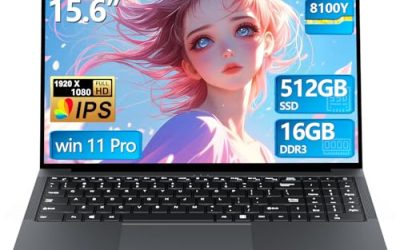
The ITAMRYO pairs a 15.6-inch screen with an Intel Pentium Gold 6500Y quoted at up to 3.4GHz, 16GB of RAM and a 256GB SSD. It fits users with the simplest needs, like browsing, email and video streaming, who want generous memory without paying for a stronger processor. It is the plainest configuration here, and that simplicity is the point: a large screen, a healthy amount of memory and nothing else to distract from the core job.
- Strength: 16GB of RAM helps with many open browser tabs
- Strength: a 15.6-inch screen offers plenty of room for documents
- Trade-off: a Pentium Gold 6500Y is a low-power chip, so heavy multitasking will feel slow
Skip it if you need strong performance for large files or creative software. The brand is less established than the big names in this list, so read the warranty terms and support details before ordering.
Dell Latitude 5420 (Renewed)
This renewed 14-inch business laptop lists an Intel Core i5-1145G7 quad-core processor, 16GB of DDR4 RAM, a 256GB SSD, a camera, an HDMI port and Windows 11 Pro. It suits remote workers and professionals who want business-class construction and a faster processor than most new budget machines offer. The 14-inch size makes it easier to carry than a 15.6-inch model, and the HDMI port helps when you want to plug into a monitor at a desk or a conference room.
- Strength: a Core i5 quad-core chip is a clear step up from Celeron or Pentium parts
- Strength: Windows 11 Pro and HDMI suit office work
- Trade-off: renewed units vary in condition, so check the return terms and battery claims
Skip it if you want a brand-new device or a larger display. Condition grades differ between sellers, so look for a clear warranty and return window, and expect some cosmetic wear on a refurbished business machine.
Acer Aspire Go 15 (Ryzen 5)
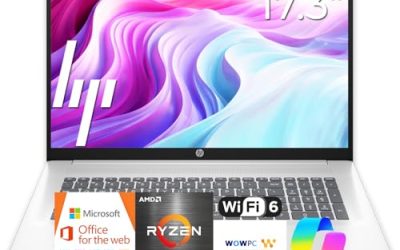
The Aspire Go 15, model AG15-21PT-R641, combines an AMD Ryzen 5 processor with 16GB of RAM, a 512GB SSD and a 15.6-inch full-HD touchscreen. Wi-Fi 6, an HDMI port, a webcam and Windows 11 Home are all listed. It is the best-equipped option on paper for general home and school use. Wi-Fi 6 helps in busy households, and the HDMI port and webcam cover monitors and video classes without extra adapters.
- Strength: 512GB of internal storage is the largest SSD in this group
- Strength: a Ryzen 5 chip with touchscreen and Wi-Fi 6 covers modern needs
- Trade-off: a touchscreen can add weight and reduce battery life compared with non-touch panels
Skip it if you prefer a lighter 14-inch laptop or want business features such as Windows 11 Pro. Families who prefer a conventional non-touch screen can also get better battery life elsewhere, so weigh convenience against portability.
HP Stream 14″
The HP Stream 14 combines an Intel Celeron N4120, 16GB of RAM, Intel UHD graphics, a 720p camera and an HD BrightView display. Its 416GB of storage is made up of a 128GB eMMC module plus a 288GB docking-station set. It targets users who want a small, light machine for basic tasks. Think of it as a study companion for web pages, documents and streaming, where the memory keeps tabs responsive even though the processor is modest.
- Strength: a 14-inch body is easy to carry between classes or rooms
- Strength: 16GB of RAM is generous for a Celeron-class laptop
- Trade-off: the storage is split between a small eMMC drive and an add-on set, so internal capacity is limited
Skip it if you need a sharp full-HD screen or fast storage for large files. The eMMC module is slower than a standard SSD, so startup and file copying will not feel quick.
HP 14″ Flagship
The HP 14-inch Flagship lists a four-core Intel processor, 16GB of RAM and 628GB of storage that combines 128GB of UFS memory with a 500GB external drive. The title mentions an Office suite and an AI-powered feature set aimed at students and business users. It suits people who want a compact portable laptop with extras bundled in. The mix of internal and external storage gives the headline capacity a big number, but the internal 128GB governs speed and installed applications.
- Strength: a quad-core processor and 16GB of RAM handle everyday multitasking
- Strength: the extra 500GB drive offers room for backups
- Trade-off: the internal storage is only 128GB, and the rest depends on the external drive
Skip it if you want one large internal SSD or do not want to carry an external drive. Buyers who care about a clean, single-drive setup will be happier with the Acer Aspire Go 15 and its 512GB internal SSD.
Which One Fits Your Situation
You want the best overall value
Pick the Acer Aspire Go 15. A Ryzen 5 processor, a 512GB SSD and a full-HD touchscreen make it the most complete configuration on the list.
You need a laptop for work
The Dell Latitude 5420 is the strongest fit, thanks to its Core i5 quad-core chip and Windows 11 Pro. Just make sure the seller offers a clear return window for renewed units.
You are a student who wants software included
The Acer Aspire Lite 15 covers documents and presentations with an included Office suite and 1TB of cloud space, and its 15.6-inch FHD screen suits note-taking and reading.
You need something small to carry around
The HP Stream 14 or the HP 14-inch Flagship are the compact choices. The Stream suits very light tasks, while the Flagship adds a stronger quad-core processor.
Common Mistakes
- Assuming 16GB of RAM makes a slow processor fast, when the chip still limits everyday speed.
- Counting cloud storage or external drives as internal capacity.
- Choosing an HD-only screen and later finding text and web pages look soft.
- Buying a renewed laptop without reading the warranty and return terms.
- Paying extra for vague “AI-powered” labels instead of comparing processor, storage and display.
Specs and Terms Explained
Single-channel versus dual-channel memory
Dual-channel means two memory modules working in parallel, which helps integrated graphics in particular. Many budget laptops ship with one module or with memory soldered to the board. Look for wording such as two 8GB modules in the specification; if the listing says nothing, assume single-channel and keep expectations modest.
Soldered versus upgradable RAM
Soldered memory cannot be replaced later, so the 16GB figure is what you live with. A model with an open slot can be expanded or swapped. Because this search is about 16GB, confirm the listing states 16GB installed, not merely supported or expandable to 16GB.
eMMC versus SSD
eMMC is a slower flash chip soldered to the board and common on very cheap machines. An SSD, especially an NVMe drive, loads Windows and apps noticeably faster. The words to look for are SSD or NVMe; a laptop that lists only a storage size without a type deserves a closer read of the full specification.
What Renewed means
A renewed laptop is a used unit that has been inspected and restored to working order. Business-class machines such as the Dell Latitude 5420 (Renewed) are built sturdily, but battery wear varies. Look for a stated warranty length and a description of battery condition.
Checklist Before You Order
- Confirm 16GB is installed, and note whether it is soldered or upgradable.
- Confirm the storage type is SSD, not eMMC, if you plan to keep the laptop for several years.
- If buying renewed, make sure it meets the requirements for Windows 11, because support for Windows 10 has ended.
- Check the port list for the USB-C, HDMI and headphone jack you actually use.
- Measure your bag; a 15.6-inch body is noticeably bulkier than a 14-inch one like the HP Stream 14″.
Who Should Skip These
Anyone planning video editing, current 3D games or large spreadsheet models should skip this budget tier, because 16GB of memory cannot make up for a weak processor or slow storage. Frequent travelers who need a long-lasting battery and a light body should also look elsewhere, since budget laptops tend to trade both away.
Setup and Care Tips
- Install every available update on day one, including the firmware and driver updates, because early releases often carry fixes.
- Open the startup manager and disable apps you do not need; fewer background programs leave more of that 16GB free.
- Keep the vents clear and avoid using the laptop on a blanket, since a hot base slows a budget processor.
- Avoid draining the battery to zero regularly, and unplug it occasionally if it stays on a desk all day.
- Back up important files to an external drive or cloud storage, especially on a renewed machine.
Related guides
- Gaming Chair Cushions And Lumbar Supports
- Business Laptops With Long Battery Life
- How To Use Camelcamelcamel For Amazon Deals
Frequently Asked Questions
Is 16GB of RAM necessary on a budget laptop?
It is not essential for basic tasks, but it makes multitasking and heavy browser use much smoother. If you keep many tabs or apps open, 16GB is a worthwhile upgrade over 8GB.
Is a renewed laptop a good idea?
It can be, especially for business models with strong construction. Confirm the return policy, warranty and battery condition before you commit.
Can these laptops handle gaming?
Most are designed for browsing, school and office work. They rely on integrated graphics, so only light or older games are realistic.
How much internal storage should I get?
Aim for at least 256GB of SSD storage, and choose 512GB if you store photos, videos or many applications. Cloud and external storage help but do not replace internal space.
Related guides
More from Amazon
Programs that pair well with the guide above. Offers and eligibility are set by Amazon and may change.
Free shipping on eligible items, Prime Video and more. Eligible new members can start with a free trial.
Start a Prime free trialAd-free music streaming. Eligible new subscribers can start with a free trial.
Try Music Unlimited freeA Prime membership for ages 18-24 with a trial period. Eligibility is set by Amazon.
See Prime for Young AdultsAudiobooks and podcasts to listen to on the go. Eligible new members can start with a free trial.
Try Audible freeAs an Amazon Associate we earn from qualifying purchases.