A laptop budget capped at under 400 dollars forces a trade that no spec sheet will hide: you can have more screen, more memory, or more storage, but rarely all three. Windows machines in this bracket mostly land in one of two camps. Some pair a low-power Celeron or Pentium-class chip with 4GB of memory and a small solid-state drive, while others stretch to 16GB of RAM and a 256GB SSD by using an older or lesser-known processor. Knowing which camp suits your day decides whether the machine feels quick or sluggish by the second month.
This guide is for people who need a real Windows 11 laptop for email, documents, video calls, streaming, and a lot of browser tabs, and who would rather spend a little on the right basics than overpay for features they will not use. Students, home-office workers, and anyone buying a backup machine for 2026 will find the listings below sorted by what they actually offer in the title: screen size, memory, storage type, and whether the unit is new or renewed.
Our Top Picks


Top 3 picks at a glance
Quick Picks
As an Amazon Associate we earn from qualifying purchases at no extra cost to you.



| Product | Best for | Key spec from the title |
|---|---|---|
| 15.6-inch N4020 Laptop | Everyday browsing and Office apps | N4020, 4GB RAM, 128GB eMMC, 45W fast charging |
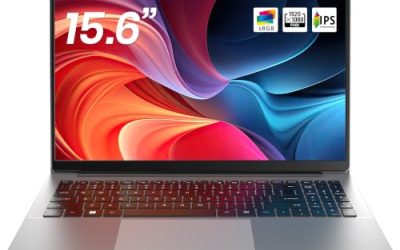
| Phatom 15.6-inch Laptop | School work on a bigger screen | 4GB RAM, 128GB SSD, 1080P IPS display |
| HP Essential Laptop | Buyers who want a known brand | 128GB storage, Copilot AI, 1TB cloud storage |
| MITUNTUN 15.6-inch Laptop | Multitasking on a budget | 16GB RAM, 256GB SSD, 2-year warranty |
| HP 14-inch Celeron Laptop (Renewed) | Light, portable basics | Celeron up to 2.60GHz, 4GB RAM, 64GB SSD |
| Microsoft Surface Laptop Go (Renewed) | Compact touchscreen use | 12.4-inch touch, Core i5-1035G1, 4GB, 64GB eMMC |
| SAGAWHALE 15.6-inch Laptop | Office and study with more memory | 16GB RAM, 256GB SSD, FHD IPS display |
How to Choose
Memory and Storage Come First
Windows 11 runs on 4GB of RAM, but it runs better on 8GB and noticeably better on 16GB when you keep a browser, a chat app, and a document open together. If a listing offers 16GB at this budget, look at what processor sits behind it, because extra memory cannot rescue a very old chip. For storage, 128GB is workable only if you lean on cloud files. A 256GB drive leaves room for updates, which can eat 20GB or more over time. Also note the drive type: an SSD is generally faster than eMMC flash, which is soldered on and cannot be upgraded.
Processor Names Worth Reading Carefully
Celeron and N-series chips handle web pages, video playback, and office suites, but they slow down with heavy spreadsheets or many tabs. A listing that compares itself to an older chip, such as one that says it beats the N4000, is telling you the chip is in the same entry class. An older Core i5 in a renewed unit can be quicker for single tasks than a new Celeron, though its battery wear and age matter. Skip any claim that is not backed by a model number you can look up.
Screen Size, Resolution, and Panel Type
A 15.6-inch screen with a 1920 by 1080 resolution gives you room for two windows side by side. A 14-inch HD panel (1366 by 768) is sharper in a smaller body only in the sense of weight; text will look coarser. IPS panels hold their color and brightness better from the side, which matters when you share a screen. A 12.4-inch touchscreen saves weight but gives you less working space. Decide whether you carry the laptop daily before you chase a big display.
New Versus Renewed, and Where Budget Models Cut Corners
Renewed units can bring better brand hardware at the same budget, but check the warranty length and battery condition. New budget units often cut corners on the battery (look for a watt-hour figure; 38Wh is on the small side), on port selection, and on keyboard feel. Office 365 trials and bundled cloud storage are time-limited, so treat them as a bonus rather than a reason to buy. A multi-year warranty is worth more than a bundled software promise.
The 7 Best Options
15.6-inch N4020 Laptop
This listing leads with a 15.6-inch full HD display, an N4020 processor, 4GB of LPDDR4 memory, and 128GB of eMMC storage, plus a 180-degree lay-flat hinge. It suits a buyer who wants a large screen for browsing, streaming, and word processing without spending much. The title also notes 45W fast charging and dual-band Wi-Fi.
- Strength: the full HD screen and lay-flat hinge make sharing a display easy.
- Strength: 45W fast charging shortens time at the outlet.
- Trade-off: 4GB of RAM and eMMC storage limit heavy multitasking and upgrades.
Skip it if you plan to keep many tabs open or install large programs.
Phatom 15.6-inch Laptop
The Phatom pairs a 15.6-inch 1080P IPS display with 4GB of RAM and a 128GB SSD, and it ships with Windows 11. It is pitched at students and light business use, which fits the specs: documents, video classes, and web research. Having an actual SSD instead of eMMC is a point in its favor for boot and load times.
- Strength: IPS panel at 1080P keeps text readable from different angles.
- Strength: SSD storage generally feels snappier than eMMC.
- Trade-off: only 4GB of memory, with little headroom for demanding browser sessions.
Skip it if you need more than basic school or office work.
HP Essential Laptop
The HP Essential lists an Intel processor, 128GB of storage, Windows 11, Copilot AI, Office 365, and 1TB of cloud storage, in a portable body with an LED display. It suits buyers who prefer a familiar brand and want cloud space bundled in. The title is light on processor and memory details, so check the full listing before buying.
- Strength: brand familiarity and bundled cloud storage ease setup.
- Strength: Copilot AI support is called out in the title.
- Trade-off: the title does not state RAM, so you must confirm it elsewhere.
Skip it if you want clear memory and processor specs up front.
MITUNTUN 15.6-inch Laptop
MITUNTUN offers Windows 11 Pro, 16GB of RAM, a 256GB SSD, and a 1920 by 1080 display on a 15.6-inch frame, with a Core M3 chip that the listing compares to the N4000. The 2-year warranty stands out at this budget. It suits someone who runs several apps at once and values the extra memory.
- Strength: 16GB of RAM gives breathing room for multitasking.
- Strength: a 2-year warranty adds peace of mind.
- Trade-off: the processor sits in the entry class, so memory alone will not make it fast.
Skip it if you need strong processing for editing or heavy spreadsheets.
HP 14-inch Celeron Laptop (Renewed)
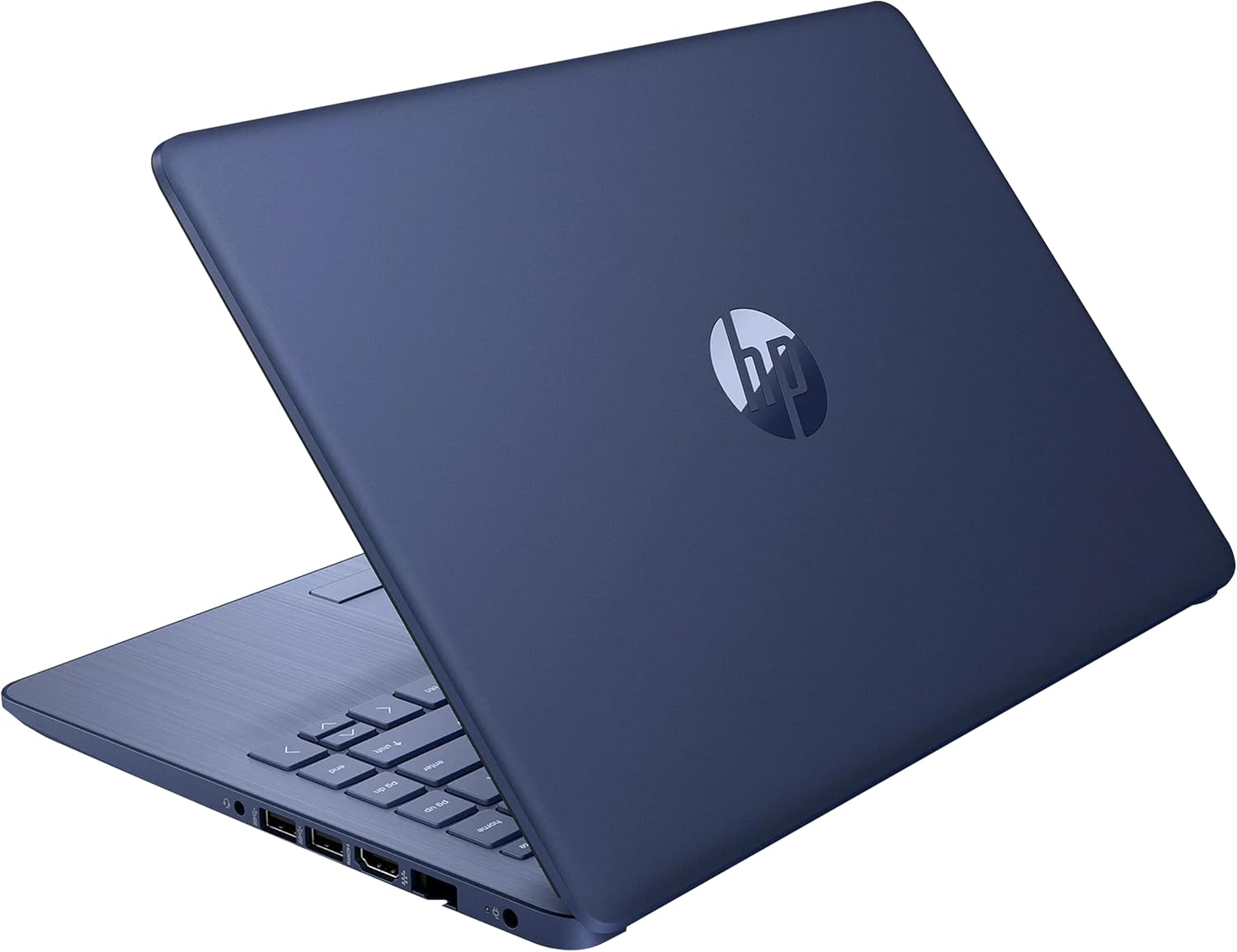
This renewed HP has a 14-inch HD display, a dual-core Celeron up to 2.60GHz, 4GB of RAM, a 64GB SSD, and a webcam, running Windows 11. It is meant for simple tasks: email, browsing, and video calls. The renewed status keeps the cost down, and the smaller body is easy to carry. The same configuration appears in other colors, which differ only in finish.
- Strength: compact 14-inch body is easy to carry between rooms.
- Strength: SSD storage with a built-in webcam covers video calls.
- Trade-off: 64GB fills quickly once Windows updates install.
Skip it if you store photos or documents locally in volume.
Microsoft Surface Laptop Go (Renewed)
The Surface Laptop Go is a 12.4-inch touchscreen model with a Core i5-1035G1 at 1.0GHz, 4GB of memory, and 64GB of eMMC storage, running Windows 11 Home. It suits a user who prefers a small, touch-capable machine and values a recognized brand. Buyers get a more capable processor than most Celeron units in this range.
- Strength: a Core i5 chip outclasses typical Celeron entries on paper.
- Strength: touchscreen and small size suit couch and travel use.
- Trade-off: 64GB of eMMC storage is tight, and the memory is limited.
Skip it if you want a large screen or lots of local storage.
SAGAWHALE 15.6-inch Laptop
SAGAWHALE lists Windows 11 Pro, 16GB of RAM, a 256GB SSD, and a 15.6-inch full HD IPS display, aimed at business, office, student, and college use. It mirrors the memory and storage of the MITUNTUN but comes from a different seller, so compare the warranty terms. The IPS screen is a plus for shared viewing.
- Strength: 16GB of RAM and a 256GB SSD give a comfortable base.
- Strength: full HD IPS panel suits long study sessions.
- Trade-off: the title does not name the processor, so confirm it before purchase.
Skip it if you only need basic email and want the lightest possible body.
Which One Fits Your Situation
You Run Many Tabs and Apps at Once
Choose the MITUNTUN 15.6-inch Laptop or the SAGAWHALE. Both list 16GB of RAM and a 256GB SSD, which is the most generous combination in this group. The MITUNTUN adds a clear 2-year warranty, so it edges ahead when support matters.
You Carry the Laptop All Day
The Microsoft Surface Laptop Go (Renewed) has the smallest 12.4-inch frame here and adds a touchscreen. If you can live without touch and want a slightly bigger display, the HP 14-inch Celeron (Renewed) gives you 14 inches and a webcam at a lower tier. Either way, plan to rely on cloud files, since both carry only 64GB of storage.
You Share One Machine Across a Household
The Phatom 15.6-inch Laptop is a sensible middle path. Its SSD and 1080P IPS panel keep things responsive for homework, recipes, and video chats, and the larger screen makes it easier for two people to look at the same page. Keep expectations modest on memory, and add an external drive if the family photo library lives on it.
You Want a Big Screen for Streaming
The 15.6-inch N4020 Laptop pairs full HD with a 180-degree hinge, which helps when you prop it up to watch a show with someone beside you. Its fast charging also helps between sessions.
You Want Familiar Branding With Cloud Space
The HP Essential Laptop bundles 1TB of cloud storage and Copilot AI features. Pick it if you live in cloud files and want a recognized name, but confirm the memory first.
Common Mistakes
- Ignoring the storage type and treating eMMC as equal to an SSD, which can slow installs and updates.
- Chasing the highest RAM number without checking which processor drives it.
- Buying a 64GB drive and expecting to keep photos and downloads locally.
- Counting bundled Office trials and cloud storage as permanent value when they expire.
- Skipping the warranty and return terms on a renewed unit.
Related guides
- Gaming Chair Cushions And Lumbar Supports
- Business Laptops With Long Battery Life
- Travel Backpack With Laptop Compartment
Frequently Asked Questions
Is 4GB of RAM enough for Windows 11?
It runs, and basic browsing and documents are fine. Expect slowdowns with many tabs, so 8GB or more is a better target if the budget allows.
Are renewed laptops worth it under 400 dollars?
They can be, especially when the brand hardware is better than new entry units. Check the warranty period and battery condition before you commit.
Is eMMC storage bad?
It is not bad, just slower than a typical SSD and not upgradeable. It works for light use but becomes frustrating when updates and apps pile up.
Do I need Windows 11 Pro?
Most home users do not. Pro adds business features like device encryption management and remote desktop hosting, which matter little for everyday use.
Related guides
More from Amazon
Programs that pair well with the guide above. Offers and eligibility are set by Amazon and may change.
Free shipping on eligible items, Prime Video and more. Eligible new members can start with a free trial.
Start a Prime free trialAd-free music streaming. Eligible new subscribers can start with a free trial.
Try Music Unlimited freeA Prime membership for ages 18-24 with a trial period. Eligibility is set by Amazon.
See Prime for Young AdultsAudiobooks and podcasts to listen to on the go. Eligible new members can start with a free trial.
Try Audible freeAs an Amazon Associate we earn from qualifying purchases.