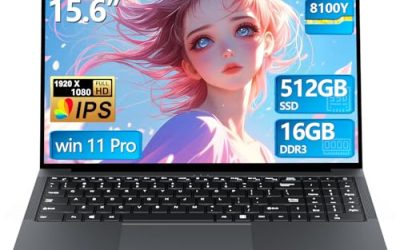
If you searched for best buy gaming laptops zephyrus g15 helios 300 legion slim 7, you are comparing three well-known 15-inch gaming laptop families that sit in the middle of the market. This guide explains what each one is, which model years to look for, and how to read a retail listing so you buy the right configuration.
Quick answer: The ROG Zephyrus G15 is the slim, high-power pick, the Acer Predator Helios 300 is the value all-rounder, and the Lenovo Legion Slim 7 is the quiet, thin option. We do not track store stock or store pricing, so confirm the exact model number on the retailer page before you pay.
Our Top Picks
Top 3 picks at a glance
The Models at a Glance
| Laptop | Style | Typical strength | Watch out for |
|---|---|---|---|
| ASUS ROG Zephyrus G15 | Slim 15.6-inch performance laptop | High power in a compact, lighter body | Several model years differ a lot in GPU and screen |
| Acer Predator Helios 300 | Mainstream 15.6-inch gaming laptop | Strong performance for the money | Thicker body, louder fans under load |
| Lenovo Legion Slim 7 | Thin performance laptop | Slim design with a quality display | Configurations vary by region and year |
| ASUS ROG Strix G15 | Straightforward 15.6-inch gaming laptop | Entry gaming with a fast panel | Base versions can ship with only 8GB of RAM |
| HP Spectre x360 16 | Premium 2-in-1 for work and creative use | Touchscreen, build quality, battery focus | Not built for heavy gaming |
ASUS ROG Zephyrus G15: Is It the Best Gaming Laptop?
The ASUS ROG Zephyrus G15 is one of the most recommended slim gaming laptops of the last few years, but “best” depends on the year and configuration. It earns its reputation by fitting a high-power AMD Ryzen processor and an NVIDIA RTX graphics chip into a 15.6-inch body that is easier to carry than a typical gaming brick.
ASUS ROG Zephyrus G15 (GA503QR, Ryzen 9 5900HS, RTX 3070)
As an Amazon Associate we earn from qualifying purchases at no extra cost to you.
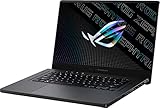
This listing is the 2021 Zephyrus G15 in Eclipse Gray. It pairs a Ryzen 9 5900HS processor with an RTX 3070 graphics chip, 16GB of RAM, a 1TB PCIe SSD and a 15.6-inch flat QHD (2560×1440) display. That combination suits players who want sharp visuals and strong frame rates from a laptop that still fits in a normal backpack. The listing shows Windows 10 Home, so plan for the Windows 11 upgrade path.
- Processor: AMD Ryzen 9 5900HS
- Graphics: NVIDIA RTX 3070
- Memory and storage: 16GB RAM, 1TB PCIe SSD
- Display: 15.6-inch QHD (2560×1440)
Best for: players who want one slim laptop for games and travel. Skip if: you need a built-in webcam or a long-lasting battery under gaming load; check the maker page for the exact specification.
Pros: strong CPU and GPU pairing, QHD screen, 1TB of storage, compact for its power class. Cons: older model year, fans get loud when pushed, ports are limited compared with a thicker laptop.
Acer Predator Helios 300: The Value Pick
The Predator Helios 300 became popular because it delivered desktop-style gaming performance without a flagship price tag. Acer sold it for several generations, so “Helios 300” can mean a 2018 laptop with a GTX 1060 or a 2022 laptop with an RTX 3060. Always read the processor and GPU in the listing, not just the name.
Acer Predator Helios 300 PH315-54 (Core i7-11800H, RTX 3060)
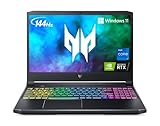
The PH315-54-760S pairs an Intel Core i7-11800H with an NVIDIA GeForce RTX 3060, a 15.6-inch Full HD IPS display at 144Hz with a 3ms response time, 16GB of DDR4 and a 512GB SSD. The listing also names Killer WiFi 6 and an RGB keyboard. It is a straightforward 1080p gaming machine, and the 144Hz panel is a good fit for esports and fast shooters.
- Processor: Intel Core i7-11800H
- Graphics: NVIDIA GeForce RTX 3060
- Display: 15.6-inch FHD, 144Hz, IPS
- Memory and storage: 16GB DDR4, 512GB SSD
Best for: 1080p high-refresh gaming on a sensible budget. Skip if: you want a thin, quiet laptop for classes or the office.
Pros: RTX 3060 class performance, fast panel, upgradeable RAM and storage on many versions, RGB keyboard. Cons: bulkier than slim rivals, 512GB fills quickly, fan noise.
Acer Predator Helios 300 PH315-55 (Core i7-12700H, RTX 3060)

The 2022 PH315-55-70ZV steps up to a 12th-generation Intel Core i7-12700H while keeping the RTX 3060 graphics. The listing shows 16GB of memory, a 512GB PCIe SSD, a 15.6-inch IPS Full HD display and Windows 11 Home in Abyss Black. If you are choosing between the two Helios 300 versions here, the newer processor is the main difference, and it helps in games that lean on the CPU.
- Processor: Intel Core i7-12700H
- Graphics: NVIDIA GeForce RTX 3060
- Display: 15.6-inch IPS, 1920×1080
- Memory and storage: 16GB RAM, 512GB PCIe SSD
Best for: buyers who want the newest Helios 300 generation with Windows 11 out of the box. Skip if: you need 1TB of storage without opening the case.
Pros: newer CPU, Windows 11, same proven GPU tier. Cons: small SSD, GPU is a generation behind current laptops.
Lenovo Legion Slim 7: The Thin Contender
The Legion Slim 7 is Lenovo’s answer to the Zephyrus: a slimmer chassis, a high-quality screen and strong performance, with a quieter, more understated look than most gaming laptops. Specifications changed between years and regions, including the processor brand and graphics tier, so match the model code on the page to Lenovo’s product page.
We did not find a current Legion Slim 7 listing in our store, so there is no product card here and we will not guess at its specifications. If you want a Lenovo gaming laptop that is listed and in the same price tier, the closest match we found is the Legion 5 Gen 10.
Lenovo Legion 5 Gen 10 (Ryzen 7 260, RTX 5060)
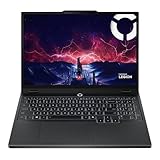
The Legion 5 Gen 10 listing shows a Ryzen 7 260 processor, an NVIDIA RTX 5060 laptop graphics chip, 16GB of DDR5 RAM, a 512GB SSD and a 15.3-inch WUXGA (1920×1200) 165Hz display. It is thicker than a Slim 7 but newer in graphics generation. It is a sensible alternative if the Slim 7 you want is out of stock or out of budget.
- Processor: AMD Ryzen 7 260
- Graphics: NVIDIA RTX 5060
- Display: 15.3-inch WUXGA, 165Hz
- Memory and storage: 16GB DDR5, 512GB SSD
Best for: current-generation graphics with a taller 16:10 screen. Skip if: thinness is your top priority.
Pros: newer GPU generation, 165Hz panel, DDR5. Cons: not a Slim 7, only 512GB storage.
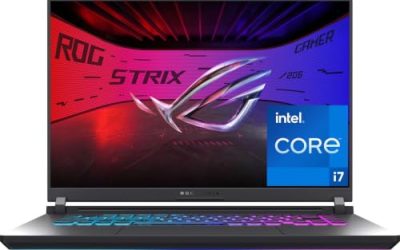
ASUS ROG Strix G15: The Plain-Spoken Option
The ROG Strix G15 is the straightforward cousin of the Zephyrus. It is thicker and less refined, but it often costs less and delivers a fast screen. Shoppers who search for where to buy it usually want one of the 2021 or 2022 versions, which differ in memory and graphics.
ASUS ROG Strix G15 (2021, Ryzen 7 4800H, RTX 3050)

The G513IC-EB73 listing shows a 15.6-inch 144Hz IPS-type Full HD display, an NVIDIA GeForce RTX 3050, an AMD Ryzen 7 4800H, 8GB of DDR4 and a 512GB PCIe NVMe SSD, with an RGB keyboard and Windows 10. The 8GB of memory is the catch: plan on adding a second stick to reach 16GB if you play modern titles or multitask.
- Processor: AMD Ryzen 7 4800H
- Graphics: NVIDIA GeForce RTX 3050
- Display: 15.6-inch FHD, 144Hz
- Memory and storage: 8GB DDR4, 512GB NVMe SSD
Best for: an entry gaming laptop with a fast display. Skip if: you want high settings in the newest games.
Pros: fast panel, Ryzen 7 CPU, RGB keyboard. Cons: only 8GB RAM as listed, RTX 3050 is entry level, older Windows version.
HP Spectre x360 16: Great Laptop, Not a Gaming Laptop
People searching for HP Spectre x360 16 at big-box retailers often expect a gaming machine. The Spectre x360 is a premium 2-in-1 aimed at work, travel and creative tasks. It will handle light and older games, but if gaming is the reason you are buying, choose one of the laptops above.
HP Spectre x360 2-in-1 16-inch (Core Ultra 7 155H)

The listing shows a 16-inch 120Hz WQXGA IPS touchscreen, an Intel Core Ultra 7 155H processor, 16GB of LPDDR5, a 1TB SSD, Thunderbolt 4, Wi-Fi 6E, a backlit keyboard, a fingerprint reader and a 9MP IR camera, running Windows 11 Pro. No separate graphics card is named, so graphics come from the processor. That is fine for office work, video calls and casual games, not for demanding titles.
- Processor: Intel Core Ultra 7 155H
- Display: 16-inch WQXGA touchscreen, 120Hz
- Memory and storage: 16GB LPDDR5, 1TB SSD
- Ports and extras: Thunderbolt 4, Wi-Fi 6E, IR camera
Best for: a premium work-and-play laptop with a touchscreen. Skip if: you want high frame rates in new games.
Pros: excellent display and build, convertible design, strong connectivity. Cons: no dedicated GPU listed, premium feel without gaming power.
Model-Year Cheat Sheet
The same name appears across several generations, which is why two laptops with the “same” name can feel very different. This table shows what changed on the versions covered by the listings above. Anything not shown here, check on the maker’s page.
| Name | Version in the listings | Processor | Graphics | What to know |
|---|---|---|---|---|
| Zephyrus G15 | 2020 | Ryzen 7 4800HS | GTX 1660 Ti Max-Q | Older, lower-power; cheaper but dated |
| Zephyrus G15 | 2021 (GA503QR) | Ryzen 9 5900HS | RTX 3070 | The one most shoppers mean today |
| Helios 300 | PH315-54 | Core i7-11800H | RTX 3060 | Strong value for 1080p |
| Helios 300 | PH315-55 | Core i7-12700H | RTX 3060 | Newer CPU generation |
| Strix G15 | 2021 (G513) | Ryzen 7 4800H | RTX 3050 | Entry gaming, 8GB RAM in this listing |
| Legion Slim 7 | Varies by year | Check the maker | Check the maker | Match the model code before buying |
Heat, Noise and Battery: What Slim Laptops Trade Away
Thin gaming laptops are built around a compromise. A slimmer body has less room for fans and heat pipes, so the manufacturer limits how much power the graphics chip can draw to stay within safe temperatures. A thicker laptop such as the Helios 300 or Strix G15 can often run its graphics chip closer to its limit for longer, which is why a thin laptop with the same GPU name can be a little slower in sustained play.
Fan noise follows the same logic. Slim machines spin their fans fast under load, and a headset hides it better than speakers do. Battery life is also short while gaming on any of these laptops, so plan to play plugged in. For light work such as browsing and documents, a Zephyrus or Slim 7 lasts noticeably longer than a thick gaming laptop, but battery hours depend on brightness, display refresh rate and the power mode you choose. We do not publish battery hour claims because they vary by configuration.
- Use the performance mode only when plugged in. Quiet or balanced modes extend battery life and cut noise.
- Raise the laptop for airflow. A stand that lifts the back gives the fans more air to pull in.
- Clean the vents now and then. Dust is the most common reason an older laptop runs hot.
- Lower the refresh rate on battery. A 60Hz setting saves power when you are not gaming.
What to Upgrade Later (and What You Cannot)
Many shoppers pick an older model because it is cheaper, then upgrade parts that are easy to swap. The details depend on the specific laptop, so read the maker’s service guide before you open it.
| Part | Usually upgradeable? | Notes |
|---|---|---|
| SSD | Often yes | Many gaming laptops have a spare M.2 slot or a replaceable drive |
| RAM | Depends on the model | Some slim laptops solder part of the memory to the board; check the listing and the maker page |
| Graphics chip | No | Laptop GPUs are soldered, so choose the right one on day one |
| Processor | No | Soldered on almost every gaming laptop |
| Battery | Sometimes | Replaceable, but opening a slim chassis takes care |
The practical rule is simple. Spend your budget on the graphics chip and the screen, since you cannot change them later, and treat storage as an easy upgrade. That is why the 8GB Strix G15 listing is a fair buy only if you are comfortable adding memory.
Buying Used, Open-Box or Older Stock
Because these laptops are a few years old, you will often see open-box, used or older-stock offers. These can be good value, but check three things before you commit: the return window, the warranty period that remains, and whether the laptop is sold by the store itself or by a third-party seller. Ask for the exact model code and compare it with the maker’s page. Do not assume that a laptop shown in a store is the same configuration as an online listing with the same name.
If a seller cannot tell you the model code, the memory size and the condition in writing, move on. A clear, specific listing is the best sign that the laptop is what it claims to be, and it saves you from a mismatched return later.
How to Read a Retail Listing Before You Buy
Retail pages often list the family name in the headline and hide the important parts below. Use this checklist, whichever store you buy from.
- Find the full model number. Names like Helios 300 or Zephyrus G15 cover several years. The code (for example PH315-54 or GA503QR) tells you the exact generation.
- Check the graphics chip. The RTX 3050, 3060 and 3070 are very different. The GPU matters more than the processor for games.
- Check RAM and storage. 16GB of RAM is the sensible floor. 8GB configurations need an upgrade.
- Check the display. 144Hz or higher and an IPS-type panel are good targets. QHD looks sharper but needs more GPU power.
- Look at the operating system. Older models may ship with Windows 10.
- Confirm new versus open-box or refurbished. Condition and warranty terms vary by seller.
Store stock and in-store pricing change daily and vary by location, so we do not claim either. Use the model code to compare the same laptop across retailers.
Which Model Year Should You Pick?
| If you want | Look at | Why |
|---|---|---|
| Best performance in a slim body | Zephyrus G15 | High-power CPU and GPU in a compact chassis |
| Lowest cost of entry for serious gaming | Helios 300 | RTX 3060 performance at a mainstream tier |
| A thin laptop that looks professional | Legion Slim 7 | Slim design and strong display; confirm model code |
| A cheaper entry into the ROG line | Strix G15 | Fast panel, but check RAM |
| Mostly work, occasional games | Spectre x360 16 | Premium 2-in-1, integrated graphics |
FAQ
Is the ASUS ROG Zephyrus G15 the best gaming laptop?
It is one of the best slim gaming laptops of its generation, but not the best for every buyer. Rivals such as the Helios 300 cost less, and newer laptops now offer newer graphics.
Where can I check the ASUS ROG Zephyrus G15 at Best Buy?
Search the retailer site for the full model code, such as GA503QR, rather than the name alone. We do not track stock, so confirm availability and condition on the store page.
Is the Acer Predator Helios 300 still worth buying?
Yes, if you find a version with an RTX 3060 and 16GB of RAM at a fair price. Avoid very old versions with GTX-series graphics unless the price is low.
Does the Lenovo Legion Slim 7 handle gaming?
Yes, it is a gaming-capable thin laptop. Performance depends on the exact configuration, so check the graphics chip and power rating on Lenovo’s product page.
Can the HP Spectre x360 16 play games?
It can run light and older games using integrated graphics, but it is built for work and creative tasks. Choose a laptop with a dedicated RTX graphics chip for demanding games.
Is the ASUS ROG Strix G15 sold on other stores too?
Yes, ASUS laptops are sold through several retailers and the maker’s own store. Match the model code across stores, and check that the memory configuration is the one you want.
Is the Logitech G Pro X Superlight a laptop accessory sold with these laptops?
No. The Superlight is a lightweight gaming mouse sold separately. It pairs well with any of these laptops, but it is not included with them.
Which One Should You Buy?
Choose the Zephyrus G15 if you want the strongest slim laptop and can accept an older generation. Choose the Helios 300 for the best balance of performance and cost. Choose the Legion Slim 7 if you want a quieter, thinner laptop and can confirm the exact configuration. Choose the Strix G15 only if you are ready to upgrade its RAM, and treat the Spectre x360 16 as a work laptop that can handle casual games.
How We Chose
This guide is research-based. We did not use these laptops ourselves. We compared maker specifications and the details in each store listing, such as processor, graphics chip, memory, storage and display.
Sources
- ASUS ROG product pages (Zephyrus G15 and Strix G15)
- Acer Predator product pages (Helios 300)
- Lenovo Legion product pages (Legion Slim 7 and Legion 5)
- HP Spectre x360 product page
- NVIDIA GeForce laptop GPU pages
Last updated: November 2026
Related guides
More from Amazon
Programs that pair well with the guide above. Offers and eligibility are set by Amazon and may change.
Free shipping on eligible items, Prime Video and more. Eligible new members can start with a free trial.
Start a Prime free trialAd-free music streaming. Eligible new subscribers can start with a free trial.
Try Music Unlimited freeA Prime membership for ages 18-24 with a trial period. Eligibility is set by Amazon.
See Prime for Young AdultsAudiobooks and podcasts to listen to on the go. Eligible new members can start with a free trial.
Try Audible freeAs an Amazon Associate we earn from qualifying purchases.