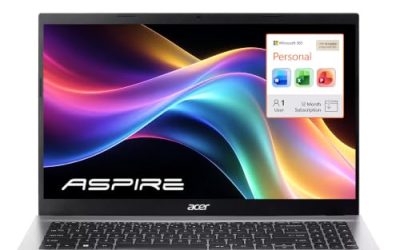
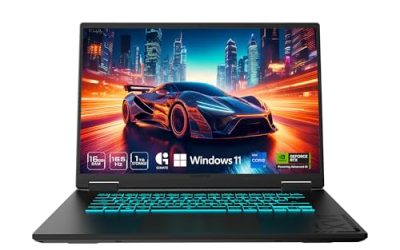
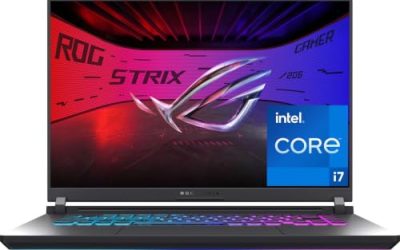
A gaming laptop spends its life fighting two battles at a flat desk: heat and posture. Sitting flat, its intake vents sip warm air off the desktop while you hunch over a screen that sits far below eye level. A good laptop stand fixes both problems at once, lifting the screen toward a natural viewing height and opening the underside to fresh air for its cooling fans.
The five stands in this guide cover the main styles gamers choose between. There is a premium aluminum stand with a built-in USB-C hub and RGB underglow, two long-running Rain Design desk stands with very different adjustment ideas, a folding dual-rod stand that travels between desks, and a simple detachable aluminum riser that has been a budget staple for years. All five are sized and rated with heavier gaming laptops in mind.
As an Amazon Associate, we earn from qualifying purchases.
Top 3 picks at a glance


What to look for in laptop stands for gaming laptops
Start with size and weight capacity, because gaming laptops break the assumptions behind many office stands. A 16 or 17-inch gaming notebook can weigh two or three times as much as an ultrabook, and it is thicker at the hinge where cooling hardware lives. Check the stand’s size range and load rating, and leave headroom: a stand that flexes under a heavy machine wobbles every time you touch the keyboard.
Height and adjustability decide the ergonomic payoff. A fixed stand lifts the screen by a set amount, usually around five to six inches, which pairs well with an external keyboard and mouse. Adjustable stands let you fine-tune the height to your chair and monitor arrangement, and they matter most when the laptop screen is your only display. With an external monitor as your main screen, a simple fixed riser that parks the laptop as a second display may be all you need.
Airflow is the gaming-specific concern. Open-frame and vented designs let the laptop’s bottom intakes breathe, while a solid shelf can trap heat against the base. A stand cannot replace the laptop’s own cooling system, but raising the machine off a flat desk removes the worst bottleneck: exhaust heat pooling underneath. Tilt helps too, since a slight forward tilt opens the rear exhaust path on many gaming models.
Finally, look at stability and desk fit. Wide bases and dual support points resist the rocking that a top-heavy gaming laptop can cause, silicone pads protect both the laptop and the desk, and the stand’s footprint should leave room for your keyboard. If the stand includes a hub, check the port selection and power delivery against your peripherals, because a stand that also docks your setup saves a separate purchase.
1. Razer Laptop Stand Chroma V2

The Chroma V2 is the stand for gamers who want the riser to be part of the setup rather than an accessory hiding under it. The anodized aluminum body lifts a laptop up to 17 inches into an ergonomic angled position, and the base carries customizable Chroma RGB underglow that syncs with the rest of a Razer lighting setup.
What separates it from every other stand here is the built-in USB-C hub. Around the back you get an HDMI output rated for 4K displays, two USB 3.1 ports for peripherals, and a USB-C connection with power delivery up to 100W, so one cable from the laptop turns the stand into a small docking station. Keyboard, mouse, and an external monitor can all live on the stand permanently, and the laptop comes and goes with a single plug.
It is a fixed-height design, so the ergonomic math is set by Razer rather than adjusted by you, and it is happiest in a permanent desk setup with an external keyboard. For a gaming laptop that anchors a full desk, though, nothing else in this guide combines lift, lighting, and docking in one piece of aluminum.
Specs
| Detail | Value |
|---|---|
| Brand | Razer |
| Model | Laptop Stand Chroma V2 (RC21-01680100-R3M1) |
| Construction | Anodized aluminum |
| Laptop fit | Up to 17 inches |
| Hub ports | HDMI (4K), 2 x USB 3.1, USB-C |
| Power delivery | Up to 100W over USB-C |
| Lighting | Chroma RGB underglow |
| Adjustment | Fixed ergonomic angle |
2. Nulaxy C1 Ergonomic Adjustable Laptop Stand
The Nulaxy C1 is the flexible all-rounder of the group. Its dual support rods adjust to multiple height and angle positions without tools, so the same stand can raise a laptop to eye level beside a monitor at your main desk, then fold completely flat and travel to a second setup. The vented aluminum panel opens airflow under the laptop while it works.
Stability is the C1’s calling card. The dual-rod design spreads the load across two support points instead of a single hinge, and Nulaxy rates the stand for very heavy loads, which makes it a confident home for thick gaming laptops that overwhelm lighter folding stands. Silicone pads line the contact points and front hooks, keeping the machine from sliding or scratching as the angle changes.
Compatibility runs from 10-inch notebooks up to 17-inch laptops, which covers essentially the whole gaming market. If your gaming laptop splits time between a desk, a couch table, and a bag, the C1 follows it everywhere without giving up the eye-level screen position.
Specs
| Detail | Value |
|---|---|
| Brand | Nulaxy |
| Model | C1 |
| Design | Dual-rod adjustable stand |
| Laptop fit | 10 to 17 inches |
| Adjustment | Multiple height and angle positions |
| Panel | Vented aluminum heat-dissipation panel |
| Portability | Folds flat |
| Protection | Anti-slip silicone pads |
3. Rain Design mStand
The mStand is one of the longest-running laptop stand designs on the market, and its appeal is its simplicity: a single piece of anodized aluminum, tilted at a fixed ergonomic angle, that raises a laptop screen by about six inches. There is nothing to adjust, loosen, or fold, which is exactly why it survives years of daily use.
The raised, tilted platform improves airflow around the base of the laptop, and the aluminum body itself acts as a passive heat sink. A cable hole in the back keeps charging and peripheral leads organized, and the space underneath the raised laptop stores a keyboard when the desk needs clearing. Rubber pads protect the laptop’s finish, and the anodized finish sits naturally next to aluminum laptops.
The fixed height means it works best with an external keyboard and mouse, which most gaming desk setups already have. Choose the mStand if you want a permanent, silent, zero-maintenance lift for a laptop that mostly lives in one place, and you value a design proven over a very long production run.
Specs
| Detail | Value |
|---|---|
| Brand | Rain Design |
| Model | mStand (10032) |
| Construction | Single-piece anodized aluminum |
| Lift height | About 6 inches |
| Adjustment | Fixed tilt angle |
| Cable management | Rear cable hole |
| Extras | Space underneath for keyboard storage |
| Protection | Rubber pads |
4. Rain Design iLevel2

The iLevel2 answers the main complaint about fixed stands: the height is wrong the moment you change chairs. Its patented front slider adjusts the platform height on the fly, raising the screen from about 5.4 inches up to roughly 7.9 inches at the rear without lifting the laptop off the stand, so you can dial in your eye level in seconds and change it again whenever your setup shifts.
The anodized aluminum platform tilts as it rises, which improves airflow under the laptop and brings the screen slightly closer to the viewer. Rubber pads keep the machine planted, and the solid base gives it a furniture-like feel. At about three and a half pounds, it is a desk-only design built to stay where you put it.
Pair it with an external keyboard and mouse for the full ergonomic benefit. For gamers whose laptop is their main screen and whose seating position changes between gaming and work, the iLevel2 offers the fine adjustment the fixed stands cannot.
Specs
| Detail | Value |
|---|---|
| Brand | Rain Design |
| Model | iLevel2 (12031) |
| Construction | Anodized aluminum |
| Adjustment | Front slider, continuous height adjustment |
| Lift range | About 5.4 to 7.9 inches |
| Design | Tilt platform for airflow |
| Protection | Rubber pads |
| Best for | Permanent desk setups |
5. SOUNDANCE Laptop Stand LS1

The SOUNDANCE LS1 is the simple, sturdy riser that has quietly become a default recommendation for years. Three aluminum pieces assemble without tools into a fixed stand that lifts a laptop by about six inches, fits machines from 10 to 15.6 inches, and then comes apart again for storage or travel if you ever need the desk space back.
The open design is its cooling story: the elevated, tilted platform leaves the laptop’s underside exposed to room air instead of a warm desktop, and the aluminum frame stays rigid under everyday loads. Silicone pads on the top surface and feet protect both the laptop and the desk, and the space underneath fits a keyboard or a game controller.
Its size range tops out at 15.6 inches, so owners of 16 and 17-inch gaming laptops should look at the other picks in this guide. For the huge number of gaming laptops at 15.6 inches and below, the LS1 delivers the core benefits of a stand in the most affordable, uncomplicated form here.
Specs
| Detail | Value |
|---|---|
| Brand | SOUNDANCE |
| Model | LS1 |
| Construction | Aluminum, detachable three-piece design |
| Laptop fit | 10 to 15.6 inches |
| Lift height | About 6 inches |
| Assembly | Tool-free, detachable for storage |
| Airflow | Open elevated design |
| Protection | Silicone pads |
FAQ
Does a laptop stand actually help gaming laptop temperatures?
It helps at the margins that matter. Raising the laptop lets its bottom intake fans draw cooler room air instead of recycled exhaust heat, which supports steadier boost clocks during long sessions. A stand is not a substitute for the laptop’s own cooling, but it removes the flat-desk bottleneck that makes temperatures worse.
Should I use the laptop keyboard while it is on a stand?
For short tasks it is fine on adjustable stands at low angles. For gaming and long work sessions, an external keyboard and mouse are strongly recommended, because a raised laptop keyboard forces an awkward wrist angle.
Will these stands fit a 17-inch gaming laptop?
The Razer Chroma V2 and the Nulaxy C1 are rated for laptops up to 17 inches. The Rain Design stands suit most mainstream gaming laptops, while the SOUNDANCE LS1 is sized for laptops up to 15.6 inches. Always check your laptop’s weight against the stand’s rating, since gaming models are heavier than office notebooks.
What is the difference between a laptop stand and a cooling pad?
A stand is a passive riser: it lifts the laptop for ergonomics and natural airflow and never needs power. A cooling pad adds fans that blow air into the laptop’s intakes and usually sits flatter, offering less ergonomic lift. Most setups are best served by picking the one that solves their main problem.
Final verdict
For a flagship gaming desk, the Razer Laptop Stand Chroma V2 stands alone with its hub, power delivery, and lighting. The Nulaxy C1 is the most versatile pick, adjusting and folding to follow a laptop between desks. Rain Design covers the permanent-setup crowd twice over: the mStand for set-and-forget simplicity, and the iLevel2 for fine-tuning height with its front slider. The SOUNDANCE LS1 remains the easy budget riser for 15.6-inch machines. Any of the five will leave your gaming laptop cooler, higher, and easier to live with than it was sitting flat.
Product and ASIN Reference
| Product | ASIN |
|---|---|
| Razer Laptop Stand Chroma V2 | B08WBSGWBT |
| Nulaxy C1 Ergonomic Adjustable Laptop Stand | B077B9W343 |
| Rain Design mStand | B000OOYECC |
| Rain Design iLevel2 | B00LSU4QD8 |
| SOUNDANCE Laptop Stand LS1 | B07D74DT3B |
Related guides
More from Amazon
Programs that pair well with the guide above. Offers and eligibility are set by Amazon and may change.
Free shipping on eligible items, Prime Video and more. Eligible new members can start with a free trial.
Start a Prime free trialAd-free music streaming. Eligible new subscribers can start with a free trial.
Try Music Unlimited freeA Prime membership for ages 18-24 with a trial period. Eligibility is set by Amazon.
See Prime for Young AdultsAudiobooks and podcasts to listen to on the go. Eligible new members can start with a free trial.
Try Audible freeAs an Amazon Associate we earn from qualifying purchases.