As an Amazon Associate we earn from qualifying purchases
Best ASUS ROG Wireless Gaming Mouse Picks for 2026
Choosing the best ASUS ROG wireless gaming mouse is not just about picking the model with the highest sensor number. ASUS Republic of Gamers builds wireless mice for very different hands, grips, and games, from ultralight esports shapes to large, button-heavy mice for MMO and MOBA play. A mouse that feels perfect for fast flicks in a tactical shooter can feel cramped for long strategy sessions, and a feature-rich flagship can be more mouse than a competitive player actually wants.
This guide walks through the current ROG wireless lineup in plain terms, explains what actually matters in a wireless gaming mouse, and helps you match a model to your grip, hand size, and favorite genres. The focus stays on ASUS ROG wireless models only, so every pick below belongs to the same family, uses ROG wireless technology, and fits the same Armoury Crate ecosystem.
Quick Shortlist
- ROG Harpe Ace Aim Lab Edition — the ultralight esports option for fingertip and claw grip players who prioritize speed.
- ROG Keris Wireless AimPoint — a compact, ergonomic all-rounder for right-handed claw and palm grip play.
- ROG Gladius III Wireless AimPoint — a classic ergonomic shape with swappable switches for players who like to tune click feel.
- ROG Chakram X Origin — a feature-rich flagship with a detachable joystick for players who want extra controls.
- ROG Spatha X — a large, button-heavy design built for MMO and MOBA players who need many programmable inputs.
What Makes ROG Wireless Different?
ASUS ROG wireless mice generally offer multiple ways to connect. Most recent models support low-latency 2.4 GHz wireless through a USB receiver, Bluetooth for a second device or travel use, and a wired USB connection for charging and play at the same time. That tri-mode approach is useful if you split time between a gaming desktop and a laptop, because you can leave the receiver in your main PC and use Bluetooth elsewhere without moving dongles around.
ROG also uses its AimPoint optical sensor across much of the modern lineup. AimPoint is rated up to 36,000 dpi on the models that carry it, with high tracking speed and acceleration figures aimed at competitive play. In practice, most players will use far lower sensitivity settings in game, often somewhere between 400 and 3,200 dpi depending on the title and their mousepad space. The value of a capable sensor is not that you should max it out, but that tracking stays consistent across the range you actually use, with no unwanted smoothing or angle snapping getting in the way of your aim.
Polling rate is another ROG talking point. A standard gaming mouse reports its position 1,000 times per second. Some ROG models support higher polling through ASUS ROG Polling Rate Booster accessories, sold separately. Higher polling can make cursor movement feel smoother on high-refresh monitors, but it is an optional refinement, not a requirement. A stable 1,000 Hz connection, a clean mousepad, and a shape that fits your hand will do more for most players than chasing the highest possible polling number.
Finally, there is the software and hardware ecosystem. Armoury Crate handles dpi stages, button remapping, lighting, power settings, and firmware updates. Many ROG mice also feature hot-swappable or push-fit switch sockets, replaceable cables, and PBT or specially coated buttons on certain models. Those details affect long-term ownership as much as the sensor does.
The Picks in Detail
1. ROG Harpe Ace Aim Lab Edition — Best for Esports and Fingertip Grip
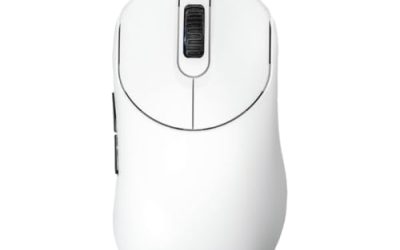
The Harpe Ace Aim Lab Edition is the ROG wireless mouse most clearly built for competitive FPS play. ASUS lists it at 54 grams, which puts it firmly in the ultralight class, and the shape was developed with input from Aim Lab to suit fingertip and claw grips. The shell is symmetrical and low, with a design that encourages quick lifts, fast stops, and constant micro-adjustments rather than resting your full palm on the mouse.
Inside is the ROG AimPoint sensor, ROG optical micro switches, and tri-mode connectivity with 2.4 GHz wireless, Bluetooth, and wired USB. ASUS describes the optical switches as having a long rated lifespan and near-instant actuation compared with purely mechanical designs, which suits a mouse intended for rapid clicking in shooters.
Why choose it? If you play Valorant, Counter-Strike 2, Apex Legends, or similar titles where speed and a low-friction feel matter most, the Harpe Ace makes the strongest case in the ROG range. The light weight reduces fatigue during long aim-training routines and makes large swipes across a big pad feel effortless.
Who should skip it? Palm grip players with larger hands may find the low, compact shape tiring, and players who want a lot of side buttons, a tilt wheel, or a joystick will not find them here. This is a focused esports tool, not a general-purpose flagship. Pair it with a large, smooth mousepad and a sensitivity you can control, and it rewards precise technique. Rush your choice based on weight alone, however, and you might miss that shape fit matters even more.
2. ROG Keris Wireless AimPoint — Best Compact Ergonomic All-Rounder
The Keris Wireless AimPoint takes a different approach. It is a right-handed ergonomic mouse, listed by ASUS at 75 grams, with a shape that supports the natural curve of the hand. That makes it a comfortable middle ground between an ultralight esports mouse and a larger flagship. It suits claw grip and palm grip players, especially those with small to medium hands who find full-size ergonomic mice too bulky.
Like the Harpe Ace, it uses the ROG AimPoint sensor and tri-mode connectivity. ASUS also highlights ROG SpeedNova wireless technology on this generation of models, intended to keep the 2.4 GHz connection stable and efficient, and push-fit switch sockets that let you change the main switches to adjust click feel or replace a worn switch without soldering.
The Keris is a good reminder that comfort is a performance feature. In longer sessions across shooters, action RPGs, and everyday desktop work, an ergonomic shape that keeps your wrist and fingers relaxed can help you stay consistent. The side buttons fall naturally under the thumb, the scroll wheel is easy to reach without stretching, and the overall footprint works well on both large desk pads and smaller gaming setups.
Choose the Keris Wireless AimPoint if you want one ROG wireless mouse to do a bit of everything without going to an extreme in weight, size, or price tier. Skip it if you are left-handed, need a symmetrical shape, or want the maximum number of programmable buttons for an MMO. For everyone else in its target audience, it is arguably the most balanced starting point in this guide.
3. ROG Gladius III Wireless AimPoint — Best for Tunable Click Feel
The Gladius line has been a staple of the ROG range for years, and the Gladius III Wireless AimPoint continues that ergonomic tradition in a larger, more sculpted form than the Keris. ASUS lists it at 79 grams. The shape is right-handed and ergonomic, with a comfortable thumb rest area and a profile that suits palm and claw grips, particularly for medium to large hands.
The headline feature here is the Push-Fit Switch Socket II design. ASUS says it supports both mechanical and optical micro switches, giving you a way to customize click resistance and feel, or to extend the life of the mouse by swapping switches later. For players who are particular about clicks — some like a crisp, light actuation, others prefer a firmer press — that flexibility is genuinely distinctive within the ROG lineup.
You also get the ROG AimPoint sensor, tri-mode connectivity, and ROG SpeedNova wireless. Battery life will vary with lighting and polling settings, as it does on every wireless mouse in this guide, so turning down RGB brightness and using sensible sleep settings in Armoury Crate will stretch time between charges.
Choose the Gladius III Wireless AimPoint if you like a classic ergonomic gaming shape and you value the option to tune or replace switches. It is a strong pick for mixed play: shooters, single-player action games, and daily productivity. Skip it if you want the lightest possible mouse for esports, or a symmetrical shape for fingertip grip. Think of it as the enthusiast’s ergonomic ROG option, where the customization is in the hardware itself, not just in software profiles.
4. ROG Chakram X Origin — Best Feature-Rich Flagship
The Chakram X Origin is for players who look at a mouse and ask what else it can do. Its most recognizable feature is a detachable joystick on the side, which can work as an analog thumbstick in supported games or be programmed for directional inputs and extra commands. If you play flight or space games, drive vehicles in open-world titles, or simply want another control dimension without reaching for a separate controller, that joystick sets the Chakram apart from every other mouse in this guide.
ASUS lists the Chakram X Origin with the ROG AimPoint sensor, tri-mode connectivity, and a higher maximum polling capability when paired with the ROG Polling Rate Booster. It also supports charging options beyond a standard cable on compatible setups, and it carries a fuller set of programmable buttons than the esports-focused models above.
That richness comes with trade-offs. This is a larger, heavier, and more complex mouse than the Harpe Ace or Keris, and the joystick is a feature you should actually want before you choose it. If you never use it, you are carrying extra bulk for no benefit. If you do use it — for leaning, vehicle control, camera movement, or macros — it can genuinely simplify your setup.
Choose the Chakram X Origin if you want a flagship ROG wireless mouse with maximum flexibility across many genres. It suits players who enjoy experimenting with bindings and profiles for each game. Skip it if you prefer a simple, light, no-distractions mouse for competitive shooters, or if a smaller ergonomic shape fits your hand better. This is the tinker’s ROG pick, in the best sense.
5. ROG Spatha X — Best for MMO and MOBA Buttons
The Spatha X goes all in on buttons and presence. It is a large wireless gaming mouse with a total of 12 programmable buttons, including a cluster of side buttons arranged around the thumb area. For MMO and MOBA players who map rotations, item actives, potions, and communication commands to the mouse, that layout can reduce how often your keyboard hand has to travel.
ASUS describes the Spatha X with dual-mode wireless — 2.4 GHz and wired — plus a magnetic charging stand included for convenient docking between sessions. It uses ROG micro switches and a sensor rated up to 19,000 dpi, which is lower on paper than the AimPoint models above but still far beyond what MMO, MOBA, and strategy play requires. In these genres, button access, comfort over long raids, and reliability matter far more than chasing a maximum dpi figure.
The size and weight are the obvious caveats. The Spatha X is a big mouse, best suited to palm grip players with medium to large hands and plenty of desk space. Fingertip players and low-sensitivity FPS players who lift the mouse constantly will likely find it cumbersome.
Choose the Spatha X if your game library centers on Final Fantasy XIV, World of Warcraft, League of Legends, Dota 2, or similar titles and you want your abilities under your thumb. The charging stand also makes it a neat desk centerpiece for a dedicated gaming station. Skip it if you mainly play tactical shooters or want a mouse you can toss in a laptop bag. Within its niche, though, nothing else in the ROG wireless range does the same job.
How to Choose the Right ROG Wireless Mouse
Start with grip and hand size. This is the decision everything else depends on. Fingertip and aggressive claw players tend to prefer light, low, symmetrical shapes like the Harpe Ace. Relaxed claw and palm players usually do better on ergonomic shapes like the Keris or Gladius III. If you can, compare the length and width of a mouse you already own with the dimensions ASUS lists on each product page, and be honest about how you actually hold the mouse during a tense match, not how you think you should.
Match the mouse to your main genre. Esports shooters reward low weight and simplicity. MMOs reward buttons. Mixed libraries reward balance. There is no single best ASUS ROG wireless gaming mouse for everyone, only the best match for the games you play most often. Buying for a genre you hope to play someday usually leads to a mouse that is wrong for the games on your screen today.
Think about connectivity in your real setup. If your PC is close to your desk, 2.4 GHz wireless will feel responsive and cable-free. If you move between rooms or devices, Bluetooth support is worth having. If you often forget to charge, look for models with convenient charging — a simple cable routine, or a dock in the case of the Spatha X — and build a habit of charging during breaks.
Treat battery claims as settings-dependent. Manufacturers quote battery life under specific conditions, usually with lighting off or low. RGB at full brightness, higher polling rates, and constant use all shorten real-world life. Check the ASUS product page for the conditions behind any figure, and plan your settings accordingly rather than expecting the maximum number in every configuration.
Consider switches and longevity. Push-fit sockets on models like the Keris and Gladius III, and optical switches on models like the Harpe Ace, are about more than feel. They are about a mouse that stays consistent over years of clicks. If you tend to keep peripherals for a long time, that serviceability is a real advantage.
Set a sensible dpi and stick with it. Pick a dpi stage that matches your in-game sensitivity goals, disable extra stages you do not use so a stray dpi button press does not ruin a match, and save your profile in Armoury Crate. Consistency builds muscle memory faster than constant tweaking.
Setup Tips for a Better First Week
Update the firmware through Armoury Crate when you first connect the mouse, then set your dpi stages, polling rate, and lighting before you start remapping buttons. Place the 2.4 GHz receiver as close to the mousepad as practical, ideally using the included extender if your model provides one, and keep it away from crowded USB hubs that can introduce interference. Test your settings in a practice range or a low-stakes mode first, especially if you are changing weight class or shape at the same time. Give a new shape at least several sessions before judging it; hands adapt, and first impressions after years with a different mouse can be misleading.
Final Verdict
For most players, the ROG Keris Wireless AimPoint is the safest recommendation in this lineup: ergonomic, capable, and versatile without extremes. Competitive FPS players should look first at the ultralight ROG Harpe Ace Aim Lab Edition. Players who love tuning hardware will appreciate the ROG Gladius III Wireless AimPoint and its swappable switches, while the ROG Chakram X Origin serves those who want a joystick and flagship flexibility. MMO and MOBA players, finally, should start and probably end with the button-rich ROG Spatha X.
Whichever model you choose, prioritize fit over spec sheets, confirm the exact model and current details on the product page before you buy, and set it up thoughtfully. The best ASUS ROG wireless gaming mouse is the one that disappears in your hand while you play — and each of the five above can do exactly that for the right player.
Related guides
More from Amazon
Programs that pair well with the guide above. Offers and eligibility are set by Amazon and may change.
Free shipping on eligible items, Prime Video and more. Eligible new members can start with a free trial.
Start a Prime free trialAd-free music streaming. Eligible new subscribers can start with a free trial.
Try Music Unlimited freeA Prime membership for ages 18-24 with a trial period. Eligibility is set by Amazon.
See Prime for Young AdultsAudiobooks and podcasts to listen to on the go. Eligible new members can start with a free trial.
Try Audible freeAs an Amazon Associate we earn from qualifying purchases.