As an Amazon Associate we earn from qualifying purchases
A standard gaming mouse with two side buttons forces an MMO player to keep one hand anchored to the keyboard for almost every ability, potion, mount, interrupt, and target marker. A wireless MMO mouse changes that balance. With a grid of twelve thumb buttons, a full action bar can sit under one thumb, freeing the keyboard hand for movement, modifiers, and chat, and removing the cable drag that used to be the price of that layout. The best mmo gaming mouse wireless options today are not slow office mice with extra buttons glued on. They use low-latency 2.4 GHz links, capable optical sensors, and batteries measured in days of play rather than hours.
This guide focuses only on that specific category: wireless mice built for MMOs, with many programmable side buttons. Every pick below has a twelve-button side arrangement or a swappable plate that provides one, connects without a cable for normal play, and is sold as a current model by its maker. Wired-only MMO mice and lightweight first-person shooter mice with two side buttons were deliberately left out, because they solve different problems. What separates the picks is how they deliver the grid: one swaps entire side plates, one slides the whole keypad to fit your thumb, one keeps the weight unusually low for this class, and one offers a simpler, longer-running take on the same idea.
What Makes a Mouse an MMO Mouse
The defining feature is the side grid, usually twelve buttons arranged in rows under the thumb. Twelve matters because MMO action bars are commonly organised in rows of twelve, so a physical grid that mirrors the on-screen bar is easier to learn than a scattered cluster. With practice, position becomes memory: the front row for core rotation skills, the middle rows for situational abilities, and the back row for items, mounts, or defensive cooldowns.
Programmability is the second requirement. Each side button, wheel tilt, and extra top button should be remappable in the maker’s software, with support for macros, modifier combinations, and multiple profiles. Games change, classes change, and a mouse that stores profiles on board or switches them per game saves repeated setup work.
Third is shape. A grid mouse is wider and taller than a shooter mouse, with a shaped right side for the ring and little fingers. That bulk supports a palm or relaxed claw grip during long sessions, but it also adds weight and can feel cumbersome for low-sensitivity arm aiming. For MMO play, where camera movement is usually faster and less sweeping, most players accept that trade.
Finally, wireless performance has to be good enough that you forget the cable is gone. Look for a dedicated 2.4 GHz receiver for gaming, Bluetooth as a backup for a second machine, and a wired fallback for charging while you play. Battery claims should always be read with the conditions attached, because lighting, polling rate, and connection type change the result dramatically.
The Picks at a Glance
| Mouse | Side layout | Connection options | Sensor focus | Best fit |
|---|---|---|---|---|
| Razer Naga V2 Pro | Swappable 2, 6, and 12-button plates | HyperSpeed 2.4 GHz, Bluetooth, wired | Focus Pro 30K optical | Players who want one mouse for several genres |
| Corsair Scimitar Elite Wireless | Adjustable 12-button Key Slider panel | SLIPSTREAM 2.4 GHz, Bluetooth, wired | Marksman 26K optical | Players who want the grid position tuned to their thumb |
| SteelSeries Aerox 9 Wireless | 12-button side arrangement, 18 programmable buttons in total | Quantum 2.0 2.4 GHz and Bluetooth | TrueMove Air, up to 18,000 CPI | Players who want an MMO grid in a lighter shell |
| Razer Naga V2 HyperSpeed | Fixed side grid, 19 programmable buttons listed | HyperSpeed 2.4 GHz, Bluetooth | Focus Pro 30K optical | Players who want long battery life without plate swapping |
The table is a starting point, not a ranking shortcut. Hand size, grip, and how you learn a grid will matter more than small differences in maximum sensitivity, which every sensor here sets far beyond what MMO play actually uses.
Razer Naga V2 Pro: The Swappable-Plate Option
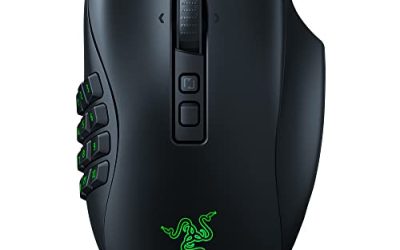
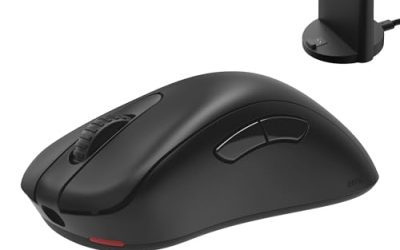
The Naga V2 Pro is built around a simple idea: the side of the mouse should change with the game. Razer supplies three interchangeable side plates, with two, six, and twelve buttons. Fit the twelve-button plate and it is a full MMO mouse, with a grid intended for action bars, healing assignments, or pet and stance controls. Swap to the six-button plate for a battle royale or MOBA layout, or the two-button plate for general use, and the same shell covers work and other genres without a second mouse on the desk.
With the MMO plate fitted, Razer lists nineteen plus one programmable buttons and up to twenty-two programmable controls when wheel functions are counted. That is enough to map an entire rotation plus utility skills, and Razer Synapse handles assignments, sensitivity stages, and scroll behaviour. The HyperScroll Pro wheel is a genuine secondary control here, not a decoration: it can switch between smooth and stepped scrolling and offers tilt inputs that suit target cycling, zoom, or additional binds.
Tracking comes from the Focus Pro 30K optical sensor, listed at up to 30,000 DPI, 750 IPS, and 70 G acceleration. Those headline figures exceed MMO needs, but the useful point is consistency during fast camera turns and precise cursor placement on crowded raid frames. Razer Optical Mouse Switches Gen-3 are rated for ninety million clicks, which suits a mouse whose side buttons will be pressed constantly.
For wireless use, the mouse offers HyperSpeed 2.4 GHz, Bluetooth, and a wired USB-C mode. Razer lists battery life of approximately 150 hours on HyperSpeed and up to 300 hours on Bluetooth, without lighting. At around 134 grams before cable and dongle, it is the heaviest pick here, and that weight is the main compromise. Players with smaller hands, or anyone who lifts the mouse often, should think carefully about the size, listed at about 119.5 by 75.5 by 43.5 millimetres. For a palm-grip raider who wants maximum flexibility from one device, though, the plate system remains its clearest advantage.
Corsair Scimitar Elite Wireless: The Adjustable Grid
Corsair takes a different approach to the same problem. Instead of swapping the side panel, the Scimitar Elite Wireless lets you move it. Its patented Key Slider system holds twelve side buttons on a panel that can be slid forward or back and locked in place, so the rows sit where your thumb naturally lands rather than where a fixed design assumes it will. That adjustment matters more than it sounds, because a grid is only useful if the back row is reachable without stretching and the front row does not require curling your thumb uncomfortably.
Corsair lists sixteen programmable buttons in total, configured through iCUE. That software also handles macros, sensitivity, lighting, and onboard profiles, with storage for up to three profiles on the mouse itself. For players who rotate between a main character, an alt with a different bar layout, and a work profile, onboard storage keeps the essential mappings with the mouse when moving between computers.
The Marksman optical sensor is listed at up to 26,000 DPI, adjustable in single steps, which makes fine sensitivity tuning straightforward. Connectivity covers the full set MMO players should expect: SLIPSTREAM 2.4 GHz for low-latency play, Bluetooth for a second device, and USB wired mode for charging during a session. Corsair lists battery life of up to 150 hours depending on connection and lighting, with a full recharge described as taking around ninety minutes or less.
At about 114 grams, the Scimitar sits in the middle of this group: lighter than the Naga V2 Pro, heavier than the Aerox 9. Its shape is broad and supportive, aimed at palm and claw grips, and the textured side area helps keep the thumb oriented on the grid. Choose this model if fit is your main worry. A fixed grid that lands in the wrong place will annoy you every session, while a slider you set once quietly removes that problem.
SteelSeries Aerox 9 Wireless: The Lighter Grid
Most MMO mice are heavy, and the Aerox 9 Wireless is the clearest attempt to change that. SteelSeries lists it at 89 grams, which is strikingly low for a mouse carrying eighteen programmable buttons and a twelve-button side arrangement. The perforated shell is central to that weight, and SteelSeries pairs it with an AquaBarrier design rated to IP54, intended to help protect the internals from dust and splashes that would otherwise enter through the openings.
The side layout is arranged for MMO and MOBA play, with the buttons grouped so the thumb can work across them without looking. SteelSeries Engine software handles assignments and profiles. Because the shell is smaller and lighter than the other picks, this is the model that best suits fingertip and claw grips, faster mouse movement, and players who split time between an MMO and faster-paced games where a heavy grid mouse feels sluggish.
Its TrueMove Air optical sensor is listed at up to 18,000 CPI, with tracking figures that comfortably cover gaming use. The maximum number is lower than on the Razer and Corsair picks, but in practice sensitivity ceiling is not a limiting factor for this category; consistency, lift behaviour, and comfort matter more. Quantum 2.0 wireless provides both 2.4 GHz and Bluetooth connections, so the mouse can stay paired to a gaming PC on the receiver and a laptop on Bluetooth.
Battery life is listed at up to 180 hours depending on mode and settings, which is strong for a mouse of this weight. The trade-offs follow from the design. A perforated shell does not suit everyone, the shape offers less palm support than the larger picks, and players with larger hands may find the side buttons more closely packed. If weight has put you off MMO mice in the past, however, this is the pick designed specifically to answer that objection.
Razer Naga V2 HyperSpeed: The Simpler Long-Runner
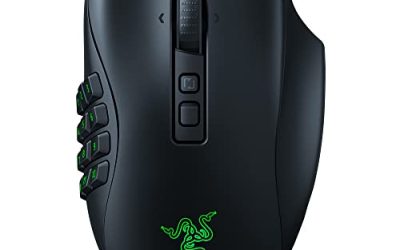
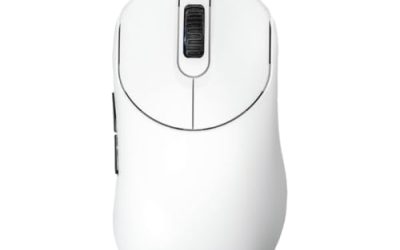
The Naga V2 HyperSpeed keeps the core Naga formula and removes the plate-swapping system. You get a fixed MMO side grid, nineteen programmable buttons in the Amazon and maker listings, and twenty programmable controls when the wheel functions are included in the count. For players who know they will use the full grid every day, a fixed panel is not a limitation; it is one less part to store, lose, or swap.
It uses the same Focus Pro 30K optical sensor family as the V2 Pro, with HyperSpeed 2.4 GHz wireless and Bluetooth for a second connection. Razer lists Mechanical Mouse Switches Gen-2 rather than the optical switches of the Pro model, and a HyperScroll wheel with free-spin and tactile modes. Button assignments and sensitivity are managed in Razer Synapse, as with the Pro.
Battery is the headline here. The model is listed with up to 400 hours of battery life in its product name and listings, with the exact figure depending on connection type and settings, and it runs on a replaceable battery arrangement rather than relying only on internal charging. That changes the routine: instead of planning charging cables around raid nights, you can keep a spare ready and swap quickly. It also suits players who dislike leaving a mouse tethered overnight.
At roughly 95 grams in maker and retailer listings, it is notably lighter than the V2 Pro while keeping a similar MMO shape. You give up the swappable plates, the Pro wheel customisation, and wireless charging options, and in return you get a simpler, lighter mouse focused on one job. For a dedicated MMO main who does not need the mouse to become a two-button productivity mouse on weekdays, that focus can be the better buy.
How to Choose Between Them
Start with your thumb, not the sensor. If you have tried a fixed grid before and found the rows too far forward or back, the Corsair slider directly addresses that problem. If you play several genres and like the idea of changing the side of the mouse to match, the Naga V2 Pro is the only pick here built around that habit. If every MMO mouse you have handled felt like a brick, start with the Aerox 9 and its much lower weight. If you want the classic Naga grid with the least charging attention, the HyperSpeed version is the straightforward choice.
Next, consider grip and hand size honestly. These are right-handed, shaped mice. A palm grip rests the thumb flat across the grid, which many players find easiest for learning twelve buttons. A claw grip reaches the front rows more easily but can make the rear rows a stretch. A fingertip grip works best with the lighter Aerox 9. None of these models is designed for left-handed use, a real limitation of this category.
Finally, think about software and setup. Each maker uses its own application for remapping, macros, and firmware. If you already use Razer Synapse, Corsair iCUE, or SteelSeries Engine, staying in that ecosystem keeps profiles in one place. Dual connectivity and onboard profiles will save more frustration than any sensor difference if you move between two computers.
Learning a Twelve-Button Grid
The biggest barrier is not hardware, it is muscle memory. A practical way to learn is to bind only four side buttons at first, usually the most comfortable middle positions, and put frequent, forgiving abilities there. Add a row at a time over several sessions instead of mapping all twelve on day one and misfiring cooldowns in group content.
Group buttons by meaning, not by the order skills were learned. Put core abilities at the front, interrupts in the middle, and defensives, potions, and mounts at the back, and keep that logic across characters. In-game, place your action bars in a grid that visually matches the mouse, and practise in low-pressure content before taking a new layout into a dungeon or raid.
Battery and Connection Habits
Lighting and high polling shorten runtime, so dimming lighting is the simplest way to extend time between charges. Receiver placement matters too: plug the dongle into an adapter or extension so it sits on the desk with line of sight to the mouse, away from metal enclosures. If you notice stutter, move the receiver before changing sensitivity. For a second machine, use Bluetooth, but switch back to the receiver for demanding play, and note your bindings before a firmware update so a reset does not cost you a learned layout.
Frequently Asked Questions
Are wireless MMO mice responsive enough for raiding?
Yes, for the models in this category, the dedicated 2.4 GHz connection is designed for gaming and is the mode to use for group content. Keep the receiver close and unobstructed. Bluetooth is better treated as a convenience connection for a second device or lighter use.
How many side buttons do you actually need?
Twelve is the common full-grid size because it mirrors a standard action bar, but need depends on your class and how much you already bind to the keyboard. Players who use many modifiers may fill fewer mouse buttons, while healers and pet classes often use the whole grid plus wheel binds. A swappable or adjustable layout helps if you are unsure.
Can these mice be used for other genres?
Yes, with different degrees of success. The Naga V2 Pro can reduce its side layout with its two and six-button plates. The Aerox 9 is light enough to feel natural in faster games. The fixed-grid models still work elsewhere, but their width and weight are optimised for MMO play rather than low-sensitivity flick aiming.
What if my hand is small?
Look first at overall dimensions and weight, and at how far the grid sits from the back of the shell. The Aerox 9 is the lightest and generally the least bulky option here, while the Corsair slider can move its grid to a more reachable position. Avoid assuming a larger mouse will become comfortable over time if the rear side buttons require a stretch on day one.
Conclusion
The best wireless MMO mouse is the one whose grid your thumb can learn and whose shape you can hold through a long session. Choose the Razer Naga V2 Pro for swappable plates and the widest flexibility, the Corsair Scimitar Elite Wireless for a grid that adjusts to your thumb, the SteelSeries Aerox 9 Wireless for a much lighter take on the format, or the Razer Naga V2 HyperSpeed for a fixed Naga grid with long battery life and less to manage. Match the layout to your games, set the receiver up properly, and build your bindings gradually, and the cable-free grid quickly stops feeling like a compromise and starts feeling like the natural way to run an action bar.
Related guides
More from Amazon
Programs that pair well with the guide above. Offers and eligibility are set by Amazon and may change.
Free shipping on eligible items, Prime Video and more. Eligible new members can start with a free trial.
Start a Prime free trialAd-free music streaming. Eligible new subscribers can start with a free trial.
Try Music Unlimited freeA Prime membership for ages 18-24 with a trial period. Eligibility is set by Amazon.
See Prime for Young AdultsAudiobooks and podcasts to listen to on the go. Eligible new members can start with a free trial.
Try Audible freeAs an Amazon Associate we earn from qualifying purchases.