A first gaming mouse is not really about chasing the highest number on the box. The decision that matters is whether the mouse fits your hand, tracks cleanly when you move fast, and lets you change sensitivity without opening a manual. Get those three things right and almost any modern game feels better at once, from shooters to strategy titles that live on precise clicks. Get them wrong and even a well built PC feels awkward under your palm.


This guide is written for new PC players, console players moving to a desk setup, students putting together a first gaming station, and parents choosing a first mouse for a younger player. Every pick below is a standalone wired or wireless gaming mouse with a real Amazon listing, and each one was chosen from the sensor, button count, shape and connection details stated on that listing. Nothing here needs a deep settings dive before your first match.
Our Top Picks
 Razer DeathAdder Essential Ergonomic Wired Gaming Mouse5.01 x 2.86 x 1.69 inches0.3 poundsCheck on Amazon


Top 3 picks at a glance
Quick Picks
As an Amazon Associate we earn from qualifying purchases.
| Product | Best for | Key spec from title |
|---|---|---|
| Logitech G502 HERO | Players who want many buttons and a tunable feel | HERO 25K sensor, 25,600 DPI, 11 buttons |
| Logitech G203 LIGHTSYNC | A small, simple first mouse with colourful lighting | 8,000 DPI sensor, 6 programmable buttons |
| Razer DeathAdder Essential | Comfort-first players with larger hands | 6,400 DPI optical sensor, 5 programmable buttons |
| SteelSeries Rival 3 | A light, straightforward wired mouse with bright RGB | 8,500 CPI TrueMove Core sensor, 6 buttons |
| Logitech G305 LIGHTSPEED | Players who want wireless freedom without charging | HERO sensor, 12,000 DPI, 250h battery |
How to Choose
Start with shape and grip, not the sensor
Shape decides whether a mouse feels good after an hour, so it comes before every other spec. Palm grip players rest the whole hand on the shell and usually prefer a taller, longer body, while claw grip players arch their fingers and often suit a shorter shell with a raised hump. Fingertip players touch only the buttons and the rear edge, so a compact, low mouse gives them the most control. Right-handed ergonomic shells support the thumb and suit long sessions, whereas symmetrical shells work for either hand and tend to feel more neutral. When you cannot hold a mouse first, compare its length and width with your current mouse and pick the closest match.
Understand DPI without chasing the biggest number
DPI sets how far the cursor travels for a given hand movement, and most beginners settle somewhere between 800 and 1,600 for desktop use and a little higher in fast games. A sensor with a 25,600 DPI ceiling is not automatically better than one with a 6,400 DPI ceiling, because both track far more precisely than a new player can use. What matters more is a sensor that holds its tracking during quick flicks and a DPI button on the mouse itself, so you can step sensitivity up or down mid-game. Look for on-board memory too, since it saves your settings on the mouse and carries them to another computer.
Count the buttons you will actually press
Extra buttons help only when you remember they exist, so beginners should treat six buttons as a comfortable starting point. Two side buttons cover common jobs such as reloading, crouching, voice chat or a healing item, and a DPI button behind the scroll wheel handles sensitivity changes. Mice with eleven buttons suit players who play MMOs or strategy games with long ability bars, but they take longer to learn and the extra keys can get pressed by accident. Whatever you choose, check that the companion software lets you reassign buttons with plain labels rather than forcing you to learn scripting.
Decide between wired and wireless early
A wired mouse never needs charging and usually costs less for the same sensor, which makes it the simplest choice for a first desk setup. The trade-off is cable drag, so look for a light, flexible cable and route it with a little slack rather than letting it pull against the desk edge. Wireless mice remove that drag entirely and keep a shared desk tidy, yet they introduce batteries or charging into the routine. A wireless mouse that runs for hundreds of hours on a single AA cell is the most forgiving option, since you can swap the cell in seconds and keep playing.
The 5 Best Options
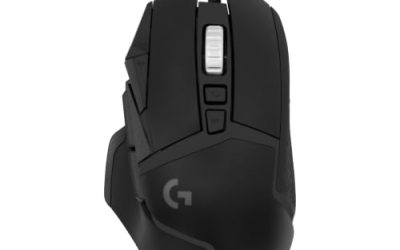
Logitech G502 HERO
The G502 HERO suits a beginner who plays several genres and wants one mouse to cover them all. Its HERO 25K sensor tracks up to 25,600 DPI with no smoothing or acceleration, and eleven programmable buttons give shooters, MMO players and strategy fans room to map the commands they use most. Five small 3.6g weights slide into the base, so you can make the mouse heavier or lighter until the balance feels right, while the dual-mode scroll wheel flips between precise clicks and free spinning. On-board memory stores up to five profiles directly on the mouse.
Specs
- HERO 25K optical sensor, 200 to 25,600 DPI
- 11 programmable buttons
- Adjustable weight system with five 3.6g weights
- Dual-mode hyper-fast scroll wheel
- On-board memory for up to 5 profiles
- LIGHTSYNC RGB lighting
- Wired USB connection, PC and Mac compatible
Best for: Players who want many buttons and a tunable feel across several game types.
Watch out for: The right-handed shape and 4.3-ounce weight feel large and heavy for small hands, so check the dimensions before buying.
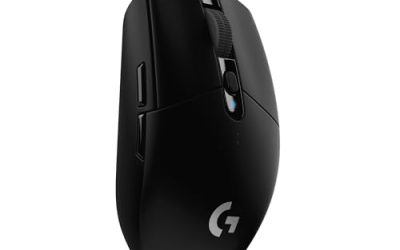
Logitech G203 LIGHTSYNC
The G203 LIGHTSYNC is the most straightforward first mouse in this guide, and its compact symmetrical shell suits small to medium hands in any grip style. A gaming-grade optical sensor runs from 200 to 8,000 DPI, which covers every sensitivity a beginner is likely to use, and six programmable buttons keep the layout easy to memorise. LIGHTSYNC RGB lighting runs across the rear band and the logo in millions of colours through Logitech G HUB software, yet the mouse works the moment you plug it in, with no setup required. On-board memory saves your DPI steps and lighting on the mouse itself.
Specs
- Gaming-grade optical sensor, 200 to 8,000 DPI
- 6 programmable buttons
- LIGHTSYNC RGB lighting with colour wave effects
- On-board memory
- Wired USB connection
- PC and Mac compatible
Best for: New players who want a small, simple first mouse that works straight out of the box.
Watch out for: The compact shell can feel cramped for large hands, and the sensor can lose tracking during very fast flicks.
Razer DeathAdder Essential
The DeathAdder Essential brings the most famous ergonomic shape in PC gaming to a first-time buyer. Its right-handed shell curves to support the palm and thumb, with rubber side grips that keep the mouse steady during long sessions, and the 6,400 DPI optical sensor tracks cleanly for shooters and everyday games alike. Five programmable buttons cover the essentials without crowding the shell, and the mechanical switches give each click a firm, consistent feel. Razer Synapse software handles button remapping and lighting, while the mouse still plays well with default settings for players who never open it.
Specs
- 6,400 DPI optical sensor
- 5 programmable buttons
- Mechanical switches
- Rubber side grips
- Ergonomic right-handed design
- Wired USB connection
- PC, Mac and Linux compatible
Best for: Comfort-first players with larger hands who play for long stretches.
Watch out for: The right-handed shape does not suit left-handed players, and the green lighting is fixed rather than fully customisable.
SteelSeries Rival 3
The Rival 3 is a light, no-fuss wired mouse that suits beginners who want bright lighting and a clean, modern shape. Its TrueMove Core optical sensor reaches 8,500 CPI and was engineered with PixArt for steady tracking in its class, while six programmable buttons and split trigger switches keep clicks crisp and separate. Prism RGB lighting runs in three zones, and the shell uses hyper-durable materials built to last 60 million clicks, so the mouse is built to survive daily play. SteelSeries Engine software handles remapping and lighting, and the ergonomic shape fits right-handed palm and claw grips well.
Specs
- TrueMove Core optical sensor, 8,500 CPI
- 6 programmable buttons
- Split trigger buttons
- Prism RGB lighting with 3 zones
- Switches built for 60 million clicks
- Wired USB connection
- Ergonomic right-handed design
Best for: Players who want a light wired mouse with bright RGB and a simple layout.
Watch out for: The software setup takes a few minutes on first use, and left-handed players should look at a symmetrical mouse instead.
Logitech G305 LIGHTSPEED
The G305 LIGHTSPEED is the wireless pick for beginners who dislike cables and never want to think about charging. Its HERO sensor runs from 200 to 12,000 DPI, and the LIGHTSPEED wireless receiver plugs in and plays with no cable to manage. Six programmable buttons and on-board memory keep the layout simple, and the mouse runs for up to 250 hours of continuous gameplay on a single AA battery, with an endurance mode that stretches that further through G HUB. Its weight sits in a comfortable middle ground, neither feather-light nor heavy, and the compact ambidextrous shape suits small and medium hands.
Specs
- HERO sensor, 200 to 12,000 DPI
- LIGHTSPEED wireless via USB receiver
- 6 programmable buttons
- Up to 250 hours of battery life on 1 AA battery
- On-board memory
- PC and Mac compatible
Best for: Players who want wireless freedom without a charging cable or dock.
Watch out for: It runs on a replaceable AA battery rather than a rechargeable cell, so keep a spare nearby.
Which One Fits Your Situation
Your very first gaming mouse
Pick the Logitech G203 LIGHTSYNC when you want the shortest path from box to game. Its six buttons are easy to learn, the sensor covers every sensitivity a new player needs, and the compact shell works in palm, claw and fingertip grips. Plug it in, leave the defaults alone, and change the DPI button only when a game feels too fast or too slow.
Long sessions and a bigger hand
Pick the Razer DeathAdder Essential when comfort matters more than extra buttons. The ergonomic shell supports the palm through long evenings, the rubber grips stop your thumb sliding, and five buttons keep the layout calm. It is the easiest mouse here to hold for hours without thinking about your hand.
Many games, many shortcuts
Pick the Logitech G502 HERO when you play MMOs, strategy games or shooters with a long list of commands. Eleven buttons and five stored profiles let each game keep its own layout, while the tuning weights help the mouse match your grip. Give yourself a week to learn the extra buttons before judging the shape.
A tidy desk with no cable drag
Pick the Logitech G305 LIGHTSPEED when a cable bothers you or your desk doubles as a workspace. Wireless play removes drag completely, the battery lasts for months of normal use, and the compact shape travels well in a bag. Keep a spare AA cell in the drawer and you will never sit down to a dead mouse.
Common Mistakes
- Buying the highest DPI number instead of a shape that fits your hand and grip.
- Choosing eleven buttons when you only ever press two side buttons in a game.
- Ignoring the cable and letting it drag against the desk edge during fast movements.
- Setting sensitivity so high that aiming turns into guesswork instead of control.
- Skipping the software once, then never saving a profile to the mouse itself.
Frequently Asked Questions
What DPI should a beginner use for gaming?
Start near 800 DPI for desktop work and 1,200 to 1,600 DPI in games, then adjust in small steps until aiming feels steady. Lower sensitivity gives finer control for shooters, while higher sensitivity suits fast strategy games with lots of map movement. Use the DPI button on the mouse to test a setting for a full session before changing it again, since constant switching slows down your muscle memory.
Is a wired or wireless mouse better for a first gaming mouse?
A wired mouse is the simpler first choice because it never needs charging and always works the moment you plug it in. Wireless mice now match wired models for response time in normal play, so they suit players who dislike cable drag or share a desk. The main wireless habit to build is checking the battery, which is easy when a mouse runs for hundreds of hours on one cell.
Do I need to install software to use a gaming mouse?
No, every mouse in this guide works as a normal pointer the moment you plug it in or insert the receiver. Software adds button remapping, DPI steps, lighting control and profile saving, which are worth setting up once on a quiet afternoon. After that, on-board memory carries your settings to any computer, so you can leave the software closed during play.
How many buttons does a beginner gaming mouse need?
Six buttons cover almost every beginner, with two side buttons for common actions and a DPI button behind the wheel. More buttons help in MMOs and strategy games with long ability lists, but they take time to memorise and can be pressed by accident. Start with six, learn which commands you reach for, and only move to a button-heavy mouse when you can name the extra keys you would use.
Related guides
More from Amazon
Programs that pair well with the guide above. Offers and eligibility are set by Amazon and may change.
Free shipping on eligible items, Prime Video and more. Eligible new members can start with a free trial.
Start a Prime free trialAd-free music streaming. Eligible new subscribers can start with a free trial.
Try Music Unlimited freeA Prime membership for ages 18-24 with a trial period. Eligibility is set by Amazon.
See Prime for Young AdultsAudiobooks and podcasts to listen to on the go. Eligible new members can start with a free trial.
Try Audible freeAs an Amazon Associate we earn from qualifying purchases.