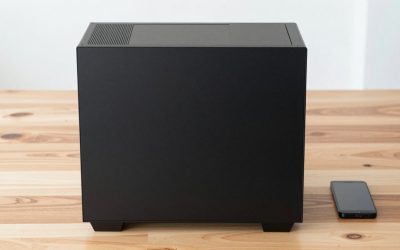
This review analyzes published product information. We have not performed detailed research of this unit.
As an Amazon Associate, we earn from qualifying purchases.
A distinct Aurora configuration, with an incomplete specification sheet
The Alienware Aurora reviewed here is the desktop listed with an NVIDIA GeForce RTX 5080 and Intel Core Ultra 9 285. Those components distinguish it materially from the previously covered Aurora with an RTX 5070, Core Ultra 7 265F and listed 1 TB capacity. This is still the same Aurora family, not a newly named model, but the different processor and graphics configuration warrants separate buying guidance.
The central value question is whether the rest of the system is specified well enough to support those headline components. The supplied listing identifies the CPU and GPU, lighting controls and conditional onsite service, but leaves memory, storage and several supporting components unspecified. This review is a specification-based assessment of that listing, not a hands-on test; it cannot establish gaming performance, cooling effectiveness or operating noise.
The supplied specifications at a glance
| Item | Listed detail |
|---|---|
| Product family | Alienware Aurora gaming desktop |
| Processor | Intel Core Ultra 9 285, identified in the listing title |
| Graphics | NVIDIA GeForce RTX 5080; listed as using Blackwell architecture |
| Memory and storage | Not specified in the supplied evidence |
| CPU cooling | A 240 mm heat exchanger is described for optional liquid cooling; inclusion is not confirmed |
| Dimensions | 18.05 × 7.76 × 16.46 inches, in the listing’s stated order |
| Weight | 33.89 pounds |
| Lighting and software | Customizable AlienFX zones and Alienware Command Center |
| Service | One year of onsite service for covered hardware issues that cannot be resolved remotely |
Judge the component pairing against your actual workload
The RTX 5080 is the defining graphics component of this configuration. The listing associates it with NVIDIA’s Blackwell architecture, but supplies no benchmarks, GPU power limits, specific card dimensions or display-output details. It therefore supports identifying what graphics family you are buying, not promising a particular frame rate, resolution target or sustained performance level.
The processor identity is similarly worth reading precisely. The title specifies the Intel Core Ultra 9 285, while the feature text uses the broader Core Ultra 9 name. There is no basis here to substitute another processor suffix or assume specifications for a different variant. Buyers comparing Aurora configurations should keep that exact CPU designation alongside the GPU rather than comparing only the Aurora badge.
For value-focused shoppers, the practical question is whether this pairing addresses a real requirement rather than simply offering a different component tier. Your games, display and non-gaming workloads should drive that decision. If your target is specifically 1080p ultra settings, our graphics-card guide for 1080p ultra settings provides a separate comparison framework. It is not evidence of this desktop’s performance.
Optional cooling is not a confirmed installed feature
The most important qualification in the feature list concerns cooling. Alienware describes a 240 mm heat exchanger in connection with optional CPU liquid cooling. That wording does not establish that this exact desktop includes the liquid-cooling option. Treating it as standard equipment would turn a configuration possibility into an unsupported specification.
Before choosing this version, request confirmation of the installed CPU cooler. The manufacturer’s language about maintaining low temperatures is a claim, not a measured result for this unit. No supplied evidence establishes sustained temperatures, fan behavior or noise, so the cooling description cannot settle whether the system suits a noise-sensitive room or extended demanding workloads.
The listed dimensions and 33.89-pound weight also deserve attention when planning placement. Check the available space and how you would move the tower for cleaning or service. The evidence does not label the dimension axes or specify ventilation clearances, so avoid planning an exact enclosure fit from these numbers alone.
Controls and service offer practical conveniences
Alienware Command Center is listed as providing AlienFX lighting editing, performance-mode selection and monitoring, and custom game profiles. Those are useful organizational features for someone who wants to manage the desktop’s supplied controls in one application. They do not demonstrate a performance improvement, and the listing does not describe the settings available within each mode.
The chassis includes customizable lighting zones, including a stadium-style lighting element. This gives buyers a stated customization option, but it should remain secondary to the installed hardware when assessing value. Lighting is not evidence of better cooling, easier maintenance or stronger gaming results.
The one-year onsite service provision is more consequential. According to the listing, Dell can attend a chosen location when an issue covered by the Limited Hardware Warranty cannot be resolved remotely. That conditional support route may appeal to buyers who prefer vendor assistance. It is not an unconditional onsite repair promise, and the published listing information do not establish response times.
The missing details that should decide the purchase
Memory and storage are the largest specification gaps. Neither capacity nor type is supplied for this configuration. In particular, the 1 TB detail from the previously reviewed Aurora must not be carried over to this one. Without the actual memory and drive configuration, it is difficult to assess whether the desktop arrives appropriately equipped for your intended games and applications.
The evidence also leaves the power supply, motherboard, expansion layout, connectivity and upgrade compatibility unspecified. These are unknowns, not proof of poor components or restricted upgrades. Ask for the complete configuration sheet, including installed RAM, storage, cooler, power supply and ports, before treating the named CPU and GPU as a complete value proposition.
Frequently asked questions
What information is confirmed about the processor and graphics card?
The listing identifies an Intel Core Ultra 9 285 processor and an NVIDIA GeForce RTX 5080 graphics card. It associates the graphics card with NVIDIA’s Blackwell architecture, but does not provide benchmarks, GPU power limits, card dimensions or display-output details. The feature text uses the broader Core Ultra 9 name, so buyers should verify the exact processor designation before comparing configurations.
Can the earlier Aurora’s 1 TB storage specification be assumed here?
No, the earlier Aurora’s listed 1 TB capacity must not be carried over to this configuration. The supplied evidence does not specify storage capacity or type for the RTX 5080 and Core Ultra 9 285 desktop. Memory is also unspecified, so buyers should request the complete configuration sheet before deciding whether the system suits their games and applications.
What should buyers confirm before ordering this Aurora?
Buyers should confirm the installed RAM, storage, CPU cooler, power supply and ports before ordering. The evidence also leaves the motherboard, expansion layout and upgrade compatibility unspecified. In particular, Alienware’s description of a 240 mm heat exchanger relates to optional liquid cooling and does not confirm that this exact desktop includes that feature.
What does Alienware Command Center provide on this desktop?
Alienware Command Center is listed as providing AlienFX lighting editing, performance-mode selection and monitoring, and custom game profiles. These controls can help organize the desktop’s supplied settings in one application, but the listing does not describe what settings each mode includes. They also do not establish improved performance, cooling, maintenance or gaming results.
What does the one-year onsite service actually cover?
The one-year onsite service applies when a covered hardware issue cannot be resolved remotely, according to the listing. Dell can attend a chosen location under that conditional support route. It is not an unconditional onsite repair promise, and the published listing information do not establish response times. Buyers should therefore treat it as a support convenience rather than a guarantee of immediate service.
Verdict: shortlist it only after configuration confirmation
This Aurora merits separate consideration because its RTX 5080 and Core Ultra 9 285 pairing differs materially from the earlier configuration. Software controls and conditional onsite service add practical appeal. However, missing memory and storage details—and unconfirmed liquid cooling—prevent a confident whole-system recommendation. It belongs on a shortlist for buyers seeking this exact component pairing, provided the supporting specifications are verified first.
Sources: Supplied retailer listing for the Alienware Aurora RTX 5080 / Core Ultra 9 285 configuration.
Check the exact product and current offer on Amazon

Related guides
More from Amazon
Programs that pair well with the guide above. Offers and eligibility are set by Amazon and may change.
Free shipping on eligible items, Prime Video and more. Eligible new members can start with a free trial.
Start a Prime free trialAd-free music streaming. Eligible new subscribers can start with a free trial.
Try Music Unlimited freeA Prime membership for ages 18-24 with a trial period. Eligibility is set by Amazon.
See Prime for Young AdultsAudiobooks and podcasts to listen to on the go. Eligible new members can start with a free trial.
Try Audible freeAs an Amazon Associate we earn from qualifying purchases.