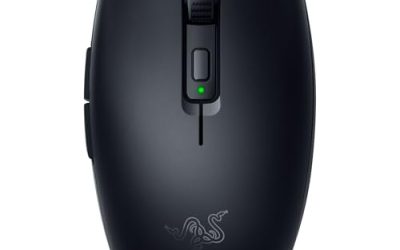
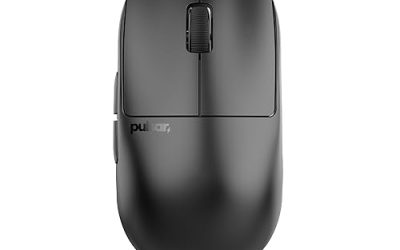
A small hand on a full-size mouse is a control problem, not a comfort preference. When the shell is too long, the fingers stretch to reach the clicks, the palm sits too far back to steer, and fast aim corrections turn into whole-arm movement. An ambidextrous shell helps because symmetrical designs tend to be shorter and less bulky than right-handed ergonomic shapes, but symmetry alone is not enough: the mouse must still be compact, and its side buttons reachable from either side.
The five mice below are all wireless, all compact or mini in their listing wording, and all supported as both-handed or symmetrical by their listing titles or by the roundups that picked them. They cover fingertip and claw grips, left-handed and right-handed players, and players who want the lightest shell they can find. Each pick is described only from what its listing title states, and anything the title does not state is flagged for confirmation on the full listing.
Our Top Picks

Top 3 picks at a glance

Quick Picks
As an Amazon Associate we earn from qualifying purchases.
| Product | Best for | Key spec from title |
|---|---|---|
| Razer Viper V3 Pro | Small-handed competitive play | 54g lightweight wireless esports mouse |
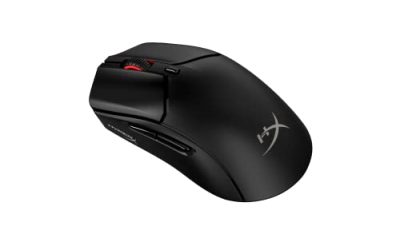
| HyperX Pulsefire Haste 2 Mini | A compact wireless mouse for small hands | Compact, lightweight, Bluetooth and 2.4GHz |
| Logitech G PRO 2 Lightspeed | Left- or right-hand play | Ambidextrous Lightspeed wireless mouse |
| Pulsar X2F Mini | Claw grip in a mini shell | Mini wireless mouse |
| Glorious Model O 2 Mini | Fingertip grip in the smallest shell here | Mini wireless mouse |
How to Choose
Confirm the shell is truly symmetrical, not just slim
A slim right-handed mouse is not an ambidextrous mouse. Before anything else, check that the listing title or the roundup framing states ambidextrous, symmetrical, or symmetric wording, and that the side buttons sit on both sides of the shell or are described as swappable. Some symmetrical shells carry thumb buttons on one side only, which makes them awkward for the other hand even though the shape looks even. Photos can mislead here: a three-quarter product shot can hide a one-sided button cluster, so trust stated wording over the image. If the title says ergonomic or right-handed, the mouse belongs to a different class, no matter how small it looks.
Match the length to your hand, not to a size label
Mini and compact are relative words, and one brand’s mini is another brand’s medium. Measure your hand from the base of the palm to the tip of the middle finger, then compare that number with the length and width figures on the full listing. As a rough guide, hands under about 175 millimetres usually suit shells around 110 to 120 millimetres long, while longer hands can palm-grip the same shells only with a claw or fingertip hold. Grip style matters as much as hand length: a fingertip player can use a shorter shell than a palm player with the same hand, because the palm never contacts the rear of the mouse.
Decide how the wireless connection should work
Every pick here is wireless, but wireless is not one thing. A 2.4GHz receiver gives the lowest-latency link for fast games and usually needs a USB port for its dongle, while Bluetooth works without a dongle and pairs with laptops and tablets but can add latency that matters in competitive play. Some mice offer both, which is the most flexible setup: receiver for gaming at the desk, Bluetooth for travel or a second device. Check whether the listing states a receiver, Bluetooth, or both, and whether it states a battery or charging arrangement, because a mouse that needs frequent charging changes how you use it day to day.
Treat weight and glide as a pair, not a single number
A light mouse responds faster to small finger movements, which is why small-handed players usually prefer shells under about 80 grams, but weight alone does not decide how a mouse feels. The feet decide how it glides, and the shell coating decides how securely the fingers hold it during fast flicks. Check the listing for weight wording and for feet wording, and read the watch-out note on each pick below for anything the title leaves out. A very light mouse with poor feet can feel scratchy and uncontrolled, while a slightly heavier mouse with smooth feet can feel faster in practice, so judge the two together rather than chasing the lowest number.
The 5 Best Options
1. Razer Viper V3 Pro

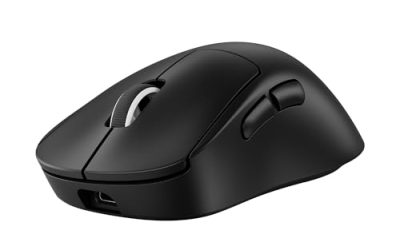
The Viper V3 Pro is the strongest pick in this roundup for small-handed competitive players, because a small-hands roundup describes it as combining an ultra-light ambidextrous shell with a flagship sensor and fast wireless performance. Its listing title states a 54-gram lightweight wireless esports design, which is the lightest stated weight here, and its compact, low-profile shape suits claw and fingertip grips. Shorter fingers reach the clicks without stretching, and the low profile keeps the hand from riding high over the buttons during long sessions.
Specs
- Wireless esports gaming mouse
- 54g lightweight design
- Black finish
Best for: Small-handed players who want an ambidextrous shell for competitive play.
Watch out for: The listing title does not state sensor, polling, or battery wording, so confirm those figures on the full listing before buying.
- ASIN: ⚠ B0CVRGCGWJ
2. HyperX Pulsefire Haste 2 Mini
The Haste 2 Mini earns its place through compact wording and repeat selection: it appears as a pick in two separate small-hands roundups, and its listing title states a compact, lightweight wireless mouse with Bluetooth and 2.4GHz connectivity. That dual connection is genuinely useful for small-hand players, because the receiver covers gaming at the desk while Bluetooth covers a laptop or a second device without a dongle. The Mini naming marks it as the smaller member of its line, which is the right starting point when a standard shell feels too long.
Specs
- Wireless gaming mouse for PC
- Compact, lightweight design
- Bluetooth and 2.4GHz connectivity
- Black finish
Best for: Small-hand players who want one compact wireless mouse for a desk PC and a laptop.
Watch out for: The listing title does not state ambidextrous or symmetrical wording, so confirm the shell shape on the full listing before buying for left-hand use.
- ASIN: ⚠ B0CQPMCBDL
3. Logitech G PRO 2 Lightspeed
The G PRO 2 Lightspeed is the clearest ambidextrous pick here, because its listing title states the ambidextrous wording outright, and it appears as a pick in three separate ambidextrous roundups. Lightspeed is Logitech’s low-latency wireless link, so this is the pick for players who want a both-handed shell without giving up wireless responsiveness. The title states a wireless design in black, and the ambidextrous framing means the shell and button layout are meant to serve left- and right-handed players alike rather than favouring one side.
Specs
- Lightspeed wireless gaming mouse
- Ambidextrous design stated in the title
- Black finish
Best for: Left-handed players, right-handed players, and anyone who switches hands and wants a stated ambidextrous shell.
Watch out for: The listing title does not state compact, mini, or weight wording, so confirm the dimensions and weight on the full listing to check the fit for a small hand.
- ASIN: ⚠ B0CJ4TPLRM
4. Pulsar X2F Mini
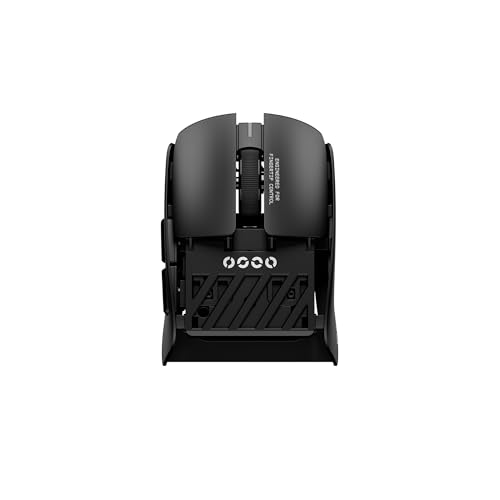
The Pulsar X2F Mini is the claw-grip pick in this roundup. Its listing title states a mini wireless mouse, and a same-family roundup describes the Pulsar X2 Mini as a compact symmetrical shape built for claw grip, with a compact package that suits the arched, fingertip-forward posture claw players use. The mini sizing keeps the clicks within easy reach of shorter fingers, and the wireless design removes cable drag, which matters most for the fast micro-adjustments that claw players rely on. This is the pick for players who steer mainly with arched fingers rather than a flat palm.
Specs
- Wireless gaming mouse
- Mini sizing stated in the title
- Black finish
Best for: Claw-grip players with small hands who want a compact symmetrical shell.
Watch out for: The roundup prose names the model Pulsar X2 Mini while the listing title names it X2F, so confirm on the full listing that the symmetrical mini shell is the one being sold.
- ASIN: ⚠ B0FM2K41Y6
5. Glorious Model O 2 Mini

The Model O 2 Mini is the smallest-named shell in this roundup, and it suits fingertip players best. Its listing title states a mini wireless mouse, and it appears as a pick in a small-hands roundup, where the Model O 2 Mini is described as a tiny honeycomb shell that encourages the quick, precise micro-movements fingertip grippers rely on. The compact size means no overreaching for the main clicks, and the wireless design keeps the desk clear of cable drag. Fingertip players with small hands get the most from this pick, because the shell is built around short, precise finger control rather than palm support.
Specs
- Wireless gaming mouse
- Mini sizing stated in the title
- Black finish
Best for: Fingertip-grip players with small hands who want the most compact shell here.
Watch out for: The listing title does not state ambidextrous or symmetrical wording, so confirm the shell shape and button layout on the full listing before buying for left-hand use.
- ASIN: ⚠ B0DHYP1V96
Which One Fits Your Situation
You play left-handed or switch hands between sessions
Start with the Logitech G PRO 2 Lightspeed, because its listing title states the ambidextrous design outright rather than leaving handedness to inference. A stated ambidextrous shell is the only safe basis for left-hand play, since a symmetrical-looking shell can still carry one-sided buttons. Check the full listing for button placement on both sides, and confirm the wireless receiver arrangement suits your desk before ordering.
You steer with your fingertips and have short fingers
Start with the Glorious Model O 2 Mini or the Razer Viper V3 Pro, the two picks whose framing suits fingertip control. Both are mini or compact shells that keep the clicks within reach without palm contact at the rear. The Viper V3 Pro adds the lightest stated weight here, while the Model O 2 Mini is the smallest-named shell, so choose the Viper for the weight advantage and the Model O 2 Mini for the smallest footprint.
You want one wireless mouse for a desk PC and a laptop
Start with the HyperX Pulsefire Haste 2 Mini, because its listing title states both Bluetooth and 2.4GHz connectivity. Use the receiver for gaming at the desk and Bluetooth for the laptop, with no dongle to move between machines. Confirm the battery or charging wording on the full listing, since a dual-connection mouse that runs flat mid-session loses the convenience it promises.
You play claw grip and want a compact symmetrical shell
Start with the Pulsar X2F Mini, the pick whose roundup framing describes a compact symmetrical shape built for claw grip. The mini sizing suits the arched finger posture, and the wireless design removes cable drag during flicks. Before buying, confirm the X2F naming against the full listing, and check the dimensions against your hand length so the shell supports the claw posture rather than forcing a fingertip hold.
Common Mistakes
- Buying on weight alone: a very light mouse with poor feet can feel scratchy and uncontrolled, so judge weight and glide together.
- Assuming a symmetrical shell means buttons on both sides: some symmetrical shells carry thumb buttons on one side only, so check stated button wording before buying for the other hand.
- Trusting a photo for handedness: a three-quarter product shot can hide a one-sided button cluster, so rely on stated ambidextrous or symmetrical wording instead.
- Ignoring the connection type: a Bluetooth-only mouse can add latency in fast games, while a receiver-only mouse needs a free USB port, so match the connection to how you play.
- Treating mini as automatically comfortable: a mini shell suits fingertip and claw grips best, and palm players with small hands may still prefer a compact standard shell.
Frequently Asked Questions
Are ambidextrous mice worse than right-handed ergonomic mice?
No, they are different rather than worse. An ergonomic shell fills the palm and supports one hand shape, while a symmetrical shell trades that palm filling for flexibility across grips and hands. For small hands, that trade usually helps, because symmetrical shells tend to be shorter and less bulky than ergonomic shapes. Choose ergonomic only when you palm-grip with one hand and the shell length matches your hand.
How do I know if a mouse fits small hands?
Measure your hand from the base of the palm to the tip of the middle finger, then compare with the length and width figures on the listing. Hands under about 175 millimetres usually suit shells around 110 to 120 millimetres long. Also consider grip style: fingertip players can use shorter shells than palm players with the same hand, because the palm never rests on the rear of the mouse.
Do ambidextrous mice have side buttons for both thumbs?
Not always, and this is the detail to check before buying. Some symmetrical shells carry thumb buttons on both sides, some carry them on one side only, and some use swappable panels. Read the listing for button wording and count, and confirm the layout matches the hand you play with, rather than assuming symmetry of shape means symmetry of controls.
Can I use these mice left-handed?
The Logitech G PRO 2 Lightspeed states an ambidextrous design in its title, so it is the safest left-hand choice here. For the other picks, confirm the shell shape and button layout on the full listing first, because their titles state mini or compact sizing without stating handedness. A mouse that fits a small right hand does not automatically fit a small left hand.
Related guides
More from Amazon
Programs that pair well with the guide above. Offers and eligibility are set by Amazon and may change.
Free shipping on eligible items, Prime Video and more. Eligible new members can start with a free trial.
Start a Prime free trialAd-free music streaming. Eligible new subscribers can start with a free trial.
Try Music Unlimited freeA Prime membership for ages 18-24 with a trial period. Eligibility is set by Amazon.
See Prime for Young AdultsAudiobooks and podcasts to listen to on the go. Eligible new members can start with a free trial.
Try Audible freeAs an Amazon Associate we earn from qualifying purchases.