Buying a gaming mouse for a MacBook Pro is a different decision from buying one for a desktop rig. The sensor matters, but so does macOS support: a mouse that needs Windows-only software for its best features can feel half-finished on a Mac, and a shape that suits a wide desk may cramp a laptop setup. Connection type matters too, since newer MacBook Pro models carry only USB-C ports. The five mice below were picked from their Amazon listings for Mac compatibility, sensor quality, button layout and weight.
This guide serves three groups: MacBook Pro owners who game after work and want one mouse for both jobs, laptop gamers who travel and need a compact wireless option, and players who want extra buttons for games with many commands. Every pick below is a gaming mouse with macOS listed on its Amazon page, and every spec comes from that listing — sensor, buttons, weight and connection type, nothing else.
Our Top Picks
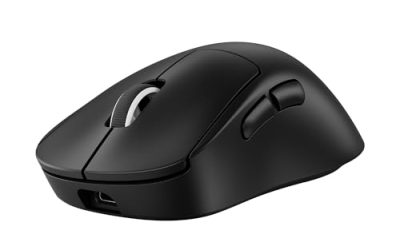
 Razer DeathAdder Essential Ergonomic Wired Gaming Mouse5.01 x 2.86 x 1.69 inches0.3 poundsCheck on Amazon
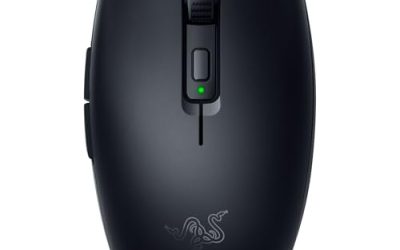
 Razer Basilisk V3 Customizable RGB Wired Ergonomic GamingMouse2.96 x 5.12 x 1.67 inches0.2 poundsCheck on Amazon


Top 3 picks at a glance
Quick Picks
As an Amazon Associate we earn from qualifying purchases
| Product | Best for | Key spec from title |
|---|---|---|
| Logitech G502 HERO | one wired mouse for work and play | 25,600 DPI HERO 25K sensor |
| Logitech G305 LIGHTSPEED | travel and a clean desk | 250 hours on one AA battery |
| Razer DeathAdder Essential | simple, comfortable wired play | 6,400 DPI optical sensor |
| Logitech G203 LIGHTSYNC | small hands, light wired mouse | 8,000 DPI sensor with LIGHTSYNC RGB |
| Razer Basilisk V3 | many buttons and a tilt wheel | Focus+ 26K sensor, 11 buttons |
How to Choose
macOS Support and Software
Check the Amazon listing for macOS before anything else. A mouse can move and click on a Mac with no software at all, yet lose button remapping and lighting control when the maker’s full app runs on Windows only. The Basilisk V3 shows this split clearly: Synapse 3 is Windows-only, macOS users use Synapse 2, so on-board profile storage via software is limited on a Mac. Mice with on-board memory keep their settings without any app, which suits a MacBook Pro that moves between desks. When a listing says PC/Mac, treat that as the safe baseline and read the fine print for software limits.
Wired or Wireless
A wired mouse draws power from the laptop and never needs charging, which suits long sessions at one desk. The trade is a cable, and a MacBook Pro with only USB-C ports may need an adapter or a dock for a USB-A plug. A wireless mouse frees the desk and travels well, but it needs a battery or a charge, plus a receiver that also plugs into USB. Some wireless mice work over Bluetooth and skip the receiver entirely, which is handy on a laptop. Decide how you will connect before you compare sensors: the wrong plug can turn a good mouse into a daily annoyance.
Sensor and DPI Range
DPI range sets how far the cursor moves for each inch of hand movement, and a higher ceiling helps on large displays and fast turns. Every mouse in this guide covers at least 6,400 DPI, which is plenty for most laptop play. The G305 reaches 12,000 DPI, the G203 reaches 8,000 DPI, and the G502 HERO and Basilisk V3 reach past 25,000 DPI. For most players the useful range sits well below the ceiling, so treat the top number as headroom rather than a daily setting. A clean sensor with steady tracking at your chosen DPI matters more than a headline number you will never use.
Shape, Weight and Buttons
Shape decides comfort across long sessions, weight decides how fast the mouse flicks, and buttons decide how many commands sit under your thumb. The G502 HERO weighs 121 g and carries five tuning weights, which suits a steady palm grip and a planted hand. The G305 weighs 99 g and the DeathAdder Essential 96 g, both light enough for quick movement without wrist strain. The Basilisk V3 adds a tilt wheel beside its 11 buttons, which helps when a game or a long page needs sideways scrolling. Count the buttons you will actually press before you pay attention to the total on the box.
The 5 Best Options
Logitech G502 HERO

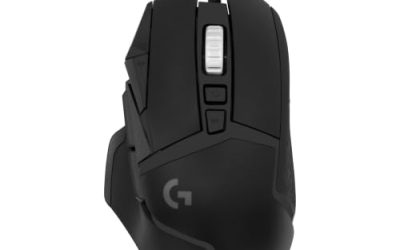
The G502 HERO is the all-rounder of this guide: a wired mouse with 11 programmable buttons, a HERO 25K sensor that reaches 25,600 DPI, and five removable 3.6 g weights that let you tune the 121 g body to your hand. The wired link keeps the mouse responsive, with no battery to charge and no wireless link to drop. The dual-mode scroll wheel switches between smooth and stepped scrolling, which suits long documents as well as games. It is the pick for a MacBook Pro owner who wants one mouse for work and play, with a steady link and a shape that suits long sessions.
Specs
- HERO 25K sensor, up to 25,600 DPI
- 11 programmable buttons
- Five removable 3.6 g weights
- Wired USB, PC/Mac listed
- Item weight 121 g
Best for: a MacBook Pro owner who wants one wired mouse for work and play.
Watch out for: the wired link means a cable on the desk, and a USB-A plug may need an adapter on a USB-C-only MacBook Pro.
Logitech G305 LIGHTSPEED
The G305 LIGHTSPEED is the travel pick: a wireless mouse at 99 g that runs up to 250 hours on a single AA battery, with a HERO 12K sensor that reaches 12,000 DPI and six programmable buttons. LIGHTSPEED wireless keeps the link responsive, and the shape fits most hands without forcing a grip. Six buttons cover common commands, and the long battery life means you will not swap cells often. It is the pick for a MacBook Pro that travels, for a clean desk with no cable, and for players who want wireless freedom without a heavy body or a daily charge.
Specs
- HERO 12K sensor, up to 12,000 DPI
- LIGHTSPEED wireless
- 6 programmable buttons
- Up to 250 hours on one AA battery
- Item weight 99 g
- PC/Mac listed
Best for: travel and a clean desk, with wireless freedom and long battery life.
Watch out for: the mouse needs a USB receiver, which may need an adapter on a USB-C-only MacBook Pro, and it runs on a replaceable AA battery rather than a rechargeable cell.
Razer DeathAdder Essential (2021)
The DeathAdder Essential is the simple pick: a wired ergonomic mouse with a 6,400 DPI optical sensor, five programmable buttons and a 96 g body, listed for Windows, macOS and Linux. Its right-handed shape suits a relaxed palm grip across long sessions, and the wired link means no battery and no receiver to manage. There are no tuning weights and no extra side panel to configure, which keeps setup short. It is the pick for a MacBook Pro owner who wants a comfortable wired mouse that just works, with enough buttons for common commands and nothing extra to learn.
Specs
- 6,400 DPI optical sensor
- 5 programmable buttons
- Wired USB
- Windows / macOS / Linux listed
- Item weight 96 g
Best for: a simple, comfortable wired mouse for everyday play.
Watch out for: only five buttons and no tuning weights, so players who want many commands should look at the G502 HERO or the Basilisk V3.
Logitech G203 LIGHTSYNC

The G203 LIGHTSYNC is the compact pick: a wired mouse with an 8,000 DPI sensor, six programmable buttons and LIGHTSYNC RGB, in a light body that suits smaller hands and quick movement. The classic shape has served Logitech for years, and the wired link keeps the mouse responsive with no battery to think about. LIGHTSYNC lighting adds colour to a desk setup, and G HUB software handles the lighting and button mapping. It is the pick for a MacBook Pro owner who wants a small, light wired mouse with lighting, for play and for everyday work alike.
Specs
- 8,000 DPI sensor
- 6 programmable buttons
- LIGHTSYNC RGB
- Wired USB
- PC/Mac listed
Best for: smaller hands and a light, compact wired mouse with lighting.
Watch out for: the wired link needs a USB port, and full lighting control needs G HUB software.
Razer Basilisk V3
The Basilisk V3 is the feature pick: a wired mouse with a Focus+ 26K optical sensor, 11 programmable buttons and a HyperScroll tilt wheel that moves through long pages and inventories with a flick. Gen-2 optical switches sit under the main buttons, and the Speedflex cable stays out of the way on the desk. PTFE feet help the 101 g body glide, and 11 Chroma RGB zones add light to the setup. It is the pick for players who want many buttons and a tilt wheel, with a right-handed shape and a thumb rest for long sessions. Note the macOS limit below before you buy.
Specs
- Focus+ 26K optical sensor
- 11 programmable buttons
- HyperScroll tilt wheel
- Gen-2 optical switches
- Item weight 101 g
- Wired USB, Speedflex cable
- Chroma RGB, 11 zones
- PTFE feet
Best for: players who want many buttons and a tilt wheel for long sessions.
Watch out for: macOS compatibility is mixed — retailers list macOS, but Razer lists Windows only for the wired V3, and Synapse 3 is Windows-only, so macOS users use Synapse 2 and on-board profile storage via software is limited.
Which One Fits Your Situation
One mouse for work and play
Pick the G502 HERO. Its 11 buttons cover work shortcuts and game commands alike, and the tuning weights let you set the 121 g body to your hand. Five weights let you fine-tune the balance. The wired link suits a fixed desk, and the dual-mode wheel helps with long documents as much as with games.
Travel and a clean desk
Pick the G305 LIGHTSPEED. At 99 g it is light in a bag, wireless keeps the desk clear, and up to 250 hours on one AA battery means you will not hunt for a charger on a trip. The shape fits most hands, and the long battery life means a single AA lasts for months of travel.
Many buttons for complex games
Pick the Basilisk V3 or the G502 HERO — both carry 11 programmable buttons. The Basilisk adds a HyperScroll tilt wheel, which suits games and pages that need sideways scrolling, while the G502 HERO adds tuning weights. Check the Basilisk macOS note first: Synapse 3 is Windows-only, so macOS users use Synapse 2 and on-board profile storage via software is limited.
A simple, light wired mouse
Pick the DeathAdder Essential or the G203 LIGHTSYNC. The DeathAdder Essential weighs 96 g and lists Windows, macOS and Linux, with five buttons and a relaxed ergonomic shape. The G203 adds LIGHTSYNC RGB and a compact body for smaller hands. Both are wired, so there is no battery to watch and no receiver to lose.
Common Mistakes
- Buying a mouse that lists Windows only, then expecting full button software on macOS.
- Assuming every wireless mouse works over Bluetooth — some need a USB receiver, which a MacBook Pro may not accept without an adapter.
- Choosing by DPI ceiling alone instead of shape, weight and grip.
- Forgetting the cable: a wired USB-A mouse may need an adapter or a dock on a USB-C-only laptop.
- Expecting RGB and button software to behave the same on macOS as on Windows.
Frequently Asked Questions
Do these mice work with a MacBook Pro?
Yes. All five list macOS on their Amazon pages, and movement plus clicks work with no extra software. Full button remapping may need the maker’s app, and for some models that app is Windows-only, so check the software note for your pick before you buy.
Can I use a wired mouse with a MacBook Pro?
Yes, but newer MacBook Pro models carry only USB-C ports, so a wired USB-A mouse may need an adapter or a dock. Wireless mice with a USB receiver face the same issue, while mice that work over Bluetooth skip the receiver entirely. Check the plug or the connection type on the listing before you order.
Is the Basilisk V3 fully compatible with macOS?
Compatibility is mixed. Retailers list macOS for the wired V3, but Razer lists Windows only for this model, so treat macOS support as basic rather than full. Movement and clicks work on a Mac, yet Synapse 3 is Windows-only and macOS users use Synapse 2, so on-board profile storage via software is limited. If full software control matters, pick a mouse with on-board memory instead.
Which mouse is best for travel?
The G305 LIGHTSPEED. It weighs 99 g, runs up to 250 hours on one AA battery, and its shape fits most hands. LIGHTSPEED wireless keeps the link responsive, and six buttons cover common commands. Remember it needs a USB receiver, so keep the receiver in the mouse or in your bag when you travel.
Related guides
More from Amazon
Programs that pair well with the guide above. Offers and eligibility are set by Amazon and may change.
Free shipping on eligible items, Prime Video and more. Eligible new members can start with a free trial.
Start a Prime free trialAd-free music streaming. Eligible new subscribers can start with a free trial.
Try Music Unlimited freeA Prime membership for ages 18-24 with a trial period. Eligibility is set by Amazon.
See Prime for Young AdultsAudiobooks and podcasts to listen to on the go. Eligible new members can start with a free trial.
Try Audible freeAs an Amazon Associate we earn from qualifying purchases.