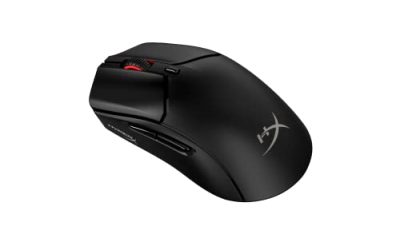
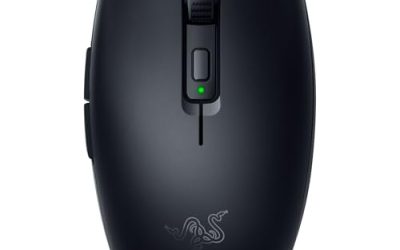
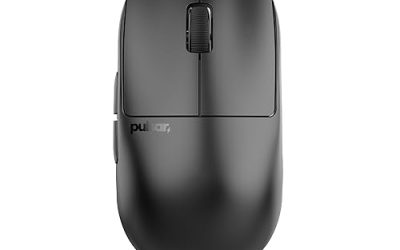
A wireless lightweight gaming mouse is a trade among three things: how little mass your hand must move, how steadily the shape fits your grip, and how long the battery lasts between charges. Chasing the lowest weight alone is a mistake, because a light mouse in the wrong shape will fight your hand on every swipe, and the right shape with a short battery life will interrupt long sessions. The decision is which combination suits the way you already play.
The five mice below cover the main buyer groups. Fast shooter players get low, flat shapes built for claw and fingertip grips. Palm-grip players get a raised ergonomic shape that supports the whole hand. Players who move one mouse between gaming and desk work get an ambidextrous all-rounder, and Superlight loyalists get two distinct variants. Every pick is described only from what its listing title states, and anything a title does not state is left out.
Top 3 picks at a glance

Quick Picks
As an Amazon Associate we earn from qualifying purchases.
| Product | Best for | Key spec from title |
|---|---|---|
| Logitech G PRO X Superlight 2 DEX | Lightest wireless ergonomic shape | Superlight 2 DEX model |
| Razer Viper V3 Pro SE | Mid-range lightweight competitive play | 54g, 95-hour battery |
| Razer DeathAdder V3 HyperSpeed | Ergonomic lightweight value | 55g lightweight, USB-C charging, up to 100-hour battery |
| Glorious Model O 2 Wireless | Gaming plus desktop work | Wireless, Model O 2 line |
| Logitech G PRO X Superlight 2 SE | Superlight line in a red finish | Superlight 2 SE model, wireless, Red |
How to Choose
Start with the weight wording, not the weight claim
Lightweight is a marketing word until a listing states a number, so read titles like specification sheets. A title that states a weight in grams gives you something checkable, and titles that state a weight under 60 grams sit in the band competitive players use for fast, low-sensitivity play. Titles that only say light or superlight without a number still tell you the maker positions the mouse in the light class, but they leave the exact mass for the full listing to confirm. Compare the stated weights of the mice on your shortlist directly, and treat any weight a roundup mentions without a title behind it as unconfirmed until you see it on the listing itself.
Match the shape to your grip before anything else
Grip decides comfort more than any sensor figure does, and the wrong shape will cost you accuracy no matter how light the mouse is. Palm-grip players rest the whole hand on the mouse and need a raised rear hump that supports the palm through long sessions. Claw-grip players arch their fingers and usually want a medium shell with a defined hump and a shorter length. Fingertip players hold the mouse with only their fingertips and usually want a short, low, flat shell they can flick with small movements. Check whether the shape is symmetrical or right-handed, because a symmetrical shell suits either hand while a right-handed ergonomic shell suits one hand only.
Check the wireless link and the battery wording together
Wireless is not one thing, and the connection wording in a title tells you which kind you are buying. A 2.4 GHz dongle link is the connection competitive players use, because it reports movement fast and consistently, while Bluetooth is a useful backup for a laptop but not the link to trust in a ranked match. Battery wording matters just as much: a title that states an hour rating tells you how long the maker rates the mouse between charges, and rechargeable USB-C charging is more convenient than a replaceable cell you must keep buying. Read both wordings together, and confirm the exact model on the listing, since lookalike variants often differ in exactly these two details.
Count buttons and switches against the games you play
Extra buttons only help if you have something to bind to them, so map your keybinds before you buy rather than after. Pure first-person shooter play needs two side buttons and two main buttons, and anything more is mass you carry for nothing. Games with utility binds for push-to-talk, melee, or a map key suit a mouse with a few extra controls, while games with long ability rotations need a different class of mouse entirely. Switch wording matters for durability: optical switches actuate with a light beam rather than a metal contact, avoiding the double-click wear that affects many mechanical switches, so a title stating optical switches states a durability feature, not a luxury.
The 5 Best Options
1. Logitech G PRO X Superlight 2 DEX

The Superlight 2 DEX is the ergonomic answer inside the Superlight line, built for players who want the lightest wireless feel in a right-handed shape rather than a flat symmetrical shell. Where the standard Superlight suits claw and fingertip grips, the DEX version is sculpted for the right hand, giving the thumb a resting point through long sessions while keeping the solid shell with no cutouts. Its listing title states the DEX model directly, which is the detail that separates it from the standard Superlight 2, so confirm the DEX wording on the listing before ordering, since the two models look alike at a glance and serve different grips.
Specs
- Logitech G PRO X Superlight 2 line
- DEX model variant
- Wireless gaming mouse
Best for: Players who want a lightweight wireless mouse in a right-handed ergonomic shape.
Watch out for: The listing title states no weight figure, so confirm the exact weight on the full listing before buying.
- ASIN: ⚠ B0DB5JJTC9
2. Razer Viper V3 Pro SE
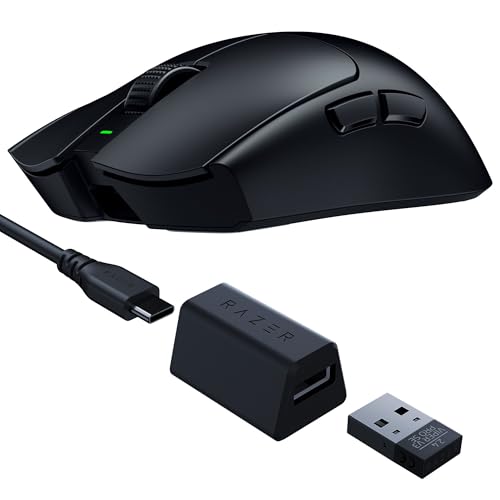
The Viper V3 Pro SE sits in the sweet spot for competitive play: a low, flat Viper shape that claw and fingertip players already know, at a weight and battery rating its title states directly. It keeps the minimal competitive button layout, which saves mass that extra controls would add, and it charges over a cable rather than relying on replaceable cells. For a player committed to competitive play but not ready for flagship pricing, this is the value entry into the light wireless class, and its title gives you the two numbers that matter most before you open the listing.
Specs
- Wireless gaming mouse
- 54g weight
- 95-hour battery rating
- Black finish
Best for: Competitive FPS players who want a stated lightweight build at a mid-range position.
Watch out for: The minimal button layout limits games that need many binds, so count your keybinds first.
- ASIN: ⚠ B0FSG67VPX
3. Razer DeathAdder V3 HyperSpeed
The DeathAdder V3 HyperSpeed is the value pick for players who want the supportive DeathAdder ergonomic shape without flagship pricing, and its listing title is unusually complete: it states the weight, the lightweight wording, the charging method, the battery rating, the sensor class, the switch type, and the control count in one place. That completeness is the reason to trust it as a pick, because every claim in this section comes from the title itself rather than from roundup prose. The ergonomic profile suits palm grippers who found low, flat shapes uncomfortable, while the weight keeps it quick enough for fast play.
Specs
- Wireless gaming mouse
- 55g lightweight
- USB-C charging
- Up to 100-hour battery
- Advanced 26K optical sensor
- Gen-3 optical switches
- 8 programmable controls
- Black finish
Best for: Palm-grip players who want ergonomic support and wireless freedom at a value position.
Watch out for: The ergonomic shape is right-handed, so left-handed players should look at a symmetrical shell instead.
- ASIN: ⚠ B0D4RF55QK
4. Glorious Model O 2 Wireless

The Model O 2 Wireless is the ambidextrous all-rounder of this group, suited to players who switch between gaming and desktop work with one mouse and want a symmetrical shape that works for claw and fingertip grips. Its listing title is short, stating the brand, the Model O 2 line, and the wireless connection, and nothing more, so the weight and battery details belong on the full listing rather than in this section. What the title does establish is the class: a wireless mouse in a line known for light shells, positioned as an all-rounder rather than a specialist for one grip or one game.
Specs
- Glorious Model O 2 line
- Wireless gaming mouse
Best for: Players who want one wireless mouse for gaming and desktop work in a symmetrical shape.
Watch out for: The listing title states no weight or battery figure, so confirm both on the full listing before buying.
- ASIN: ⚠ B0BLF5NH32
5. Logitech G PRO X Superlight 2 SE

The Superlight 2 SE is a distinct variant inside the Superlight 2 line, and its listing title states the three facts that define it: the Superlight 2 SE model name, the wireless connection, and the Red finish. It is a separate listing from the standard Superlight 2 and from the DEX variant, and the three must never be treated as interchangeable, since each variant can differ in shape, weight, and contents. Buyers loyal to the Superlight line who want this specific variant should match the SE wording and the Red finish wording on the listing exactly, and confirm the weight and battery details there, because the title states neither.
Specs
- Logitech G PRO X Superlight 2 line
- SE model variant
- Wireless gaming mouse
- Red finish
Best for: Superlight line buyers who want the SE variant in the Red finish.
Watch out for: The listing title states no weight or battery figure, and the SE designation needs confirming on the full listing.
- ASIN: ⚠ B0FY45N1FQ
Which One Fits Your Situation
You play fast FPS games at low sensitivity
Choose the lowest-mass shape that fits your grip: low-sensitivity play moves the whole arm, so every gram counts. The Viper V3 Pro SE gives you a stated weight and a low, flat shape built for claw and fingertip grips, while the DeathAdder V3 HyperSpeed gives you a stated weight in a shape that supports the palm. Both keep the button count minimal, which fast FPS play needs, and both avoid replaceable cells.
You palm-grip and want support without heft
Choose the ergonomic shape, and check the weight wording before you assume an ergonomic mouse is heavy. The DeathAdder V3 HyperSpeed pairs the raised DeathAdder profile with a stated lightweight build, and the Superlight 2 DEX pairs the lightest wireless positioning with a sculpted right-handed shape. Both support the palm through long sessions, and the difference between them is the exact hump and thumb support, so pick the one whose shape description matches your hand.
You switch between gaming and desk work on one mouse
Choose the symmetrical all-rounder and accept a small trade in specialization for a large gain in versatility. The Model O 2 Wireless works for claw and fingertip grips in games and stays comfortable for ordinary desktop work, without a pure esports mouse’s specialist layout. Confirm the weight and battery figures on the full listing, since the title leaves them out, and keep the wireless link on the 2.4 GHz dongle for games rather than Bluetooth.
You want the lightest mouse in a familiar line
Choose inside the line you already know, and match the variant wording exactly. The Superlight 2 DEX and the Superlight 2 SE are distinct listings with distinct shapes and finishes, and ordering one when you meant the other is the easiest mistake in this group. Confirm the DEX or SE wording, the finish wording, and the weight wording on the listing itself, and treat any listing that lacks the variant wording as a different mouse until proven otherwise.
Common Mistakes
- Buying the lightest mouse available without checking whether its shape fits your grip, which hurts aim more than a slightly heavier mouse that fits.
- Treating a title that only says light as proof of a stated weight, instead of confirming the gram figure on the full listing.
- Ordering a Superlight 2 variant by the line name alone and receiving the DEX, SE, or standard model instead of the one you wanted.
- Counting on a battery rating measured with lighting off and moderate polling, then running high polling and wondering why the charge runs out sooner.
- Assuming a wireless mouse and a wired mouse with the same model name are the same listing, when they are separate listings with separate specifications.
Frequently Asked Questions
Is wireless as fast as wired for competitive play?
Yes, in practice. A modern 2.4 GHz wireless link reports movement fast enough that the difference falls far below human reaction time, and competitive play has moved largely to wireless for that reason. The variable that still matters is interference, so keep the dongle close to the mouse rather than buried behind a metal case, and use the dongle link rather than Bluetooth for ranked matches.
How light should a wireless gaming mouse be?
Most competitive players land under 60 grams for fast, low-sensitivity games with arm movement, while wrist players at higher sensitivity often prefer a mouse in the 60 to 70 gram range for stability. Lighter is not automatically better: it is better only if you can control the mouse, so match the weight band to your sensitivity and grip instead of chasing the lowest number regardless of shape.
Can I use Bluetooth for gaming?
You can, but you should not rely on it for competitive play. Bluetooth is a useful backup for a laptop or for desktop work, and it saves a USB port, but it is not the connection competitive players trust in a ranked match. Use the 2.4 GHz dongle for games, keep Bluetooth for travel or secondary machines, and check the title wording for which connections a listing supports.
What should I check on the listing before ordering?
Match the exact model and variant wording, confirm any stated weight figure, check the connection wording for the 2.4 GHz link, and confirm the battery rating and charging method. Colour and finish wording matters too, because lookalike variants often differ only in finish. If any wording is missing, you are looking at a different listing than the one reviewed here.
Related guides
More from Amazon
Programs that pair well with the guide above. Offers and eligibility are set by Amazon and may change.
Free shipping on eligible items, Prime Video and more. Eligible new members can start with a free trial.
Start a Prime free trialAd-free music streaming. Eligible new subscribers can start with a free trial.
Try Music Unlimited freeA Prime membership for ages 18-24 with a trial period. Eligibility is set by Amazon.
See Prime for Young AdultsAudiobooks and podcasts to listen to on the go. Eligible new members can start with a free trial.
Try Audible freeAs an Amazon Associate we earn from qualifying purchases.