
Our Top Picks


Best High-Brightness Projectors for Large Venues
The best commercial high-brightness installation projectors for large venues are 6,000-lumen-and-up laser models selected by screen size, ambient light, lens shift, and throw distance—not lumen output alone. For a bright conference hall or house of worship, start around 8,000–10,000 lumens; for a controlled-light auditorium, 6,000–8,000 may be enough. Confirm the exact lens, image size, and mounting geometry before choosing: many installation projectors need an optional lens to reach a particular throw distance.
Shortlist: Six Installation Projectors to Compare
These established product families illustrate useful brightness tiers. Specifications can vary by regional version, lens, and operating mode, so verify the current manufacturer documentation for the exact model before purchase. Brightness figures below are approximate rated outputs, not a promise of identical performance in every picture mode.
As an Amazon Associate we earn from qualifying purchases at no extra cost to you.
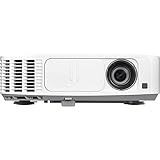

| Model | Approx. rated brightness | Resolution class | Best fit | Lens and distance note |
|---|---|---|---|---|
| Epson EB-PU1007W | 7,000 lumens | WUXGA | Medium auditorium, worship space | Interchangeable-lens platform; calculate throw using the selected lens. |
| Panasonic PT-MZ780 | 7,000 lumens | WUXGA | Conference hall with moderate ambient light | Interchangeable lenses; check lens-shift limits at the intended zoom. |
| Christie DWU960-iS | 9,600 lumens | WUXGA | Large presentation or event space | Installation lens options provide flexibility; confirm the required lens separately. |
| Panasonic PT-MZ880 | 8,000 lumens | WUXGA | Bright multipurpose hall | Interchangeable-lens system; model-specific lens charts determine throw and shift. |
| Epson EB-PU2010W | 10,000 lumens | WUXGA | Large venue needing more light output | Uses interchangeable lenses; budget for the lens that matches the mount distance. |
| Christie Griffyn 4K35-RGB | Up to 36,500 lumens | 4K-class | Very large venues and high-impact events | High-end projection system; lens selection and installation planning are essential. |
This is a comparison of installation classes, not a universal ranking. The Griffyn is in a substantially different brightness and budget category from 7,000–10,000-lumen WUXGA projectors. For most venues, choosing a practical lens and screen size matters more than buying the brightest model on the list.
How Much Brightness Does Your Venue Need?
Rated lumens are only one part of the image. Screen area, screen gain, room lighting, projection mode, and the age of the light source all affect perceived brightness. A large image spreads the available light over more area; a smaller screen can look much brighter from the same projector.
- Controlled-light auditorium: Consider 6,000–8,000 lumens for presentations or video on a moderate-size screen. If the image is very large or the room cannot be darkened, move up a tier.
- House of worship: Around 7,000–10,000 lumens is a useful starting range for lyrics and slides with some house lighting on. For a wide, bright stage or a very large screen, test a higher-output option or use multiple projection surfaces.
- Conference hall: Aim toward 8,000–10,000 lumens when attendees need to take notes under room lighting. Screen placement and contrast also matter: a bright projector cannot make dark video look rich on a screen washed by light.
- Very large event venue: Above 10,000 lumens, compare professional high-output systems and consider whether blending two projectors is preferable to one exceptionally powerful unit.
These are starting points, not guaranteed thresholds. If possible, arrange a demonstration at the intended screen size and lighting level. Ask for the image in the mode you will actually use; maximum-output modes can look different from modes optimized for color accuracy.
Worked Throw-Distance Calculation
Throw ratio connects the lens to the screen: throw ratio = projector-to-screen distance ÷ image width. Rearranged, distance = image width × throw ratio. Suppose a venue has a 16-foot-wide screen and the projector must sit 28 feet away. The required ratio is 28 ÷ 16 = 1.75:1. The selected lens must cover 1.75:1 at that image size; a projector body alone does not tell you whether it can.
For a 16:9 image that is 16 feet wide, the image is about 9 feet tall. A ceiling mount 2 feet above the top edge would need roughly 11 feet of downward vertical offset, unless the lens-shift range and installation geometry allow the projector to sit elsewhere. Check the manufacturer’s lens-shift chart at the chosen zoom setting: shift range can be limited, and digital keystone correction may reduce usable resolution or image quality. Do not treat lens shift as a substitute for checking the lens’s throw range.
Match the Projector to the Installation
| Venue situation | Priority | Practical choice |
|---|---|---|
| Projector must mount far from a medium-width screen | Longer throw ratio | Choose a lens whose ratio includes your calculated distance-to-width figure, with adjustment room for final alignment. |
| Low ceiling or off-center mount | Lens shift and mounting flexibility | Compare horizontal and vertical shift limits in the lens documentation before selecting the projector. |
| House lights stay on during presentations | Brightness and ambient-light control | Start in the 8,000–10,000-lumen class, then reduce light falling directly on the screen where possible. |
| Large screen with detailed slides | Resolution and brightness together | Compare WUXGA and 4K-class options based on viewing distance, content detail, and budget. |
| Existing AV system uses multiple inputs | Signal compatibility | Check supported resolution, refresh rate, HDCP, control interfaces, and any required signal extenders. |
Lens Shift, Throw Distance, and Setup Checks
Before ordering, measure the screen’s visible width and height, the lens-to-screen distance, the mount height, and any horizontal offset. Use the lens calculator or technical chart for the exact projector and lens combination. If the calculated throw sits near the edge of a zoom range, allow margin: small measurement errors, screen position changes, or focus requirements can make a barely compatible setup frustrating.
Lens shift physically moves the projected image without tilting the projector. That is generally preferable to keystone correction for a permanent installation. However, shift is not unlimited: the available range depends on lens and zoom position, and diagonal shift may be more constrained than a single-axis specification suggests. A model with interchangeable lenses may solve a difficult throw, but the lens can add significant cost and may not be included with the projector.
Ownership Costs and Venue Practicalities
Laser light sources avoid routine lamp replacement, but they do not make a projector maintenance-free. Check rated light-source life, filter requirements, intake and exhaust clearance, operating noise, warranty terms, and whether the venue can reach the unit safely for service. In a dusty or continuously operated room, access for cleaning can matter as much as a small difference in rated brightness.
For budget planning, compare installed cost rather than projector-body price: include the lens, mount, cabling or signal transport, control integration, commissioning, and any screen upgrade. Commercial installation models and high-end lenses can range from several thousand dollars to well into five figures; large-event systems can cost substantially more. Request a quote based on the specific lens and installation, rather than comparing incomplete package prices.
Frequently asked questions
Do high-brightness installation projectors include the lens?
Not always. Many installation projectors use optional interchangeable lenses, so the projector body alone may not meet the required throw distance. The lens must cover the calculated distance-to-screen-width ratio at the intended image size and zoom setting. Include the selected lens in the installation budget, along with the mount, cabling or signal transport, control integration, commissioning, and any screen upgrade.
Is a laser projector maintenance-free?
No. Laser light sources avoid routine lamp replacement, but the projector still requires practical maintenance planning. Check the rated light-source life, filter requirements, intake and exhaust clearance, operating noise, warranty terms, and safe service access. In a dusty or continuously operated room, convenient access for cleaning can matter as much as a small difference in rated brightness.
Should I use keystone correction or lens shift for a permanent installation?
Lens shift is generally preferable for a permanent installation because it physically moves the projected image without tilting the projector. However, its range is limited by the lens and zoom position, and diagonal shift may be more constrained than a single-axis specification suggests. Digital keystone correction can reduce usable resolution or image quality, so verify the shift limits first.
Would blending two projectors be better than buying one brighter projector?
It can be preferable for a very large event venue. Above ten thousand lumens, compare professional high-output systems with the option of blending two projectors rather than automatically choosing one exceptionally powerful unit. The decision should also consider screen size, ambient light, viewing needs, installation planning, signal compatibility, and the total installed cost of the selected system.
Why does the same projector look brighter on a smaller screen?
A smaller screen can look much brighter because the projector’s available light is spread over less area. Perceived brightness also depends on screen gain, room lighting, projection mode, and the age of the light source. A bright projector cannot make dark video look rich on a screen washed by light, so reducing light that falls directly on the screen is also important.
Bottom Line
For a typical large auditorium or worship space, begin with a 7,000–10,000-lumen WUXGA installation projector such as the Epson EB-PU1007W, Panasonic PT-MZ780, Panasonic PT-MZ880, Christie DWU960-iS, or Epson EB-PU2010W, then choose the lens that fits the measured geometry. For very large screens or demanding event use, consider a higher-output system such as the Christie Griffyn 4K35-RGB. The right choice is the model that delivers enough usable brightness while fitting the screen, throw distance, shift requirements, signal chain, and service plan.


