The best laptop for GTA 5 does not need to be new or expensive: a machine with a GTX 1650-class graphics chip, a Core i5 H-series processor, 8GB of RAM and an SSD is the sort of configuration this list is built around, and the ASUS TUF F15 with its 144Hz screen is the most rounded of the ten. GTA V is an older game with modest published requirements, so the real questions are how much headroom you want for GTA Online, mods and the enhanced version, and how well a thin laptop keeps cool. The listings below are mostly older GTX 1650 models, and the page flags which ones need a closer look. No prices are quoted; check the live listing.
Our Top Picks
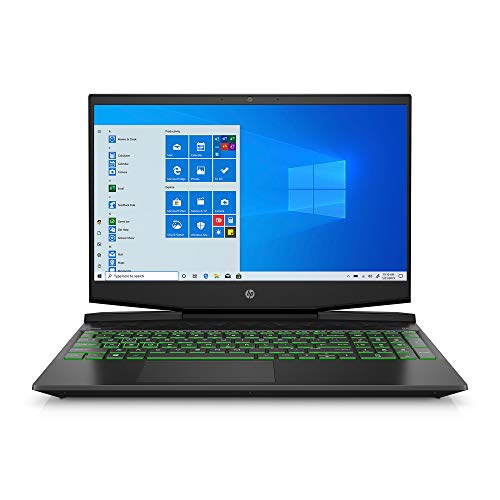 HP Pavilion Gaming Laptop 15-dk0096wm8GB | 256GB SSD14.09 x 10.04 x 0.93 inches7.48 poundsCheck on Amazon
 acer Nitro 5-17.3" Laptop Intel i5-9300H 2.4GHz 8GB17-30.99 inches11 x 15.9 x 1 inches5.73 poundsCheck on Amazon
 ASUS TUF Gaming F17 Gaming Laptop24 GB RAM | 1 TB SSD15.71 x 10.59 x 1.02 inches5.73 poundsCheck on Amazon
Top 3 picks at a glance
Comparison at a glance
As an Amazon Associate we earn from qualifying purchases at no extra cost to you.



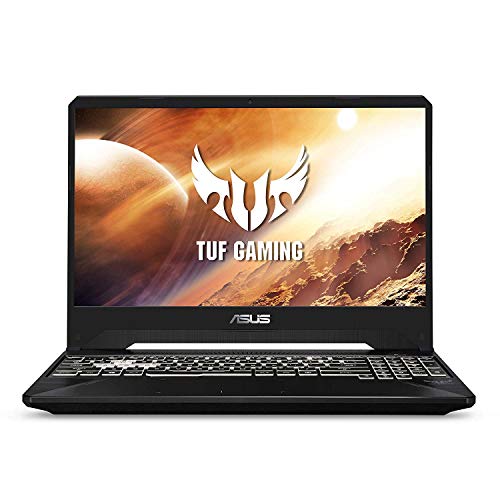
| Model | Key point from the title | Price tier | Best for |
|---|---|---|---|
| Acer Nitro 5 AN515-54 | i5-9300H, GTX 1650, 15.6-inch FHD IPS, 8GB, 256GB NVMe | Budget | Straightforward 1080p play |
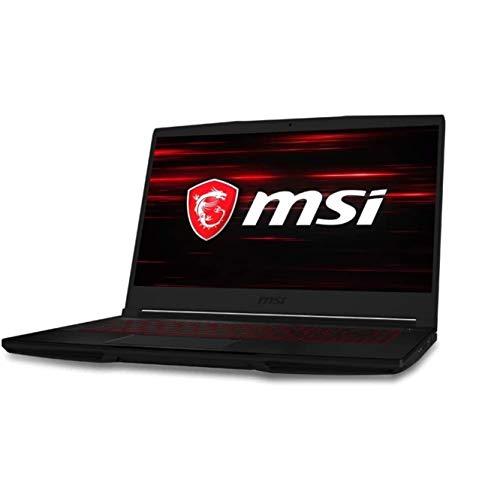
| MSI GF63 (10300H) | i5-10300H, GTX 1650, 15.6-inch, 8GB, 256GB, Windows 10 | Budget | Light, portable setup |
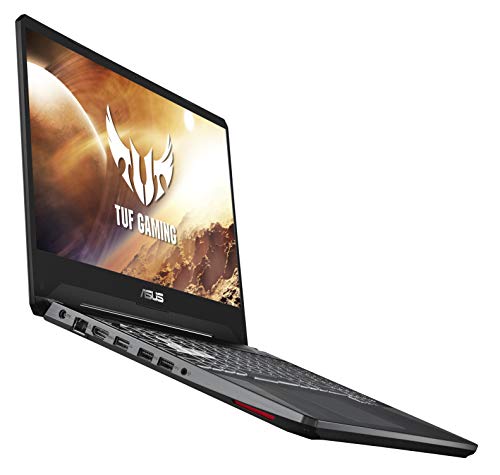
| ASUS TUF FX505GT | i5-9300H, GTX 1650, FHD IPS, 8GB, 512GB PCIe SSD | Budget | More storage at entry tier |
| HP Pavilion Gaming 15-dk0096wm | i5-9300H, GTX 1650 4GB, 8GB, 256GB SSD | Budget | Familiar HP support |
| Acer Nitro 5 17.3-inch | i5-9300H, 8GB, 512GB SSD (GPU not named in title) | Budget | Large screen, verify GPU |
| ASUS TUF Gaming F17 | i5-10300H, GTX 1650 Ti, 17.3-inch 144Hz, 8GB, 512GB | Mid-range | Big screen, fast panel |
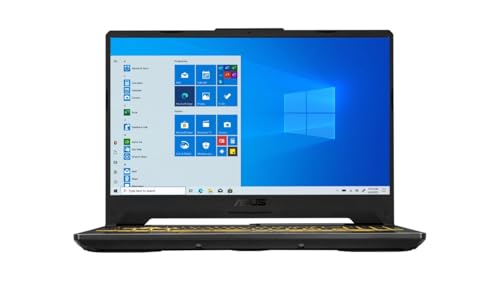
| ASUS TUF F15 | i5-10300H, GTX 1650, 144Hz, 8GB, 512GB, Wi-Fi 6, Windows 11 | Mid-range | Most rounded pick |
| MSI GF63 Thin 11SC | i5-11400H, GTX 1650, 8GB, 256GB NVMe, Windows 11 | Mid-range | Newer CPU generation |
| HP Pavilion Gaming 15-dk0020nr | i5-9300H, GTX 1650 4GB, 8GB, 256GB, Windows 10 | Budget | Compact entry |
| ASUS TUF FX505DT | Ryzen 5 3550H, 8GB, 256GB PCIe SSD (GPU not named in title) | Budget | AMD alternative, verify GPU |
The ten laptops, one by one
Acer Nitro 5 AN515-54: the plain 1080p starter
The title lists a 9th-generation i5-9300H, GeForce GTX 1650, a 15.6-inch Full HD IPS display, 8GB DDR4 and a 256GB NVMe SSD with Wi-Fi 6 and a backlit keyboard. It meets the type of specification GTA V needs and leaves some room for GTA Online. The 256GB drive will fill quickly once you add other games.
- Pros: IPS display and Wi-Fi 6.
- Backlit keyboard.
- Cons: 256GB storage is small.
- Older 9th-generation CPU.
Who it’s for: Players who want a simple, no-fuss GTA machine.
MSI GF63 (i5-10300H): light and portable
This listing names an i5-10300H, GTX 1650, 15.6-inch display, 8GB and 256GB with Windows 10 and a black finish. Its edge is a newer CPU than the 9th-generation entries. The title says Windows 10, so check the live listing for operating system support and your upgrade options.
- Pros: 10th-generation CPU.
- Slimmer than many gaming models.
- Cons: Windows 10 listed.
- 256GB drive.
Who it’s for: Buyers who carry the laptop often.
ASUS TUF FX505GT: more storage
The title lists an i5-9300H, GTX 1650, a 15.6-inch Full HD IPS-type display, 8GB DDR4, a 512GB PCIe SSD, Gigabit Wi-Fi 5 and Windows 10 Home. The 512GB drive gives breathing room for GTA V and a few other titles. Wi-Fi 5 is slower than Wi-Fi 6 but fine for downloads.
- Pros: 512GB PCIe SSD.
- ASUS TUF line.
- Cons: Wi-Fi 5 only.
- Windows 10 Home.
Who it’s for: Players who want storage without paying for a higher tier.
HP Pavilion Gaming 15-dk0096wm: HP’s entry gamer
The title lists a Core i5-9300H, 8GB of RAM, a 256GB SSD, a 4GB GTX 1650, a Full HD 15.6-inch display, a webcam and Windows 10. The explicit 4GB of graphics memory is useful. It is a competent GTA V machine but again offers limited storage.
- Pros: Explicit 4GB GPU memory.
- Webcam included.
- Cons: 256GB drive.
- Windows 10 listed.
Who it’s for: HP-preferring buyers on an entry budget.
Acer Nitro 5 17.3-inch: verify the GPU
This title gives i5-9300H, 8GB of RAM, a 512GB SSD and Windows 10 Home, but does not name a graphics card. The Nitro 5 line often carries GTX-class graphics, but that is not stated, so confirm the GPU on the listing before buying. Without a dedicated GPU named, it is a risk for gaming.
- Pros: 17.3-inch screen.
- 512GB SSD.
- Cons: GPU not stated in the title.
- Larger body.
Who it’s for: Only buyers who confirm the graphics card first.
ASUS TUF Gaming F17: the big-screen option
The title lists a 17.3-inch 144Hz Full HD IPS-type display, i5-10300H, GTX 1650 Ti, 8GB, a 512GB PCIe SSD, an RGB keyboard and Windows 10. The 1650 Ti is named in the title as a step within the GTX 1650 family, and the large 144Hz panel suits fast shooters.
- Pros: 144Hz screen.
- 512GB SSD.
- Cons: 17-inch size is bulky.
- Windows 10 listed.
Who it’s for: Players who want a bigger desktop-like screen.
ASUS TUF F15: the most rounded pick
The title lists a 15.6-inch 144Hz FHD IPS-type display, i5-10300H, GTX 1650, 8GB DDR4, a 512GB PCIe SSD, Wi-Fi 6 and Windows 11 Home. It pairs a faster refresh rate with a newer operating system and a larger drive than most entries.
- Pros: 144Hz, Wi-Fi 6 and Windows 11.
- 512GB SSD.
- Cons: 8GB of RAM may need an upgrade.
- Entry-class GPU.
Who it’s for: Most buyers who want a safe GTA 5 laptop.
MSI GF63 Thin 11SC: newer CPU generation
This listing shows an 11th-generation i5-11400H, GTX 1650, 8GB, a 256GB NVMe SSD and Windows 11. It has the newest processor of the GTX 1650 group, which can help with GTA V’s CPU-heavy city scenes, but the 256GB drive is small.
- Pros: 11th-generation CPU.
- Windows 11.
- Cons: 256GB storage.
- Same GTX 1650 class.
Who it’s for: Buyers who value CPU headroom.
HP Pavilion Gaming 15-dk0020nr: compact entry
The title lists an i5-9300H, GTX 1650 with 4GB, 8GB SDRAM, a 256GB SSD and Windows 10 Home with a Micro-EDGE display. It is nearly the same class as the other HP entry, so compare the exact model codes and whichever listing is cheaper.
- Pros: Compact Micro-EDGE display.
- 4GB GPU memory named.
- Cons: Near-duplicate of the other HP.
- 256GB storage.
Who it’s for: Buyers choosing between HP variants.
ASUS TUF FX505DT: verify the GPU
The title lists a Ryzen 5 3550H, 8GB DDR4, a 256GB PCIe SSD, Gigabit Wi-Fi 5, an RGB keyboard and Windows 10 Home, but no graphics card. As with the Nitro 17-inch listing, confirm the GPU on the listing before buying, because a laptop without a dedicated GPU is a poor fit.
- Pros: AMD Ryzen 5 option.
- RGB keyboard.
- Cons: GPU not stated in the title.
- 256GB drive.
Who it’s for: Only buyers who verify graphics first.
How we picked these
This comparison draws on product titles, published specifications, manufacturer documentation and buyer reviews. Nobody on the team used or measured these units. Any performance expectation is a general estimate based on the hardware class, and published GTA V requirements should be checked on the publisher’s own page.
What GTA 5 needs from a laptop
Graphics card and VRAM
The original GTA V runs on modest graphics hardware, so a GTX 1650-class chip with 4GB of video memory is generally a comfortable 1080p starting point, with settings tuned by you. The enhanced version and heavy mods may ask for more, so check the publisher’s current requirements.
CPU and RAM
GTA V’s city scenes lean on the processor. An H-series Core i5 is a sensible baseline. Eight gigabytes of RAM works, but 16GB gives breathing room alongside a browser or voice chat.
SSD and storage planning
The game install is large; as a rough estimate, plan for between 70GB and 100GB, then add Windows and other software. On a 256GB drive that leaves little spare, so the 512GB models are safer.
Cooling and the operating system
Sustained play heats thin laptops. Use a hard surface and keep vents clear. Several titles list Windows 10; check the live listing for operating system support and any upgrade path.
GTA Online, mods and the enhanced version
GTA Online lobbies, busy city areas and mods put more load on the processor and memory than a quiet single-player drive. If you plan to run mods, a texture pack or streaming software, treat 8GB of RAM as the minimum and lean toward 16GB. The enhanced version may carry higher requirements than the original release, so read the publisher’s current page and compare it with the GPU memory and RAM in each title.
Screen size and refresh rate
A 144Hz panel only helps if the laptop can produce more than 60 frames per second, which on a GTX 1650-class chip means lowering some settings. A 60Hz panel is not a deal-breaker for GTA V, but the 144Hz listings give you room to grow. Seventeen-inch models offer more screen but add weight and a larger charger.
A storage and RAM planning calculation
Use these labeled estimates. A 256GB drive is typically around 220GB usable after the system. Subtract roughly 60GB for Windows and drivers, which leaves about 160GB. A GTA V install in the 70-100GB range then leaves 60-90GB for everything else. A 512GB drive roughly doubles that space. For memory, 8GB is workable; 16GB is more comfortable if you keep a browser open. Add these numbers to your shortlist before choosing.
- Does the title name the GPU and its memory?
- Is the SSD at least 512GB, or is there a free M.2 slot?
- Is the RAM 8GB with a clear upgrade route, or 16GB already?
- Which operating system is listed, and is it current?
- Is the screen 144Hz or 60Hz, and is that worth the trade-off?
Mistakes buyers make
One mistake is buying a listing that does not name the graphics card. Another is overlooking a small drive that cannot hold the game and updates. Some buyers assume a 17-inch screen means a better GPU, which it does not. Others ignore the operating system listed or forget cooling. Compare the two near-duplicate HP entries carefully rather than choosing by photo. A last trap is treating an older 9th-generation processor as equal to a 10th or 11th-generation one: for a game that leans on the CPU, the newer chips in the MSI and ASUS 10300H or 11400H listings are worth a closer look, as long as the storage and RAM also suit you. Finally, check the charger and battery claims on the listing; gaming laptops draw more power under load than their battery suggests, so plan to play plugged in.
Verdict
The ASUS TUF F15 is the best-rounded GTA 5 laptop here, the ASUS TUF F17 is the big-screen alternative and the ASUS FX505GT is the storage-conscious entry. Skip the two listings that do not name a graphics card unless you can confirm it.
Related guides
- Gaming Chair Cushions And Lumbar Supports
- Business Laptops With Long Battery Life
- Travel Backpack With Laptop Compartment
Frequently asked questions
Can a GTX 1650 laptop run GTA 5?
A GTX 1650-class laptop is in the range of hardware commonly used for GTA V at 1080p, with settings adjusted to taste. Exact results depend on cooling, RAM and the game version, so treat this as a general expectation and check the publisher’s requirements.
Is 8GB of RAM enough for GTA 5?
Eight gigabytes is workable for the game on its own, but 16GB gives more comfort when a browser or chat app runs alongside it. Several listings here have 8GB, so check the listing and your exact model for upgrade access before buying.
How much storage does GTA 5 need?
As a rough estimate, plan for 70-100GB of free space, and check the publisher’s page for the current figure. On a 256GB laptop that is a large share of the drive after Windows, so a 512GB model is the more comfortable choice.
Should I worry about Windows 10 listings?
Check the operating system on the live listing and any upgrade path. Windows 10 support has changed, so a model that already lists Windows 11 may be easier to keep current. Do not assume a particular model upgrades; confirm for your exact model.
Why are two listings flagged for the GPU?
The Acer Nitro 5 17.3-inch and the ASUS FX505DT titles do not name a graphics card. Without one stated, you cannot rely on gaming performance. Confirm the GPU on the live listing, or choose a listing that names it plainly.
Related guides
More from Amazon
Programs that pair well with the guide above. Offers and eligibility are set by Amazon and may change.
Free shipping on eligible items, Prime Video and more. Eligible new members can start with a free trial.
Start a Prime free trialAd-free music streaming. Eligible new subscribers can start with a free trial.
Try Music Unlimited freeA Prime membership for ages 18-24 with a trial period. Eligibility is set by Amazon.
See Prime for Young AdultsAudiobooks and podcasts to listen to on the go. Eligible new members can start with a free trial.
Try Audible freeAs an Amazon Associate we earn from qualifying purchases.