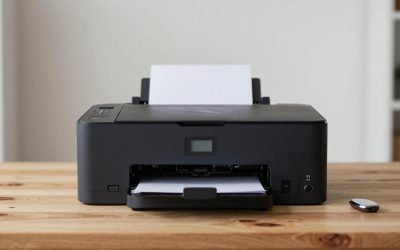
A receipt printer is one of those purchases nobody notices until it jams at the end of a Saturday rush. The decision behind “best receipt printers” is really three smaller ones: how the printer will connect to your register or tablet, how much paper width and speed your counter needs, and whether the unit will sit at the front desk or in a hot kitchen. Get those three right and nearly every thermal model listed here will do the job for years.
This guide is for cafe owners, retail shops, food trucks, salons and anyone running a point-of-sale setup in 2026 who wants a thermal printer that needs no ink. The seven models below cover Ethernet, USB and Bluetooth connections, 80mm paper, auto cutters and a renewed classic, so you can match the interface to your hardware before you worry about brand names. Specs referenced come from the product listings.
Our Top Picks
 Star Micronics TSP143IIILAN Ethernet5.6 x 8 x 5.2 inches5.6 x 8 x 5.2 inches3.8 poundsCheck on Amazon


Top 3 picks at a glance
Quick Picks
As an Amazon Associate we earn from qualifying purchases at no extra cost to you.

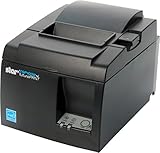

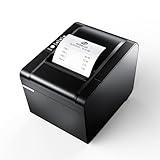

| Product | Best for | Key spec from the listing |
|---|---|---|
| Epson TM-T20IV | Busy retail counters | USB, Ethernet and Serial, 310 mm/s, auto cutter, 80mm paper |
| Rongta 80mm Thermal POS | Kitchens and cash-drawer setups | USB, Serial and Ethernet, auto cutter, cash drawer support |
| Star TSP143IIIU | USB-connected registers and Apple devices | USB with MFi port, auto-cutter, internal power supply |
| Star TSP143IIIBi | Tablet and phone point of sale | Bluetooth for iOS, Android and Windows, auto-cutter |
| Star TSP143IIILAN | Networked, multi-device stores | Ethernet (LAN), auto-cutter, internal power supply |
| Epson TM-T88V (Renewed) | Savings-minded shops that like Epson | Monochrome thermal, USB and Serial, PS180 power supply |
| NetumScan USB POS Printer | Fast kitchen tickets on a tight budget | 80mm thermal, 300mm/s, auto cutter, cash drawer support |
How to Choose
Connection type should match your register
USB is the simplest choice when a single computer drives the printer. Ethernet (LAN) is best when several tablets or terminals share one printer, or when the printer sits far from the register, such as in a kitchen. Bluetooth makes sense for tablets, phones and mobile stands where cables get in the way, though a wired link is usually more stable in a busy store. If you use an iPad or iPhone, look for explicit Apple compatibility; the Star USB and Bluetooth models list MFi or iOS support.
Paper width, speed and the cutter
Most counters use 80mm thermal paper, which fits longer item descriptions and itemized orders. Printing speed, listed in millimeters per second, matters when queues form: 300mm/s class printers produce a long receipt in a couple of seconds, while slower units can hold up lines. An auto cutter saves time and gives a clean edge, and nearly every model here includes one. A cash drawer port, listed on the Rongta and NetumScan models, lets the printer open the drawer automatically.
Where it will live: counter versus kitchen
Counter printers should be quiet and tidy, and an internal power supply, as listed on the Star models, removes an external brick. Kitchen printers face heat, grease and noise, so look for easy paper loading and a design that cleans easily. Thermal printers use heat-sensitive paper and need no ink or ribbon, which is why they dominate kitchen ticket workflows.
What to ignore, and where budget models cut corners
Ignore unusual feature lists you will never use. Budget units tend to cut corners on driver support, documentation and long-term parts availability, so confirm that your point-of-sale software lists the model before you buy. A renewed unit can save money but comes with less certainty on warranty length, so read the seller’s terms and check that the power supply is included. Also keep a spare roll or two on hand, since running out of paper mid-shift is the most common reason a counter goes quiet, and store rolls away from heat so they do not darken before use.
The 7 Best Options
Epson TM-T20IV
The TM-T20IV is the classic retail pick: a thermal receipt printer with USB, Ethernet and Serial connections, 80mm paper and an auto cutter. The listing shows a 310 mm/s print speed and Energy Star compliance, which suits stores that want something dependable on the counter all day. Retail owners who ring up dozens of customers an hour tend to value predictability over novelty, and a model with this much interface choice gives you room to change registers later without replacing the printer.
- Strength: Three connection types let it fit older registers and newer networked setups alike.
- Strength: 310 mm/s speed keeps lines moving during rush periods.
- Trade-off: Bluetooth and Wi-Fi are not listed, so tablet-only shops need an adapter or another model.
Skip it if you run a fully wireless tablet stand.
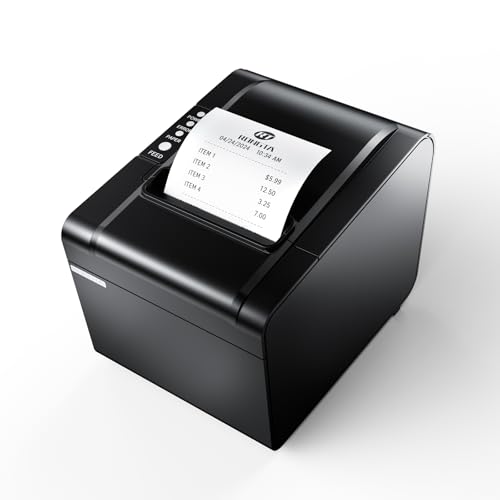
Rongta 80mm Thermal POS Receipt Printer
Rongta pitches this 80mm printer at kitchens and busy counters alike. The listing highlights an auto cutter, cash drawer support and USB, Serial and Ethernet interfaces, with Windows, Mac and Linux compatibility. That combination makes it flexible for restaurants running mixed hardware. Because it lists cash drawer support, a single cable from the printer can pop the drawer open when a sale closes, which tidies up a crowded counter and trims the number of devices you must power.
- Strength: Cash drawer support means one device serves both receipts and drawer opening.
- Strength: Windows, Mac and Linux support is broader than many entry-level printers.
- Trade-off: Driver and software support are less widely documented than for the major brands.
Skip it if your POS vendor lists only Epson or Star models as approved.
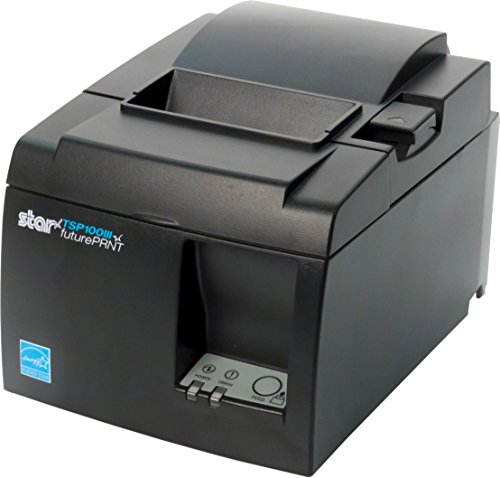
Star Micronics TSP143IIIU
The TSP143IIIU is a USB thermal printer with both a device port and an MFi USB port, which is useful for Apple-based setups, plus an auto cutter and an internal power supply. The built-in power supply keeps the counter free of extra bricks and cables. Pairing it with an iPad on a stand makes a clean, wired point-of-sale corner, and the gray finish blends into most counters. It is a sensible pick for boutiques and salons with one checkout lane.
- Strength: MFi support makes it easier to connect to iOS devices.
- Strength: Internal power supply cuts cable clutter.
- Trade-off: Only USB connections are listed, so it cannot be shared across a network.
Skip it if several terminals must print to the same unit.
Star Micronics TSP143IIIBi
This Bluetooth version targets mobile and tablet point-of-sale setups. The listing states compatibility with iOS, Android and Windows, plus an auto-cutter and internal power supply. It suits market stalls, pop-up shops and cafes where a tablet runs the register. Because tablets move, a wireless printer lets you set up a register on a patio, at a farmers market or at a pop-up event without running a cable across the floor, as long as you keep it within reasonable range.
- Strength: Wireless Bluetooth connection reduces cable clutter on small counters.
- Strength: Works across iOS, Android and Windows devices.
- Trade-off: Bluetooth range and stability are less predictable than a wired link in crowded environments.
Skip it if your register is a wired PC.
Star Micronics TSP143IIILAN
The LAN edition is the choice for stores with a shared network. The listing shows an Ethernet connection, an auto-cutter and an internal power supply, so multiple tablets or terminals can print to one unit placed wherever it fits. In a restaurant, a network printer can handle tickets from a front-of-house tablet and a back-of-house screen, so staff do not need to relay orders by hand. Network setups do need someone comfortable assigning an address.
- Strength: Ethernet lets the printer sit away from the register, such as at a kitchen pass.
- Strength: Internal power supply simplifies installation.
- Trade-off: It needs a network port or router connection, which small stalls may not have.
Skip it if you only have one device and no network.
Epson TM-T88V (Renewed)
This renewed monochrome thermal printer is a long-standing counter workhorse, listed with USB, Serial and a PS180 power supply. Renewed status can lower the cost, making it attractive for shops that want a familiar brand without a new-unit price. Many shops that already run Epson drivers appreciate sticking with a known design when upgrading or adding a second lane. Verify that a cable and the PS180 power supply arrive in the box.
- Strength: Familiar Epson design with widely used connections.
- Strength: Renewed status can mean a lower purchase cost.
- Trade-off: Renewed units carry less certainty about condition and warranty length.
Skip it if you need Ethernet or Bluetooth and a full new-product warranty.
NetumScan USB POS Receipt Printer
The NetumScan lists an 80mm thermal print engine with an auto cutter, cash drawer support and a 300mm/s speed. It supports Windows, Mac and Linux and targets restaurant kitchens, where fast ticket output matters. For a food truck or a small kitchen, quick ticket output with a clean cut means fewer mistakes during a lunch rush. Confirm that your ordering software lists a compatible generic driver before relying on it.
- Strength: 300mm/s speed handles order surges.
- Strength: Cash drawer support and multi-OS compatibility add flexibility.
- Trade-off: The listing mentions USB only, which limits shared use.
Skip it if you want a printer from a long-established POS brand.
Which One Fits Your Situation
You run a busy retail counter
The Epson TM-T20IV combines USB, Ethernet and Serial with a fast print speed, so it handles most registers.
You use an iPad or phone as your register
The Star TSP143IIIBi offers Bluetooth for iOS, Android and Windows, while the Star TSP143IIIU suits a wired iPad dock via MFi.
You print kitchen tickets across a network
The Star TSP143IIILAN or the Rongta 80mm printer both list Ethernet and an auto cutter, so the printer can sit at the line while orders come from the front.
You want to spend as little as possible
Consider the renewed Epson TM-T88V for a trusted design at a lower price, or the NetumScan for a new, fast, low-cost USB option.
Common Mistakes
- Buying USB-only when you actually need to share the printer across several devices.
- Choosing Bluetooth for a busy kitchen where a wired link is more reliable.
- Skipping a compatibility check with your point-of-sale software.
- Forgetting to confirm that the correct 80mm paper size and core fit the printer.
- Ignoring the cash drawer port when you plan to connect a drawer.
Related guides
- Gaming Chair Cushions And Lumbar Supports
- Warranty Considerations When Buying On Sale
- Business Laptops For Graphic Designers
Frequently Asked Questions
Do thermal receipt printers need ink?
No. They use heat-sensitive paper, so there is no ink or ribbon to replace. You only need to keep a supply of the correct paper width.
Is 80mm paper better than 58mm?
For most counters, yes. 80mm gives more room for item names and totals, and most of the printers above list 80mm support.
Which connection is best?
USB is simplest for a single register, Ethernet is best for shared or kitchen use, and Bluetooth suits tablets and mobile setups. Choose by where the printer will sit.
Can I use a renewed receipt printer?
Yes, if the seller provides a clear warranty and the power supply. Check the connection type and compatibility with your POS software first.
Related guides
More from Amazon
Programs that pair well with the guide above. Offers and eligibility are set by Amazon and may change.
Free shipping on eligible items, Prime Video and more. Eligible new members can start with a free trial.
Start a Prime free trialAd-free music streaming. Eligible new subscribers can start with a free trial.
Try Music Unlimited freeA Prime membership for ages 18-24 with a trial period. Eligibility is set by Amazon.
See Prime for Young AdultsAudiobooks and podcasts to listen to on the go. Eligible new members can start with a free trial.
Try Audible freeAs an Amazon Associate we earn from qualifying purchases.