The sticker on a printer under 100 dollars tells only half the story, because the machine is rarely where the money goes. Ink is. A cheap inkjet can feel like a bargain on day one and then drain a wallet through cartridges, which is why the smartest way to shop at this cap is to think about how much you actually print before you look at features. A student who prints a few pages a week needs something very different from a home office that sends out invoices every morning.
This guide is for households replacing an old printer, students setting up a dorm desk, and small home offices that need scanning and copying more than photo quality. The six listings here are all wireless all-in-one inkjets from HP and Canon, so the differences come down to document feeders, duplex printing, screens, and software plans. Everything is judged from the listed specs, and the current configuration should be checked before you buy.
Our Top Picks
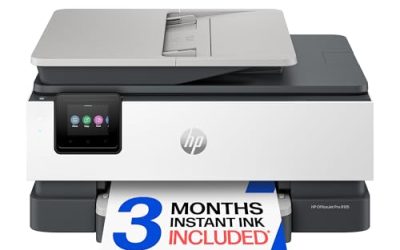
 HP OfficeJet Pro 8125 Wireless All-in-One Color Inkjetone size13.29 x 18.11 x 9.17 inches17.6 poundsCheck on Amazon
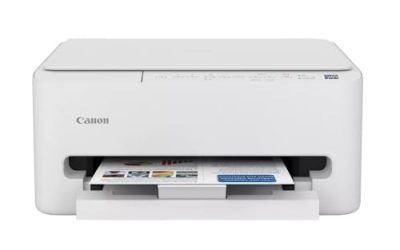
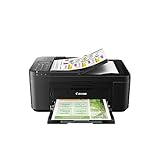
 Canon PIXMA TR4720 All-in-One Wireless PrinterOne Size11.7 x 17.2 x 7.5 inches12.7 poundsCheck on Amazon
 Canon PIXMA TS7720 Wireless All-in-One Color Inkjet PrinterOne Size13.8 x 14.8 x 6.7 inches13.8 poundsCheck on Amazon
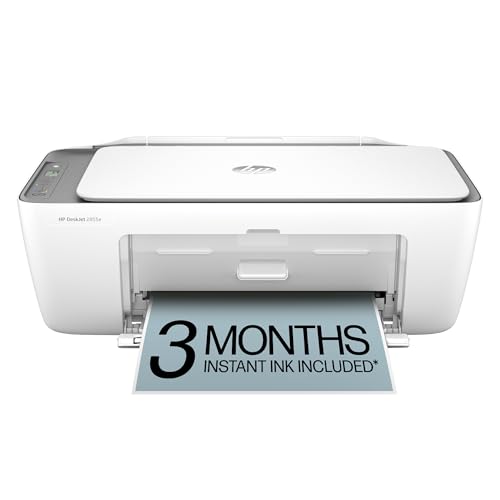
Top 3 picks at a glance
Quick Picks
As an Amazon Associate we earn from qualifying purchases at no extra cost to you.


| Product | Best for | Key spec from the title |
|---|---|---|
| HP DeskJet 2923 | Light home use | Wireless all-in-one, print, scan, copy |
| HP OfficeJet Pro 8125 | Home office documents | ADF, duplex printing, Instant Ink trial |
| Canon PIXMA TR4720 | Paper-heavy household tasks | Auto document feeder, built-in fax |
| Canon PIXMA TS7720 | Photos and screen control | Auto duplex, 2.7″ touchscreen |
| HP DeskJet 2855e | Simple setup for basic printing | Wireless all-in-one, mobile compatible |
| HP Envy 6555 | Home use with duplex | Duplex printing, Instant Ink trial |
How to Choose
Ink and the real cost of printing
Entry-level inkjets use small cartridges, so the cost per page matters more than the sticker. Look at whether the listing names an ink subscription trial, which can lower costs for regular printers but ties you to a plan. If you print rarely, ink can dry out between jobs, so a subscription can be wasted. Budget models cut corners with starter cartridges that run low quickly.
Document features that save time
An automatic document feeder, or ADF, lets you scan or copy a multi-page document without placing each sheet by hand. Duplex printing prints on both sides automatically and saves paper. If you scan receipts, forms, or class notes in batches, these two features matter more than print speed.
Connectivity and mobile printing
Wireless printing from a phone or laptop is standard here. Look for named mobile compatibility and an easy app setup. A small touchscreen makes it simpler to change settings or run copies without a computer. Ignore speed claims unless you print long documents daily, since entry printers are paced for light use. Also check that the printer works with your phone’s operating system, because an app-only setup can be frustrating if the app does not support your device.
Size, paper handling, and fax
Check how much desk space you have, since printers with scanners and feeders can be bulky. Measure the shelf height too, because the scanner lid and paper tray need clearance to open fully. Paper tray capacity affects how often you refill. Built-in fax is a niche feature; it helps some home offices and is unnecessary for most. In 2026, scanning to a phone app has replaced many fax needs.
The 6 Best Options
HP DeskJet 2923
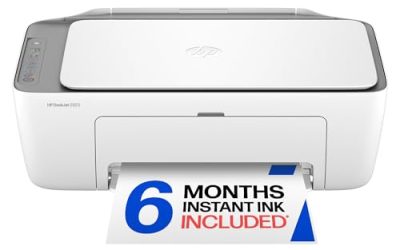
A wireless all-in-one color inkjet that prints, scans, and copies, with mobile compatibility and easy home printing noted in the listing. It suits light users, such as a student printing assignments or a family printing the occasional form, who want a no-fuss machine and a compact footprint. It is the kind of printer that lives on a shelf and comes out for a boarding pass, a permission slip, or a recipe, so the simple feature list is a strength rather than a flaw. Buyers should still budget for replacement cartridges, since low-cost printers use small ones.
- Strength: print, scan, and copy functions in one unit.
- Strength: wireless setup with mobile compatibility.
- Trade-off: the title names no document feeder or duplex printing.
Skip it if you scan stacks of paper or print double-sided pages regularly. A household that sends a weekly batch of forms or notes will find manual page handling tiresome, and a model with an ADF fits that routine better.
HP OfficeJet Pro 8125
This one is built for home-office habits. The listing names wireless all-in-one color inkjet functions with an ADF, duplex printing, and a three-month trial of Instant Ink, and describes it as best for a home office. It suits remote workers who copy contracts, scan forms, and print on both sides. The combination of a feeder and duplex output is rare at this cap, which is why it is the natural first look for anyone who handles paperwork every day.
- Strength: ADF and duplex printing save time on multi-page jobs.
- Strength: a trial of an ink plan is included.
- Trade-off: the ink plan is a subscription that may not suit occasional printers.
Skip it if you print only a handful of pages a month, since a subscription may cost more than loose cartridges would.
Canon PIXMA TR4720
A wireless all-in-one for home use with an auto document feeder, mobile printing, and built-in fax, in black. It suits households that handle a lot of paperwork, from forms to class handouts, and the feeder takes the pain out of multi-page scans and copies. The built-in fax is a rare extra that matters for people who deal with offices or agencies that still ask for it, such as some medical, legal, or government forms.
- Strength: an auto document feeder for multi-page scanning.
- Strength: built-in fax and mobile printing are listed.
- Trade-off: the title does not mention duplex printing.
Skip it if you want automatic double-sided printing or a touchscreen. Students and parents who print school packets might prefer the Canon TS7720 or HP duplex listings for that feature.
Canon PIXMA TS7720
A wireless all-in-one color inkjet that prints, copies, and scans, with auto duplex, 15 and 10 pages per minute, a 2.7-inch touchscreen, and a compact home photo printer design. It suits households that print photos and documents and want a touchscreen for settings. The 15 and 10 pages-per-minute figures in the title point to a faster pace than the basic DeskJet models, though real speed varies with the job. It is a fit for families who print school projects, photos, and the occasional document on one machine.
- Strength: auto duplex printing and a touchscreen.
- Strength: a compact design aimed at home and photo use.
- Trade-off: the title lists no automatic document feeder.
Skip it if you scan multi-page paperwork often. Home offices that batch-scan receipts should lean toward the Canon TR4720 or the HP OfficeJet Pro 8125.
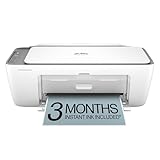
HP DeskJet 2855e
A wireless all-in-one color inkjet that prints, scans, and copies, with mobile compatibility and a focus on easy home printing. It suits first-time printer buyers and dorm rooms where simple setup is the main goal, and it keeps the feature list basic. It is a close alternative to the DeskJet 2923, so the choice between the two often comes down to which listing is available at the moment and which one shows the cartridge or plan details you prefer.
- Strength: straightforward wireless setup and mobile printing.
- Strength: print, scan, and copy in a basic package.
- Trade-off: no feeder or duplex printing is named in the title.
Skip it if you plan to scan or print long documents on both sides. People who run a home business should choose a feeder or duplex model instead, and light users can treat this and the DeskJet 2923 as close alternatives.
HP Envy 6555
A wireless all-in-one color inkjet with print, scan, copy, and duplex printing, plus a three-month trial of Instant Ink. It suits home users who want a step up from the DeskJet line, with automatic double-sided printing included. The Envy line is positioned for home use, so it fits households that print school assignments, recipes, and photos, and that want to save paper without flipping each sheet manually.
- Strength: duplex printing saves paper and effort.
- Strength: an Instant Ink trial is included.
- Trade-off: the title mentions no document feeder.
Skip it if batch scanning is a priority. Buyers who need an ADF for multi-page copies should compare the OfficeJet Pro 8125 or the Canon TR4720.
Which One Fits Your Situation
You work from home and scan paperwork
The HP OfficeJet Pro 8125 combines an ADF and duplex printing, which suits contracts, forms, and invoices. The Canon PIXMA TR4720 is the alternative if you want a feeder and fax. Both let you drop a stack of pages in and walk away, which is the real time-saver for anyone who scans more than a few sheets at a time.
You print occasionally
The HP DeskJet 2923 or 2855e covers the basics without extra features to learn, which keeps the machine simple for a dorm or a spare room. If you only print a handful of pages a month, avoid paying for features you will never touch, and think about buying a spare set of cartridges only when needed.
You print photos and want a screen
The Canon PIXMA TS7720 offers a touchscreen, auto duplex, and a compact photo-minded design. The touchscreen also makes copying easier for family members who do not want to open an app each time.
You want double-sided printing without a feeder
The HP Envy 6555 gives automatic duplex printing and a trial of an ink plan in a home-friendly design. It is the better fit than the DeskJet models when saving paper matters more than the smallest footprint.
Common Mistakes
- Choosing the cheapest printer without estimating yearly ink use.
- Signing up for an ink subscription when you print only a few pages a month.
- Skipping the document feeder and then scanning stacks of paper by hand.
- Assuming every printer under 100 dollars includes duplex printing.
- Forgetting to check cartridge availability and compatibility before buying, since the wrong cartridge number is a common reason for returns.
Related guides
- How To Use Camelcamelcamel For Amazon Deals
- Warranty Considerations When Buying On Sale
- Browser Extensions For Finding Deals
Frequently Asked Questions
Is a printer under 100 dollars worth it?
It can be, if you print lightly and plan for ink costs. Heavy users may do better with a model that has larger cartridges or a subscription plan, since the lowest-cost machines often have the highest cost per page over time.
What is Instant Ink?
It is an HP ink subscription that ships cartridges based on your page count. A trial can help you test it, but check the plan terms and cancel before the trial ends if it does not suit your usage.
Do I need an ADF?
It helps if you scan or copy multi-page documents. Without one, you place each page on the glass by hand, which is fine for a single receipt but slow for a ten-page contract.
Can I print from my phone?
These listings are wireless and name mobile compatibility or mobile printing, so phone printing is supported with the maker’s app or standard mobile print services. Check that the app supports your phone’s operating system before buying, because that is where wireless setup most often goes wrong.
Related guides
More from Amazon
Programs that pair well with the guide above. Offers and eligibility are set by Amazon and may change.
Free shipping on eligible items, Prime Video and more. Eligible new members can start with a free trial.
Start a Prime free trialAd-free music streaming. Eligible new subscribers can start with a free trial.
Try Music Unlimited freeA Prime membership for ages 18-24 with a trial period. Eligibility is set by Amazon.
See Prime for Young AdultsAudiobooks and podcasts to listen to on the go. Eligible new members can start with a free trial.
Try Audible freeAs an Amazon Associate we earn from qualifying purchases.