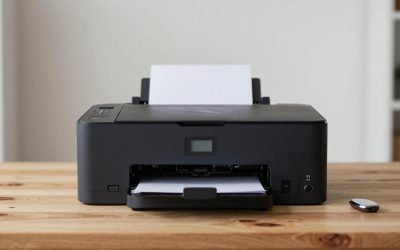
A check printer is not an ordinary printer with a special tray. The numbers along the bottom of a business check, the routing number, account number and check number, are printed in magnetic ink so that bank equipment can read them, and that is what the term MICR means. If you are paying vendors, running payroll, or issuing rent or refund checks from your own office, the real decision is whether to buy a small MICR inkjet bundled with check-writing software, or a workgroup-class MICR printer designed for volume. Everything else, from paper tray size to wireless setup, follows from that choice.
This guide is for small-business owners, bookkeepers, property managers and home-office users who want to print their own checks in 2026 and stop paying for preprinted stock. It compares eight models from two product families: VersaCheck bundles that pair a MICR-capable printer with check-printing software, and Troy MICR printers built for small teams and heavier volume. The judgments below come from the specs stated in each listing, with attention to what each bundle includes and where it stops.
Our Top Picks
 VersaCheck M15 MXD MICR Check Printer and VersaCheck9.8 x 14.3 x 7.8 inches12.1 poundsCheck on Amazon
 VersaCheck 4155 MXQ MICR All-in-One Color Check PrinterDesktop13 x 17 x 8 inches16.5 poundsCheck on Amazon
 VersaCheck 4255 MXE MICR All-in-One Color Check PrinterDesktop15 x 17 x 8 inches15.5 poundsCheck on Amazon


Top 3 picks at a glance
Quick Picks
As an Amazon Associate we earn from qualifying purchases at no extra cost to you.


| Product | Best for | Key spec from the title |
|---|---|---|
| VersaCheck M15 MXD | Single-purpose check printing | MICR check printer with VersaCheck X1 Platinum software |
| VersaCheck HP Deskjet 2755 MX | Entry-level all-in-one | MICR all-in-one color printer with Gold software |
| Troy 3001DW | Small teams with wireless needs | MICR, wireless, 250-sheet capacity, up to 35ppm |
| VersaCheck 4155 MXQ | Windows offices needing color and scanning | MICR all-in-one color printer with Gold software (Windows) |
| VersaCheck 4255 MXE | Step-up all-in-one | MICR all-in-one color printer with Gold software |
| VersaCheck HP DeskJet 3755 MX | Compact home-office use | MICR check printer with Gold software |
| Troy 4001DN | Higher-volume offices | MICR, 250-sheet tray, up to 3 trays, up to 42ppm |
| VersaCheck HP Officejet 200 MXE | Mobile and on-site printing | Portable wireless MICR with X9 Platinum 5-user software |
How to Choose
Confirm true MICR capability
A check you print must carry the bank line in magnetic ink in the correct E-13B style, or your bank may reject it. That is why every product here names MICR in the title; an ordinary inkjet or laser using standard ink is not a substitute. Also confirm that your bank accepts checks printed in-house, and keep a little blank check stock on hand for test prints. If a listing does not say MICR, move on. Security is the other angle: in-house printing lets you add a logo and a signature line, but you should still store blank stock under lock and control who can start a print job, because a printed check is as good as cash once it leaves the building.
Bundle software versus standalone hardware
VersaCheck bundles pair the printer with check-writing software, such as the Gold, Platinum or X9 Platinum editions named in the titles. The software handles layouts, account setup, logos and recurring payees. The Troy models list hardware specs only, so you would supply your own software or workflow. The Officejet 200 MXE title mentions a 5-user software license, which matters if more than one person will prepare checks.
Volume, speed and paper handling
For a handful of checks a week, a compact inkjet is plenty. For payroll runs or hundreds of checks per batch, the speed and capacity figures matter: the Troy 3001DW lists up to 35ppm with a 250-sheet tray, and the Troy 4001DN lists up to 42ppm with a 250-sheet tray and up to three trays. Multiple trays let you keep check stock, plain paper and letterhead loaded together without swapping paper.
Connectivity, platform and what to ignore
Check whether you need wireless, a wired network port, or just USB. The Troy 3001DW and the Officejet 200 MXE list wireless operation, while the 4001DN title mentions no wireless feature. Note the Windows-only mention on the 4155 MXQ bundle if you use a Mac. Ignore color-print claims if you only print checks in black. Budget bundles can cut corners on tray size, speed and paper variety, so match capacity to your monthly volume. A useful habit is to count your checks over three months, then buy for the busiest month rather than the average one.
The 8 Best Options
VersaCheck M15 MXD
The M15 MXD is the single-purpose entry in the lineup. The title lists a MICR check printer packaged with VersaCheck X1 Platinum check-printing software, which positions it as a ready-to-use bundle for someone who mainly wants to print checks and little else. It suits freelancers and small offices that write a few checks a week.
- Strength: hardware and software arrive together, which simplifies setup.
- Strength: the Platinum software tier points to richer check and account features than the Gold bundles.
- Trade-off: the title does not list all-in-one functions such as scanning or copying.
Skip it if you want one device that also scans, copies and prints general documents.
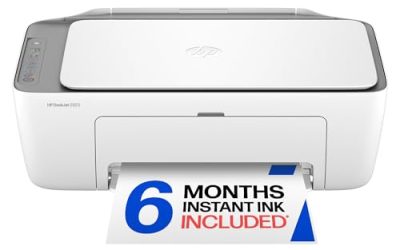
VersaCheck HP Deskjet 2755 MX
The Deskjet 2755 MX combines everyday printing with check capability. The title lists a MICR all-in-one color printer bundled with VersaCheck Gold check-printing software, in white. As an all-in-one, it appeals to a home office that wants copy and scan functions alongside the occasional check run.
- Strength: an all-in-one format covers general office tasks as well as checks.
- Strength: color printing is listed, useful for logos and invoices.
- Trade-off: the title gives no tray capacity or speed figure, so it reads as a light-duty model.
Skip it if you print check batches regularly or need a big paper tray.
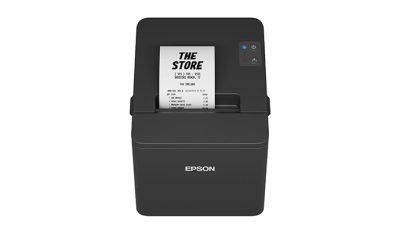
Troy 3001DW
The Troy 3001DW is built for small teams. The title lists a MICR printer for check printing that is wireless, with a 250-sheet capacity, one tray and speeds up to 35ppm. It sits well above the inkjet bundles in throughput and is aimed at offices where several people share one device.
- Strength: up to 35ppm and a 250-sheet tray handle larger batches without constant reloading.
- Strength: wireless operation lets a shared printer sit away from individual desks.
- Trade-off: the title lists no check software, so you must bring your own.
Because it is described as built for small teams, it makes the most sense where several people trigger print jobs from different computers. Skip it if you need a bundled software package or write only a few checks a month.
VersaCheck 4155 MXQ
The 4155 MXQ is a Windows-oriented all-in-one. The title lists a MICR all-in-one color check printer with VersaCheck Gold check-printing software and notes the Windows version. It fits a Windows office that wants scanning, color printing and check capability in a single bundled box.
- Strength: an all-in-one color design plus Gold software offers broad functionality.
- Strength: the Windows-specific note clarifies compatibility up front.
- Trade-off: the Windows-only wording is a drawback for Mac users.
Skip it if your accounting runs on a Mac or you need high-volume speed.
VersaCheck 4255 MXE
The 4255 MXE is the next step in the same all-in-one family. The title lists a MICR all-in-one color printer with a VersaCheck Gold check-printing software bundle. It fits buyers who want the same bundled approach as the 4155 but a newer model number in the lineup.
- Strength: the all-in-one color format covers checks, documents and copies.
- Strength: the Gold software is included with the printer.
- Trade-off: no speed, tray or platform detail appears in the title to separate it from the 4155.
Skip it if you need to confirm platform support from the listing or want a heavy-duty tray setup.
VersaCheck HP DeskJet 3755 MX
The DeskJet 3755 MX is a compact home-office model. The title lists a MICR check printer paired with VersaCheck Gold check-printing software. It reads as a straightforward choice for a small operation that wants a bundle sized for desk use rather than a shared workgroup.
- Strength: a MICR printer and Gold software are bundled together.
- Strength: the compact HP DeskJet family suits a small desk.
- Trade-off: the title mentions no all-in-one functions, tray size or speed.
It is the kind of model that makes sense when one person handles the books and the printer sits within arm’s reach. Skip it if you need shared network printing or higher monthly volume.
Troy 4001DN
The Troy 4001DN is the volume model. The title lists a MICR printer with a 250-sheet capacity in one tray, expandable to a maximum of three trays, at speeds up to 42ppm. It targets offices that print checks in large runs and want to load several paper types at once.
- Strength: up to 42ppm is the fastest speed listed here.
- Strength: up to three trays allow check stock and plain paper to stay loaded side by side.
- Trade-off: the title mentions no wireless feature and no bundled software.
Skip it if you want wireless setup or only print occasional checks.
VersaCheck HP Officejet 200 MXE
The Officejet 200 MXE is the portable option. The title lists a portable wireless MICR check printer packaged with VersaCheck X9 Platinum software for five users. It suits people who print checks away from a main desk, such as property managers, contractors or small shops with several staff.
- Strength: a portable wireless design lets you print on site.
- Strength: the 5-user X9 Platinum license suits a small team.
- Trade-off: a portable printer is not built for large check batches.
Skip it if you want an all-in-one with scanning or a heavy tray capacity.
Which One Fits Your Situation
You write a few checks each week from a home office
Choose the VersaCheck HP DeskJet 3755 MX or the VersaCheck M15 MXD. Both bundle software with the printer, so you can start printing checks without assembling parts.
Your office runs payroll or large vendor batches
Go with the Troy 4001DN for the highest listed speed and expandable trays, or the Troy 3001DW if wireless matters more. Both are rated well above the inkjet bundles for throughput.
You print checks on location
Pick the VersaCheck HP Officejet 200 MXE. The portable wireless design and 5-user software license are tailored to work away from a fixed desk.
You need scanning and color along with checks
The VersaCheck 4155 MXQ or 4255 MXE fits best. Both are MICR all-in-one color printers with Gold software, and the 4155 clearly states Windows.
Common Mistakes
- Using a standard printer for checks and discovering the bank line is not machine readable.
- Buying hardware without software and then lacking a way to lay out checks properly.
- Ignoring the platform note and buying a Windows-only bundle for a Mac office.
- Underestimating monthly volume, then struggling with a small tray and slow speeds.
- Skipping a test print on plain paper before loading real check stock.
Related guides
- Gaming Chair Cushions And Lumbar Supports
- How To Use Camelcamelcamel For Amazon Deals
- Warranty Considerations When Buying On Sale
Frequently Asked Questions
What does MICR mean on a printer?
MICR stands for magnetic ink character recognition, the technology behind the bank line at the bottom of a check. A MICR printer uses magnetic ink so that bank equipment can read the numbers reliably.
Can I use any blank check paper?
You need compatible blank check stock that matches your printer and your bank’s requirements. Confirm the stock specifications before ordering a large supply.
Is the software included with these printers?
The VersaCheck listings include a software bundle, such as Gold, X1 Platinum or X9 Platinum. The Troy listings name no software, so you would provide your own.
Do I need a high-speed model?
Only if you print large batches regularly. For a few checks a week, a compact inkjet bundle is sufficient, and the extra speed of a workgroup model would go unused.
Related guides
More from Amazon
Programs that pair well with the guide above. Offers and eligibility are set by Amazon and may change.
Free shipping on eligible items, Prime Video and more. Eligible new members can start with a free trial.
Start a Prime free trialAd-free music streaming. Eligible new subscribers can start with a free trial.
Try Music Unlimited freeA Prime membership for ages 18-24 with a trial period. Eligibility is set by Amazon.
See Prime for Young AdultsAudiobooks and podcasts to listen to on the go. Eligible new members can start with a free trial.
Try Audible freeAs an Amazon Associate we earn from qualifying purchases.