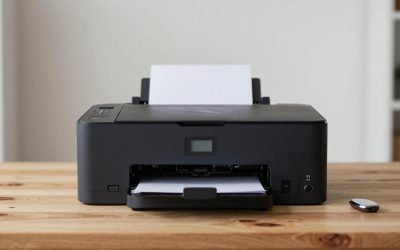
Choosing a Canon printer is mostly a choice between three families that share a logo but not much else. The PIXMA line uses cartridges and is built for homes, the MegaTank and MAXIFY line swaps cartridges for refillable ink tanks, and the imageCLASS line is a color laser aimed at small offices. Each is a good answer to a different question, such as how often you print, whether photos matter, and how much you dislike buying ink. Picking by name recognition alone is how people end up with a tiny cartridge printer in a household that prints a ream a month.
This guide is for buyers who have decided on Canon and want to match a specific model to their routine in 2026. It compares eight options using only the features stated in their listings, such as duplex printing, an automatic document feeder, fax, touchscreen size, tank refills and warranty length. Where a title leaves out something important, like print speed or cost per page, the article says so instead of guessing.
Our Top Picks
 Canon PIXMA TR4720 All-in-One Wireless PrinterOne Size11.7 x 17.2 x 7.5 inches12.7 poundsCheck on Amazon
 Canon MegaTank G3270 All-in-One Wireless Color PrinterOne Size21.9 x 16.4 x 10.6 inches13.2 poundsCheck on Amazon
 Canon Megatank G3290 All-in-One Wireless PrinterOne Size14.3 x 16.4 x 7 inches14.2 poundsCheck on Amazon


Top 3 picks at a glance
Quick Picks
As an Amazon Associate we earn from qualifying purchases at no extra cost to you.



| Product | Best for | Key spec from the title |
|---|---|---|
| Canon PIXMA TS4320 | Light home printing and copying | Wireless color inkjet, print, copy, scan |
| Canon PIXMA TR4720 | Home paperwork and the occasional fax | Auto document feeder, built-in fax, mobile printing |
| Canon MegaTank G3270 | Heavy printing on a budget per page | Refillable tank system, compact desktop design |
| Canon PIXMA TR8620a | Photo and document multitaskers | Auto document feeder, fax, AirPrint, Android support |
| Canon MegaTank G3290 | Tank users who want a touchscreen | 2.7″ LCD color touchscreen, duplex printing |
| Canon PIXMA TR7120 | Compact home office with two-sided printing | Duplex printing, auto document feeder, compact design |
| Canon imageCLASS MF665Cdw | Small office color laser | Duplex color laser, fax, 3 year limited warranty |
| Canon MAXIFY GX2020 | Home office running tank ink | Refillable tank system, duplex, compact desktop |
How to Choose
Cartridge inkjet, ink tank or laser
This is the biggest decision. Cartridge inkjets like the PIXMA models have a low purchase price and are the simplest for photos, but replacement ink is the main running expense, and it adds up if you print more than a few dozen pages a month. Ink tank printers such as the MegaTank and MAXIFY series cost more up front and then refill from bottles, which suits households and home offices that print weekly. A color laser like the imageCLASS prints sharp text and holds up when a printer sits idle for weeks, which is where inkjet nozzles can dry out.
Paper handling: duplex and document feeder
If you copy or scan multi-page forms, an automatic document feeder saves you from lifting the scanner lid a dozen times. If you print reports or school assignments, duplex printing halves paper use and tidies up stapled packets. Several Canon titles here list both. A model without a feeder is fine for the occasional single-page scan, but anyone running a home business should treat an automatic document feeder as close to mandatory.
Connectivity and controls
All eight are listed as wireless, and several mention mobile printing, AirPrint or Android support. Look for those if phones will be the main source of print jobs. A touchscreen, like the 2.7-inch color panel in one MegaTank listing, makes it easier to pick copy settings and enter network passwords than a small button panel. Built-in fax still matters for some medical, legal and real-estate paperwork, so check the title if you need it.
Ignore the cheapest sticker and consider the running cost
The lowest-priced printers cut corners in tray capacity, paper handling and ink economy. The initial price tells you little about the cost of owning the printer over a year or two. Before buying, check how much ink the first set includes, whether replacement ink is separate, and whether the warranty is long enough to cover your use. The imageCLASS title lists a 3 year limited warranty, which is a clear advantage over listings that say nothing.
The 8 Best Options
Canon PIXMA TS4320
This is a modest wireless color inkjet for home use, handling print, copy and scan. The listing calls it a cost-efficient multifunction photo printer, which makes it a natural choice for students and families that print a few pages a week and want a printer that does not take over the desk.
- Strength: print, copy and scan in one wireless unit keeps setup simple.
- Strength: photo-printer positioning suits school projects and holiday prints.
- Trade-off: the title does not mention an automatic document feeder or duplex printing.
Skip it if you scan multi-page documents often or print heavily, since cartridge ink will cost more over time than tank refills. It is best treated as a starter printer for a dorm room or a spare room, where it will sit mostly idle.
Canon PIXMA TR4720
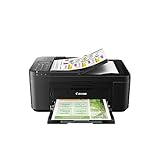
This all-in-one is a better fit for paperwork than the TS4320 because the listing includes an automatic document feeder and built-in fax. It is a wireless home printer with mobile printing and a black finish, so it blends into a home office shelf.
- Strength: the document feeder makes multi-page copying and scanning faster.
- Strength: built-in fax is useful for forms that still require it.
- Trade-off: it is a cartridge inkjet, so frequent printing costs more per page than a tank model.
Skip it if you want two-sided printing, which the title does not mention, or if you print in volume. Households that never send a fax can still use the feeder, which is the real reason to step up from the cheaper TS4320.
Canon MegaTank G3270
For anyone tired of replacing cartridges, the MegaTank G3270 is a wireless color all-in-one with print, copy and scan and a refillable tank system. The listing highlights a compact desktop design, and it is aimed at both homes and offices.
- Strength: refillable tanks are the main reason to choose it over a cartridge printer.
- Strength: compact design fits on a desk or shelf.
- Trade-off: the title does not list duplex printing, a document feeder or a touchscreen.
Skip it if you scan stacks of pages or want a color display, since the more fully featured G3290 adds some of that. Choose it when low running cost matters more than convenience extras, and print enough that refills pay off.
Canon PIXMA TR8620a
The TR8620a is a wireless all-in-one for people who juggle photos and documents. The listing mentions copier, scanner, fax, an auto document feeder, AirPrint and Android support, and it is aimed at home office use.
- Strength: broad mobile support covers both iPhone and Android printing.
- Strength: a document feeder and fax give it office-style flexibility.
- Trade-off: this is still a cartridge model, so ink costs rise with volume.
Skip it if your priority is the lowest cost per page or if you print rarely and want a cheaper, simpler unit. It earns its place in households where phones, tablets and a laptop all send jobs to the same machine.
Canon MegaTank G3290
Think of the G3290 as the touchscreen version of the tank concept. It is a wireless all-in-one that prints, copies and scans, supports mobile printing, has a 2.7-inch LCD color touchscreen and a refillable tank system, and lists duplex printing in the title.
- Strength: the color touchscreen makes setup and copy settings easier to manage.
- Strength: duplex printing and tanks together suit heavy school or office printing.
- Trade-off: the title does not mention a document feeder, which matters for multi-page scanning.
Skip it if you need to scan long documents hands-free or want fax. Anyone who prefers physical buttons to a touch panel, or who rarely changes settings, can pick the plainer G3270 and keep the same refillable-tank approach.
Canon PIXMA TR7120
A compact, white wireless color inkjet, the TR7120 adds duplex printing and an auto document feeder to a small body. The listing describes it as a home printer with copier and scanner functions.
- Strength: duplex printing and a feeder in a compact unit suit small desks.
- Strength: the white finish fits a bright home office, which is rare among printers.
- Trade-off: cartridge ink means running costs climb with heavy use.
Skip it if you print dozens of pages every week, where a tank model is the more economical choice. It makes the most sense for light-to-moderate home offices that want duplex and a feeder without a large footprint.
Canon imageCLASS MF665Cdw
The only laser in the group, this wireless all-in-one handles duplex color printing, copying, scanning, fax and has an auto document feeder. Its listing also notes a 3 year limited warranty, a rare reassurance at this level.
- Strength: laser output suits sharp text documents and does not clog from idle time.
- Strength: the 3 year limited warranty is the longest coverage mentioned in this group.
- Trade-off: color laser printers usually cost more up front, and the title offers no photo-printing claims.
Skip it if photos are central to your printing or if you want the lowest purchase price. Small teams that print contracts, invoices and reports will get the most out of the laser engine and the longer warranty.
Canon MAXIFY GX2020
The MAXIFY GX2020 targets home offices that want a tank system but also need duplex printing. The listing calls it an all-in-one wireless color printer that prints, copies and scans, with a refillable tank system and a compact desktop design.
- Strength: the tank system and duplex printing are a strong pairing for document-heavy work.
- Strength: its compact design makes it easier to place in a small room.
- Trade-off: no document feeder, fax or touchscreen is named in the title.
Skip it if you need to fax, or if you want a feeder for multi-page scans. It suits freelancers and small shops that print invoices, labels and reports all week and want to stop buying cartridges.
Which One Fits Your Situation
You print a few pages a week and want something simple
The Canon PIXMA TS4320 does the basics at a modest scale, and its photo positioning covers occasional school or family prints.
You print and copy every day for a home business
The Canon MAXIFY GX2020 combines the tank system with duplex printing, which keeps ink and paper use under control as volume grows.
You handle paperwork that includes fax and multi-page scans
The Canon PIXMA TR8620a offers the feeder, fax and mobile printing support in a single home-office design.
You run a small office and want crisp color documents
The Canon imageCLASS MF665Cdw stands out with laser output, duplex printing, a feeder and a 3 year limited warranty.
Common Mistakes
- Buying a cartridge printer for a high-volume household and then spending more on ink than on the printer itself.
- Ignoring the document feeder until the first 20-page scan job.
- Assuming every Canon model supports duplex printing, when the listings clearly differ.
- Choosing a tank printer and expecting laser-style crispness on plain office paper without checking what you really print.
- Overlooking warranty length when the printer will be in daily use for a business.
Related guides
- Gaming Chair Cushions And Lumbar Supports
- Warranty Considerations When Buying On Sale
- How To Use Camelcamelcamel For Amazon Deals
Frequently Asked Questions
Are tank printers worth the higher price?
They usually are if you print weekly, because refill bottles tend to cost less per page than cartridges. If you print only a few pages a month, a cartridge model costs less overall and avoids the risk of dried ink.
Does a laser printer make sense at home?
It does when your printing is mostly text documents and the printer sits unused for long stretches. For photos and craft projects, an inkjet or tank model is generally the better match.
Do I need fax on a home printer?
Most households do not. A few industries and agencies still require it, so check the listing if you need the feature; the PIXMA TR4720, TR8620a and imageCLASS list it.
Can I print from my phone with these models?
Several listings mention mobile printing, and the TR8620a names AirPrint and Android support. Confirm the app and Wi-Fi setup for your phone before buying.
Related guides
More from Amazon
Programs that pair well with the guide above. Offers and eligibility are set by Amazon and may change.
Free shipping on eligible items, Prime Video and more. Eligible new members can start with a free trial.
Start a Prime free trialAd-free music streaming. Eligible new subscribers can start with a free trial.
Try Music Unlimited freeA Prime membership for ages 18-24 with a trial period. Eligibility is set by Amazon.
See Prime for Young AdultsAudiobooks and podcasts to listen to on the go. Eligible new members can start with a free trial.
Try Audible freeAs an Amazon Associate we earn from qualifying purchases.