A cheap home printer is only a bargain if the ink does not eat the savings. That is why this shortlist leans on one idea: the lowest sticker tier and the lowest running cost are often different machines. A compact DeskJet can be the right call for ten pages a month, while a refillable ink tank printer with three years of ink included flips the math for anyone who prints weekly.
The seven options below suit households that print schoolwork, forms, recipes, and the occasional photo, and that want wireless setup without a trip to the office supply store. They include three entry HP DeskJets and a Canon, a duplex-capable Envy, a Brother with a document feeder, and an ink tank model. Entering 2026, the main choice is between cartridge-based printers that cost little up front and ink tank printers that cost more now but less per page.
Our Top Picks
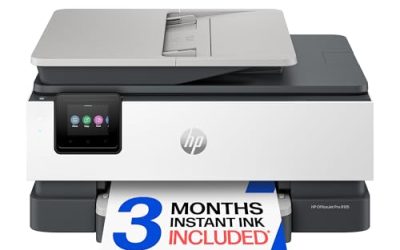
 HP OfficeJet Pro 8125 Wireless All-in-One Color Inkjetone size13.29 x 18.11 x 9.17 inches17.6 poundsCheck on Amazon
 HP Envy 6155 Wireless All-in-One Color Inkjet Printer17.05 x 14.21 x 5.3517.05 x 5.35 x 14.21 inches11.2 poundsCheck on Amazon
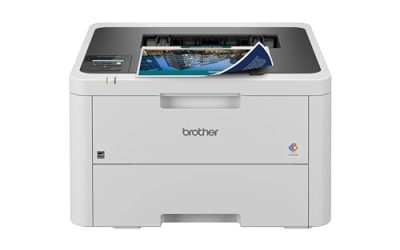
 Brother Work Smart 1360 Wireless Color Inkjet All-in-OnePrinter13.5 x 15.4 x 7.2 inches16.8 poundsCheck on Amazon


Top 3 picks at a glance
Quick Picks
As an Amazon Associate we earn from qualifying purchases at no extra cost to you.

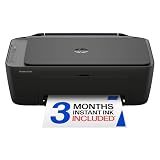


| Product | Best for | Key spec from the title |
|---|---|---|
| HP DeskJet 2923 | Occasional printing | Wireless all-in-one, print, scan, copy |
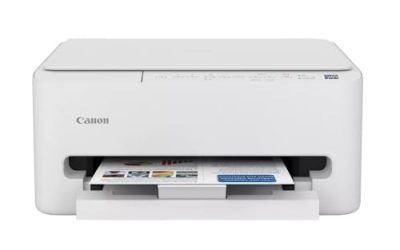
| Canon PIXMA TS4320 | Snapshots and school projects | Wireless inkjet, cost-efficient, home use |
| HP DeskJet 2955 | Basic home tasks | Wireless, mobile compatibility |
| HP OfficeJet Pro 8125 | Home office paperwork | ADF, duplex, Instant Ink trial |
| HP Envy 6155 | Double-sided home printing | Duplex, 3-month Instant Ink trial |
| Brother Work Smart 1360 | Scanning stacks | Duplex, auto document feeder |
| HP Smart Tank 5003 | Frequent printers | 3 years of ink included, refillable tanks |
How to Choose
Work out your true cost per page
Starter cartridges bundled with cheap printers are often half-full, and replacements are priced aggressively. If you print under about 50 pages a month, a low-cost cartridge printer is fine. At 100 pages or more, an ink tank printer or a subscription plan usually wins. Do the math with your own habits instead of trusting the sticker tier.
Choose the paper-handling features you will use
Duplex printing, which prints both sides automatically, saves paper and time on reports and forms. An automatic document feeder helps with multi-page scanning and copying. A flatbed scanner alone is enough for single receipts and photos. Skip both features if your routine is simple, because they raise the cost and the size of the machine.
Understand the ink program fine print
Some listings include a trial of a subscription ink service that ships cartridges based on pages printed. These can lower costs for regular printers but may require an account, and some printers will refuse non-program cartridges. Read the terms, set a reminder before a trial ends, and decide whether a subscription suits you.
Check wireless setup and where cheap models cut corners
All seven are wireless, but app requirements differ. Cheaper models skimp on tray capacity, print speed, and screen quality, and many lack a color display. A very low entry cost often means small starter cartridges and a slower engine, which you will notice with longer documents. Printing a page or two every couple of weeks also keeps inkjet nozzles from drying out, which is the most common cause of streaky output on rarely used printers.
The 7 Best Options
HP DeskJet 2923
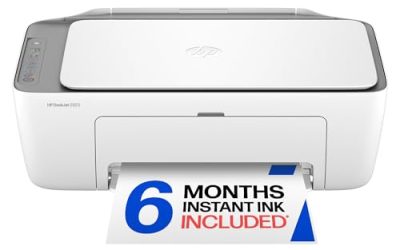
A wireless all-in-one color inkjet that prints, scans, and copies, with mobile compatibility and an easy home setup. It suits light users such as students, renters, and anyone who prints a few pages a week and wants one compact device that handles boarding passes, forms, and a quick copy without ceremony.
- Strength: Print, scan, and copy in a compact body.
- Strength: Wireless and mobile-friendly setup.
- Trade-off: No duplex or document feeder in the title.
Skip it if you scan stacks of pages or print long reports. Small cartridges also mean frequent replacements for anyone who prints regularly, which erases the savings of a low-cost printer. Where it shines is simplicity: you can unbox it, join the Wi-Fi, and print in minutes, which suits a household that dreads complicated printer setup more than it dreads buying a cartridge now and then.
Canon PIXMA TS4320
Canon lists this as a wireless color inkjet with print, copy, and scan, pitched as a cost-efficient multifunction photo printer for home use. It suits families who print school projects, crafts, and occasional snapshots, and who prefer a brand with a reputation for color output in a straightforward machine.
- Strength: Photo-oriented listing for crafts and snapshots.
- Strength: Wireless print, copy, and scan.
- Trade-off: No feeder or duplex mentioned in the title.
Skip it if you want automatic double-sided printing or a high-volume workhorse. For a household with mixed school and photo jobs, it covers the basics without extras you will not use. If your children bring home art projects and certificates, a photo-friendly listing is a reasonable reason to choose it over a plain document printer, as long as you accept that photo paper adds to the running cost.
HP DeskJet 2955
A close sibling of the 2923 in the listing: wireless all-in-one, color documents, mobile compatibility, and print, scan, and copy. It fits the buyer who found this exact model available and wants a plain, dependable home printer for coursework, forms, and printing from a phone.
- Strength: Familiar HP all-in-one format.
- Strength: Mobile printing support.
- Trade-off: Basic features and no feeder in the title.
Skip it if you want to compare features, since its listing reads nearly the same as the 2923. Choose between them on availability, and read the cartridge details because supply drives long-term cost. Because the two DeskJets are so similar, the smartest tie-breaker is whichever one is currently easier to find with cartridges in stock, since a printer with no available ink is useless to any household.
HP OfficeJet Pro 8125
A wireless all-in-one color inkjet with an automatic document feeder, duplex printing, and a three-month trial of an ink subscription, marketed for the home office. It is the most capable cartridge model on this list, and it suits remote workers who print, scan, and copy paperwork in batches.
- Strength: Document feeder for multi-page scans.
- Strength: Duplex printing for double-sided pages.
- Trade-off: Likely a higher cost tier than the DeskJets.
Skip it if you print a few pages a month. The feeder and duplex features will sit idle, and a simpler model would cost less to own. For freelancers who sign, scan, and email documents several times a week, the feeder saves real time, and duplex printing quietly cuts paper use on contracts and tax paperwork.
HP Envy 6155
The Envy lists wireless color inkjet printing with scan, copy, duplex printing, and a three-month ink trial in the title. It suits households that want double-sided output and a slightly more polished machine for homework and home-based work without stepping up to an office model.
- Strength: Duplex printing for paper savings.
- Strength: Wireless all-in-one with a trial ink program.
- Trade-off: The title lists no document feeder.
Skip it if you need to scan stacks of paper. Also read the ink program terms, since the trial is optional and not everyone wants a subscription. Between this and the OfficeJet Pro, the main difference in the listings is the feeder, so ask yourself honestly whether you copy and scan enough multi-page paperwork to justify one before spending more.
Brother Work Smart 1360
A wireless color inkjet all-in-one with print, scan, and copy, duplex printing, an auto document feeder, and mobile printing, marketed as best for home. It suits families that scan and copy multi-page forms, and who want a Brother model for variety beyond the HP and Canon lineups.
- Strength: Auto document feeder and duplex printing.
- Strength: Mobile printing and wireless setup.
- Trade-off: The title is cut off, so confirm ink details before buying.
Skip it if you only print occasionally and prefer a smaller, simpler device. For regular multi-page work, the feeder is the standout. Because it is a different brand from the rest of the list, it is also worth checking how its ink is sold and whether the cartridge range is easy to find locally before you settle on it.
HP Smart Tank 5003
An all-in-one ink tank printer that includes three years of ink, with a refillable, cartridge-free system aimed at low-cost printing and wireless printing. It suits frequent printers, such as students with heavy coursework or a small home business, who want to reduce the cost of every page over several years.
- Strength: Three years of ink included, per the title.
- Strength: Refillable tanks instead of small cartridges.
- Trade-off: A higher up-front cost tier than cartridge printers.
Skip it if you print only a few pages a month. In that case, the long-term savings never materialize, and a cheaper entry model will serve you better. The refillable tanks do take a little patience to fill the first time, so follow the setup steps carefully, and expect the savings to show up gradually over thousands of pages instead of immediately.
Which One Fits Your Situation
You print a few pages a month
The HP DeskJet 2923 or 2955 keeps the up-front cost low for occasional use, and the wireless setup means it can live on a shelf rather than next to your router.
You scan paperwork for work or school
The Brother Work Smart 1360 and the HP OfficeJet Pro 8125 both list a document feeder and duplex printing, which is what you want when scanning contracts, lab reports, or tax forms.
You print every week
The HP Smart Tank 5003 includes three years of ink and refillable tanks, which lowers cost per page for a student or small business printing steadily through the year.
You print photos and crafts
The Canon PIXMA TS4320 is positioned as a photo-friendly home printer, which suits scrapbooks, school posters, and holiday cards without a dedicated photo printer.
Common Mistakes
- Choosing by sticker tier and ignoring cartridge costs.
- Paying for a feeder you will not use.
- Signing up for a subscription ink plan without reading the terms.
- Treating an ink tank printer as a bargain for occasional use.
- Buying near-identical models without comparing the full specs.
Related guides
- Warranty Considerations When Buying On Sale
- How To Use Camelcamelcamel For Amazon Deals
- Browser Extensions For Finding Deals
Frequently Asked Questions
Is an ink tank printer worth it?
For regular printing, yes, because refills cost far less per page and the included ink covers a long stretch. For occasional printing, a basic cartridge printer is usually fine, and the extra up-front outlay would take years to pay back.
What is duplex printing?
It prints on both sides of the paper automatically, which saves paper and time. Without it, you can still print both sides manually by flipping the stack, but that takes patience and often causes jams.
Do I need a subscription ink plan?
No. Some listings include a trial, but you can decline or cancel. Compare it with regular cartridges first.
Can I print from my phone?
Most listings mention mobile printing. Confirm app support for your phone and whether an account is required, because some features, such as scanning to your phone or remote printing, may depend on signing in to the maker’s service.
Related guides
More from Amazon
Programs that pair well with the guide above. Offers and eligibility are set by Amazon and may change.
Free shipping on eligible items, Prime Video and more. Eligible new members can start with a free trial.
Start a Prime free trialAd-free music streaming. Eligible new subscribers can start with a free trial.
Try Music Unlimited freeA Prime membership for ages 18-24 with a trial period. Eligibility is set by Amazon.
See Prime for Young AdultsAudiobooks and podcasts to listen to on the go. Eligible new members can start with a free trial.
Try Audible freeAs an Amazon Associate we earn from qualifying purchases.