Choosing a USB gaming mouse is really a decision about permanence: the cable stays plugged in, the connection never sleeps, and there is no battery to fade mid-match or receiver to lose between desks. The real question is which wired shell fits your hand and grip, because every mouse here connects the same simple way while their shapes, button counts and weights differ sharply.


This guide serves competitive shooter players, MMO fans who bind many commands, students building a first setup, and anyone tired of charging a wireless mouse. Each product was chosen from the names and specifications on its Amazon listing, with wired USB connection as the primary mode, and the picks are ordered by how distinct the job each one does is.
Our Top Picks
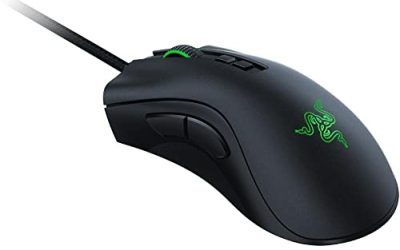
 Razer DeathAdder Essential Ergonomic Wired Gaming Mouse5.01 x 2.86 x 1.69 inches0.3 poundsCheck on Amazon

Top 3 picks at a glance
Quick Picks
As an Amazon Associate we earn from qualifying purchases
| Product | Best for | Key spec from title |
|---|---|---|
| Logitech G502 HERO | Button-heavy games and adjustable weight | 25,600 DPI |
| Logitech G203 LIGHTSYNC | First builds and small to medium hands | 8,000 DPI sensor |
| Razer DeathAdder Essential | Palm grippers with medium to large hands | 6400 DPI optical sensor |
| SteelSeries Rival 3 | Mixed genres and crisp split-trigger clicks | 8,500 CPI TrueMove Core optical sensor |
| Corsair Harpoon RGB Pro | Claw grippers who play fast titles | 12,000 DPI optical sensor |
How to Choose
Cable Connection and What USB Wired Really Gives You
A wired USB mouse trades freedom of movement for certainty: the signal travels down the cable, so there is no pairing step, no receiver occupying a port, and no low-battery warning during a ranked session. Check which connector the listing states, because most desktop mice use USB-A while a few newer models ship with USB-C, and a laptop with only small ports may need an adapter. Also look at cable style. A flexible or braided cable slides across the desk with less drag, and pairing it with a simple bungee keeps the cord from catching on a monitor stand or desk edge.
Shape, Hand Size and Grip Style
Fit matters more than any sensor figure once a session passes the first hour. The DeathAdder Essential uses a tall, curved right-handed shell that supports a relaxed palm grip, while the Harpoon RGB Pro is compact and contoured for claw grippers with small to medium hands. Measure your hand from wrist crease to middle fingertip, compare it with the dimensions printed on the listing, and think honestly about whether your palm rests flat or your fingers stay arched. A modest mouse that matches your grip will feel faster than a flagship shape that forces your hand into an unfamiliar posture.
Sensor Range Versus Tracking at Your Settings
Headline DPI numbers are easy to print and rarely used in full. The listings here span from 6,400 DPI on the DeathAdder Essential to 25,600 DPI on the G502 HERO, yet most players settle between 400 and 3,200 DPI and adjust sensitivity inside each game. What counts is clean tracking during fast swipes at the setting you actually use, with no spinning out when you flick across the pad. Use the headline figure only as headroom. If a listing names its sensor family, such as Logitech’s HERO or SteelSeries’ TrueMove Core, that tells you more about tracking behaviour than the maximum alone.
Buttons, Weights and Software Ecosystems
Count the controls you will genuinely bind. Eleven programmable buttons on the G502 HERO suit ability rotations and push-to-talk, while five or six buttons cover most shooter and everyday needs without crowding your thumb. Adjustable weights, like the five 3.6-gram tuning weights listed for the G502 HERO, let you add stability for slow, deliberate aim or strip mass for quicker flicks. Finally, check the software named on the listing: Logitech, Razer, SteelSeries and Corsair each use their own app for remapping and lighting, so matching the mouse to gear you already own keeps one program in charge of your desk.
The 5 Best Options
Logitech G502 HERO
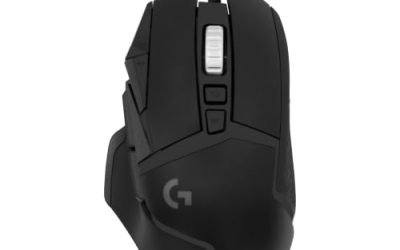
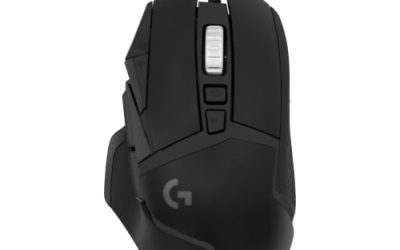
The G502 HERO is the pick for right-handed players whose games demand many commands from the mouse hand. Eleven programmable buttons give abilities, weapon swaps and voice chat their own homes, the HERO 25K sensor leaves enormous sensitivity headroom, and five removable 3.6-gram weights let you tune how planted the mouse feels during slow tracking. Its fuller body suits palm and relaxed claw grips on PC or Mac, and onboard memory carries your layout between machines. Choose it when control count matters more than a featherweight shell.
Specs
- HERO 25K sensor, up to 25,600 DPI
- 11 programmable buttons
- Five 3.6-gram adjustable tuning weights
- On-board memory
- Wired USB connection
- PC and Mac compatible
Best for: Right-handed players in button-heavy shooters, MOBA and MMO titles who want adjustable weight.
Watch out for: Its size and weight, even before adding tuning weights, can feel heavy for fingertip players who lift the mouse constantly.
ASIN: B07GBZ4Q68
Logitech G203 LIGHTSYNC
The G203 LIGHTSYNC suits new players and smaller hands that need a mouse which simply works everywhere. Its compact symmetrical shell supports fingertip and claw grips, six programmable buttons cover the essentials without a learning curve, and onboard memory keeps your DPI stages and assignments when you move between a desktop and a laptop. LIGHTSYNC RGB runs a lighting strip and logo that react through Logitech software, giving a first build a finished look. For a student desk or a spare setup, it is the most forgiving starting point in this group.
Specs
- 8,000 DPI sensor
- LIGHTSYNC RGB lighting
- 6 programmable buttons
- On-board memory
- Wired connection, PC and Mac compatible
- Black finish
Best for: New players with small to medium hands who want one wired mouse for gaming, study and everyday use.
Watch out for: Confirm the colour variant on the listing before ordering, because several finishes share the same product family and similar names.
ASIN: B07YN82X3B
Razer DeathAdder Essential
The DeathAdder Essential is built around comfort for right-handed players with medium to large hands who rest their whole palm on the mouse. The curved ergonomic body fills the hand in a way flat symmetrical shells cannot, rubber side grips help when you lift and reposition, and five programmable buttons keep the layout uncluttered for shooters and action games. Mechanical switches give the main clicks a deliberate, tactile feel. If your sessions run long and hand support outranks extra buttons or elaborate lighting, this familiar shape is the one shaped around your hand.
Specs
- 6400 DPI optical sensor
- 5 programmable buttons
- Mechanical switches
- Rubber side grips
- Classic black ergonomic shape
- Wired connection
Best for: Palm grippers with larger hands who play for long stretches and prefer a supportive right-handed shape.
Watch out for: The shell is sized for medium to large hands, so smaller-handed players should check the listed dimensions carefully before choosing it.
ASIN: B094PS5RZQ
SteelSeries Rival 3
The Rival 3 fits players who move between genres and want a balanced symmetrical mouse with a mechanical character to its clicks. Its TrueMove Core optical sensor is built for one-to-one tracking, the split-trigger design separates the main buttons from the shell for a crisper response, and six programmable buttons handle game commands alongside everyday shortcuts. Brilliant Prism RGB wraps illumination around the base, which suits desks where the setup is part of the room’s look. For shooters on weeknights and strategy titles on weekends, it sits comfortably in the middle of this line-up.
Specs
- 8,500 CPI TrueMove Core optical sensor
- 6 programmable buttons
- Split trigger buttons
- Brilliant Prism RGB lighting
- Ergonomic shape
- Black finish, wired connection
Best for: Players who switch between several game genres and want crisp split-trigger clicks with strong RGB.
Watch out for: Check the listing carefully to make sure you are ordering the wired Rival 3 and not the separate wireless version, which is a different product.
ASIN: B08176SM7C
Corsair Harpoon RGB Pro
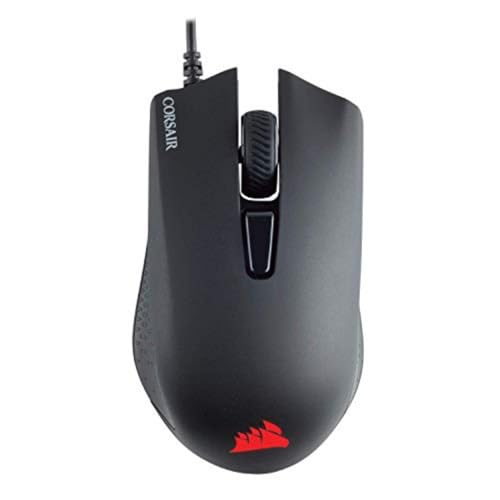
The Harpoon RGB Pro targets claw grippers with small to medium hands who reposition the mouse constantly in fast titles. Its contoured body carries rubber side grips, the listed 85g weight keeps it light without a perforated shell, and six programmable buttons can be managed through Corsair iCUE alongside any other Corsair gear on your desk. A 12,000 DPI optical sensor provides wide sensitivity headroom, while Omron switches rated beyond 20 million clicks speak to long-term durability. For a compact battlestation already running Corsair software, it completes the set neatly.
Specs
- 12,000 DPI optical sensor
- 6 programmable buttons
- Lightweight 85g design
- Omron switches rated for more than 20 million clicks
- Rubber side grips and contoured shape
- iCUE compatible, wired connection
Best for: Claw grippers with small to medium hands who play FPS and MOBA games and already use Corsair software.
Watch out for: Its compact shell can feel cramped for palm grippers with large hands, so compare its size against your current mouse first.
ASIN: B07QVB51L9
Which One Fits Your Situation
You Bind Abilities, Macros and Voice Chat to the Mouse
Choose the Logitech G502 HERO. Eleven programmable buttons separate your abilities, weapon swaps and push-to-talk so you stop triggering the wrong command during a fight, and the adjustable weights let you steady the mouse for deliberate tracking. Onboard memory means the layout travels with you to a second PC without reinstalling anything.
Your Hands Are Large and Sessions Run All Evening
Pick the Razer DeathAdder Essential. The tall, curved right-handed shell supports a full palm grip so your hand rests instead of hovering, and the rubber side grips keep control when you lift and reset during longer matches. You give up extra buttons and multi-zone lighting, but for evening-long comfort that trade is the right one.
You Play Fast Shooters With a Claw Grip
Take the Corsair Harpoon RGB Pro if your fingers stay arched and your hand is small to medium, because its compact contoured body, side grips and 85g weight reward quick lifts and short flicks. Pick the SteelSeries Rival 3 instead if your grip sits between claw and fingertip and you prefer a symmetrical shell with split-trigger clicks.
You Are Setting Up a First Gaming Desk
Start with the Logitech G203 LIGHTSYNC. It plugs in by cable, stores settings in onboard memory, and its six buttons and compact shape forgive an undecided grip style while you learn what suits you. The lighting gives a first build a finished look, and Logitech’s software introduces DPI stages and button assignments gently.
Common Mistakes
- Assuming wired means outdated, when a USB cable removes charging, pairing and receiver problems entirely.
- Shopping by maximum DPI alone, when tracking quality at your real sensitivity and shell fit matter far more.
- Ignoring hand size and grip style, then blaming the mouse for fatigue a different shape would have avoided.
- Ordering a wireless namesake by mistake, because listings group wired and wireless versions of the same model closely together.
- Forgetting the connector type, then discovering a USB-C-only laptop needs an adapter for a USB-A mouse cable.
Frequently Asked Questions
Is a wired USB mouse still good for competitive gaming?
Yes. A cable connection is direct and consistent, with no battery to fade and no wireless interference to consider. Modern flexible cables drag far less than older stiff ones, and a bungee removes most remaining pull. For the shooters and MOBA titles most players compete in, wired gives up nothing that decides results.
Does a USB gaming mouse need special drivers to work?
No. Every mouse here works as soon as it is plugged in, because basic movement and clicking use standard USB input. The brand software is optional and only needed for remapping buttons, adjusting DPI stages, saving profiles to onboard memory or controlling the lighting effects.
Can I use a USB gaming mouse with a laptop?
Yes, provided the port matches. Most of these mice use a USB-A plug, which suits desktops and many laptops directly, while a machine with only USB-C ports needs a small adapter or hub. The G203 and G502 also list Mac compatibility, which helps mixed setups.
How do I reduce cable drag on a wired mouse?
Leave a loop of slack in front of the mouse so the cable never pulls taut, route it away from monitor feet and desk edges, and consider a mouse bungee, which holds the cord up and keeps its movement predictable. A smooth desk surface or a large pad also stops the cable catching mid-flick.
Related guides
More from Amazon
Programs that pair well with the guide above. Offers and eligibility are set by Amazon and may change.
Free shipping on eligible items, Prime Video and more. Eligible new members can start with a free trial.
Start a Prime free trialAd-free music streaming. Eligible new subscribers can start with a free trial.
Try Music Unlimited freeA Prime membership for ages 18-24 with a trial period. Eligibility is set by Amazon.
See Prime for Young AdultsAudiobooks and podcasts to listen to on the go. Eligible new members can start with a free trial.
Try Audible freeAs an Amazon Associate we earn from qualifying purchases.