As an Amazon Associate we earn from qualifying purchases

Best Gaming Mouse Sensor: Flagship Sensors Compared
Ask most players what makes the best gaming mouse sensor and they will point at the DPI number on the box. That number is almost useless. Every flagship sensor on the market now resolves far more counts per inch than any human hand can use, and the real differences hide elsewhere: how consistently the sensor tracks during slow micro-adjustments and violent flicks, how much speed it can follow before it spins out, how it behaves the instant you lift the mouse, and how cleanly its data lines up with high polling rates.
This guide is for competitive players who want to choose a mouse by the sensor inside it rather than by marketing numbers. It explains the handful of sensor traits that actually change how aim feels, then groups five current flagship mice by the sensor they carry: PixArt’s PAW3950 family, Razer’s Focus Pro 35K and 30K, and Logitech’s HERO 2. Every pick below is a complete mouse, because sensors are not sold separately — the sensor you want decides the shortlist of mice you should be looking at.
Top 3 picks at a glance

Quick Picks
| Product | Best for | Key spec |
|---|---|---|
| Razer Viper V3 Pro | Most consistent all-round tracking | Focus Pro 35K Gen-2, 750 IPS, 1-DPI steps |
| Logitech G PRO X Superlight 2 | Highest tracking speed ceiling | HERO 2, up to 888 IPS, 44,000 DPI |
| LAMZU Maya X | Pure PAW3950 in a larger shell | PixArt PAW3950, 30,000 DPI, 750 IPS |
| Pulsar X2 CrazyLight | PAW3950-class tracking at minimum weight | XS-1 (PAW3950-based), 32,000 DPI, 35 g |
| Razer DeathAdder V3 Pro | Ergonomic shape with flagship tracking | Focus Pro 30K, 750 IPS, glass tracking |
How to Choose the Best Gaming Mouse Sensor
Tracking consistency beats headline DPI
DPI (more precisely CPI, counts per inch) only sets how far the cursor travels for a given hand movement. Almost nobody plays above a few thousand DPI, so a 30,000 vs 44,000 ceiling changes nothing in game. What matters is resolution accuracy and consistency: whether the sensor reports the same distance for the same movement at slow, medium and fast speeds, with no smoothing, no acceleration and no angle snapping quietly rewriting your input. The flagship sensors in this guide all advertise accuracy figures around 99.6 to 99.8 percent and apply no smoothing across their range, which is exactly the behaviour you want — the number on the box is not.
IPS and acceleration set the speed ceiling
IPS (inches per second) is the fastest hand speed the sensor can follow before tracking breaks down. A hard flick in a tactical shooter can briefly exceed 200 IPS, so the 500-plus IPS ratings of older sensors were already comfortable; the 750 IPS of the PAW3950 and Focus Pro lines and the up-to-888 IPS of HERO 2 leave enormous headroom. Acceleration tolerance, measured in G, works the same way — 50G to 88G across these flagships is far beyond what an arm produces. Treat IPS as a pass/fail check rather than a ranking: once a sensor clears roughly 400 IPS, it will not be the reason a flick missed.
Lift-off distance and surface behaviour
Lift-off distance (LOD) is the height at which the sensor stops tracking as you raise the mouse to re-centre it. Low, adjustable LOD — around 1 mm on most flagships, often with finer steps in software — keeps the cursor from drifting during lifts and slams. Surface tuning matters alongside it: Razer’s Focus Pro sensors are specified to track even on glass, and both Razer and Logitech offer calibration so the sensor adapts its tracking to your specific pad. If you play on a glass pad or an unusual surface, that surface support is a genuine sensor-level difference, not a spec-sheet footnote.
Motion Sync and the polling rate interaction
A sensor samples your movement continuously, but the PC only receives reports at the polling rate. Motion Sync is the feature that times sensor data so each report carries the freshest, most evenly spaced reading instead of a stale one, which reduces micro-stutter in cursor movement. The effect grows more relevant as polling climbs: at 1,000 Hz the gap between reports is 1 ms, while at 8,000 Hz it is 0.125 ms, and unsynced data can arrive unevenly between those tighter windows. Pulsar builds Motion Sync into the XS-1, and the other flagships here handle the same alignment in their own firmware. The practical takeaway is that a flagship sensor and an 8,000 Hz dongle only deliver their full benefit together — pairing a top sensor with a basic 1,000 Hz receiver leaves some of its consistency on the table.
DPI steps and real sensitivity control
Fine DPI adjustment is an underrated sensor feature. Razer’s Focus Pro 35K adjusts in 1-DPI steps, Pulsar’s XS-1 in 10-step increments, and the PAW3950 in the Maya X in 50-step increments. Smaller steps let you match an exact sensitivity carried over from another mouse instead of rounding to the nearest hundred and relearning your aim. If you swap mice often or share settings with a team, step size is worth checking before headline DPI.
The Flagship Sensors, Mouse by Mouse
Razer Viper V3 Pro — Focus Pro 35K Optical Sensor Gen-2
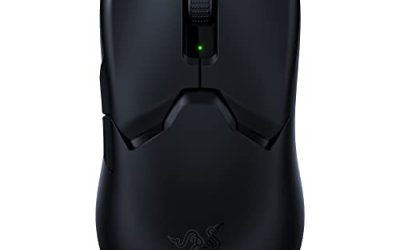
The Viper V3 Pro carries Razer’s current range-topper, the Focus Pro 35K Optical Sensor Gen-2. It resolves up to 35,000 DPI in 1-DPI steps, tracks at 750 IPS with 70G acceleration tolerance, and is rated by Razer at 99.8 percent resolution accuracy. Razer also specifies tracking on glass, which almost no competing sensor claims. The sensor feeds an included HyperPolling dongle for true wireless polling up to 8,000 Hz, and the mouse itself is a 54 g symmetrical shell with Gen-3 optical switches and up to 95 hours of battery life at standard polling.
- Strength: The finest DPI granularity of any sensor here, glass tracking, and an 8K dongle in the box rather than sold separately.
- Trade-off: Battery life falls sharply at 8,000 Hz polling, and the sensor’s smart features live inside Razer’s software ecosystem.
- Skip it if… you want an ergonomic right-handed shell — this is a symmetrical shape, and the DeathAdder below is Razer’s ergo route to a Focus Pro sensor.
Logitech G PRO X Superlight 2 — HERO 2
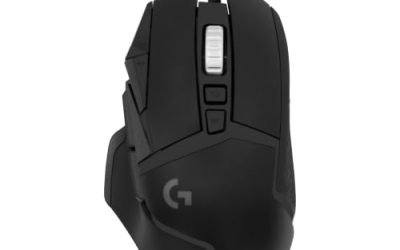
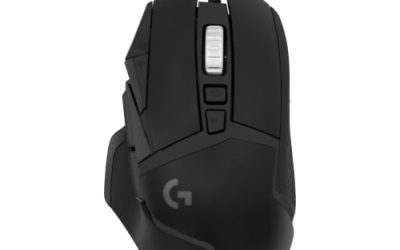
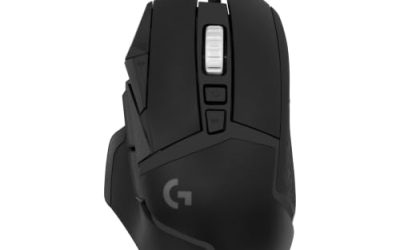
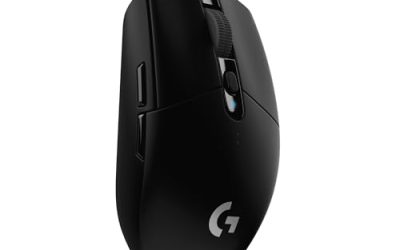
Logitech does not buy PixArt silicon; the Superlight 2 runs its own HERO 2 sensor, currently specified at up to 44,000 DPI with tracking up to 888 IPS and 88G acceleration — the highest speed ceiling in this guide. Logitech emphasises sub-micron tracking with zero smoothing, acceleration or filtering across the full range. The mouse pairs the sensor with LIGHTSPEED wireless at up to an 8 kHz report rate, LIGHTFORCE hybrid switches, USB-C charging and a 60 g symmetrical shell that remains one of the most copied shapes in esports.
- Strength: The highest IPS and acceleration ratings here, plus a sensor tuned entirely around one mouse line, so firmware and shape are developed together.
- Trade-off: The headline 44,000 DPI figure arrived through firmware updates rather than new hardware, which underlines how little the DPI ceiling itself matters.
- Skip it if… you prefer a pronounced ergonomic shape or a very large mouse — the Superlight 2 is a medium symmetrical shell only.
LAMZU Maya X — PixArt PAW3950
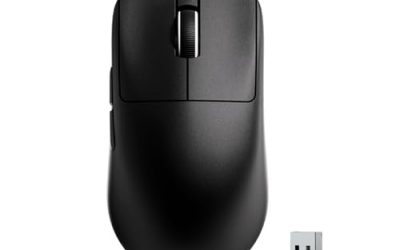
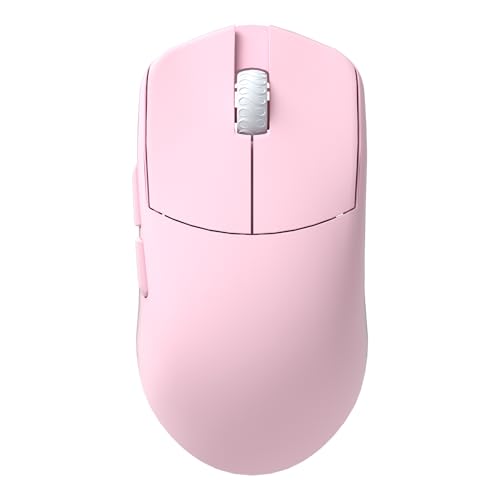
The Maya X is the straightforward way to buy PixArt’s PAW3950, the sensor that has become the default flagship for independent brands. LAMZU rates it at up to 30,000 DPI and 750 IPS, run through a Nordic nRF52840 microcontroller, with an 8K wireless dongle included for polling up to 8,000 Hz. The shell is a larger symmetrical shape at 124 × 64 × 40 mm and 47 g, with Omron optical switches and a dust-proof encoder — a spec sheet that matches the big brands part for part.
- Strength: The reference PAW3950 implementation with the 8K receiver included, in a bigger shell than most ultralight rivals.
- Trade-off: DPI adjusts in coarser 50-step increments, so matching an exact sensitivity from another mouse takes a small compromise.
- Skip it if… you have small hands — the Maya X is deliberately the larger Maya, and fingertip players with small hands should look at the standard Maya instead.
Pulsar X2 CrazyLight — XS-1 (PixArt PAW3950-Based)
Pulsar’s XS-1 is its house flagship, a customized variant of the PixArt PAW3950, rated at 32,000 DPI, 750 IPS and 50G acceleration with 99.6 percent resolution accuracy. Pulsar builds Motion Sync in at the sensor level, aligning readings with the PC’s polling intervals, and supports polling up to 8,000 Hz with the compatible dongle. All of that sits in the lightest shell in this guide at 35 g, with optical switches — a mouse built for players who count every gram but refuse to give up flagship tracking.
- Strength: Motion Sync as a headline sensor feature and PAW3950-class tracking at a weight nothing else here approaches.
- Trade-off: The extreme weight saving means a small shell and minimal extras; the standard model is 1,000 Hz out of the box, with 8K requiring the compatible setup.
- Skip it if… you use a relaxed palm grip or have large hands — the CrazyLight’s compact, low shell suits claw and fingertip grips far better.
Razer DeathAdder V3 Pro — Focus Pro 30K

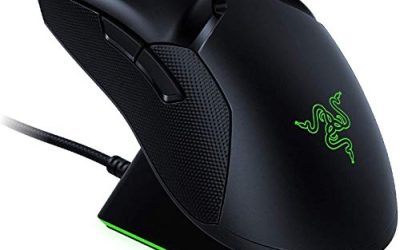
The DeathAdder V3 Pro runs the previous-generation Focus Pro 30K: up to 30,000 DPI, 750 IPS, 70G, and the same 99.8 percent resolution accuracy and glass tracking as its 35K successor. In practice it gives up almost nothing — the differences are the finer DPI stepping and refinements of the Gen-2 sensor, not raw tracking quality. What the DeathAdder adds is the shape: a 63 g right-handed ergonomic shell developed with esports players, Gen-3 optical switches, and up to 90 hours of battery life over HyperSpeed wireless.
- Strength: Flagship-grade tracking consistency in the most established ergonomic shape in gaming, with the longest battery life in this guide.
- Trade-off: The standard model polls at 1,000 Hz; 8,000 Hz needs the separate HyperPolling dongle, and DPI steps are less granular than the 35K.
- Skip it if… you are left-handed or prefer symmetrical mice — this shell is right-handed only.
Which One Fits Your Situation
You play tactical FPS and flick hard
Prioritise IPS headroom and tracking consistency over everything else. The Superlight 2’s 888 IPS HERO 2 and the Viper V3 Pro’s Focus Pro 35K both sit far above any speed a flick reaches, so choose between them on shape: symmetrical and slightly smaller for the Logitech, symmetrical with finer DPI steps and glass tracking for the Razer.
You play on a glass pad or an unusual surface
Sensor surface support becomes the deciding factor. Razer’s Focus Pro 35K and 30K are specified to track on glass, which makes the Viper V3 Pro or DeathAdder V3 Pro the safe picks; PAW3950 and HERO 2 mice are tuned first and foremost for cloth and hybrid pads.
You want the lightest possible setup
The Pulsar X2 CrazyLight pairs its PAW3950-based XS-1 with a 35 g shell — flagship tracking with nothing left to remove. If that shell is too small, the LAMZU Maya X keeps the same sensor class at 47 g in a larger frame.
You use a palm grip and play long sessions
The DeathAdder V3 Pro is the only ergonomic shell here, and its Focus Pro 30K plus 90-hour battery suit marathon play. Sensor-wise you lose nothing meaningful versus the 35K; the choice is about hand comfort, not tracking.
You swap mice or share sensitivity settings
Look at DPI step size. The Viper V3 Pro’s 1-DPI steps let you reproduce an exact sensitivity from any other mouse, while the Maya X’s 50-step increments force a small rounding. If settings portability matters, that detail outweighs the DPI ceiling.
Common Mistakes
- Choosing by maximum DPI. Nobody plays at 30,000 DPI; consistency, IPS headroom and lift-off behaviour decide real tracking quality.
- Assuming the same sensor means the same feel. Firmware, lens position, shell and skates all change how a PAW3950 mouse tracks — the sensor is a starting point, not the whole mouse.
- Ignoring lift-off distance. A high or non-adjustable LOD causes cursor drift every time you re-centre the mouse, which players often misdiagnose as sensor inaccuracy.
- Pairing a flagship sensor with 1,000 Hz and expecting 8K benefits. Motion Sync and high polling work together; the receiver and dongle are part of the sensor pipeline.
- Leaving smoothing or angle snapping enabled in software. These settings rewrite raw sensor output and undo exactly the consistency you paid for.
- Skipping surface calibration. On pads the sensor supports calibrating for, two minutes in software tightens tracking more than any spec upgrade.
FAQ
Is a higher DPI sensor actually more accurate?
No. DPI is a sensitivity ceiling, not an accuracy rating. Accuracy comes from resolution consistency across speeds, which is why flagship sensors advertise figures near 99.8 percent rather than leaning on DPI. All five sensors here are effectively flawless at the DPI values people actually use.
PAW3950, Focus Pro or HERO 2 — which sensor family is best?
They are peers, not a ladder. The PAW3950 is the shared flagship most independent brands build on, Razer’s Focus Pro line adds glass tracking and the finest DPI stepping, and Logitech’s HERO 2 posts the highest IPS rating and is developed exclusively for Logitech’s own mice. Shape, weight and software should break the tie.
Does Motion Sync make a visible difference?
It smooths out the micro-variation between sensor readings and polling reports, which is most noticeable at high polling rates and during slow, precise movements. It will not transform a mid-range sensor into a flagship, but on a flagship sensor it is part of why tracking feels locked-in rather than jittery.
Can a sensor spin out during fast flicks?
Only if your hand speed exceeds its IPS rating. Older office-grade sensors rated near 100 IPS could lose tracking on hard flicks; the 750 to 888 IPS ratings in this guide sit several times above the fastest recorded hand movements in shooters, so spin-out is effectively off the table.
Does the sensor matter more than polling rate?
They work as a pipeline. A great sensor reported at 1,000 Hz still feels responsive, while a weak sensor at 8,000 Hz just reports inconsistent data more often. Sensor quality sets the ceiling for tracking fidelity; polling rate sets how fresh each report is. For competitive play, prioritise the sensor first, then the polling hardware.
Related guides
More from Amazon
Programs that pair well with the guide above. Offers and eligibility are set by Amazon and may change.
Free shipping on eligible items, Prime Video and more. Eligible new members can start with a free trial.
Start a Prime free trialAd-free music streaming. Eligible new subscribers can start with a free trial.
Try Music Unlimited freeA Prime membership for ages 18-24 with a trial period. Eligibility is set by Amazon.
See Prime for Young AdultsAudiobooks and podcasts to listen to on the go. Eligible new members can start with a free trial.
Try Audible freeAs an Amazon Associate we earn from qualifying purchases.