The decision is not whether more buttons are better. It is which buttons your hand can actually reach in the middle of a fight. A 12-button thumb grid turns an MMO hotbar into muscle memory, but the same grid is dead weight in a shooter where you only need two side buttons for melee and push-to-talk. The wrong pick means relearning your grip, fighting the software, or paying for a wireless feature you never use. This guide sorts five mice by how their buttons are laid out, not by how many they list.
This article is for MMO and MOBA players who want a full hotbar under the thumb, FPS players who want a few extra binds without a heavy shell, and anyone who maps macros for work as well as play. Every mouse below was chosen from the name and specifications on its Amazon product page, with the button count, sensor, and connection taken from the listing itself.
Our Top Picks
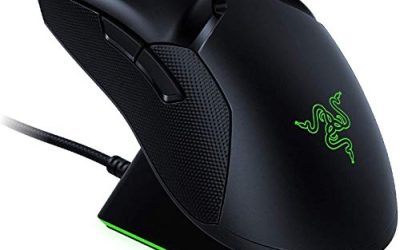
 Razer Basilisk V3 Customizable RGB Wired Ergonomic GamingMouse2.96 x 5.12 x 1.67 inches0.2 poundsCheck on Amazon


Top 3 picks at a glance

Quick Picks
As an Amazon Associate we earn from qualifying purchases
| Product | Best for | Key spec from title |
|---|---|---|
| Logitech G502 HERO | Everyday all-rounder with a proven shape | 11 programmable buttons, HERO 25K sensor, 25,600 DPI |
| Logitech G502 LIGHTSPEED | Wireless play with the same button layout | 11 programmable buttons, LIGHTSPEED wireless, PowerPlay compatible |
| Corsair Scimitar RGB Elite | MMO hotbars on a sliding thumb grid | 17 programmable buttons, 12-button Key Slider, 18,000 DPI |
| Razer Basilisk V3 | Ergonomic wired mouse with a tilt wheel | 11 programmable buttons, Focus+ 26K DPI, HyperScroll Tilt Wheel |
| Razer Naga V2 HyperSpeed | Wireless MMO mouse with the most buttons | 19 programmable buttons, Focus Pro 30K DPI, up to 400-hour battery life |
How to Choose
Button count and layout
Count the buttons your thumb can reach without looking, not the number on the box. A 12-button thumb grid holds a full MMO hotbar, but only if your thumb can find each key by touch after a week of practice; a grid that is too tight or too far forward turns into misclicks under pressure. Two or three well-placed side buttons cover most FPS needs, such as melee, grenade, and push-to-talk, without changing your grip. Before ordering, look at the side profile photos on the listing and picture your thumb at rest. A layout that matches your hand beats a bigger number every time.
Sensor and connection
Every mouse in this guide uses an optical sensor rated well above the sensitivity most players actually use, so the sensor number alone rarely decides a match. What matters more is the connection: a wired mouse removes charging and wireless interference from the equation entirely, while a modern wireless mouse with a dedicated 2.4 GHz receiver keeps input delay low enough for competitive play. Bluetooth-only connections are the ones to question for fast games. Check the listing for the connection type, the polling rate, and whether the wireless model includes a receiver or needs a separate purchase.
Software and onboard memory
Programmable buttons only earn their keep through the maker’s software, so check what the software actually lets you do before you buy. Look for per-button remapping, macro recording, and the ability to save profiles to the mouse itself, which lets your bindings travel with the hardware to another computer. Some software only runs on Windows, which matters if you also play on a Mac. Read the listing for onboard memory and profile counts, and confirm the software supports your operating system. A mouse that needs its app open at all times is a weaker pick than one that stores settings on board.
Shape, weight, and hand fit
Button-heavy mice are almost always right-handed and ergonomic, which is good news for palm grips and bad news for left-handed players or fingertip grips. A wide shell with a thumb rest supports long sessions, but the extra buttons add grams, and a heavy mouse slows fast flicks in shooters. Cheaper models in this category cut corners with mushy side buttons, a scroll wheel with no tilt, or a single onboard profile. Check the listed dimensions and hand orientation on the product page, and compare them with the mouse you already use. Fit decides comfort long after the button count stops mattering.
The 5 Best Options
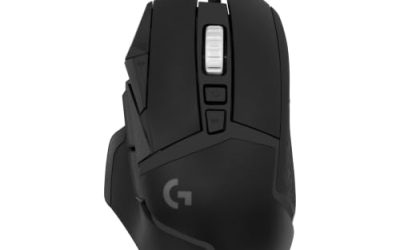
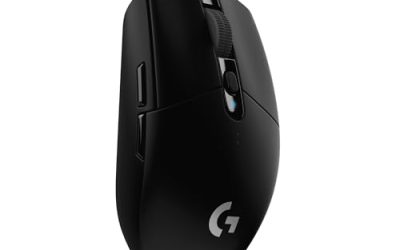
Logitech G502 HERO

The G502 HERO is the wired all-rounder that other button-heavy mice are measured against. Eleven programmable buttons sit within thumb reach without forcing a grip change, and the dedicated DPI shift button doubles as a sniper control in shooters. The dual-mode hyper-fast scroll wheel spins freely through long documents and locks into clicks for weapon selection, while the adjustable weight system lets you tune the balance. On-board memory stores your profiles on the mouse itself, so your bindings survive a move to another computer.
Specs
- HERO 25K sensor, up to 25,600 DPI
- 11 programmable buttons
- Dual-mode hyper-fast scroll wheel
- Adjustable weights, five 3.6g weights included
- On-board memory
- LIGHTSYNC RGB lighting
- Wired USB connection
Best for: Players who want one wired mouse that covers every genre without a learning curve.
Watch out for: The shape is right-handed only, and the mouse is wired, so check the cable routing on your desk before ordering.
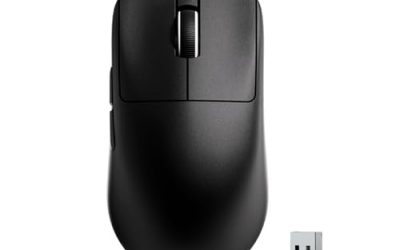
Logitech G502 LIGHTSPEED
The G502 LIGHTSPEED keeps the same button layout as the wired HERO and cuts the cable. Eleven programmable buttons cover macros, DPI shifts, and push-to-talk, while the LIGHTSPEED wireless link is built for fast play. The mouse works with the PowerPlay charging system, and the listing notes up to 60 hours of uninterrupted gaming on a charge. Six adjustable weights tune the balance, LIGHTSYNC RGB matches the rest of a Logitech setup, and on-board memory carries your profiles between computers.
Specs
- HERO 25K sensor, up to 25,600 DPI
- 11 programmable buttons
- LIGHTSPEED wireless, 1 ms report rate
- PowerPlay compatible
- Tunable weights, six adjustable weights included
- LIGHTSYNC RGB lighting
- Up to 60 hours of battery life
Best for: Players who already like the G502 shape and want it wireless.
Watch out for: The PowerPlay charging system is sold separately, so confirm what is in the box on the listing before ordering.
Corsair Scimitar RGB Elite
The Scimitar RGB Elite is built around one idea: a thumb grid that moves to fit your hand. Seventeen programmable buttons include twelve side buttons on the patented Key Slider, which repositions the whole grid forward or back and locks it in place. The custom PixArt PMW3391 sensor tracks up to 18,000 DPI in single-DPI steps, Omron switches are rated for 50 million clicks, and iCUE software handles macros, lighting, and onboard profiles. The braided cable and four-zone RGB finish a mouse made for long MMO sessions.
Specs
- 18,000 DPI optical sensor, PixArt PMW3391
- 17 programmable buttons
- 12-button Key Slider, repositionable side grid
- Omron switches rated for 50 million clicks
- iCUE compatible, onboard profile storage
- Four-zone dynamic RGB backlighting
- Wired, braided cable
Best for: MMO and MOBA players who want a full hotbar under the thumb.
Watch out for: The mouse is wired and heavier than FPS-focused mice, and the thumb grid takes a week of practice before it feels natural.
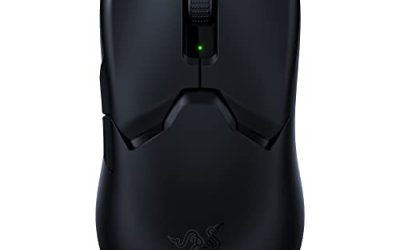
Razer Basilisk V3
The Basilisk V3 is the ergonomic wired pick for players who want programmable buttons without a thumb grid. Eleven programmable buttons include a multi-function trigger and a DPI clutch that drops sensitivity while held, which suits scoped shots and precise aiming. The HyperScroll Tilt Wheel switches between free-spin and tactile modes and tilts sideways for extra binds, while the Focus+ 26K DPI optical sensor covers fast flicks. Chroma RGB lighting and Razer optical switches round out a mouse that favors comfort over button density.
Specs
- Focus+ 26K DPI optical sensor
- 11 programmable buttons
- HyperScroll Tilt Wheel, free-spin and tactile modes
- Chroma RGB lighting
- Razer optical mouse switches
- Ergonomic right-handed design with thumb rest
- Wired USB connection
Best for: Players who want a comfortable wired mouse with a versatile scroll wheel.
Watch out for: The ergonomic shape is right-handed only, and the multi-function trigger takes time to place in muscle memory.
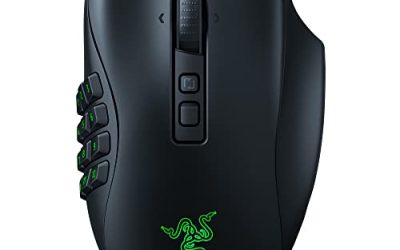
Razer Naga V2 HyperSpeed

The Naga V2 HyperSpeed is the wireless answer to the MMO hotbar problem. Nineteen programmable buttons include a 12-button thumb grid that holds a full skill rotation, while the Focus Pro 30K optical sensor and HyperScroll wheel handle tracking and weapon switching. Mechanical mouse switches Gen-2 give the clicks a crisp feel, and the listing notes up to 400 hours of battery life, so charging rarely interrupts a session. HyperSpeed wireless keeps the connection dedicated to the mouse rather than sharing a general-purpose radio.
Specs
- Focus Pro 30K optical sensor
- 19 programmable buttons
- 12-button thumb grid
- HyperScroll Technology
- Mechanical Mouse Switches Gen-2
- HyperSpeed wireless
- Up to 400-hour battery life
Best for: Wireless MMO players who want the largest button count in this guide.
Watch out for: Confirm the battery type and included receiver details on the listing, and note the thumb grid is tuned for MMO layouts rather than FPS play.
Which One Fits Your Situation
You play MMOs or MOBAs with a full hotbar
Pick the Corsair Scimitar RGB Elite if you play wired and want the grid to slide into your thumb’s natural reach, or the Razer Naga V2 HyperSpeed if you want the same idea without a cable. Both hold a full rotation under the thumb, and both need a week of practice before the grid becomes reflex. Skip the 11-button mice here: two side buttons cannot hold a hotbar.
You play shooters and want a few extra binds
Pick the Logitech G502 HERO for a wired setup or the Razer Basilisk V3 for the tilt wheel and DPI clutch. Both give you enough buttons for melee, grenade, and push-to-talk without a thumb grid getting in the way. The HERO suits players who tune weight; the Basilisk suits players who value the ergonomic thumb rest during long matches.
You want a wireless setup
Pick the Logitech G502 LIGHTSPEED if you want the familiar G502 layout with a cable-free desk, or the Razer Naga V2 HyperSpeed if your games need a thumb grid. Both use a dedicated 2.4 GHz receiver rather than a shared radio, and both store profiles on board. Check the battery figures on the listing and keep the receiver close to the mouse for the most stable link.
You also use the mouse for work and macros
Pick the Razer Basilisk V3 or the Logitech G502 HERO. The Basilisk’s tilt wheel and free-spin scrolling help with long documents and timelines, while the HERO’s onboard memory carries your macros to any computer you plug into. Map copy, paste, and app switching to the side buttons and keep your game profile on a separate onboard slot.
Common Mistakes
- Buying the highest button count without checking whether your thumb can reach the grid.
- Assuming every button works out of the box, when remapping and macros need the maker’s software.
- Ignoring hand orientation, since most button-heavy mice are right-handed only.
- Choosing a heavy MMO mouse for fast FPS flicks, where weight slows aim.
- Forgetting to check whether a wireless model includes its receiver or needs a separate charging accessory.
Frequently Asked Questions
How many programmable buttons do I actually need?
Most FPS players use two to six buttons for melee, grenades, push-to-talk, and DPI shifts, so an 11-button mouse already leaves room to spare. MMO and MOBA players are the exception: a full hotbar needs the 12-button grid found on the Scimitar and the Naga V2 HyperSpeed. Count the commands you press in a typical session before choosing a layout.
Do I need software installed to use the buttons?
The default bindings work without any software, so the mouse functions as a normal pointer straight away. Remapping buttons, recording macros, and changing lighting need the maker’s app, such as G HUB, iCUE, or Synapse. Mice with onboard memory keep those settings on the hardware, so you can uninstall the app after saving a profile.
Are wireless gaming mice with programmable buttons as responsive as wired ones?
A wireless mouse with a dedicated 2.4 GHz receiver and a high polling rate performs close enough to wired for most competitive play, and both wireless picks in this guide use that kind of link. Bluetooth-only connections are the ones that can feel sluggish in fast games, so check the listing for the receiver type. Keep the receiver close to the mouse and away from metal objects.
Can I use one of these mice for work as well as gaming?
Yes, and the extra buttons are often more useful outside games than inside them. Map copy, paste, undo, and app switching to the side buttons, and use the scroll wheel tilt for horizontal scrolling in spreadsheets. Save a work profile and a game profile to separate onboard slots, then switch between them without opening the software again.
Related guides
More from Amazon
Programs that pair well with the guide above. Offers and eligibility are set by Amazon and may change.
Free shipping on eligible items, Prime Video and more. Eligible new members can start with a free trial.
Start a Prime free trialAd-free music streaming. Eligible new subscribers can start with a free trial.
Try Music Unlimited freeA Prime membership for ages 18-24 with a trial period. Eligibility is set by Amazon.
See Prime for Young AdultsAudiobooks and podcasts to listen to on the go. Eligible new members can start with a free trial.
Try Audible freeAs an Amazon Associate we earn from qualifying purchases.