Most gaming mice are judged by sensor, weight, and shape. For this category, the side buttons are the point. They decide how much of your game you can move off the keyboard and onto your thumb, and whether a mouse suits a focused shooter loadout or a full MMO rotation. A mouse like this is two tools in one: a tracking device and a thumb-driven command pad that travels with your aim.
That is why the right choice starts with layout, not button count alone. At one end sit two-button FPS layouts: a forward and back pair placed for push-to-talk, melee, ping, grenade, or weapon swap, with nothing extra to hit by accident during fast flicks. In the middle are hybrid layouts with three to six thumb controls, often adding a clutch or sniper button, a profile switch, or a small cluster shaped around a thumb rest. At the far end are multi-button and MMO grids with six or twelve side buttons arranged in rows, built to hold an entire hotbar of spells, consumables, building pieces, or macros.
Placement and actuation matter as much as the number printed on the box. Buttons that sit too high force your thumb to climb, buttons that sit too low get pressed when you lift the mouse, and buttons that feel identical by touch demand a guess, while sculpted or textured buttons can be learned by position. Remapping software turns that hardware into a system, with per-game assignments, macros, onboard profiles, and hold-to-shift layers. Wireless reliability completes the picture: a stable 2.4 GHz connection for play, Bluetooth for a second machine, and wired fallback while charging. The five mice below cover that full spectrum.
Our Top Picks
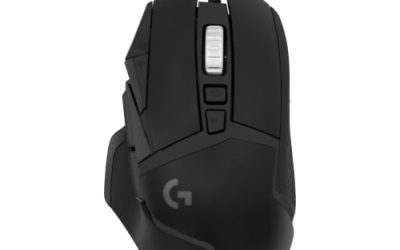
 Logitech G502 X Plus Wireless RGB Gaming MouseWireless7.1 x 4.6 x 2.7 inches0.84 poundsCheck on Amazon

Top 3 picks at a glance

How to Choose a Wireless Gaming Mouse With Side Buttons
Start With Your Game and Your Hotbar
Count the commands you actually want on your thumb before you shop. Shooter players often need only two reliable side buttons plus perhaps a temporary DPI clutch for scoped shots; more than that can crowd the thumb zone and create accidental presses. MOBA players usually land in the middle, with four to six controls for active items, abilities, and pings.
MMO, strategy, and simulation players are the natural audience for six- and twelve-button grids. If your rotation, mounts, potions, and utility spells stretch across the number row and beyond, moving them to the thumb shortens every command. Creators benefit too: copy, paste, undo, and push-to-talk map neatly to side buttons. Buy for the largest hotbar you use every week, not the largest one you can imagine.
Judge Placement, Shape, and Actuation by Touch
You will use these buttons without looking at them, so learnability is everything. Angled rows, buttons with different heights or textures, and a defined thumb rest help your thumb build a mental map. A flat, calculator-style grid takes longer to master than one where each row has a distinct edge or tilt.
Grip style changes the equation. Palm grip users rest more thumb length along the side and can reach deeper grids comfortably. Claw and fingertip users hover the thumb and often prefer fewer, larger buttons placed higher and further forward. On a wide mouse, a small hand may only reach the front half of a twelve-button panel reliably. Also check what happens when you lift the mouse: if your natural lift squeezes the side panel, you will trigger abilities every time you recenter.
Actuation is the final filter. Side buttons should travel a short, clear distance and reset quickly. Mushy buttons blur double activations, while overly stiff buttons can nudge your aim sideways when pressed.
Understand Remapping, Layers, and Onboard Profiles
Every mouse here can reassign its side buttons, but depth varies. Look for per-application profiles that switch when a game launches, macro recording, and onboard memory so bindings travel to another computer without the software running.
Layer functions multiply a small layout. Razer HyperShift, Logitech G Shift, and similar hold-to-shift systems give each button a second assignment while you hold a chosen key, so a two-button mouse can control four commands and a six-button cluster can control twelve. Start with a few high-value second-layer assignments and expand once the primary layout feels automatic.
Also confirm how DPI buttons, wheel tilt, and profile switches count in the headline total. Some totals include every input, not just the thumb panel, so compare the side layout itself rather than the largest number in the title.
Prioritize the Wireless Link You Will Game On
For play, the 2.4 GHz dongle connection is the one to judge. Systems such as Razer HyperSpeed, Logitech LIGHTSPEED, Corsair Slipstream, and SteelSeries Quantum 2.0 Wireless are built for low-latency gaming. Keep the dongle close to the mouse, on an extension where one is included, and away from crowded USB hubs.
Bluetooth is the flexibility mode: ideal for a laptop or second machine, usually kinder to battery life, but not the connection for ranked play. Wired USB-C remains useful as a charge-while-you-play fallback. Higher polling can smooth cursor updates on high-refresh monitors, but it draws more power, so balance it against battery life rather than maximizing it blindly.
Balance Weight, Battery, and Extra Features
Side buttons add hardware, and hardware adds weight. Full MMO grids historically meant heavy mice, which is why a sub-90 gram grid mouse and swappable-plate designs stand out here. A heavier ergonomic mouse can feel planted for palm grip MMO play, while a lighter shell suits low-sensitivity aiming and long sweeps.
Battery claims assume specific conditions, usually lighting off and the gaming dongle in use, so compare them as relative guides. RGB and higher polling shorten the real interval between charges. Wireless charging, quick charge, and tilting free-spin wheels are genuine quality-of-life extras, but they should rank below the thumb layout you will touch thousands of times per session.
1. Razer Naga V2 Pro

The Naga V2 Pro is the most adaptable side-button design in this group because its thumb panel is not fixed. Three magnetic side plates are included in the box, giving you a 2-button plate for shooter sessions, a 6-button plate for MOBA and action games, and a 12-button plate for full MMO hotbars. The listing describes 19+1 programmable buttons in total, and the plates snap on and off without tools, so the same mouse can be a focused two-button pointer on one evening and a complete command grid the next.
That modular idea solves the central dilemma of this category. Players who split time between genres otherwise compromise: a grid mouse that feels crowded in shooters, or a clean shooter mouse that leaves an MMO rotation stranded on the keyboard. Here the compromise becomes a quick plate swap.
Listing and search evidence describe the Focus Pro 30K optical sensor, HyperSpeed Wireless alongside Bluetooth and wired USB-C, and battery figures of up to 150 hours on HyperSpeed and up to 300 hours on Bluetooth. Razer Synapse handles remapping, macros, and HyperShift assignments, and the HyperScroll Pro wheel adds adjustable scroll behavior. The tradeoff is size: this is a substantial right-handed mouse at around 134 grams with the 12-button plate fitted, and its value makes sense only if you will actually use the plate system. For multi-genre players, it is the clearest expression of side buttons as the main feature.
- View on Amazon: https://www.amazon.com/dp/B0BGJTLFN5
2. SteelSeries Aerox 9 Wireless
The Aerox 9 Wireless takes the opposite approach to the heavy MMO mouse tradition: it fits a full grid into a lightweight perforated shell. Search evidence from its Amazon listing describes 18 buttons in total, with a 12-button side panel, an 89 gram build, and the TrueMove Air optical sensor rated at 18K DPI. For players who want a complete hotbar under the thumb but still move the mouse with fast, low-sensitivity arm motions, that combination of grid density and low weight is the entire appeal.
SteelSeries describes AquaBarrier protection with IP54 protection guarding the interior against splashes, dust, and dirt, a practical detail on a shell with this many openings. Quantum 2.0 Wireless provides the 2.4 GHz gaming link, Bluetooth 5.0 covers the second-machine role, and USB-C wired play is available while charging. Battery life is listed at up to 180 hours, with fast charging that returns many hours of use from a short plug-in, according to the listing description.
Configuration runs through SteelSeries software, where the 18 programmable buttons can hold game commands, macros, and shortcuts across profiles. The learning curve is the honest caveat: twelve similar buttons in a compact panel demand practice, and fingertip players with smaller hands may find the rear rows less natural. Players who commit gain something rare: an MMO command layout that does not ask them to give up a light, quick mouse in between raid nights.
- View on Amazon: https://www.amazon.com/dp/B09XSCWXRG
3. Corsair Darkstar Wireless
The Darkstar Wireless is built around a different grid philosophy: fewer buttons than a twelve-button panel, arranged in a cluster shaped around the thumb itself. Its Amazon listing title describes 15 programmable buttons, and search evidence highlights a six-button side cluster surrounding a textured thumb grip area. Instead of a flat numeric pad, the cluster places buttons around the resting position of your thumb, so each control is a short roll or reach in a different direction rather than a hunt across identical rows.
That layout suits MMO and MOBA players who want more than a basic pair but find twelve-button grids slow to learn. Six well-separated thumb controls can hold a core rotation, an interrupt, a defensive ability, a mount, and a consumable, while the remaining inputs, including scroll wheel tilt, cover secondary commands. The Darkstar also adds tilt gesture controls, assignable through Corsair iCUE alongside remapping and macros, with up to five onboard profiles listed in search evidence.
The Corsair Marksman 26K sensor is rated at 26,000 DPI, Slipstream Wireless provides the gaming connection with polling up to 2,000 Hz, and Bluetooth covers the second device. Battery figures reach up to 65 hours on Slipstream and up to 80 hours on Bluetooth without backlighting, the shortest endurance in this group. At about 96 grams it sits between the Aerox 9 and the heavier ergonomic designs, a balanced choice for players who want a distinctive thumb cluster without a full keypad.
- View on Amazon: https://www.amazon.com/dp/B0CCVXDLGG
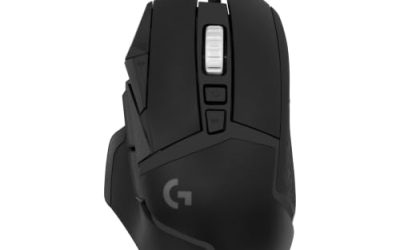
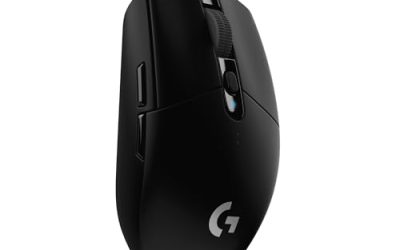
4. Logitech G502 X Plus
The G502 X Plus represents the focused end of the spectrum done to a high standard. Its Amazon listing describes 13 programmable controls, and the thumb zone is the classic G502 arrangement: two main side buttons for forward and back style assignments, plus a DPI Shift clutch button near the front that can be removed, reversed to sit closer to your thumb, or replaced with an included cover. For shooter and action players, that clutch is the standout side control, dropping sensitivity temporarily for a scoped shot and returning it the instant you release.
Because the layout is small, every button is easy to learn and almost impossible to confuse. There is no grid to memorize and little risk of an accidental press mid-flick, yet Logitech G Hub gives the layout depth through remapping, macros, per-game profiles, and a G Shift layer that doubles assignments while a chosen button is held. The dual-mode scroll wheel switches between ratchet steps and free-spin, and wheel tilt adds two more inputs.
The wireless system is Logitech LIGHTSPEED over the included receiver, with wired USB-C play while charging and compatibility with the Powerplay charging system described in the listing. The HERO 25K sensor anchors tracking, hybrid LIGHTFORCE switches serve the main clicks, and battery life is described at up to 130 hours with lighting off. At roughly 106 grams in a large right-handed shape, it favors palm and relaxed claw grips. Choose it when your side-button needs are precise rather than numerous.
- View on Amazon: https://www.amazon.com/dp/B092CB69Q4
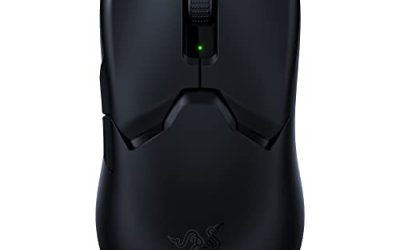
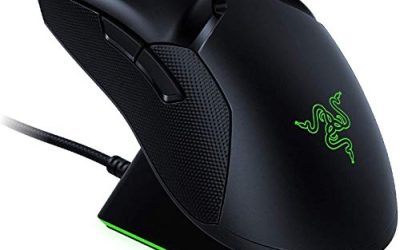
5. Razer Basilisk V3 Pro

The Basilisk V3 Pro is the natural counterpart to the G502 X Plus: another ergonomic, right-handed design where a small thumb layout is executed with extra flourish. Its Amazon listing title describes 13 programmable controls and three connection modes. The thumb zone carries two main side buttons plus a multi-function clutch trigger that, by default, drops DPI while held for precise aiming and can be remapped to any command you prefer. It is a layout built for shooters, action games, and mixed desktop use rather than hotbar storage.
What lifts the Basilisk above a simple two-button design is everything surrounding that layout. The HyperScroll tilt wheel switches between tactile stepped scrolling and smooth free-spin, and tilts left and right for two additional inputs. Razer Synapse adds HyperShift, giving every programmable control a secondary assignment, so the compact layout reaches further than its button count suggests. Eleven buttons are commonly described as individually programmable in supporting search evidence, within the 13 controls named in the listing title.
Connectivity covers HyperSpeed Wireless for gaming, Bluetooth for a second machine, and wired USB-C, with the Focus Pro 30K sensor and Gen-3 optical switches on the main clicks. Battery figures in search evidence reach up to 90 hours on HyperSpeed for this 30K edition, and the mouse supports wireless charging through a separately available puck and dock system. The sculpted shape with its pronounced thumb rest suits palm and claw grips. Pick it for the clean two-button-plus-clutch philosophy, a highly developed scroll wheel, and Razer software depth.
- View on Amazon: https://www.amazon.com/dp/B0B6Y3XYFG
Wireless Gaming Mouse With Side Buttons at a Glance
| Product | Side Button Layout | Total Programmable Controls | Wireless Modes | Sensor | Best For |
|---|---|---|---|---|---|
| Razer Naga V2 Pro | Swappable 2, 6, or 12 buttons | 19+1 per listing | HyperSpeed 2.4 GHz, Bluetooth, wired USB-C | Focus Pro 30K | Players who switch between FPS and MMO |
| SteelSeries Aerox 9 Wireless | 12-button side panel | 18 | Quantum 2.0 2.4 GHz, Bluetooth 5.0, wired USB-C | TrueMove Air 18K | Lightweight full MMO grid |
| Corsair Darkstar Wireless | 6-button side cluster | 15 | Slipstream 2.4 GHz, Bluetooth, wired | Marksman 26K | MMO and MOBA cluster layout with tilt inputs |
| Logitech G502 X Plus | 2 side buttons plus DPI Shift clutch | 13 | LIGHTSPEED 2.4 GHz, wired USB-C | HERO 25K | Focused FPS layout with a sniper clutch |
| Razer Basilisk V3 Pro | 2 side buttons plus multi-function clutch | 13 per listing title | HyperSpeed 2.4 GHz, Bluetooth, wired USB-C | Focus Pro 30K | Ergonomic all-rounder with tilt wheel |
Frequently Asked Questions
How many side buttons do I actually need for gaming?
For most shooter and action players, two well-placed side buttons plus a clutch cover the essentials: an ability, a melee action, push-to-talk, and a temporary sensitivity drop. MOBA players usually benefit from four to six thumb controls. A twelve-button grid earns its learning curve mainly in MMOs, strategy games, and simulation titles with a full hotbar of spells or systems.
Are twelve-button MMO grids hard to learn?
They take deliberate practice, because your thumb must learn twelve positions by touch alone. Sculpted rows and textured surfaces shorten that process, and starting with only four or six assigned buttons, then adding more as the first set becomes automatic, works far better than mapping the whole grid on day one. Swappable designs such as the Naga V2 Pro let you begin with a smaller plate and graduate to the full grid.
Is a 2.4 GHz wireless connection reliable enough for competitive play?
Yes. The gaming-grade 2.4 GHz systems in this guide, including HyperSpeed, LIGHTSPEED, Slipstream, and Quantum 2.0 Wireless, are designed for low-latency competitive play. Keep the receiver close to the mouse, ideally on an extension at desk level, and reserve Bluetooth for laptops and everyday tasks.
Can I use side button bindings outside games?
Absolutely. Per-application profiles in Razer Synapse, Logitech G Hub, Corsair iCUE, and SteelSeries software can assign copy, paste, undo, timeline tools, streaming scene changes, or push-to-talk to the same buttons, switching automatically by application. Onboard profiles are worth setting up if you move between computers, since the bindings then travel with the mouse.
Will extra side buttons hurt my aim?
They can if buttons sit where your resting thumb naturally squeezes during lifts, or if pressing one pushes the mouse sideways during precise shots. That is why placement and actuation matter more than count: a firm, well-separated button you press intentionally is aim-neutral, while a soft button under your resting thumb is a problem at any count. Shooter-first players should start with a two-button or clutch layout and move to a grid only when a game demands it.
Disclosure: As an Amazon Associate, we earn from qualifying purchases.
Related guides
More from Amazon
Programs that pair well with the guide above. Offers and eligibility are set by Amazon and may change.
Free shipping on eligible items, Prime Video and more. Eligible new members can start with a free trial.
Start a Prime free trialAd-free music streaming. Eligible new subscribers can start with a free trial.
Try Music Unlimited freeA Prime membership for ages 18-24 with a trial period. Eligibility is set by Amazon.
See Prime for Young AdultsAudiobooks and podcasts to listen to on the go. Eligible new members can start with a free trial.
Try Audible freeAs an Amazon Associate we earn from qualifying purchases.