Rust punishes a poor mouse choice more than most shooters do. A raid can run for hours, a single missed flick can cost you a full kit, and every fight mixes recoil control, quick weapon swaps, and frantic inventory work. The real decision is not which mouse has the biggest specification sheet. It is which one keeps your aim steady at the low sensitivity most Rust players use, puts your hotbar and building tools on buttons you can reach without looking down, and stays comfortable through a long wipe-day session.
This guide is for Rust players who split their time between PvP fights, base building, and farming runs, including solo roamers and clan members who raid most nights. Every mouse below was chosen from the name and specifications shown on its Amazon product page, with a focus on sensor accuracy, usable buttons, weight, and connection type, so you can match the pick to how you actually play.
Our Top Picks


Top 3 picks at a glance

Quick Picks
As an Amazon Associate we earn from qualifying purchases
| Product | Best for | Key spec from title |
|---|---|---|
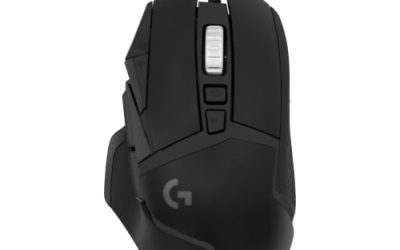
| Logitech G502 HERO | Clan raiders who want the most buttons | HERO 25K sensor, 25,600 DPI, 11 programmable buttons |
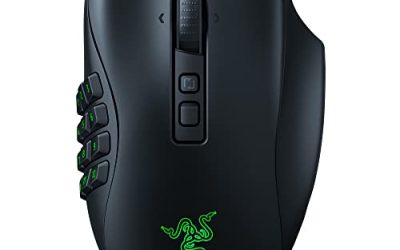
| Razer DeathAdder V2 | Palm-grip players who fight at low sensitivity | 20K DPI optical sensor, 8 programmable buttons |
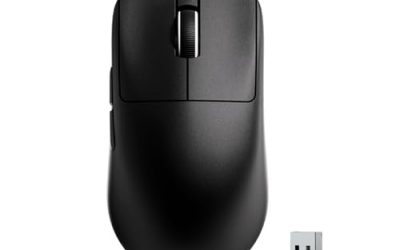
| Logitech G PRO X Superlight 2 | Flick-heavy PvP at the lowest weight | HERO 2 sensor, 44,000 DPI, 60 grams |
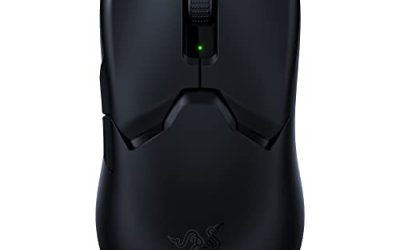
| Razer Viper V2 Pro | Wireless players who want top-end tracking | 30K DPI optical sensor, 58 grams, 90-hour battery |
| Logitech G305 LIGHTSPEED | A capable wireless mouse on a small outlay | HERO 12K sensor, 12,000 DPI, 250-hour battery |
How to Choose
Sensor accuracy at the sensitivity Rust players use
Most Rust players aim with their arm at a low sensitivity, often around 400 to 800 DPI, because it makes recoil control and long-range taps more consistent. That means the sensor matters far more than the maximum DPI number on the box. Look for a modern optical sensor that tracks cleanly with no smoothing or acceleration at low DPI, and a polling rate of 1,000 Hz so the cursor updates every millisecond. Every mouse in this guide uses a current-generation sensor from its maker, but the practical check is simple: the mouse should feel identical in a slow, controlled drag and in a fast flick across the pad.
Buttons for the hotbar, building, and healing
Rust gives you six hotbar slots plus a building plan, a hammer, and a habit of swapping weapons under pressure, so side buttons earn their keep. Five or six programmable buttons cover weapon swaps, meds, and a flashlight for most players, while eleven buttons suit builders who bind the building plan, hammer, and several hotbar slots to the mouse. Bind through the maker’s software and keep the layout the same across sessions, since muscle memory matters more than the number of buttons. Avoid a mouse with so many side buttons that you hit the wrong one in the middle of a fight.
Weight and shape for sessions that run for hours
A Rust session rarely lasts twenty minutes. Between farming, building, and roaming, you can hold the same mouse for four hours or more, and weight adds up over that time. Lighter mice in the 58 to 63 gram range make flick shots and long recoil sprays less tiring, while a heavier mouse near 120 grams can feel steadier for players who anchor their wrist. Shape matters just as much: a right-handed ergonomic shell suits palm grips, an ambidextrous shape suits claw and fingertip grips, and a mouse that cramps your hand after an hour will cost you fights no sensor can win back.
Wired or wireless, and what the connection costs you
Wireless no longer means laggy. Modern wireless mice from Logitech and Razer report at 1,000 Hz over their own receivers, which matches a wired connection closely enough that the difference is hard to feel in Rust. The real trade-off is routine: a wireless mouse needs charging or a battery swap, and a dead battery mid-raid is worse than any cable. Wired mice remove that worry entirely but add cable drag, so check that the cable is light and flexible. If you go wireless, keep the receiver close to the mouse and charge it between sessions rather than during one.
The 5 Best Options
Logitech G502 HERO

The G502 HERO is the pick for Rust players who want the most control under one thumb. Eleven programmable buttons cover the hotbar, building plan, hammer, and healing without touching the keyboard, and the sniper button drops your DPI for long-range taps while you hold it. The adjustable weight system lets you tune the heft until the mouse feels planted during recoil sprays, and the dual-mode scroll wheel switches between a notched feel for weapon swaps and a free spin for scrolling through loot. It is the heaviest mouse here, but for builders and clan raiders that weight reads as stability rather than drag.
Specs
- HERO 25K sensor with up to 25,600 DPI
- 11 programmable buttons
- Adjustable weight system with five removable 3.6 gram weights
- Dual-mode hyper-fast scroll wheel
- LIGHTSYNC RGB lighting
- On-board memory
- Wired connection
Best for: Clan raiders and base builders who bind several hotbar slots and building tools to the mouse.
Watch out for: The 121 gram body is heavy next to modern lightweight mice, so check that the shape fits your hand before you commit to it.
Razer DeathAdder V2
The DeathAdder V2 is the comfortable classic for palm-grip players who fight at low sensitivity. Its right-handed ergonomic shell fills the hand and keeps your aim steady through long recoil sprays, while the Focus+ 20K optical sensor tracks cleanly at the DPI most Rust players actually use. Eight programmable buttons are enough for weapon swaps, meds, and a flashlight without crowding the thumb, and the optical switches actuate with a light, crisp click that stays consistent over thousands of presses. Rubberized side grips keep the mouse planted in your hand during sweaty fights, and the flexible cable drags less than the stiff cables on older wired mice.
Specs
- Focus+ 20K optical sensor with up to 20,000 DPI
- 8 programmable buttons
- Razer optical mouse switches
- Chroma RGB lighting
- Rubberized side grips
- Speedflex cable
- Wired connection
Best for: Palm-grip players who want a comfortable ergonomic mouse for long, low-sensitivity fights.
Watch out for: The shape is right-handed only, so left-handed players should look at the ambidextrous options in this guide instead.
Logitech G PRO X Superlight 2
The PRO X Superlight 2 is the pick for players whose Rust sessions are mostly PvP. At 60 grams it is the lightest mouse here, and that low weight shows up in faster flicks and less fatigue across a long night of roaming. The HERO 2 sensor tracks up to 44,000 DPI with a clean, acceleration-free feel, and the LIGHTSPEED wireless link reports at up to 8,000 Hz, so the mouse feels wired in use. Five programmable buttons keep the layout simple, which suits players who bind only the essentials. The battery lasts up to 95 hours, so a single charge covers a full week of sessions.
Specs
- 60g lightweight design
- HERO 2 sensor, up to 44,000 DPI
- Up to 8kHz polling rate
- 5 programmable buttons
- USB-C charging, up to 95 hours of battery life
- LIGHTSPEED wireless, PC and Mac
Best for: Roamers and PvP-focused players who want the lightest wireless mouse with a top sensor.
Watch out for: Five buttons is the fewest in this guide, so heavy builders who bind many tools may want the G502 HERO instead.
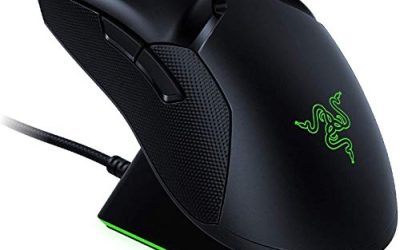
Razer Viper V2 Pro

The Viper V2 Pro is the strongest wireless option for players who want Razer’s best tracking. The Focus Pro 30K optical sensor reaches 30,000 DPI, the Gen-3 optical switches click fast with no double-click risk, and the 58 gram body is the lightest in this guide, which makes flick shots feel effortless over a long session. HyperSpeed wireless keeps the connection at 1,000 Hz, and the battery runs up to 90 hours, so charging is a once-a-week job rather than a nightly one. On-mouse DPI controls let you change sensitivity without opening software, which is handy when you switch between a rifle and a bow mid-roam.
Specs
- Focus Pro 30K optical sensor with up to 30,000 DPI
- 58 grams
- Gen-3 optical mouse switches
- HyperSpeed wireless connection
- Up to 90 hours of battery life
- On-mouse DPI controls
- USB Type-C cable included
Best for: Wireless players who want the highest-end sensor and the lightest body for flick-heavy PvP.
Watch out for: The ambidextrous shape is slim and low, so players with large hands or a full palm grip should check the fit first.
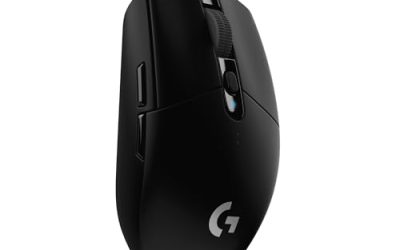
Logitech G305 LIGHTSPEED
The G305 is the sensible entry point for Rust players who want wireless freedom without a large outlay. Its HERO 12K sensor reaches 12,000 DPI, more than enough for the low sensitivities Rust players use, and the LIGHTSPEED connection reports at 1 millisecond, so it feels wired in a fight. Six programmable buttons cover weapon swaps and meds, the ambidextrous shape suits claw and fingertip grips, and it runs up to 250 hours on one AA battery, so battery changes are rare. At 99 grams it sits between the ultralight picks and the heavier G502, a safe middle ground if you have not settled on a weight yet.
Specs
- HERO 12K sensor with up to 12,000 DPI
- 6 programmable buttons
- LIGHTSPEED wireless connection with 1 millisecond report rate
- Up to 250 hours of battery life on one AA battery
- 99 grams
- Ambidextrous shape
- On-board memory
- Compatible with PC and Mac
Best for: Players who want a reliable wireless mouse for Rust while keeping the outlay small.
Watch out for: The 12,000 DPI ceiling is lower than the other mice here, though it is well above the sensitivity Rust players normally use.
Which One Fits Your Situation
You raid with a clan most nights
Pick the G502 HERO or the DeathAdder V2. Clan raids mean swaps, healing under fire, and mid-fight repairs, so the G502’s eleven buttons and the DeathAdder’s eight buttons both earn their keep. Both are wired, removing battery worries on a long raid night, and both track cleanly at the low sensitivity raiders favor. Choose the G502 if you bind building tools, the DeathAdder if comfort matters more.
You roam solo and fight on the move
Pick the PRO X Superlight 2 or the Viper V2 Pro. Solo roaming is flick-heavy: you meet enemies without warning and the first accurate burst usually wins, so the lightest mice give you the edge. Both are wireless, and both batteries last long enough that charging is a weekly habit. Choose the Superlight 2 for the simplest layout, the Viper V2 Pro for the higher DPI ceiling and longer battery.
You build big bases and farm more than you fight
Pick the G502 HERO. Building and farming mean binding the plan, hammer, and several hotbar slots, and no other mouse here gives you eleven buttons plus a DPI-shift button. The adjustable weights keep the mouse planted while you place walls and floors for hours, and the wired connection means no mid-build battery changes. Keep the DeathAdder V2 in mind if the G502 feels too large.
You want a capable mouse while keeping the outlay small
Pick the G305 LIGHTSPEED. It covers what Rust demands: a clean sensor at low sensitivity, six buttons for swaps and meds, a 1 millisecond connection, and a battery that lasts months. You give up higher DPI ceilings and extra buttons, but neither matters much at the sensitivities Rust players use. It is also the easiest mouse here to recommend to a friend new to the game.
Common Mistakes
- Chasing the highest DPI number on the box instead of a sensor that tracks cleanly at the low sensitivity you actually use.
- Binding so many actions to the side buttons that you hit the wrong one in the middle of a fight.
- Ignoring grip and hand size, then finding the mouse cramps your hand an hour into a raid.
- Going wireless without a charging habit and running out of battery mid-fight.
- Leaving the mouse software unopened and never binding the buttons you bought the mouse for.
Frequently Asked Questions
What DPI should I use in Rust?
Most Rust players use 400 to 800 DPI with a low in-game sensitivity, because it steadies recoil control and long-range taps. Your in-game sensitivity matters more than the maximum DPI on the box, so set the mouse to a low DPI, tune the slider until a full pad swipe turns you about 180 degrees, and leave it for a week before judging it.
Is a wireless mouse fast enough for Rust PvP?
Yes, with a modern wireless mouse. The LIGHTSPEED and HyperSpeed connections in this guide report at 1,000 Hz, which matches a wired mouse closely enough that the difference is hard to feel in a fight. Keep the receiver close to the mouse, keep the battery charged, and avoid cheap office wireless mice, which use slower connections that you can feel.
How many buttons do I need for Rust?
Five or six buttons cover most players: two for weapon swaps, one for meds, one for a flashlight or building plan. Builders who bind the hammer, plan, and several hotbar slots benefit from the G502 HERO’s eleven buttons. More buttons only help if you can reach each one without looking, so keep the layout simple enough to use by feel alone.
Does a lighter mouse help with recoil control?
A lighter mouse helps flicks and cuts fatigue across long sessions, keeping your aim steadier late in a raid. Recoil control comes mostly from practice and a sensible sensitivity, not from weight, so treat lightness as comfort and speed rather than a fix for spray patterns. If your sprays climb, lower the sensitivity and practice the pattern instead.
Related guides
More from Amazon
Programs that pair well with the guide above. Offers and eligibility are set by Amazon and may change.
Free shipping on eligible items, Prime Video and more. Eligible new members can start with a free trial.
Start a Prime free trialAd-free music streaming. Eligible new subscribers can start with a free trial.
Try Music Unlimited freeA Prime membership for ages 18-24 with a trial period. Eligibility is set by Amazon.
See Prime for Young AdultsAudiobooks and podcasts to listen to on the go. Eligible new members can start with a free trial.
Try Audible freeAs an Amazon Associate we earn from qualifying purchases.