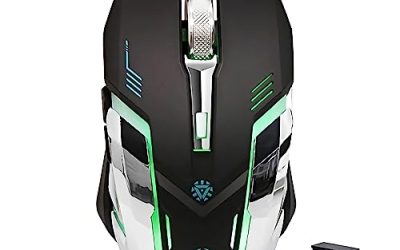
Palm grip only works when the shell does the supporting: your whole hand rests on the mouse, so length, hump height, and the curve under your fingers decide comfort far more than sensor numbers do. The hard part is that most wireless gaming mice are shrinking toward small, flat, ultralight shapes built for claw and fingertip grips. A palm gripper shopping wireless has to filter for large, contoured, right-handed shells first, then check that the connection, battery, and button layout still suit long sessions at a desk.
This guide is for medium and large hands that play palm or relaxed palm, whether that means shooters at low sensitivity, MMOs with a dozen bound abilities, or a single mouse shared between work and play. Every pick below is a wireless model whose Amazon listing states a large or ergonomic right-handed shape, and the specifications quoted come from the names and details on those listings rather than from roundups or maker marketing pages.
Our Top Picks
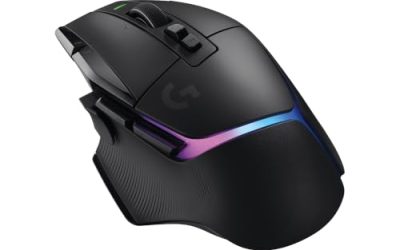
 Logitech G502 X Plus Wireless RGB Gaming MouseWireless7.1 x 4.6 x 2.7 inches0.84 poundsCheck on Amazon
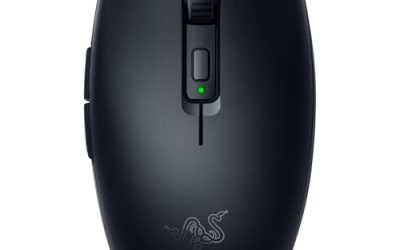
 Razer Basilisk V3 X HyperSpeed Customizable Wireless GamingStandard5.12 x 2.96 x 1.67 inches0.2 poundsCheck on Amazon
Top 3 picks at a glance

Quick Picks
As an Amazon Associate we earn from qualifying purchases.
| Product | Best for | Key spec from title |
|---|---|---|
| Razer Basilisk V3 Pro | Full palm support with a tilt wheel and thumb rest | Focus Pro 30K Optical Sensor |
| Logitech G502 X Plus | Palm grippers who bind many commands and scroll long pages | HERO 25K Sensor |
| Razer DeathAdder V3 Pro | Lightweight palm grip for fast, low-sensitivity aiming | 63g Ultra Lightweight |
| Razer Basilisk V3 X HyperSpeed | Long battery life from a single replaceable cell | 535 Hr Battery |
How to Choose
Shell Length, Hump Height, and Thumb Room
Palm grip means the base of your fingers and the centre of your palm both stay in contact, so start with shell length. Mice around 125 to 132 mm long, like the Basilisk V3 Pro at 5.12 inches and the DeathAdder V3 Pro at 5 inches, fill a medium-to-large hand without leaving your fingertips hanging past the main buttons. Height matters just as much: a taller rear hump supports the palm’s arch, while a wide thumb rest keeps your thumb from dragging on the pad. If your hand measures under roughly 17 cm, these large shells can feel bulky rather than supportive.
Weight and How It Affects Palm Control
Weight splits palm grip mice into two camps. Heavier models near 106 to 112 g, such as the G502 X Plus and Basilisk V3 Pro, feel planted during slow tracking and suit players who rest their full arm weight on the mouse. Lighter ergonomic shells near 63 g reduce the effort of lifting and recentring, which matters in shooters where a palm gripper still makes repeated swipes. Neither is automatically better: match weight to your sensitivity and session length, and remember that a heavier mouse on a low-sensitivity setting demands more forearm movement across an evening.
Wireless Mode, Polling, and Battery Reality
For gaming, the 2.4 GHz dongle mode is the one that counts, since it carries the full polling rate and lowest latency on every pick here. Bluetooth is a useful second mode for a work laptop, and the Basilisk models offer both, but it is not the mode to play ranked matches on. Battery claims also depend on settings: the G502 X Plus lists up to 120 hours with lighting off and far less with RGB running, while the Basilisk V3 X HyperSpeed stretches to 535 hours because it uses a replaceable cell and a simpler feature set. Decide whether you prefer recharging by cable or swapping a battery.
Buttons, Wheels, and Software Fit
Count the controls your games actually use before paying for extras. MMO and RPG players benefit from the G502 X Plus and its 13 programmable controls, or the Basilisk V3 Pro with its tilt wheel that adds left and right inputs on top of normal scrolling. Shooter players usually need only two reliable side buttons, which is why the DeathAdder V3 Pro keeps just five programmable buttons. Also check the software side: Logitech settings live in G HUB and Razer settings in Synapse, and onboard memory decides whether your bindings travel to a PC without that software installed.
The 4 Best Options
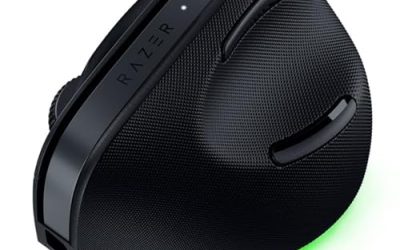
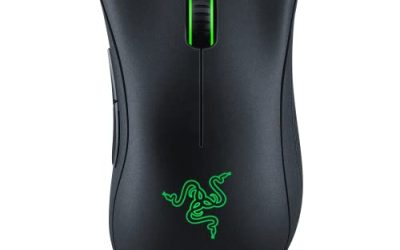
Razer Basilisk V3 Pro

The Basilisk V3 Pro is the most complete palm grip shape in this group: a long, wide, right-handed shell with a pronounced thumb rest, so your hand settles in and stays put during long sessions. Its HyperScroll tilt wheel clicks left and right as extra inputs and can switch between ratcheted and free-spin scrolling, which suits players who browse loadouts, maps, and inventories as much as they aim. Optical switches and a high-end sensor round out a mouse aimed at palm grippers who want features first and accept a heavier body in exchange.
Specs
- Sensor: Focus Pro 30K optical sensor, up to 30,000 DPI
- Max speed: 750 IPS; max acceleration: 70G
- Switches: Razer Optical Mouse Switches Gen-3, rated for 90 million clicks
- Programmable buttons: 11
- Weight: approx. 112 g
- Battery life: up to 90 hours
- Connectivity: HyperSpeed Wireless (2.4 GHz), Bluetooth, and wired
- Dimensions: 5.12 x 2.96 inches
- Model number: RZ01-04620100-R3U1
Best for: Palm grippers who want a thumb rest, a tilt wheel, and plenty of inputs in one large shell.
Watch out for: At about 112 g it is the heaviest pick here, so confirm that weight suits your sensitivity before ordering.
ASIN: B0B6Y3XYFG
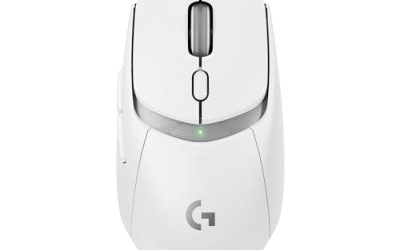
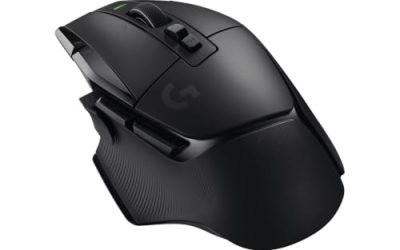
Logitech G502 X Plus
Logitech’s G502 shape has been a default recommendation for palm grip for years, and the X Plus keeps the tall, sculpted right-handed shell while cutting weight to 106 g and moving to USB-C charging. Thirteen programmable controls, including the removable DPI-shift button by the thumb, make it the strongest option here for players who bind abilities, pings, and voice chat across several games. LIGHTSPEED wireless keeps the connection responsive, LIGHTSYNC RGB adds lighting that can react to play, and POWERPLAY compatibility means it can charge from a compatible mat instead of a cable.
Specs
- Sensor: HERO 25K, 100 to 25,600 DPI
- Switches: LIGHTFORCE hybrid optical-mechanical switches
- Connectivity: LIGHTSPEED wireless with USB-C charging
- Programmable controls: 13
- Weight: 106 g
- Battery life: up to 120 hours, 37 hours with RGB on
- Lighting: LIGHTSYNC RGB with 8 LEDs
- Charging: POWERPLAY compatible
- Model number: 910-006160
Best for: Palm grippers who bind many commands and want a dual-mode scroll wheel for work and play.
Watch out for: The battery figure drops sharply with RGB enabled, so check which number matches how you plan to run it.
ASIN: B092CB69Q4
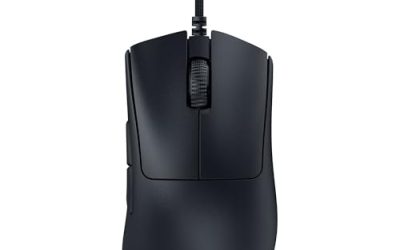
Razer DeathAdder V3 Pro
The DeathAdder V3 Pro takes the opposite approach to the feature-heavy picks: a clean, curved ergonomic shell with no thumb rest wing and no lighting, shaped so a palm or relaxed palm hand can rest along its full length. At 63 g it is dramatically lighter than the other mice here, which makes it the natural choice for palm grippers who play shooters at low sensitivity and lift the mouse often. You give up extra buttons and the tilt wheel, but the shape, weight, and long battery make it easy to use for hours without thinking about the mouse at all.
Specs
- Sensor: Focus Pro 30K optical sensor
- Weight: 63 g
- Switches: Razer Optical Switches Gen-3
- Connectivity: Razer HyperSpeed Wireless
- Programmable buttons: 5
- Battery life: up to 90 hours
- Dimensions: 5 x 2.67 inches
- Model number: RZ01-04630100-R3G1
Best for: Palm and relaxed palm players who want an ergonomic shape without the usual ergonomic weight.
Watch out for: It is right-handed only with a minimal button set, so check that five programmable buttons cover your bindings.
ASIN: B0B6XZLNHQ
Razer Basilisk V3 X HyperSpeed
The Basilisk V3 X HyperSpeed keeps the same broad, thumb-rested Basilisk shape as the Pro model but simplifies the hardware to bring long battery life to the centre of the package. It runs on a single replaceable cell and lists up to 535 hours of use, so it suits palm grippers who hate charging cables and want a mouse that simply works for months. Nine programmable controls still cover ability bindings for most games, and dual-mode wireless lets it pair with a gaming PC over the dongle and a laptop over Bluetooth without swapping hardware.
Specs
- Sensor: Razer 5G Advanced 18K optical sensor, up to 18,000 DPI
- Max speed: 450 IPS; max acceleration: 40G
- Switches: Razer Mechanical Switches Gen-2, rated for 60 million clicks
- Programmable controls: 9
- Weight: approx. 110 g
- Battery life: up to 535 hours
- Connectivity: HyperSpeed Wireless (2.4 GHz) and Bluetooth
- Lighting: Razer Chroma RGB
- Model number: RZ01-04870100-R3U1
Best for: Palm grippers who want the Basilisk shape with months between battery changes.
Watch out for: There is no rechargeable cell or tilt wheel, so confirm you are happy swapping batteries and using a standard wheel.
ASIN: B0BXBC26X8
Which One Fits Your Situation
Large Hands and Long Evening Sessions
If your hand is on the larger side and sessions run past two hours, start with the Basilisk V3 Pro. Its long shell, wide thumb rest, and heavier body keep a full palm supported without your fingers curling to find the buttons. The G502 X Plus is the alternative if you prefer a taller hump and a free-spinning wheel for scrolling between matches and documents.
Shooters Played at Low Sensitivity
Palm grippers in tactical shooters still swipe and lift constantly, and that is where the DeathAdder V3 Pro earns its place. The 63 g body reduces the effort of each recentring lift while the curved shell keeps your palm in contact through the motion. Its 90-hour battery also means charging rarely interrupts a run of evening sessions.
MMO and RPG Players Who Bind Everything
When your rotation lives on the mouse, button count and placement decide the pick. The G502 X Plus offers 13 programmable controls including a thumb-side DPI-shift button you can reassign, while the Basilisk V3 Pro adds tilt inputs on its wheel for two more commands. Choose the G502 X Plus for sheer count, or the Basilisk if your thumb prefers a wide rest under those buttons.
One Mouse for the Office and the Gaming Desk
A shared work-and-play desk favours the Basilisk V3 X HyperSpeed. Bluetooth pairing covers the work laptop, the dongle covers the gaming PC, and the replaceable cell removes charging from your routine entirely. Its nine programmable controls are enough for office shortcuts as well as game bindings, and the familiar Basilisk shell keeps your grip identical in both places.
Common Mistakes
- Buying a small ultralight mouse because it is popular, then finding your palm has nothing to rest on after an hour.
- Judging fit from photos instead of measurements; compare the listed shell length against your hand length before ordering.
- Playing over Bluetooth and blaming the mouse for input lag that the 2.4 GHz dongle mode would have avoided.
- Paying for a dozen programmable buttons when your games only ever use two side buttons.
- Ignoring the lighting setting behind battery claims, since RGB can cut the stated runtime to a fraction of the headline figure.
Frequently Asked Questions
What hand size works best with a palm grip mouse?
Palm grip generally suits medium and large hands, roughly 17 cm and longer from wrist to middle fingertip. The mouse shell should be long enough that your fingers rest on the buttons rather than curl over them. All four picks here are large ergonomic shapes, with lengths around five inches stated on their listings.
Is a heavier mouse a problem for palm grip?
Not by itself. Palm grippers rest more of their hand’s weight on the shell, so mice around 106 to 112 g can feel stable and controlled, especially at higher sensitivities. It becomes a problem when you play at low sensitivity and lift often; in that case a lighter ergonomic shape like the 63 g DeathAdder V3 Pro is easier on the forearm.
Should I play over Bluetooth or the 2.4 GHz dongle?
Use the 2.4 GHz dongle for gaming. It carries the mouse’s full polling rate and the lowest latency, which is what LIGHTSPEED and HyperSpeed connections are designed for. Bluetooth is fine for office work, browsing, and travel with a laptop, and it usually extends battery life, but it is not the mode to choose for competitive play.
Can left-handed players use these mice?
No, all four picks are right-handed ergonomic shells with thumb buttons and rests shaped for the right hand only. Left-handed palm grippers need a true ambidextrous or left-handed model instead, and should check the hand orientation field on the listing carefully, because ergonomic shapes cannot simply be mirrored by swapping button assignments in software.
Related guides
More from Amazon
Programs that pair well with the guide above. Offers and eligibility are set by Amazon and may change.
Free shipping on eligible items, Prime Video and more. Eligible new members can start with a free trial.
Start a Prime free trialAd-free music streaming. Eligible new subscribers can start with a free trial.
Try Music Unlimited freeA Prime membership for ages 18-24 with a trial period. Eligibility is set by Amazon.
See Prime for Young AdultsAudiobooks and podcasts to listen to on the go. Eligible new members can start with a free trial.
Try Audible freeAs an Amazon Associate we earn from qualifying purchases.