
Shopping for a Ryzen laptop means decoding a naming scheme that does not announce itself clearly. A Ryzen 5 7520U, a Ryzen 7 7730U, a Ryzen 5 5500U, and a Ryzen 7 260 all sit under the same brand, yet they come from different generations and target different jobs. The real decision is whether you want an efficient thin-and-light chip for office and study, or a Ryzen paired with a dedicated graphics card for games and creative apps.
This guide is for students, remote workers, and families who want AMD processors without wading through spec sheets. It covers eight laptops: seven everyday machines from 15.6 to 18.5 inches and one RTX-equipped gaming model. Going into 2026, the practical differences come down to memory size, display quality, storage, and whether a laptop has discrete graphics, so the comparisons below lean on those points rather than brand reputation.
Our Top Picks
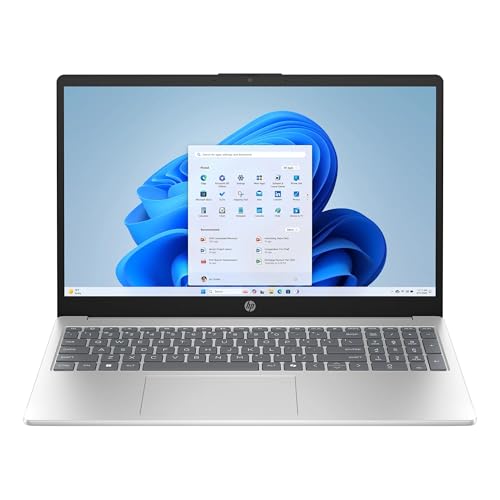 HP 15.6 inch FHD IPS Touch Laptop16GB | 512GB SSD14.17 x 0.73 x 9.29 inches3.24 poundsCheck on Amazon


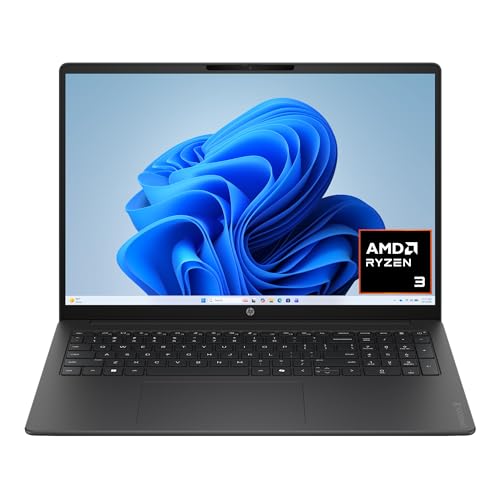

Top 3 picks at a glance
Quick Picks
As an Amazon Associate we earn from qualifying purchases at no extra cost to you.





| Product | Best for | Key spec from the title |
|---|---|---|
| 18.5 Inch Ryzen Gaming Laptop | Big-screen casual gaming | Ryzen 7430U, Radeon RX Vega 7, 16GB DDR4, 7000 mAh battery |
| Dell 15.6 (Ryzen 5 7520U) | Smooth scrolling and daily use | FHD 120Hz IPS, LPDDR5, 512GB SSD |
| HP OmniBook 3 16 | Touch-first light use | 2K touchscreen, Ryzen 3 30, 8GB RAM, 512GB SSD |
| Acer Aspire Go 15 | Balanced performance | Ryzen 7 7730U, 16GB RAM, 512GB PCIe SSD, Wi-Fi 6 |
| HP 15.6 Touch (Ryzen 7 7730U) | Touchscreen productivity | FHD IPS touch, 16GB DDR4, 512GB SSD |
| Acer Nitro V 16S AI | Gaming and creative work | Ryzen 7 260, RTX 5060, 16″ WUXGA 180Hz |
| Lenovo V15 | Wired office desks | Ryzen 5 5500U, 16GB RAM, RJ45, numeric keypad |
| NIMO 15.6 R5 Student | Tight budgets and upgrades | 8GB RAM, 256GB SSD expandable to 4TB, 65W Type-C |
How to Choose
Decode the Ryzen name
In names like 7520U or 7730U, the leading digit signals the generation and the trailing U marks a low-power chip designed for battery life. The Ryzen 7 260 in the gaming model is a newer naming style paired with a graphics card. Do not assume Ryzen 7 always beats Ryzen 5: a recent Ryzen 5 can outpace an older Ryzen 7. Compare generation first, tier second.
Memory and storage thresholds
Sixteen gigabytes of RAM is the sensible target for a laptop you will keep for years; 8GB works for light use. LPDDR5 is soldered and cannot be upgraded later, while DDR4 modules are often replaceable, so check which type you are buying if you plan to add memory. A 512GB SSD is a better starting point than 256GB, and a listing that mentions expandable storage can stretch a smaller drive.
Display and graphics
Full HD at 15.6 inches is the standard to expect. A 120Hz or higher refresh rate makes scrolling and cursor movement smoother, while 2K resolution adds sharpness but costs battery. Integrated Radeon graphics handle video and light games; for modern titles or video editing, you need a dedicated NVIDIA card such as the RTX 5060. Ignore AI TOPS numbers unless you actually use AI software.
Where budget models cut corners
Wi-Fi 5 instead of Wi-Fi 6, dim panels, plastic hinges, and small batteries are the usual savings. Titles that boast of “beating” an Intel chip signal marketing, not measured results. Confirm the operating system edition and webcam too, since some models omit features that mid-range laptops include.
The 8 Best Options
18.5 Inch Ryzen Gaming Laptop
This unusually large laptop lists a Ryzen 7430U up to 4.3GHz, Radeon RX Vega 7 graphics, 16GB of DDR4 RAM, a 512GB SSD, Wi-Fi 6, Type-C, and a 7000 mAh battery. The big screen suits media, browsing, and lighter games where integrated graphics are enough. Its generic branding means buyers should read return and support terms carefully before deciding. The listing also mentions a Windows install, so confirm the operating system edition and activation state on arrival. A battery of that capacity is a notable spec for such a large chassis.
- Strength: 16GB of DDR4 RAM and a 512GB SSD are strong for the class.
- Strength: The 18.5-inch display gives plenty of working space.
- Trade-off: Integrated Radeon graphics will not run demanding modern games.
Skip it if portability matters or you want a recognized brand’s service network.
Dell 15.6 (Ryzen 5 7520U)
Dell pairs a Ryzen 5 7520U with Radeon 610M graphics, LPDDR5 memory, and a 512GB SSD, running Windows 11 Home. The standout is the 120Hz FHD IPS display, which makes everyday scrolling and window movement feel smoother than a standard 60Hz screen. It is a tidy choice for students and professionals who spend their day in browsers and documents and want a recognizable brand. The carbon black chassis and a model number (DC15255) keep it easy to identify when you look for drivers, accessories, or warranty information.
- Strength: A 120Hz IPS display is rare in this tier.
- Strength: LPDDR5 memory is faster than older DDR4.
- Trade-off: Wi-Fi 5 is a generation behind the Wi-Fi 6 on several rivals.
Skip it if you want upgradable RAM or any serious gaming ability.
HP OmniBook 3 16
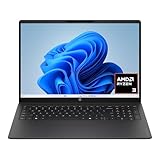
The OmniBook 3 16 uses a 16-inch 2K touchscreen with a Ryzen 3 30, 8GB of RAM, a 512GB SSD, and Radeon 610M graphics. The sharper panel and touch input appeal to people who annotate documents or want a crisper display than the typical Full HD screen. The model number (16-by0299nr) helps you find drivers and manuals. At 16 inches it also sits between a standard 15.6-inch laptop and a bulky 17-incher, which is a comfortable middle ground for a desk or a lap.
- Strength: A 2K touchscreen is a premium display feature.
- Strength: 512GB storage pairs well with the light processor.
- Trade-off: Ryzen 3 and 8GB of RAM limit heavy multitasking.
Skip it if you plan to run many apps at once or want a long-term workhorse.
Acer Aspire Go 15
The Aspire Go 15 packs a Ryzen 7 7730U, 16GB of RAM, and a 512GB PCIe SSD behind a 15.6-inch FHD screen, with Wi-Fi 6 and an HD webcam. It is the sort of well-rounded machine that handles office suites, many browser tabs, and light photo editing without drama. Its Pure Silver finish and plain styling suit classrooms and offices, and the listed model number (AG15-42P-R917) makes it easy to match against the manufacturer’s support pages. It is a low-drama pick for families.
- Strength: Ryzen 7 with 16GB of RAM offers real multitasking headroom.
- Strength: A PCIe SSD and Wi-Fi 6 keep file transfers quick.
- Trade-off: Integrated Radeon graphics rule out serious gaming.
Skip it if you want a touchscreen or discrete graphics.
HP 15.6 Touch (Ryzen 7 7730U)
This HP shares the Ryzen 7 7730U and 16GB of DDR4 RAM with the Aspire but adds a touch-enabled FHD IPS display, a 512GB SSD, a webcam, and Copilot AI branding. It suits anyone who likes tapping through documents, sketching quick notes, or using a laptop in a more tablet-like way. The Natural Silver finish and 15-fc0057wm model number make it straightforward to identify, and the webcam covers video classes and remote meetings without an add-on. Choose it when touch matters more than raw speed.
- Strength: Touch input on an IPS panel adds flexibility.
- Strength: DDR4 memory is generally easier to upgrade later.
- Trade-off: The touch layer can add weight and reflections.
Skip it if you prefer a matte screen or have no need for touch.
Acer Nitro V 16S AI
This is the only dedicated-graphics laptop here: a Ryzen 7 260, an NVIDIA GeForce RTX 5060 Laptop GPU, and a 16-inch WUXGA IPS display at 180Hz. It targets modern games and demanding creative applications that integrated Radeon chips struggle with. The high refresh rate suits fast shooters and competitive play, and the 32GB-class memory configuration in the title leaves room for a game, a browser, and a chat app running together. It is the choice for someone who wants a Ryzen laptop that doubles as a gaming rig.
- Strength: RTX 5060 graphics open up current games and GPU-accelerated editing.
- Strength: 180Hz WUXGA IPS display is fast and sharp.
- Trade-off: Gaming laptops are heavier and drain batteries faster than U-series models.
Skip it if you only browse and write documents, since the cost and bulk would be wasted.
Lenovo V15
The V15 lists a Ryzen 5 5500U hexa-core processor, 16GB of RAM, a 512GB SSD, HDMI, RJ45 Ethernet, and a numeric keypad. It is a business-minded workhorse: stable wired networking and a full keyboard matter more here than flashy screen specs. The 5500U is an older generation, though still capable for office tasks. The title also claims it beats an older Intel Core i7, a comparison best treated with caution. IT-minded buyers who value plain, dependable hardware over styling will find it a sensible fit.
- Strength: RJ45 Ethernet and HDMI suit docked desk setups.
- Strength: 16GB of RAM and six cores for office multitasking.
- Trade-off: The older processor generation lags newer Ryzen chips on efficiency.
Skip it if battery life or a premium display tops your list.
NIMO 15.6 R5 Student
The NIMO lists a four-core Ryzen 5 up to 3.7GHz, 8GB of RAM, and a 256GB SSD expandable to 4TB, with 65W Type-C fast charging, a fingerprint reader, and a backlit keyboard. It is a budget option for students who want security and charging convenience, with room to add storage later. The 65W Type-C charging means one cable can power the laptop from a compatible charger at a desk, in a library, or on the road, which keeps a student’s bag lighter.
- Strength: Storage expansion up to 4TB extends the laptop’s life.
- Strength: Fingerprint login and Type-C charging add convenience.
- Trade-off: 8GB of RAM and a lesser-known brand limit long-term confidence.
Skip it if you want strong support or heavy multitasking.
Which One Fits Your Situation
You want one laptop for work and some gaming
The Acer Nitro V 16S AI is the only listed model with an RTX card and a 180Hz screen, so it is the fit for modern games and creative tools.
You live in browsers and documents all day
The Acer Aspire Go 15 delivers Ryzen 7 and 16GB of RAM without the cost of discrete graphics, while the Dell adds a smoother 120Hz display at a lower processor tier.
You work at a docked desk with a wired network
The Lenovo V15 brings RJ45, HDMI, and a numeric keypad, which suits an office with a monitor and Ethernet drop.
You are buying for a student on a tight budget
The NIMO 15.6 R5 offers fingerprint login, 65W Type-C charging, and expandable storage, trading memory for convenience.
Common Mistakes
- Assuming Ryzen 7 always outperforms Ryzen 5 without comparing generations.
- Ignoring whether RAM is soldered LPDDR5 or replaceable DDR4.
- Expecting integrated Radeon graphics to run current games smoothly.
- Buying 8GB of RAM and 256GB of storage for a laptop meant to last years.
- Paying for AI branding or TOPS figures you will never use.
Related guides
- Gaming Chair Cushions And Lumbar Supports
- How To Use Camelcamelcamel For Amazon Deals
- Warranty Considerations When Buying On Sale
Frequently Asked Questions
What does the U in Ryzen 7520U mean?
It marks a low-power chip designed for battery life and thin laptops. These processors are efficient for office work but slower than high-power H-series chips.
Can a Ryzen laptop run games?
Integrated Radeon graphics handle older and lighter games at modest settings. For modern titles you need a model with a discrete GPU, such as the RTX-equipped Acer Nitro.
Is 8GB of RAM enough?
For light browsing and documents, yes. If you keep many tabs open or plan to keep the laptop for years, 16GB is the better target.
Are touchscreens worth it?
They help if you annotate documents or use a laptop casually on the couch. They can add glare and weight, so skip them if you mostly type at a desk.
Related guides
More from Amazon
Programs that pair well with the guide above. Offers and eligibility are set by Amazon and may change.
Free shipping on eligible items, Prime Video and more. Eligible new members can start with a free trial.
Start a Prime free trialAd-free music streaming. Eligible new subscribers can start with a free trial.
Try Music Unlimited freeA Prime membership for ages 18-24 with a trial period. Eligibility is set by Amazon.
See Prime for Young AdultsAudiobooks and podcasts to listen to on the go. Eligible new members can start with a free trial.
Try Audible freeAs an Amazon Associate we earn from qualifying purchases.









