Picking a 1440p gaming monitor is really a decision about how much of your graphics card you want to feed. At 2560×1440, a panel pushes about 78 percent more pixels than 1080p, so a card that sails along at 1080p can stumble when you step up. The keyword itself tells you what matters: the resolution is fixed, which means your real choices are refresh rate, panel size, and which adaptive-sync flavor matches your GPU. A 180Hz screen and a 300Hz screen can share the same sharp image and cost wildly different amounts.
This guide is for players who already own, or plan to buy, a mid-range or better graphics card and want a screen that keeps up in 2026. It covers six models from AOC, ASUS, Samsung, Acer, and LG, ranging from 180Hz all-rounders to a 300Hz esports-leaning panel and one 32-inch curved option. The comparisons below rely strictly on the specs printed in each listing title, so confirm final details on the spec sheet before you commit.
Our Top Picks
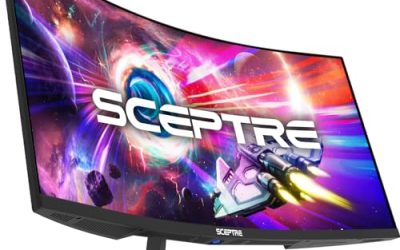
 AOC 27" Gaming Monitor QHD 260Hz Overclocked IPS27" 240Hz IPS7.46 x 24.17 x 17.7 inchesCheck on Amazon
 ASUS TUF Gaming VG27AQL5A 27 Inch 1440p 210Hz14.4" x 24.2" x 2"8.5 x 24.2 x 21 inches15.2 poundsCheck on Amazon
 ASUS TUF Gaming VG27AQ3A 27 Inch 1440p 180Hz14.4" x 24.2" x 2.1"24.2 x 8.4 x 17.9 inches10.1 poundsCheck on Amazon
 Acer Nitro 27in QHD 2560x1440 IPS 180Hz Gaming27-inch8.28 x 24.2 x 18.14 inches12.1 poundsCheck on Amazon


Top 3 picks at a glance
Quick Picks
As an Amazon Associate we earn from qualifying purchases at no extra cost to you.


| Product | Best for | Key spec from the title |
|---|---|---|
| AOC Q27G41ZE | Chasing frames with an overclock headroom | 240Hz native, 260Hz overclocked IPS, G-SYNC Compatible |
| ASUS TUF VG27AQL5A | Fast response plus blur reduction | 210Hz Fast IPS, 0.3ms, ELMB Sync |
| ASUS TUF VG27AQM5A | Competitive shooters | 300Hz Fast IPS, 95% DCI-P3, Shadow Boost |
| Samsung Odyssey G5 (G51F) | Desk setups that need adjustment | 180Hz, 1ms, height-adjustable stand, HDR10 |
| Acer Nitro KG271U | Multi-device connectivity | 180Hz IPS, 0.5ms, 2xHDMI plus DisplayPort |
| LG UltraGear 32GS60QC-B | Immersive single-player games | 32-inch 1000R curve, 180Hz, 1ms |
How to Choose
Match refresh rate to what your GPU can actually deliver
A 300Hz panel only pays off if your system holds frame rates well above 200 in the games you play. In demanding single-player titles, many mid-range cards land between 70 and 120 frames per second at 1440p, which makes a 180Hz screen perfectly sufficient. If you mostly play fast shooters at lowered settings, then 240Hz and above starts to make sense. Think of 144Hz as the floor, 165 to 180Hz as the comfortable middle, and 240Hz and up as a purchase for competitive players. A quick way to check yourself is to turn on your game’s frame counter for a week and note the typical number, not the peak, before you pay for speed you cannot use.
Panel size and pixel density
At 27 inches, 1440p works out to roughly 109 pixels per inch, which looks crisp at a normal desk distance of about two feet. Stretch the same resolution across 32 inches and density drops to roughly 92 pixels per inch, so text looks softer and you will want to sit slightly farther back. Larger screens suit couch-style setups and cinematic games; 27 inches suits keyboard-and-mouse play where you glance at the corners of the screen.
Ports and adaptive sync
For 1440p above 144Hz, plan on DisplayPort 1.4 or an HDMI 2.1 connection; older HDMI 2.0 ports run out of bandwidth for the highest refresh rates. Check that your cable and your GPU output match. For adaptive sync, FreeSync Premium and G-SYNC Compatible both work on most modern graphics cards from either major brand, but the label printed on the box does not guarantee identical behavior at every frame rate, so look for a variable-refresh range that includes low frame rates.
What to ignore, and where budget models cut corners
Ignore HDR10 on its own. Without local dimming, it is mostly a supported signal rather than a visible upgrade. Likewise, treat built-in speakers as a backup rather than a feature. Cheaper panels tend to save money on stand adjustability (tilt only), color coverage below 100 percent sRGB, and the number of video inputs. Overclock labels such as 260Hz can be handy, but they are often outside the native spec, so the stable refresh rate is the number to plan around. Response-time claims like 0.3ms, 0.5ms, and 1ms are measured under favorable conditions, so use them to compare tiers loosely instead of treating them as precise promises.
The 6 Best Options
AOC Q27G41ZE
This is a 27-inch QHD IPS monitor whose title lists 240Hz native and 260Hz overclocked, with G-SYNC Compatible support. It suits players who want the high-refresh feel without jumping to the most expensive esports panels, and who plan to pair it with a GPU that can routinely clear 200 frames per second in shooters, racers, or battle royale titles where every extra frame shortens the gap between your input and the screen.
- Strength: 240Hz native refresh on an IPS panel gives a very fluid picture for shooters.
- Strength: G-SYNC Compatible certification helps NVIDIA owners avoid tearing.
- Trade-off: the 260Hz mode is an overclock, so treat 240Hz as the guaranteed spec.
Skip it if you play mainly slower story games on a modest GPU, where the extra refresh rate would never be used. Buyers who want a fully guaranteed top speed should also remember that only the 240Hz figure is native.
ASUS TUF Gaming VG27AQL5A
A 27-inch 1440p Fast IPS display at 210Hz, with a 0.3ms response claim, ELMB Sync, 130% sRGB, built-in speakers, and FreeSync Premium. It fits players who want strong motion clarity and a TUF-branded build without chasing 300Hz, especially in fast games such as racing sims and arena shooters where smeared edges on moving objects are the first thing you notice.
- Strength: ELMB Sync is designed to reduce motion blur while adaptive sync remains active.
- Strength: 130% sRGB coverage suggests lively color for a gaming-class panel.
- Trade-off: 210Hz sits between the common 180Hz and 240Hz tiers, so it only helps if your GPU pushes frame rates past 180.
Skip it if you prefer a stand with a lot of mounting flexibility and want to confirm that detail first, since the listing title cuts off before describing it. Also skip it if you would rather spend less on a 180Hz model, because the added refresh rate matters only to fast-paced games.
ASUS TUF Gaming VG27AQM5A
The speed pick of this group: 27 inches, 1440p, 300Hz Fast IPS, 95% DCI-P3, Shadow Boost, and DisplayWidget software. It is built for competitive players who run lowered graphics settings for maximum frame rate, and who already own a recent high-end graphics card with a DisplayPort output so that the full 300Hz signal can actually reach the screen.
- Strength: 300Hz refresh is the fastest in this roundup and benefits esports titles.
- Strength: 95% DCI-P3 and Shadow Boost help with color range and spotting enemies in dark scenes.
- Trade-off: you need a powerful GPU and DisplayPort connection to feed 300Hz at 1440p.
Skip it if your games run below 150 frames per second, because the extra headroom would sit unused. Anyone who mostly plays cinematic single-player titles at high settings will get more value from a slower panel.
Samsung Odyssey G5 (G51F)
A 27-inch QHD monitor at 180Hz and 1ms, with AMD FreeSync, HDR10, and a height-adjustable stand. Black Equalizer and Virtual Aim Point are included for shooter-oriented viewing, which makes this a sensible fit for players who want a capable, familiar-brand screen for a mixed library of games.
- Strength: the height-adjustable stand makes it easier to set eye level without extra accessories.
- Strength: Black Equalizer brightens dark areas to expose hiding spots.
- Trade-off: the title mentions AMD FreeSync rather than G-SYNC, so NVIDIA owners should verify compatibility on the spec sheet.
Skip it if you want the highest refresh rate in the group; this one is a solid 180Hz all-rounder, not a speed leader. It is also not the right fit for buyers who need a panel with extra video inputs.
Acer Nitro KG271U
This 27-inch QHD IPS monitor runs at 180Hz with a 0.5ms response claim, AMD FreeSync, 95% DCI-P3, two HDMI inputs, a DisplayPort input, a speaker, and VESA mounting. It fits a desk shared by a PC and a console, or a household where one monitor handles homework, streaming, and evening gaming without anyone needing to unplug a cable between sessions.
- Strength: two HDMI ports plus DisplayPort allow multiple devices to share the screen.
- Strength: 95% DCI-P3 suggests wide color for both games and photo viewing.
- Trade-off: 180Hz is a mid-tier refresh rate, so competitive players may want faster.
Skip it if you want a premium stand; VESA compatibility means a monitor arm is the better route. Players aiming for 240Hz or above should also look at the faster models above.
LG UltraGear 32GS60QC-B
A 32-inch curved QHD monitor with a 1000R curve, 180Hz, 1ms, AMD FreeSync, HDR10, two HDMI ports, DisplayPort, and a borderless design. It targets immersive adventure and racing games on a larger canvas, and suits players who sit a little farther from the screen and want the picture to feel big rather than razor sharp at close range.
- Strength: the 32-inch size and 1000R curve wrap the image around your field of view.
- Strength: borderless design looks clean, especially in dual-screen arrangements.
- Trade-off: stretching 1440p across 32 inches lowers pixel density compared with 27-inch models.
Skip it if your desk is shallow or you prefer a flat panel for editing and straight lines. Competitive players who sit close to the glass will also find a 27-inch panel easier to scan.
Which One Fits Your Situation
You play competitive shooters on a strong graphics card
The ASUS TUF VG27AQM5A gives you 300Hz and Shadow Boost, which is the closest this group comes to an esports panel. The AOC Q27G41ZE is a good alternative if you want slightly less speed and a lower tier of spending, since its native 240Hz still sits well above what most players can fill.
You split time between a PC and a console
The Acer Nitro KG271U offers two HDMI inputs and a DisplayPort connection, so switching devices requires fewer cable swaps.
You want a big, cinematic screen for single-player games
The LG UltraGear 32GS60QC-B delivers the largest picture here with a 1000R curve. Sit a bit farther back to hide the lower pixel density.
You need a stand that adjusts without extra gear
The Samsung Odyssey G5 (G51F) lists a height-adjustable stand, which suits shared desks. If you prefer motion-blur tuning, the ASUS TUF VG27AQL5A with ELMB Sync is the other choice.
Common Mistakes
- Buying 300Hz when the graphics card only reaches about 100 frames per second in your games.
- Using an HDMI cable that cannot carry 1440p at the monitor’s maximum refresh rate, then wondering why the settings cap lower.
- Treating HDR10 as a major feature on a panel with no local dimming listed.
- Choosing a 32-inch screen for a desk that leaves less than two feet of viewing distance.
- Forgetting to enable the highest refresh rate in the operating system display settings after plugging in.
Related guides
- Gaming Chair Cushions And Lumbar Supports
- Warranty Considerations When Buying On Sale
- How To Use Camelcamelcamel For Amazon Deals
Frequently Asked Questions
Is 1440p worth it over 1080p for gaming?
If your graphics card can hold 100 or more frames per second at 2560×1440, it is a noticeable step up in sharpness. Below that, 1080p at a high refresh rate may feel smoother.
Do I need G-SYNC or is FreeSync enough?
Most modern graphics cards from either brand can use adaptive sync over DisplayPort. Models labeled G-SYNC Compatible are validated for NVIDIA cards, while FreeSync Premium suits AMD cards, so match the label to your GPU where possible.
Does a curved monitor help gaming?
A curve helps most on larger screens, where the edges are farther from your eyes. On 27-inch panels the effect is small, so the choice is mostly about taste.
Which port should I use for 180Hz or higher?
DisplayPort is the safest option for refresh rates above 144Hz at 1440p. HDMI works only if both the cable and the ports support the required bandwidth, so check each device’s spec sheet.
Related guides
More from Amazon
Programs that pair well with the guide above. Offers and eligibility are set by Amazon and may change.
Free shipping on eligible items, Prime Video and more. Eligible new members can start with a free trial.
Start a Prime free trialAd-free music streaming. Eligible new subscribers can start with a free trial.
Try Music Unlimited freeA Prime membership for ages 18-24 with a trial period. Eligibility is set by Amazon.
See Prime for Young AdultsAudiobooks and podcasts to listen to on the go. Eligible new members can start with a free trial.
Try Audible freeAs an Amazon Associate we earn from qualifying purchases.