
Full HD has been the default screen on gaming laptops for so long that many buyers never question it. A 2K panel changes the equation. You get a sharper image, more room for tools and chat windows, and text that looks clean instead of fuzzy, but your graphics chip now has to push noticeably more pixels every frame. That is the real decision behind this keyword: you are not just buying a nicer screen, you are choosing a laptop whose GPU, memory, and cooling can keep up with it.
This guide is for players who want the extra clarity without stepping into desktop-replacement territory, and for creators who also game after hours. For 2026 the pool is wide, from a compact Alienware with an RTX 4050 to a Lenovo Legion with an OLED panel and an RTX 5070. The sections below sort out which listed specs actually matter at this resolution, which are decoration, and which of the five laptops fits a particular kind of player.
Our Top Picks


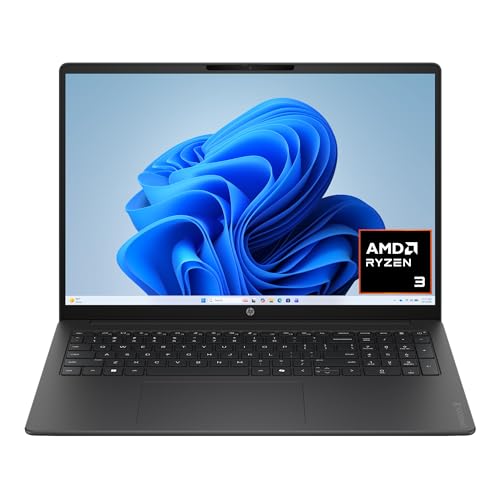
Top 3 picks at a glance
Quick Picks
As an Amazon Associate we earn from qualifying purchases at no extra cost to you.


| Product | Best for | Key spec from the title |
|---|---|---|
| Alienware 15.3″ 2K | Compact 2K gaming on a sensible GPU tier | RTX 4050 6GB, 16GB memory |
| HP OMEN 15 | High refresh rate on a newer GPU | 2K 165Hz, RTX 5050 8GB |
| HP Omen 16 (RTX 5060) | Gamers who want 32GB of memory out of the box | Ryzen AI 7 350, RTX 5060, 32GB DDR5 |
| HP Omen 16 Renewed | Shoppers comfortable with a refurbished unit | 16″ 2K, 16GB, 1TB |
| Lenovo Legion 5 15IRX10 | Maximum performance and display quality | WQXGA OLED, Core i9-14900HX, RTX 5070 8GB GDDR7 |
How to Choose
Match the GPU to the pixel count
A 2K panel typically means 2560 by 1440, roughly 78 percent more pixels than 1920 by 1080. As a rule of thumb, an RTX 4050 or 5050 class chip is comfortable at 2K for esports titles and older games, while demanding new releases usually need medium settings or upscaling. An RTX 5060 or 5070 gives real headroom. Look at the video memory figure too: 6GB is workable today, 8GB is safer as texture packs keep growing. Ignore the marketing wattage language and focus on the named GPU model.
Check the refresh rate and panel type
For competitive play, look for 144Hz or higher. A 165Hz panel is a practical sweet spot because most GPUs in this class can approach those frame rates in lighter games. Panel type matters as well: OLED brings deep contrast and very fast response, while IPS is more common at the budget end. Also check whether the listing really states 2K, since some titles mention both 2K and FHD, and a 60Hz panel at this resolution wastes the GPU’s potential.
Do not settle for 8GB of memory or a tiny drive
Sixteen gigabytes of RAM is the working minimum for a gaming laptop today, and 32GB helps if you stream, edit video, or keep many browser tabs open beside a game. Prefer DDR5 where it is listed. Storage of 512GB fills quickly with modern game installs, since a handful of big titles can take most of it, so 1TB is the more comfortable target unless you are ready to add a second drive.
Be skeptical of buzzwords and condition
NPU TOPS figures, RGB zones, and Wi-Fi generation make good bullet points but do little for frame rates, so ignore them when comparing. Budget models usually cut corners on cooling, port selection, and keyboard travel instead of the headline spec. If you consider a renewed unit, confirm the warranty terms and make sure the graphics chip is named in the listing before you commit, because a vague “NVIDIA” line can hide a wide performance range.
The 5 Best Options
Alienware 15.3″ 2K Gaming Laptop
This is the pick for someone who wants a 2K screen in a 15-inch frame without chasing the top GPU tier. The title lists an Intel Core 7 240H processor, 16GB of memory, and an RTX 4050 with 6GB of video memory, offered in 512GB and 1TB storage configurations. It reads like a balanced, mid-range gaming build aimed at students and casual players who want a recognizable brand and a sharp display.
- Strength: The 15.3-inch 2K display gives sharper visuals than a standard Full HD panel in a compact chassis.
- Strength: Storage is offered in two sizes, so you can pick 1TB if your game library is large.
- Trade-off: An RTX 4050 with 6GB will need reduced settings in the newest, heaviest games at 2K.
Skip it if you want a stated high refresh rate, since the title does not list one, or if you plan to run the newest releases at high settings for many years.
HP OMEN 15
The OMEN 15 pairs a 2K 165Hz display with an AMD Ryzen 5 240, 16GB of RAM, a 512GB SSD, and an RTX 5050 with 8GB of dedicated memory. It suits players who care more about smooth motion than raw resolution scaling, since the refresh rate is spelled out right in the name of the listing. The newer GPU generation also makes it appealing for anyone who wants current features rather than last cycle’s silicon.
- Strength: A 165Hz refresh rate is explicitly listed, which suits shooters and other fast-paced games.
- Strength: The 8GB of dedicated video memory is generous for this GPU tier.
- Trade-off: A single 512GB drive fills quickly, so expect to add storage soon.
Skip it if you need 32GB of memory for creative work, or if you want a larger 16-inch screen.
HP Omen 16 (RTX 5060)
This configuration lists a Ryzen AI 7 350, an RTX 5060, 32GB of DDR5, and a 1TB drive, which is a strong spec sheet for the mid-range tier it sits in. A 4-zone RGB backlit keyboard, Wi-Fi 6E, and 50 NPU TOPS round out the listing. It is the most balanced option here for someone who splits time between games, schoolwork, and video projects.
- Strength: Thirty-two gigabytes of DDR5 and 1TB of storage cover gaming and multitasking from day one.
- Strength: The RTX 5060 offers more room at 2K than the entry-level GPUs above.
- Trade-off: The title mentions both 2K and a 16-inch FHD 165Hz display, so confirm the actual resolution before buying.
Skip it if native 2K sharpness is non-negotiable and you cannot verify the panel details. Also skip it if you prefer a 15-inch footprint, because this model moves up to a 16-inch body that is bulkier in a backpack.
HP Omen 16 Renewed
The renewed 16AN listing shows an Intel Core Ultra 5 class processor, 16GB of memory, a 1TB drive, and a 16-inch 2K screen with an NVIDIA graphics chip. It is the budget-minded route into a larger display, and it will appeal to buyers who accept refurbished gear in exchange for a lower cost of entry and a roomy screen.
- Strength: A 1TB drive and a 16-inch 2K screen are included in a refurbished package.
- Strength: Renewed units can undercut new configurations in cost.
- Trade-off: The title does not name the exact NVIDIA GPU, so performance is harder to judge.
Skip it if you want full new-device warranty coverage or need a clearly specified graphics chip. Buyers who value predictable battery health and a sealed retail box should look at the new models above instead.
Lenovo Legion 5 15IRX10
The Legion 5 is the performance leader here. The title lists a 15.1-inch WQXGA OLED panel, a Core i9-14900HX, an RTX 5070 with 8GB of GDDR7, 32GB of DDR5, and a 1TB drive. Nothing else in this group combines a flagship-class processor with a display that has this kind of contrast, so it is the clear choice for people who want a single machine to handle everything.
- Strength: An OLED WQXGA display delivers the best image quality in this group.
- Strength: The RTX 5070 and 32GB of DDR5 give headroom for demanding games and creative work.
- Trade-off: A flagship-class processor and OLED panel place it firmly in the premium tier.
Skip it if you are on a tight budget or only play lighter esports titles, since a flagship processor adds cost you may never use. Anyone wanting a 16-inch screen should also look elsewhere, as this one is a 15.1-inch model.
Which One Fits Your Situation
You want the smoothest competitive gameplay
Choose the HP OMEN 15. Its listed 165Hz 2K display and RTX 5050 favor fast motion over cinematic settings, and the 8GB of video memory keeps textures from becoming a bottleneck in popular multiplayer titles.
You game and edit video on the same machine
Go with the HP Omen 16 with the RTX 5060 and 32GB of DDR5, or step up to the Lenovo Legion 5 if the budget allows. Both give you memory headroom for editing timelines while a game launcher sits open in the background.
You need a compact machine for dorm or travel
The Alienware 15.3-inch keeps the footprint small while still giving you a 2K display, which makes it easier to carry between classes and a desk. Pick the 1TB version if you do not want to juggle installs.
You want the most screen for the least outlay
The renewed HP Omen 16 is the lowest-commitment route to a 16-inch 2K screen, as long as you accept the refurbished status and confirm warranty details before ordering.
Common Mistakes
- Assuming any laptop labeled 2K can run new games at that resolution without lowering settings.
- Ignoring video memory and buying a 4GB or 6GB GPU for long-term use.
- Skipping the refresh rate line and ending up with a 60Hz panel on a gaming machine.
- Choosing a single 512GB drive without a plan to expand storage.
- Buying a renewed laptop without confirming the exact GPU model and warranty length.
Related guides
- Gaming Chair Cushions And Lumbar Supports
- How To Use Camelcamelcamel For Amazon Deals
- Business Laptops For Graphic Designers
Frequently Asked Questions
Is 2K better than Full HD for gaming?
It is sharper, but it demands more from the GPU. If your graphics chip is entry-level, a high refresh rate Full HD panel may feel smoother in fast games. Pair a 2K screen with at least an RTX 4050 class card, and be ready to use upscaling features in the most demanding games.
How much video memory do I need at 2K?
Eight gigabytes is a comfortable target for recent releases. Six gigabytes works, though you may need to reduce texture quality in newer titles as time goes on.
Does an OLED gaming laptop have downsides?
OLED panels offer excellent contrast and response, but they usually raise the cost. Static desktop elements can also be a concern over very long sessions, so vary your screen content and use dark themes.
Can I upgrade a gaming laptop later?
Most let you replace the SSD and sometimes the RAM, but the GPU and CPU are fixed. Buy the graphics tier you need now, and treat storage and memory as the upgradeable parts. Before opening the case, confirm that doing so will not void the warranty, particularly on renewed or retail-configured units.
Related guides
More from Amazon
Programs that pair well with the guide above. Offers and eligibility are set by Amazon and may change.
Free shipping on eligible items, Prime Video and more. Eligible new members can start with a free trial.
Start a Prime free trialAd-free music streaming. Eligible new subscribers can start with a free trial.
Try Music Unlimited freeA Prime membership for ages 18-24 with a trial period. Eligibility is set by Amazon.
See Prime for Young AdultsAudiobooks and podcasts to listen to on the go. Eligible new members can start with a free trial.
Try Audible freeAs an Amazon Associate we earn from qualifying purchases.









