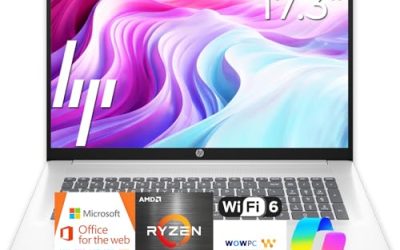
A refurbished business laptop is the one place in consumer tech where buying used is often the smarter move, because corporate fleets retire machines on a schedule, long before the hardware wears out. The chassis, keyboard, and port layout were engineered for years of daily office use, and the same money that buys a flimsy new budget laptop can buy a renewed Latitude with a real SSD, 16GB of memory, and Windows 11 Pro. The catch is that quality varies by seller and by generation, so the decision is less about brand and more about the processor era, the screen, and the condition of the battery.
All five picks below are renewed Dell Latitudes, which is deliberate: the line is common on the refurbished market, easy to service, and well supported. They are judged only from the listed specs, so there is no claim about grading, battery health, or speed. Treat the list as a shortlist for 2026 and read the seller’s condition notes, warranty length, and return terms before you commit, because those details matter more on a renewed unit than any processor name.
Our Top Picks
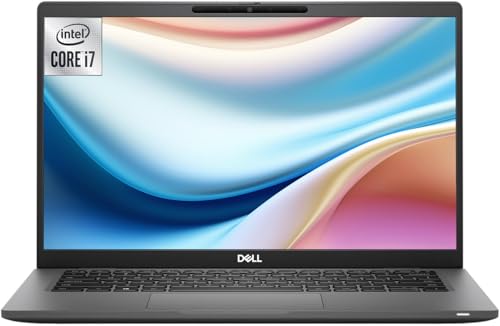
 Dell Latitude 5420 14" FHD Business Laptop Computeri5-1145G7-16-256-SV-Win1112.76 x 8.35 x 0.76 inches3 poundsCheck on Amazon



Top 3 picks at a glance
Quick Picks
As an Amazon Associate we earn from qualifying purchases at no extra cost to you.


| Product | Best for | Key spec from the title |
|---|---|---|
| Dell Latitude 5420 | Balanced everyday office use | Core i5-1145G7, 16GB DDR4, 256GB SSD, 14 FHD |
| Dell Latitude 7490 | Memory and storage on a tight plan | Core i7-8650U, 16GB DDR4, 512GB SSD, 14 HD |
| Dell Latitude 7420 | Heavy multitasking | Core i7-1185G7, 32GB RAM, 512GB SSD, FHD |
| Dell Latitude 5400 | Light work with USB-C and SD reader | Core i5-8265U, 16GB, 256GB SSD, USB Type-C |
| Dell Latitude 7400 | Fast SSD and modern i7 | Core i7-1165G7, 16GB DDR4, 512GB NVMe, FHD |
How to Choose
Processor generation sets the ceiling
The model number alone does not tell you how old the chip is. The 8th-generation parts in the 7490 and 5400, the Core i7-8650U and i5-8265U, are four-core processors from several years back, still adequate for office software but slower than the 11th-generation chips in the 5420, 7420, and 7400. Newer silicon also tends to be more efficient and supports faster wireless standards. If you plan to keep the laptop for years, lean toward the newer generation. A useful habit is to look up the processor name itself rather than the Latitude model number, since sellers reuse the same chassis across several chip generations and the title is the only place that tells you which one you are getting.
Memory, storage, and screen
Sixteen gigabytes of RAM is the comfortable floor for a modern browser and a video call, and the 7420 goes to 32GB for heavy multitasking. A 256GB SSD fits an office profile, while 512GB gives room for local files. Pay attention to the display, since the 7490 lists a 1366 by 768 HD panel, which is noticeably lower in resolution than the 1920 by 1080 FHD screens on the 5420, 7420, and 7400. Text looks sharper and shows more content on FHD. For an accountant, a paralegal, or anyone who reads documents side by side, that extra detail reduces scrolling and eye strain, which is worth more than a small bump in processor speed.
Ports and business features
All five list Windows 11 Pro, which is the edition that offers disk encryption management and domain features. HDMI appears on the 5420 and 7490, USB Type-C and an SD card reader on the 5400, and a backlit keyboard on the 7420. Check for Thunderbolt if you plan to use a dock, and verify the actual port list on the product page, because titles do not always mention every connection. An Ethernet jack, a full-size HDMI output, and a USB-C port that can charge the laptop are the three connections that most often decide whether a used business laptop fits a real office setup.
What to ignore, and where renewed units cut corners
Ignore claims such as “up to 4.7G,” which describe a maximum boost speed, not what the machine sustains. The weak points on a renewed laptop are the battery, which wears with cycles, and cosmetic condition. Look for a stated battery health policy, a warranty of at least several months, and a straightforward return window. Photos of the actual unit are a good sign, because stock images hide scratches and worn keys. A renewed unit with a new battery is worth more than the same model with an unknown one. Also check that the seller states what is included: a charger that matches the laptop, any storage upgrade, and a clean operating system install. Missing power adapters are a common surprise with used corporate stock.
The 5 Best Options
Dell Latitude 5420
A renewed 14-inch FHD Latitude with a quad-core Core i5-1145G7, 16GB of DDR4 memory, a 256GB SSD, a camera, HDMI, and Windows 11 Pro. This is the sensible middle path, pairing an 11th-generation processor and a full HD screen with a standard office-sized drive. It is for small-business owners and remote employees who want a dependable machine without paying for extras. The camera and HDMI port mean video calls and presentations work without accessories, and the 11th-generation platform should stay current with software updates for longer than the 8th-generation units here.
- Strength: 11th-generation Core i5 with a Full HD display.
- Strength: 16GB of memory and Windows 11 Pro.
- Trade-off: 256GB of storage fills up if you keep large files locally.
Skip it if you need more than 256GB of storage or 32GB of memory.
Dell Latitude 7490
This renewed Latitude pairs an older Core i7-8650U with 16GB of DDR4, a 512GB SSD, a camera, HDMI, and a 14-inch HD panel at 1366 by 768. It targets buyers who care more about storage and memory than about screen sharpness, and who want a low-tier entry into Windows 11 Pro on a business chassis. It makes sense as a second machine for a warehouse office or a shared desk, where the job is email, inventory sheets, and a few browser tabs, and where a sharper screen would add little.
- Strength: 512GB SSD with 16GB of memory.
- Strength: HDMI and a camera for meetings.
- Trade-off: The HD display is the lowest resolution in this group.
Skip it if you read documents all day and want a sharp screen.
Dell Latitude 7420
The 7420 lists a 14-inch FHD display, a Core i7-1185G7, 32GB of RAM, a 512GB SSD, a backlit keyboard, Wi-Fi, Bluetooth, and Windows 11 Pro. It is the most capable machine in the group, aimed at users who keep many applications and browser tabs open at once and who want to avoid memory limits for several years. The backlit keyboard helps for late-night work, and the combination of Wi-Fi, Bluetooth, and an 11th-generation Core i7 makes it a natural fit for a desk setup at home with a monitor and keyboard attached.
- Strength: 32GB of RAM and a modern Core i7.
- Strength: Backlit keyboard and Full HD display.
- Trade-off: Higher tier than the other renewed options.
Skip it if your work is light and a lower-tier unit would suffice, since the extra memory only pays off when your workload actually fills it.
Dell Latitude 5400
A renewed 14-inch Latitude with a Core i5-8265U, 16GB of RAM, a 256GB SSD, USB Type-C, an SD card reader, and Windows 11 Pro. The 8th-generation processor suits basic office tasks, and the SD card reader helps photographers and field inspectors who move images off cameras. The display is listed as HD, so it suits tasks where raw screen sharpness matters less than having the right ports built in. Surveyors and real-estate agents would be natural users.
- Strength: SD card reader and USB Type-C add practical ports.
- Strength: 16GB of RAM at the lower end of the group.
- Trade-off: Older processor and an HD screen.
Skip it if you want a newer chip or a Full HD screen, or if you plan to keep the laptop as your main machine for many years.
Dell Latitude 7400
This renewed 14-inch model lists a Core i7-1165G7, 16GB of DDR4, a 512GB M.2 NVMe SSD, a 1080P FHD display, and a webcam. It pairs a modern processor with a fast storage type and a generous drive, which suits professionals who open large files often, such as people working with big PDFs, drawings, or photo folders. The NVMe label signals a faster storage interface than a basic drive, though the title does not give speed numbers, so treat it as a general advantage only.
- Strength: NVMe SSD with 512GB of space.
- Strength: Core i7 11th-generation processor and FHD display.
- Trade-off: Listing text is busy, so confirm exact configuration and ports.
Skip it if you need 32GB of memory, or if you prefer a listing with a cleaner, shorter description from the seller.
Which One Fits Your Situation
You want the safest all-round pick
The Latitude 5420 offers a balanced mix of newer processor, FHD screen, and 16GB of memory. It is the one to pick if you do not want to compare specs for another hour.
You juggle many apps at once
Choose the Latitude 7420 with 32GB of RAM and a backlit keyboard. It will also leave the most room for software that grows hungrier over the next few years.
You want a big drive on a tight plan
The Latitude 7490 and 7400 both list 512GB, with the 7400 offering the newer processor and sharper screen. If cost is the main limit, the 7490 trades display quality for the same storage size.
You move photos from a camera
The Latitude 5400 has the SD card reader, which saves a dongle. It also lists USB Type-C, a useful second port for a modern phone or drive.
Common Mistakes
- Ignoring the battery condition on a renewed unit, then finding it lasts only an hour away from the charger.
- Choosing an HD screen without realizing how it looks next to FHD.
- Assuming all renewed Latitudes have the same processor generation.
- Skipping the warranty and return terms, which are the only protection if a used part fails in the first month.
- Paying for 512GB of storage while ignoring a weak processor.
Related guides
- Gaming Chair Cushions And Lumbar Supports
- Business Laptops For Graphic Designers
- How To Use Camelcamelcamel For Amazon Deals
Frequently Asked Questions
Is a renewed laptop reliable for business use?
Business-class models are built to last. Reliability depends on the seller, so check the warranty, the return window, and whether the seller states a battery health policy before you buy.
Will older Core i5 and i7 chips run Windows 11?
The listings state Windows 11 Pro. 8th-generation chips are on the supported edge, so confirm that the seller has installed and activated it, and that updates run normally.
Can I replace the battery or SSD later?
Latitudes are generally serviceable, which is part of their appeal. Check the service manual for your exact model, since some parts are soldered and others are not.
What does renewed mean?
It means the unit was inspected and restored by a seller. Standards vary from one seller to the next, so read the condition notes and compare warranty terms.
Related guides
More from Amazon
Programs that pair well with the guide above. Offers and eligibility are set by Amazon and may change.
Free shipping on eligible items, Prime Video and more. Eligible new members can start with a free trial.
Start a Prime free trialAd-free music streaming. Eligible new subscribers can start with a free trial.
Try Music Unlimited freeA Prime membership for ages 18-24 with a trial period. Eligibility is set by Amazon.
See Prime for Young AdultsAudiobooks and podcasts to listen to on the go. Eligible new members can start with a free trial.
Try Audible freeAs an Amazon Associate we earn from qualifying purchases.