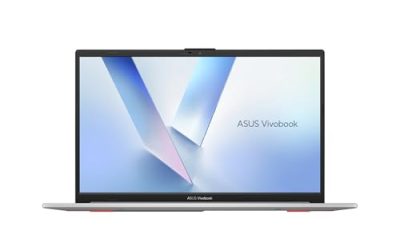
People who type “samsung lap top” into a search box are rarely comparing spec sheets yet. They know the brand from phones and TVs and want to know which of its laptops deserves a place on the desk. That is a fair starting point, because Samsung sells very different machines under one name: tiny ChromeOS notebooks meant for homework, mainstream Galaxy Book laptops for the office, and a premium convertible with an AMOLED screen. Choosing well means deciding what the laptop must do before reading a single model number. A laptop for a ten-year-old and a laptop for a video editor share a logo and little else, so the first step is naming the job. Write it down in one sentence, such as homework and streaming, or spreadsheets and calls, and let that sentence filter the seven options below.
This guide is built for first-time Samsung buyers, parents shopping for a student, and professionals who like a clean Windows machine with a bright display. It compares seven listings using only what their titles state, and where a title leaves a gap, such as a missing operating system or an unnamed processor, the review points it out. The lineup in 2026 is crowded with Book4, Book5, and Book6 labels, so we put processor generation, memory, and storage ahead of marketing words. A buyer who learns to read those three numbers can compare any Samsung listing in under a minute.
Our Top Picks
 Samsung 14" Galaxy Chromebook Go Laptop PC Computer64GB Storage12.88 x 8.8 x 0.63 inches3.2 poundsCheck on Amazon
 Samsung Galaxy Book4 2024 Business Laptop 15.6" FHD14.04 x 9.02 x 0.61 inches5.7 poundsCheck on Amazon
 Samsung 14” Galaxy Book6 Laptop512GB and Intel Integrated12.34 x 8.71 x 0.59 inches3.2 PoundsCheck on Amazon


Top 3 picks at a glance
Quick Picks
As an Amazon Associate we earn from qualifying purchases at no extra cost to you.


| Product | Best for | Key spec from the title |
|---|---|---|
| Samsung Galaxy Chromebook Go 14 | Light schoolwork | Celeron N4500, 4GB RAM, 64GB, ChromeOS |
| Samsung Galaxy Book4 15.6 | Everyday office use | 10-core Intel 7 150U, 16GB, 512GB SSD |
| Samsung Galaxy Book6 16 (1TB) | Storage-heavy desktop replacement | Ultra 7 355, 16GB DDR5, 1TB SSD, Copilot+ |
| Samsung Galaxy Book6 14 U5 | Slim carry-everywhere laptop | 16GB/512GB, Full HD+, Dolby Atmos |
| Samsung Galaxy Book5 Pro 360 | Creative 2-in-1 | 3K AMOLED touch, Ultra 7 258V, 32GB/1TB |
| Samsung Galaxy Book6 14 Core 5 | Basic Windows tasks | Core 5, 8GB/256GB |
| Samsung Chromebook Plus 12.2 | Compact note-taker | 12.2-inch FHD touch 2-in-1, 224GB storage |
How to Choose
Decide between ChromeOS and Windows
Chromebooks, including the Galaxy Chromebook Go and the Chromebook Plus, shine for browser-based work, video calls, and cloud documents, and they start quickly. Windows Galaxy Books run traditional desktop software. If your workflow depends on a specific program, such as an accounting package or a design tool, that single fact chooses the platform for you. Families sharing one laptop often prefer ChromeOS for the easy sign-in and automatic updates, while professionals tend to need Windows.
Read the processor name as well as the brand
Samsung titles mix labels like Intel 7, Core 5, and Core Ultra 7. Ultra chips are the newer family and carry the Copilot+ tag in some listings, while Celeron parts sit at the entry level. When a title lists only “Intel Processor,” as one Book6 does, treat the chip as unconfirmed and read the full listing before comparing it with a model that names its chip. The same caution applies to titles that use shorthand like U5 without a full model number.
Memory, storage, and screen thresholds
Sixteen gigabytes of RAM keeps a Windows laptop responsive for years, and 8GB is the minimum for light use. Prefer 512GB or more of SSD storage, because updates, downloads, and a year of photos fill a 256GB drive quicker than most buyers expect. For the display, Full HD or better is the baseline; 2K and 3K panels add sharpness, and AMOLED adds deeper blacks for video. Sizes run from 12.2 to 16 inches, so match the screen to how far you travel with it. A 12.2-inch convertible slips into a small bag, while a 16-inch model usually stays on a desk.
Where budget models cut corners
Entry Chromebooks save money with 4GB of memory and small flash storage, while low-end Windows models use 8GB and 256GB. That is fine for a single-purpose laptop but tight for a multitasker. Ignore decorative extras and favor a stated warranty, since support terms vary and only one title here names one. Battery hours and weight rarely appear in these titles, so do not assume them.
The 7 Best Options
Samsung Galaxy Chromebook Go 14
A 14-inch ChromeOS laptop with a Celeron N4500, 4GB of RAM, and 64GB of storage, labeled for students. It targets families who want an uncomplicated machine for web classes, email, and streaming at the lowest tier of the Samsung range. Because Chromebooks lean on the cloud, the small drive matters less than it would on Windows.
- Strength: ChromeOS keeps setup and maintenance simple.
- Strength: a 14-inch screen gives more room than a tablet without bulk.
- Trade-off: 4GB and 64GB limit heavy tab use and local files.
Skip it if you need Windows programs or plan to store large files locally, or if the laptop must also serve a working adult.
Samsung Galaxy Book4 15.6
A Windows business laptop with a 15.6-inch Full HD IPS display, a 10-core Intel 7 150U processor, 16GB of LPDDR4 memory, and a 512GB SSD. The listing adds Wi-Fi 6, a backlit keyboard, and a fingerprint reader. The larger panel makes it the comfortable choice for spreadsheets and documents side by side.
- Strength: 16GB and 512GB form a balanced work configuration.
- Strength: a fingerprint reader and backlit keyboard help in an office.
- Trade-off: LPDDR4 memory marks it as an earlier generation than the Book6 models.
Skip it if you want touch input or the newest chip family, since the title mentions neither.
Samsung Galaxy Book6 16 (1TB)
This Copilot+ AI business laptop pairs a 16-inch touchscreen with an Intel Ultra 7 355, 16GB of DDR5 memory, and a 1TB SSD, plus a backlit keyboard. The storage figure is the headline for people with large project folders. Photographers, video editors, and anyone who keeps offline archives will see the benefit first.
- Strength: 1TB of storage is generous for a laptop of this size.
- Strength: an Ultra 7 chip and DDR5 memory reflect a current platform.
- Trade-off: a 16-inch body is large for frequent commuters.
Skip it if portability matters more than screen space, or if you rarely use more than a few gigabytes.
Samsung Galaxy Book6 14 U5
A slim, light 14-inch model with 16GB of memory, 512GB of storage, a Full HD+ display, and Dolby Atmos speakers. A two-year warranty is mentioned in the title, an unusual detail for this category. The slim body and speakers make it a natural travel and video-call machine.
- Strength: 16GB/512GB sits in a body built for carrying.
- Strength: Dolby Atmos speakers suit video calls and media.
- Trade-off: the processor is named only as a U5 Intel part.
Skip it if you need a clearly named chip for comparison, or if a 16-inch screen is a must-have.
Samsung Galaxy Book5 Pro 360
The premium option, a 16-inch convertible with a 3K AMOLED touchscreen, an Intel Core Ultra 7 258V, Windows 11 Pro, and 32GB of RAM with 1TB of storage. It is the model for designers, presenters, and anyone who sketches on screen. The convertible hinge also lets it sit on a table as a presentation display during a client meeting.
- Strength: 32GB of RAM and a 3K AMOLED display lead the group.
- Strength: a 360-degree hinge supports tablet and tent modes.
- Trade-off: it belongs to the premium tier and is large for a convertible.
Skip it if your tasks are limited to browsing and documents, because most of its strengths would go unused.
Samsung Galaxy Book6 14 Core 5
A 14-inch Galaxy Book with a Core 5 processor, 8GB of RAM, and 256GB of storage. It is the simplest Windows route in the Book6 family and suits email, documents, and online study. Shoppers who want the Book6 name without the larger memory options will find it the straightforward entry.
- Strength: it keeps a portable 14-inch footprint.
- Strength: it covers the basics of Windows computing in a newer generation.
- Trade-off: 8GB and 256GB may feel limiting after a year or two.
Skip it if you plan to keep the laptop for a long time or multitask heavily.
Samsung Chromebook Plus 12.2
A 12.2-inch Full HD 2-in-1 touchscreen Chromebook for business and students, with an Intel dual-core processor, 4GB of RAM, and 224GB of total storage that includes 64GB of eMMC. It folds into a tablet for reading and notes. Teachers and students who annotate documents by hand are the group most likely to appreciate the touchscreen.
- Strength: a compact 2-in-1 body is easy to carry and use on a lap.
- Strength: 224GB of total storage is high for a Chromebook.
- Trade-off: 4GB and a dual-core chip limit multitasking.
Skip it if you want a big screen or a full Windows desktop, or if you type for hours each day.
Which One Fits Your Situation
A parent buying a first laptop for a child
The Galaxy Chromebook Go 14 keeps the experience simple, with a student-focused listing and a size that fits a school bag. It is also the easiest model here to replace if it is lost or damaged.
An accountant or office manager
The Galaxy Book4 15.6 offers a big screen with a fingerprint reader and a solid 16GB/512GB base, which keeps the machine usable for years of office work.
A designer who sketches and presents
The Galaxy Book5 Pro 360 brings the 3K AMOLED touchscreen and 32GB of memory, which suits layered design files and live presentations alike.
A frequent traveler
The Galaxy Book6 14 U5 carries 16GB/512GB in a slim body and includes a two-year warranty, so the laptop is covered through the first stretch of daily use.
Common Mistakes
- Assuming every Samsung lap top runs Windows when some run ChromeOS and cannot install desktop programs.
- Comparing models by the Galaxy Book number alone and ignoring the processor.
- Buying 256GB of storage for a laptop that will hold large files.
- Paying for a large AMOLED screen that daily tasks never use.
- Skipping the warranty line in the listing and assuming every Samsung laptop carries the same coverage.
Specs and Terms Explained
Nits
A nit is a unit of screen brightness. Around 250 to 300 nits is comfortable in a normal room, while 400 or more helps near windows or outdoors. Entry models often leave brightness off the headline spec list, so look in the detailed specifications before assuming a screen will cope with a sunny desk.
AMOLED Versus LCD
An AMOLED panel lights each pixel on its own, which gives deep blacks and punchy color; it is the screen type associated with the premium convertible in this lineup. The trade-offs are a glossy surface that picks up reflections and, with static content left on screen for hours, a theoretical risk of image retention. A standard LCD is plainer but perfectly adequate for documents and video calls.
NPU and “AI PC”
An NPU is a chip block designed for on-device AI tasks. Microsoft’s Copilot+ PC label requires an NPU rated at 40 TOPS or higher, so a laptop that merely mentions AI in its marketing may not qualify. For email, browsing, and spreadsheets, the NPU rarely matters; treat it as a bonus, not a reason to stretch your spending.
eMMC Versus SSD
Many low-cost ChromeOS machines use eMMC storage, a soldered flash chip that is slower than the NVMe SSD found in most Windows laptops. It is fine for browser-based work but can feel sluggish when installing large updates. Check which type the Galaxy Chromebook Go 14 and Chromebook Plus 12.2 listings name.
Soldered Memory
Thin laptops frequently solder RAM to the board, so it cannot be upgraded later. Choose the memory size you need on day one rather than planning to add more.
Which One Should You Buy?
| If you… | Choose… |
|---|---|
| Need a simple machine for homework and web apps | Samsung Galaxy Chromebook Go 14 |
| Want a compact touch-friendly ChromeOS 2-in-1 | Samsung Chromebook Plus 12.2 |
| Work in spreadsheets and want a full-size keyboard | Samsung Galaxy Book4 15.6 |
| Want a large screen with plenty of storage | Samsung Galaxy Book6 16 (1TB) |
| Carry the laptop daily in a bag | Samsung Galaxy Book6 14 U5 or Samsung Galaxy Book6 14 Core 5 |
| Want a bright display and tablet-style use | Samsung Galaxy Book5 Pro 360 |
Who Should Skip These
- Anyone who edits video or plays recent games. These laptops are built around everyday productivity, and sustained graphics work is better handled by a machine with a dedicated graphics chip.
- Buyers tied to Windows-only programs. The two ChromeOS models run web apps and Android apps, which will not replace specialist desktop software.
- People who want to upgrade later. Thin designs commonly fix memory in place, so a machine that feels slightly short on day one will not get better with age.
- Shoppers who want a long file archive on the device. Cloud-first ChromeOS storage is meant for documents and web work, not a large local library.
Related guides
- Gaming Chair Cushions And Lumbar Supports
- Business Laptops With Long Battery Life
- Travel Backpack With Laptop Compartment
Frequently Asked Questions
What is the difference between a Galaxy Book and a Chromebook?
Galaxy Books run Windows and desktop software. Chromebooks run ChromeOS, which centers on web apps and cloud storage. If you are unsure, list the programs you use weekly and see whether each has a web version.
Is 8GB of RAM enough for a Galaxy Book?
For light office and study use, yes. For multitasking or a longer lifespan, choose 16GB. The extra memory is the cheapest insurance against a slow laptop in year three.
Why do some titles mention Copilot+?
It marks Windows laptops with processors designed for on-device AI features, and the processor generation must support it.
Are 2-in-1 laptops worth it?
They are useful for drawing, note-taking, and presentations. Otherwise a standard laptop is simpler and often lighter. Convertibles also add a hinge that is one more part to protect, so buy one only if you will fold it.
Related guides
More from Amazon
Programs that pair well with the guide above. Offers and eligibility are set by Amazon and may change.
Free shipping on eligible items, Prime Video and more. Eligible new members can start with a free trial.
Start a Prime free trialAd-free music streaming. Eligible new subscribers can start with a free trial.
Try Music Unlimited freeA Prime membership for ages 18-24 with a trial period. Eligibility is set by Amazon.
See Prime for Young AdultsAudiobooks and podcasts to listen to on the go. Eligible new members can start with a free trial.
Try Audible freeAs an Amazon Associate we earn from qualifying purchases.